North Africa - TripleA Module
-
Here is an example of what I meant before about stitching an image into the pattern when using a map relief.
I like to use this one from the wiki, it's a satellite terrain image, so it's not going to match the standard sorts of world map projections like mercator or robinson, or for example the projection used for the WW2 political atlas/maps year by year on the wiki. But that's ok since it's more impressionistic and once the image has it's opacity reduced, a pattern laid on top, and the national hex colors passed through it, some of the details can just go fuzzy.
Anyway, it's a nice large image. Here is the jumbo size from the wiki reduced to 18000px which is about as large as I can work with on my laptop before my GPU starts struggling hehe.
https://drive.google.com/file/d/1paHIOxdoc4gNJM681EqolrQDAlfA71e9/view?usp=sharing
Doesn't need to be that large, since only focusing on Europe. There are probably other similar sat maps or period maps that might work better, but since this one was chilling on the desktop I used it for quick example.
By taking a detail from the big map, and matching the scales up so they're ballpark, you can then use the transform tool to reshape the topo in sections. I like unified transform, since you can scale and twist that one using the anchor points, but any of the transform tools would work.
After you have the area you want selected, you can use the fuzzy select magic wand tool to "paste into a selection" This will prevent it pasting outside the spots you want.
I like to have just a couple working layers at a time so you can raise/lower them, or turn the little eyeballs on/off. Basically you slide the opacity to say 50% for whatever top layer that you're working on, in part so you can see what's happening while modifying it, then later you can adjust the opacity to whatever looks nice, and then merge em all back together as a single layer that is semi transparent to serve as the relief.
You may have to stretch and pull the sections in different parts of the map till you get a coastline that looks ok. Like here I just added in Spain very roughly. It's probably expedient to reshape and morph Italy or Africa or Yugoslavia separately so it's easier to morph using the little anchor nodes. Alternatively you can redraw the base to match the projection of a terrain image you want to use, but that involves changing other things like the place coordinates. Sometimes the boards have distortions for play purposes too, so it can be hard to match that way. I think it's easier to sorta bend reality till it approximates what you want to see drawn in game with the artistic liberties there.
Anyhow a process like this in GIMP
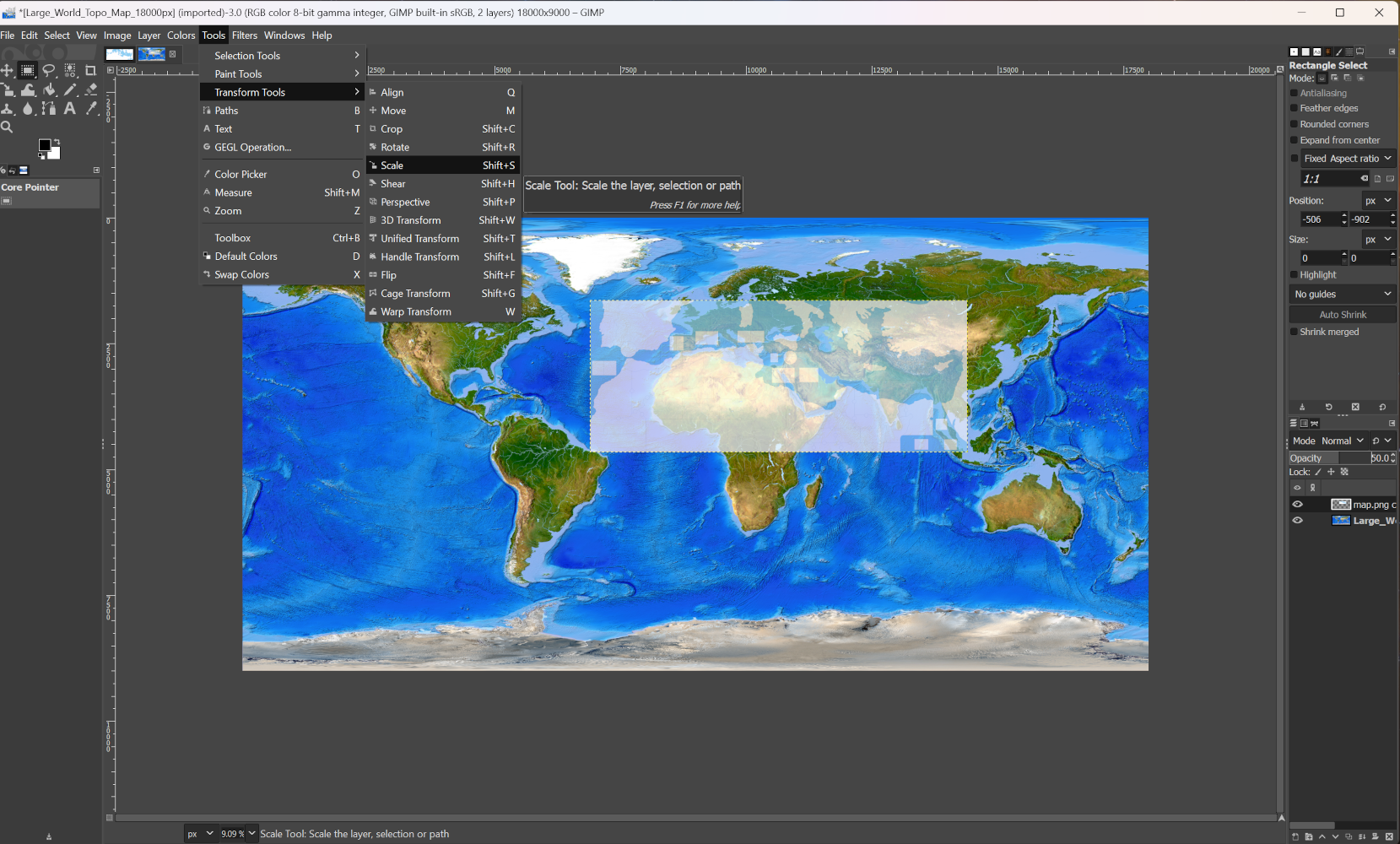
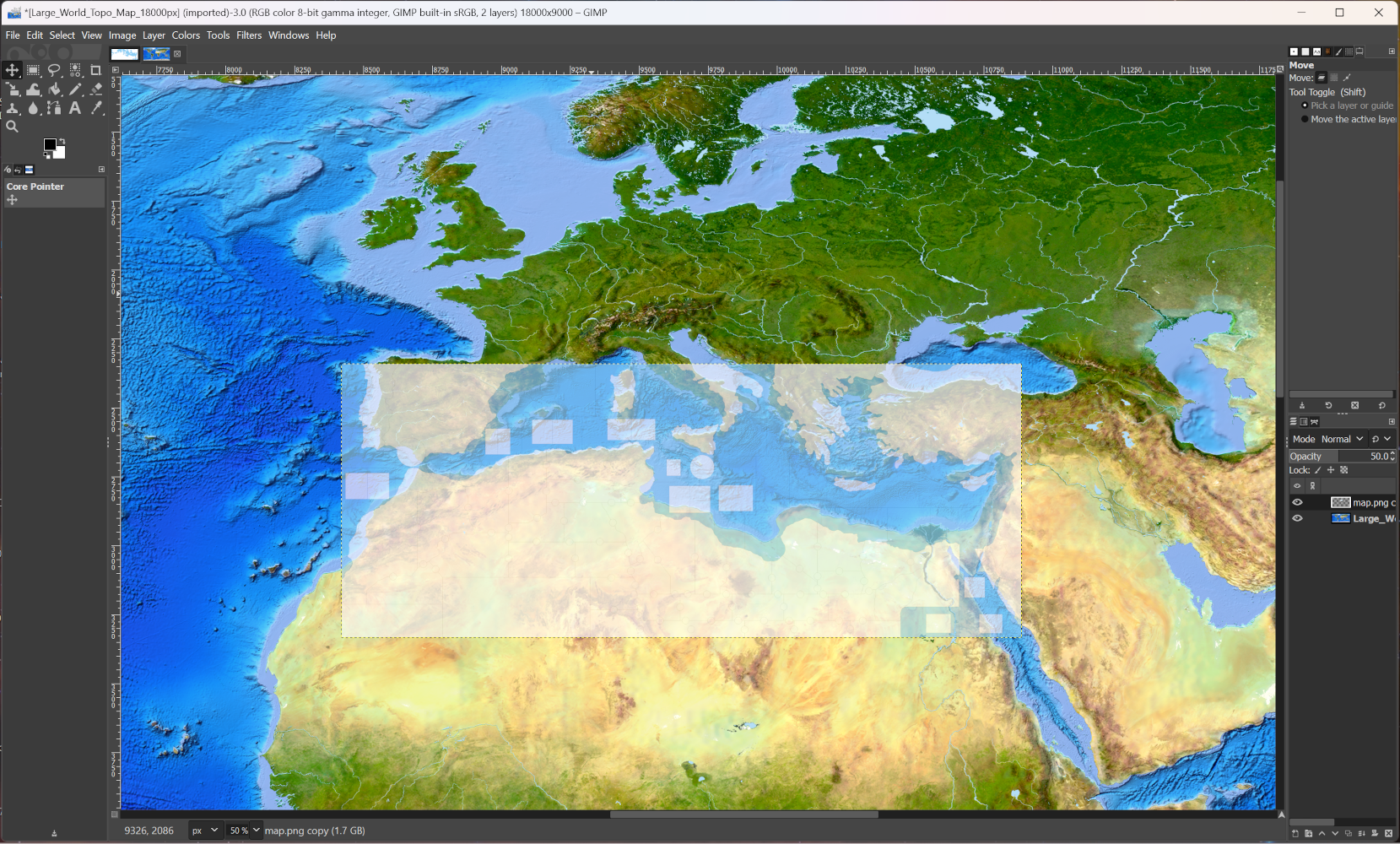
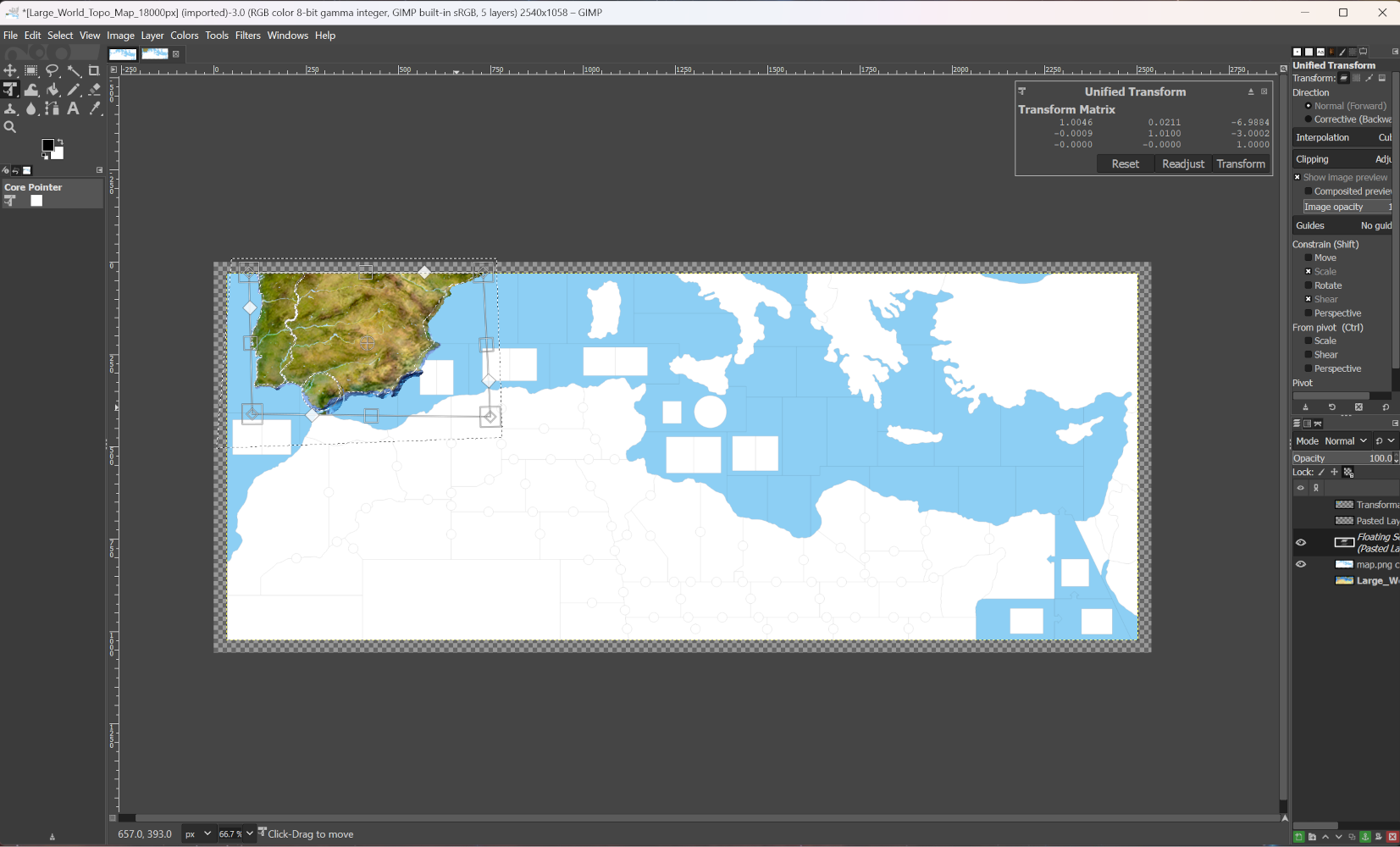
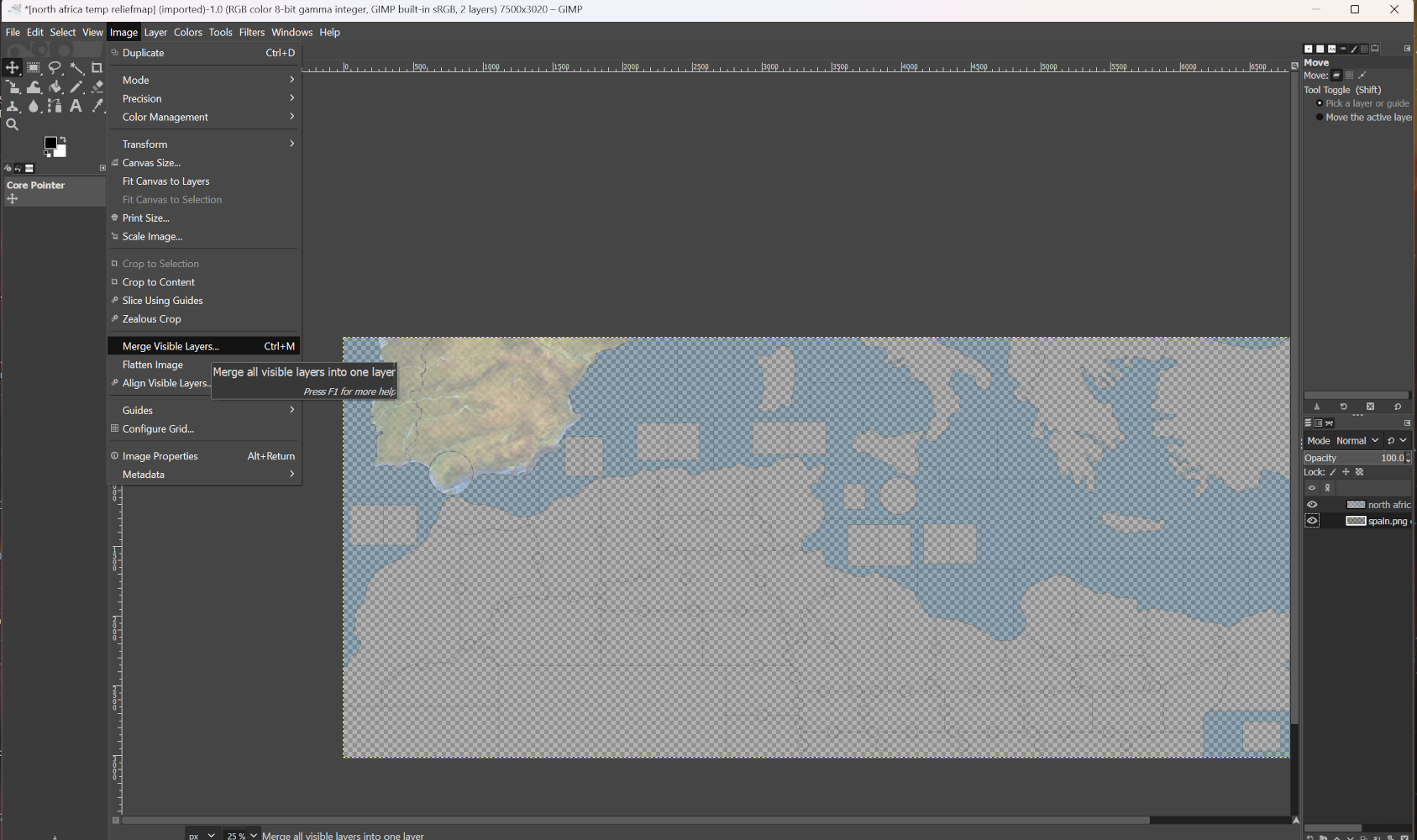
When I get some time to put something together I can do a quick xcf save for you guys, like with the layers up so you can check out how it works. Kinda easier to see that way as opposed to screens step by step, but it's not too hard once you get the hang of it. Can add other things that way as well like patterns for rail lines or desert motifs and such, or extra embelishments. It's hard to see sometimes till it launches inside tripleA with the full colors painted on top, but then it's also easy to kinda change the hex colors later to punch stuff up or knock it back in parts. Once the nuts and bolts are in place it's easier to go to town, but if stuff is changing on the base easier sometimes to just do a simple pattern till everything is sorted and then add on top once it's basically dialed in the base.
-
Have an idea about landmines. The mine territories should be split between the adjoining territories. If you control the territory, either by ownership or the presents of units, you control the mine territories that belong to that territory. 1 mine can then be placed in the territory, then during combat movement they can be given one movement to be moved to the mine territory. Mines already in a mine territory cannot be moved. Movement into a mine territory cost 0 points except for mines. So, movement would be through your mine territory to the next territory's mine territory then into the new territory, but at a cost of 1 movement point.
Thoughts.
Cheers...
P.S. If the map is redone, the missing line between Yugoslavia and Greece can be added.
Cheers...
-
@wc_sumpton said in North Africa - TripleA Module:
If you control the territory, either by ownership or the presents of units, you control the mine territories that belong to that territory.
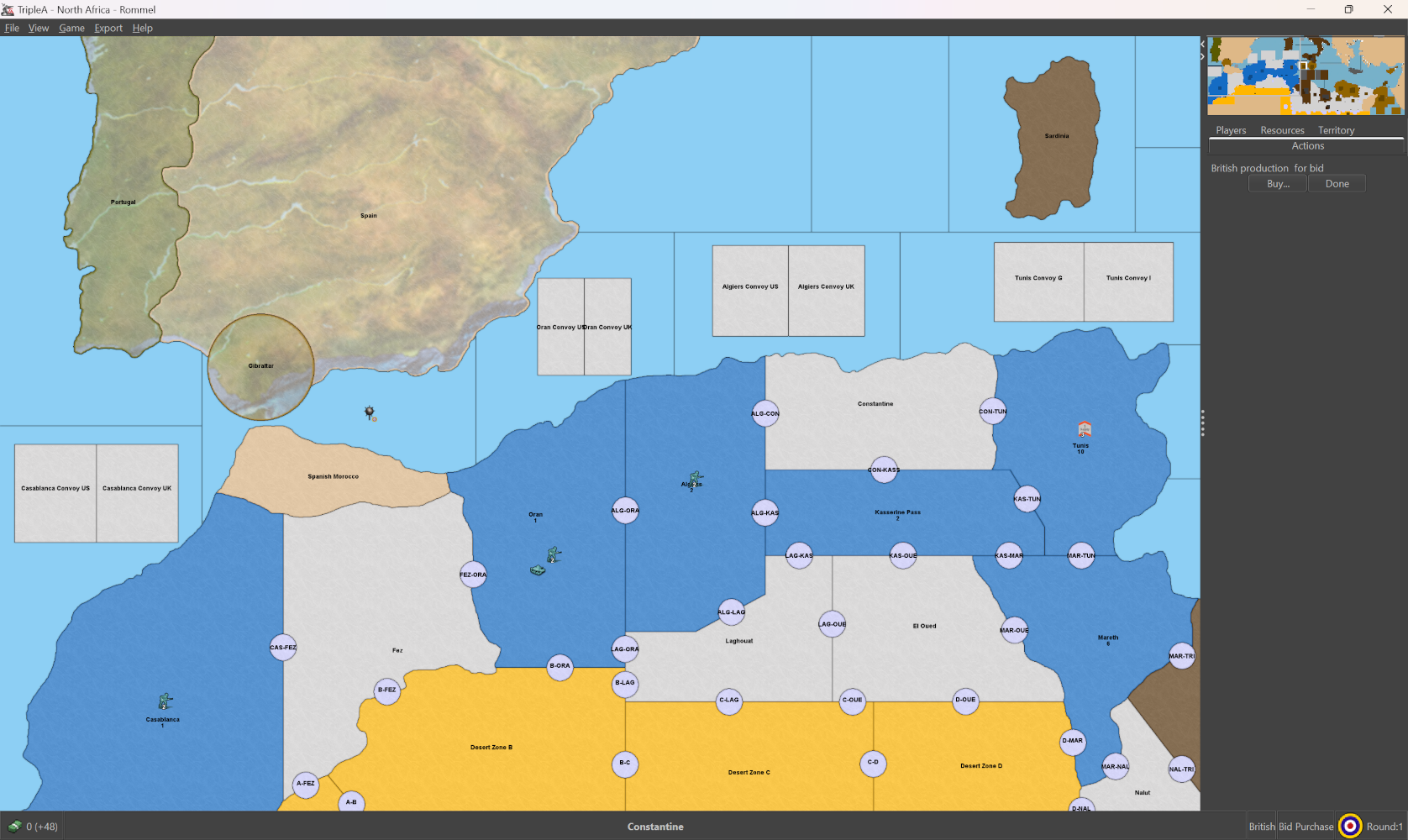
That is what we are currently using the circles on the map for, or were you suggesting something like having the entire border strip be a territory instead so crossing units must pass the mine?
-
To stop air units from landing on a territory, create a relationship that is allied to both teams:
<attachment name="relationshipTypeAttachment" attachTo="AlliedToAll" javaClass="RelationshipTypeAttachment" type="relationship">
  <option name="archeType" value="allied"/>
  <option name="canMoveLandUnitsOverOwnedLand" value="true"/>
  <option name="canMoveAirUnitsOverOwnedLand" value="true"/>
  <option name="canLandAirUnitsOnOwnedLand" value="false"/> <!-- this will prevent the landing of air units -->
  <option name="alliancesCanChainTogether" value="false"/>
  <option name="isDefaultWarPosition" value="false"/>
  <option name="canTakeOverOwnedTerritory" value="false"/>
  <option name="givesBackOriginalTerritories" value="true"/>
  <option name="canMoveIntoDuringCombatMove" value="true"/>
  <option name="canMoveThroughCanals" value="true"/>
  <option name="rocketsCanFlyOver" value="true"/>
</attachment>
Assign one player the control of all "neutral" territories and then assign this relationship.
Cheers...
-
Would anyone like access to the github for this project? I was working on a good chunk of the XML code up to this point but I have become extremely busy with my IRL job and cannot continue for the time being.
-
-
@wc_sumpton The XML in the github is the most up-to-date, link to download can be found in the first post of this thread.
@DoManMacgee I have the same thing, all those games I'm playing on the forums take all of my free time. Maybe I can take a look at it again this Friday or Sunday.
-
Prof of concept only, this xml is not game ready.
Units in this xml have been capitalized, "infantry" is "Infantry", also they have been normalized, "matilda" is "LightArmor". The unit:
  <unitList>
    <unit name="Infantry"/>
    <unit name="FrenchInfantry"/>
    <unit name="Artillery"/>
    <unit name="AntiTankGun"/>
    <unit name="AntiAircraftArtillery"/>
    <unit name="Halftrack"/>
    <unit name="Scoutcar"/>
    <unit name="LightArmor"/> <!-- Represents British/Italian/French Armor -->
    <unit name="Armor"/> <!-- Represents American/British Sherman/German Armor -->
    <unit name="HeavyArmor"/> <!-- Represents German Tiger Armor -->
    <unit name="Truck"/>
    <unit name="Fighter"/>
    <unit name="Bomber"/>
    <unit name="Battleship"/>
    <unit name="Destroyer"/>
    <unit name="Submarine"/>
    <unit name="Harbor"/>
    <unit name="Supply"/>
    <unit name="5Supply"/>
    <unit name="Landmine"/>
    <unit name="Seamine"/>
    <unit name="ControlMarker"/> <!-- Not used as of now -->
    <unit name="Convoy"/> <!-- Not used as of now -->
    <unit name="AdvanceConvoy"/> <!-- Not used as of now -->
  </unitList>
There are no required capitals, they are created/removed to put the game board in a location for gameplay. British player starts in the lower right corner, to place units in these three territories. Supplies can be bought in 5-unit stacks, but once placed will convert back to single units.
There is only a single purchase for each player but there are two placement phases so unplaced units will survive, even between turns.
All movement is conducted through mine zones, which should cost zero movement.
Again, use with caution.
Cheers...
-
This North Africa module has been upgraded considerably. Would you like to check it out? Maybe you have some ideas to improve it even more
 To download it, click on the github link in the first post of this thread
By the way, on a different note, I did notice your further improvements to my D-Day module, although I haven't had the time to take a deep look at it or even react to it. No worries, I will do that later this week!
-
@victoryfirst There is no github link in the first post.
-
-
@victoryfirst said in North Africa - TripleA Module:
This North Africa module has been upgraded considerably. Would you like to check it out? Maybe you have some ideas to improve it even more
Wow looks really good. Give me a day or two, as I have been busy with @RogerCooper's East & West.
Cheers...
-
I iratoric referenced this topic
-
Hi Victory
I saw your update a while back. Nice work
Using separate TTYs for the LM borders is a good idea. I thought about it for UHD but besides the huge amount of work it'd take ( although just use high use to low use. Doesn't need all done at once. ) I didn't like the look of all the little circles.
It just occurred to me, that your idea with a 1 pixel TTy using the existing circles center, would make them basically invisible and still be on the correct border. Obviously use same placement.
Anyway, just a thought. I might dick around a little bit with it and see if it'd work.
Hope all is well

Edit
hmm ... One could have the same border mined by different players. I guess just let overflow do it or give a 2nd place.I've never seen it in UHD but N AF might be more likely.
-
@beelee I think 1 pixel TT could work quite well in EXP, maybe even in NA. For now, i like to keep the circles as I don't want to bother with having to redraw the map again, but for EXP it might be an excellent idea. The 1 pixel TT would function more or less as a placement in the place.txt. I'd try it with one or two territories first to see if it works.
-
yea it'd be cool if theyd just place on the border you want. One can manipulate the order that units place in but when they get removed it changes everything.
I tried to have the startup have the Fctrys ABs and NBs in their historical spots. In EXP they will move if they go Undrg or upgraded AB, Scramble 4 F Yea !!! lol
-
I think my 1 pixel idea will fail, although I haven't tried it. Reason being, when you go to "Add Units" you only got a 1 pix spot for it to find.
Idk, maybe a 5 spot ? I guess I just gotta try it





Hello! It looks like you're interested in this conversation, but you don't have an account yet.
Getting fed up of having to scroll through the same posts each visit? When you register for an account, you'll always come back to exactly where you were before, and choose to be notified of new replies (either via email, or push notification). You'll also be able to save bookmarks and upvote posts to show your appreciation to other community members.
With your input, this post could be even better 💗
Register Login