TripleA Logo TripleA Forum
    • TripleA Website
    • Categories
    • Recent
    • Popular
    • Users
    • Groups
    • Tags
    • Register
    • Login

    My game is not work.. " null java.lang.NullPointerException" eror.. please help me

    Scheduled Pinned Locked Moved Player Help
    12 Posts 3 Posters 2.0k Views 3 Watching
    Loading More Posts
    • Oldest to Newest
    • Newest to Oldest
    • Most Votes
    Reply
    • Reply as topic
    Log in to reply
    This topic has been deleted. Only users with topic management privileges can see it.
    • wc_sumptonW Offline
      wc_sumpton
      last edited by

      See here

      Cheers...

      P 1 Reply Last reply Reply Quote 0
      • P Offline
        pafnus
        last edited by

        my game versiyon is 2.5.2294

        1 Reply Last reply Reply Quote 0
        • P Offline
          pafnus @wc_sumpton
          last edited by

          @wc_sumpton

          it did not solve my problem. please help me

          B 1 Reply Last reply Reply Quote 0
          • B Online
            beelee @pafnus
            last edited by

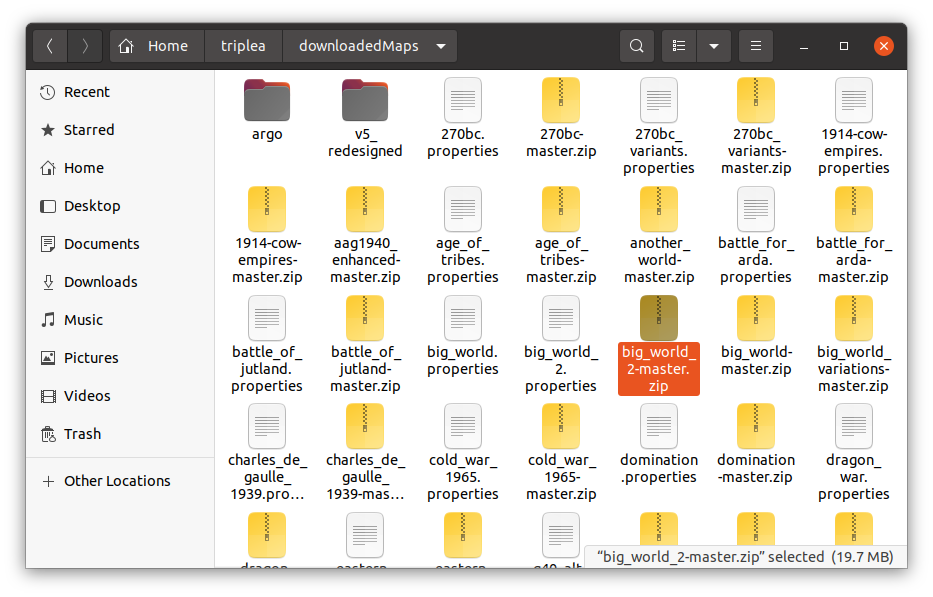
            @pafnus yea so open your downloaded maps folder thats inside your triplea folder and check the spelling of the zip file. It has to match. No ! in the name

            https://forums.triplea-game.org/topic/2836/error-message-could-not-parse/15?_=1652216893401

            P 2 Replies Last reply Reply Quote 1
            • wc_sumptonW Offline
              wc_sumpton
              last edited by

              @pafnus

              What he said ☝

              (Sorry couldn't resist :grinning_squinting_face: )

              Cheers...

              1 Reply Last reply Reply Quote 0
              • P Offline
                pafnus @beelee
                last edited by

                @beelee said in My game is not work.. " null java.lang.NullPointerException" eror.. please help me:

                loaded maps folder thats inside your triplea folder and check the spelling of the zip file. It has to

                there is no !.. but it does not work 😞

                1 Reply Last reply Reply Quote 0
                • P Offline
                  pafnus @beelee
                  last edited by

                  @beelee
                  https://prnt.sc/tqkrU1H0ijzj

                  there is no any "!" in the folder and zip name. but doesn ot work:8 i can't play 😞

                  B 1 Reply Last reply Reply Quote 0
                  • B Online
                    beelee @pafnus
                    last edited by

                    @pafnus so your zip looks like this
                    Screenshot from 2022-05-12 18-26-39.png

                    Do any other maps work ?

                    Try removing Big World. Turn off triplea restart and try DL again. Also you can go here https://github.com/triplea-maps/big_world_2
                    and dl directly
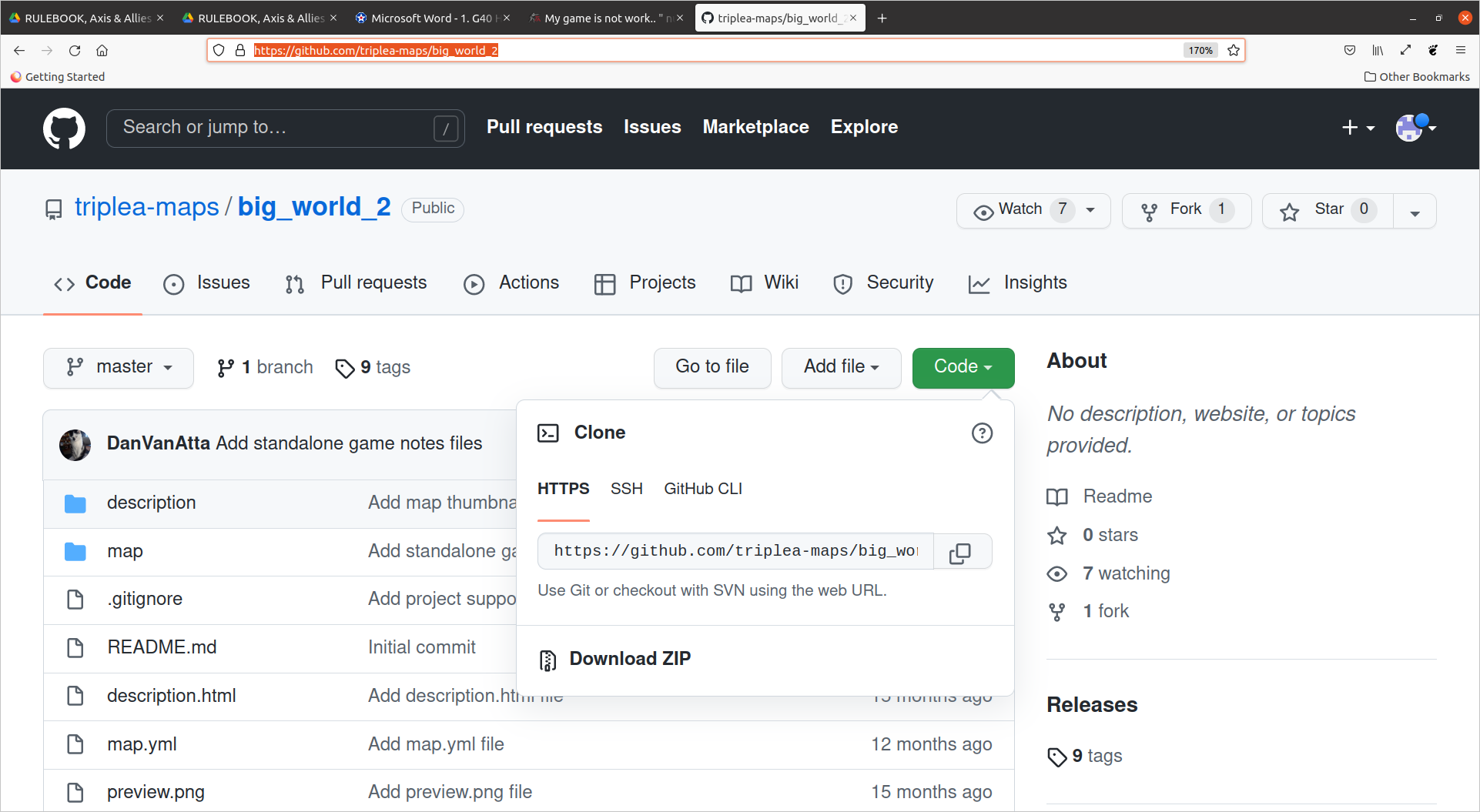
                    Screenshot from 2022-05-12 18-31-40.png
                    Hit the green code button than downloadZIP and manually add it to your downloadedMaps folder

                    P 1 Reply Last reply Reply Quote 0
                    • P Offline
                      pafnus @beelee
                      last edited by

                      @beelee i can't play any maps.. all are same error

                      1 Reply Last reply Reply Quote 0
                      • wc_sumptonW Offline
                        wc_sumpton
                        last edited by

                        @pafnus

                        First my apologies, I get the feeling that English is not your primary language, also, you are not very good with computers.

                        If I am understanding correctly you are trying to play the Big World map, so let's try unzipping the map. First try renaming your "downloadedmaps" directory to "holdfordownloadedmaps" then create a new "downloadedmaps" folder. Next open the big_world-master.zip file and drag the "big_world-master" folder inside to the new "downloadedmaps" folder. Once this is completed, rename the "big_world-master" folder to "big_world".

                        Now start TripleA and see if you can play.

                        Hope this is helpful.

                        Cheers...

                        1 Reply Last reply Reply Quote 0

                        Hello! It looks like you're interested in this conversation, but you don't have an account yet.

                        Getting fed up of having to scroll through the same posts each visit? When you register for an account, you'll always come back to exactly where you were before, and choose to be notified of new replies (either via email, or push notification). You'll also be able to save bookmarks and upvote posts to show your appreciation to other community members.

                        With your input, this post could be even better 💗

                        Register Login
                        • 1 / 1
                        • First post
                          Last post
                        Copyright © 2016-2018 TripleA-Devs | Powered by NodeBB Forums