What determines the path that a unit takes
-
Is there anything that determines which path a unit takes to reach a territory when different routes are equidistant? For example, in this situation, going from Tripoli - Sirte - El Agheila is the same length as going through Tripoli - Sokna - El Agheila.
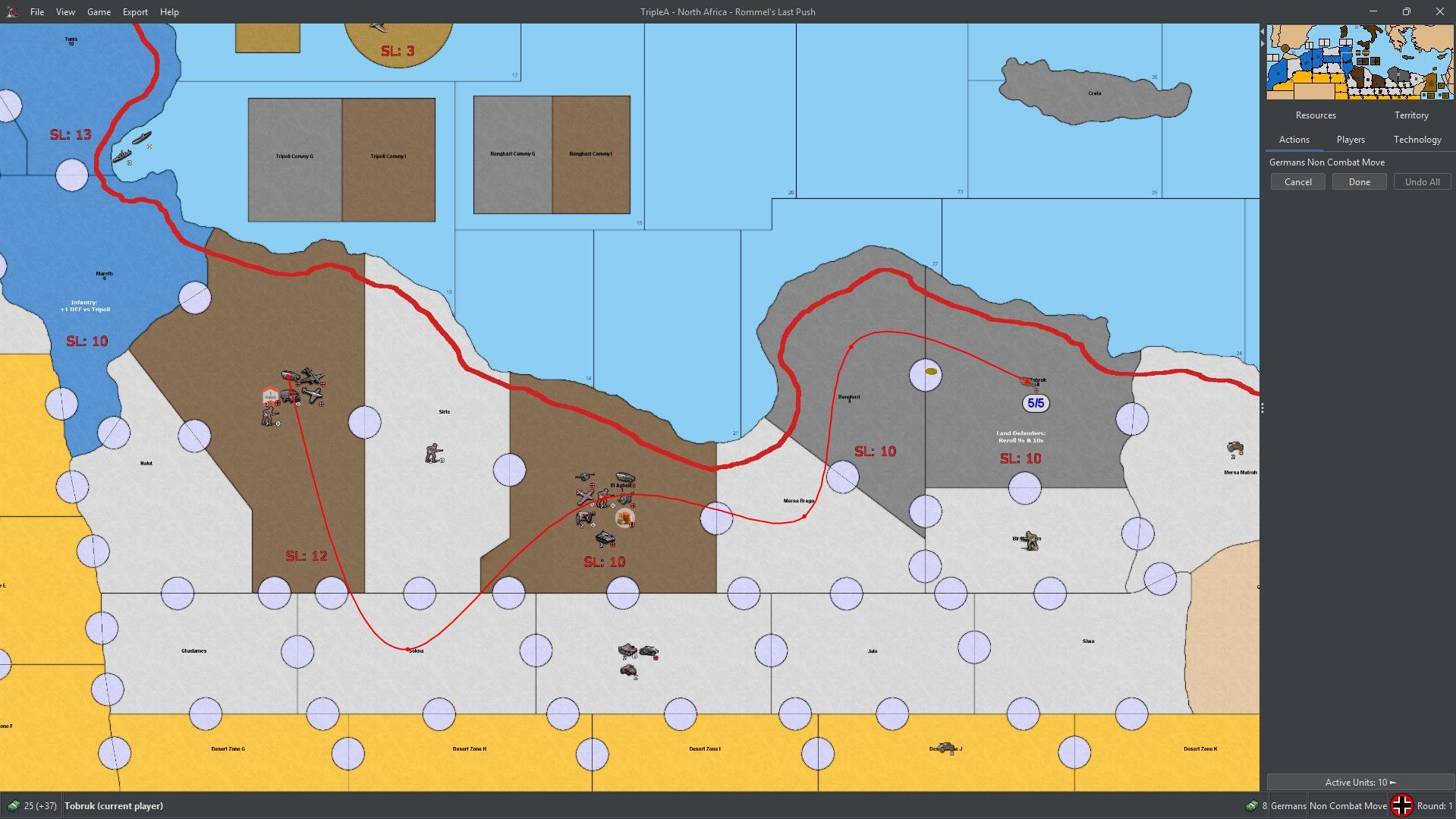
Unfortunately, the engine always choose to go through Sokna instead of Sirte. In this game (North Africa), when a unit uses the coast road movement ability, it can move 5 spaces, but this should only work when all the territories are coast road territories (the territories that have a thick red line running through them). Sokna is not a coast road territory so the move on screen is technically not allowed per the game rules.
It's not that this prevents the engine from allowing this move. The coast road movement is a player-enforced rule and the engine simply allows you to move 5 spaces anywhere. But according to the game rules, the movement can only be through coast road territories, so it would be nice if the game automatically traced a path through the coast road territories. Some beginners might be confused if the engine traced a path through a non-coast road territory. Fortunately, this is the only case where this comes up so if I could somehow make sure that the engine prioritizes Sirte to trace the path through when going to El Agheila instead of Sokna, then the problem is solved.
So like this:
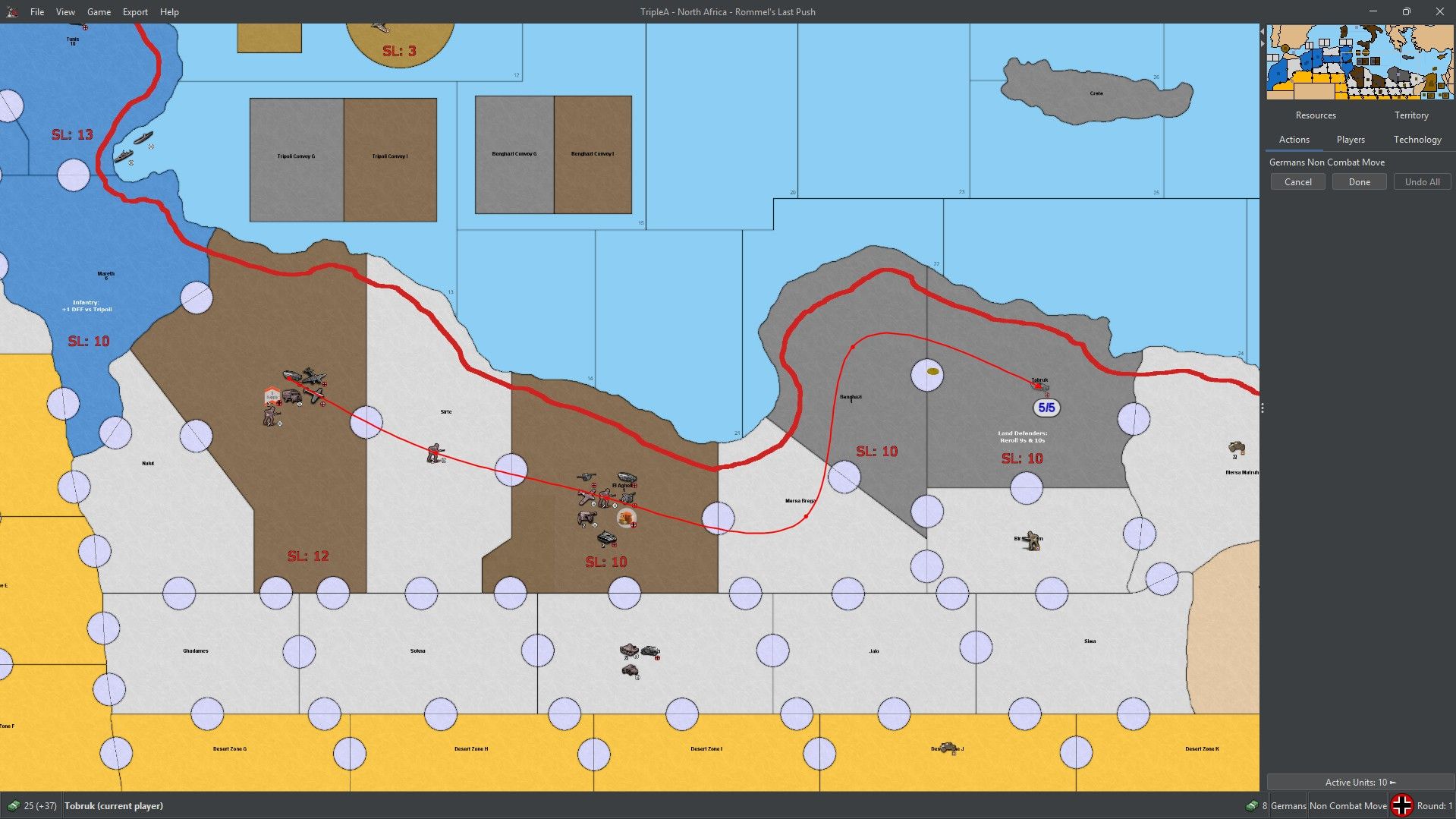
(I added a waypoint to make it look like this, but preferably it should look like this by default).
-
The system sees areas (polygons.txt) and connections, where we see a layout with borders.
when a unit uses the coast road movement ability, it can move 5 spaces, but this should only work when all the territories are coast road territories (the territories that have a thick red line running through them)
Why? The unit receives the increased movement for starting in Tripoli, it can move wherever it wants. What is that red line? There is nothing telling the system to 'follow' the red line.
Have you tried switching around the connections. I don't know if they have anything to do with how routes are determined.Cheers...
-
Have you tried switching around the connections.
@victoryfirst this makes sense to me, so I'd try it, or look at how they're listed which would be the same thing.
Idk though.
I'd also try it because that's what wc suggested lol
but Infantry usually show first in the purchase window in most games and they are usually listed first in UnitList and Unitattachment so maybe some sort of similiar thing is going on with the connections


Hello! It looks like you're interested in this conversation, but you don't have an account yet.
Getting fed up of having to scroll through the same posts each visit? When you register for an account, you'll always come back to exactly where you were before, and choose to be notified of new replies (either via email, or push notification). You'll also be able to save bookmarks and upvote posts to show your appreciation to other community members.
With your input, this post could be even better 💗
Register Login