Make Movement/Selection Help menu more readable (+Hotkeys discussion, Zoom Level display)
-
**make Alt-Click Selection user configurable
@cernel said in Make Movement/Selection Help menu more readable:
- I would remove ALT-click and ALT-Right click because the act of selecting ten at once is too arbitrary to be a basic function (so why not 5 or 20 or whatever number).
EDIT: This hotkey doesn't seem very useful currently. So it should either be improved or scrapped.
- Ctrl and Shift should be enough as hotkey modifiers.
- Alt is used for menu mnemonics on Windows.
how it could be improved:
Make the number of units selected/deselected with Alt-Click user configurable in Engine Settings:- Default value would be 10 like currently.
- 0 would deactivate the feature.
- A very high value would make it equivalent to CTRL-Click.
-
@butterw
Those of us with a mouse that can push the scroll wheel left and right, this already works in TripleA to scroll the map left and right. -
@thedog Assuming you didn't have to do any special configuration to achieve this, it is likely the reason why the horizontal scroll binding is Shift+Mouse Wheel.
-
Current Keyboard Shortcuts Dialogs - Dismiss (ESCAPE) - Focused Button, typically OK (ENTER/SPACE) Menu accelerators (With menu accelerator key: CTRL, META on Mac) - "Save" (CTRL+S) - "Leave Game" (CTRL+Q, Mac: META+L) This is equivalent to clicking close Window or (Alt+F4). - "Post PBEM/PBF Gamesave" (CTRL+M) ? - "Find Territory" (CTRL+F) - "Enable Edit Mode" (CTRL+E) enable/disable Edit Mode - "Politics Panel" (CTRL+W) - "Battle Calculator" (CTRL+B) - "Show history" (CTRL+H, Mac: Meta+Y) - "Show current game" (CTRL+G) exit History Mode - "Lock Map" (CTRL+L) RightSidebar Tabs - "Actions" (CTRL+C) >> should be labelled "Command" ? - "Players", (CTRL+P) - "Resources" (CTRL+R) - "Objectives" (CTRL+O) - "Territory" (CTRL+T) Territory Tab - "Battle Calculator" (Ctrl+B) - "Add Attackers" (Ctrl-A) - "Add Defenders" (Ctrl-D) - ActionButton "Done", Ends the current phase (CTRL+Enter) BattleDisplay - Confirm Casualties (SPACE) Can be disabled with "View > Settings > Game > Space Bar confirms casualties" set to false (the confirm casualty button then has to always be clicked.) UnitScroller (during Move Phase) - skipCurrentUnits (S) - centerOnNextMovableUnit (PERIOD '.') - centerOnPreviousMovableUnit (COMMA ',') - highlightMovableUnits (F) - undo Move of highlighted units (U) ZoomKeyboardShortcuts - Zoom+ (Ctrl+ EQUALS '=') - Zoom- (Ctrl+ MINUS '-') >> Numpad +/- should be added for zoom. KeyboardMapScroll - ArrowKeys: RIGHT, LEFT, UP, DOWN - to Scroll faster (hold CTRL) >> A left-hand alternative to arrow keys should be available (WASD has been removed) Alt + _Mnemonics: Menu commands. F10: Opens the File Menu Additions in 2.5.3 test build: - Ctrl+X: Toggle Sidebar -
@butterw Are those unit scroller command current relative to the latest 2.6?
Missing "ctrl+enter" to activate done button. Also, there are additional tab accelerators AFAIK (which is why ctrl+A is inconsistent). I've certainly considered to re-assign & drop some of these.
-
@lafayette said in Make Movement/Selection Help menu more readable (+Hotkeys discussion, Zoom Level display):
@butterw Are those unit scroller command current relative to the latest 2.6?
Missing "ctrl+enter" to activate done button. Also, there are additional tab accelerators AFAIK (which is why ctrl+A is inconsistent). I've certainly considered to re-assign & drop some of these.
Yes this is based on the latest v2.6 code. Every hotkey I found is listed ("Done" button is included). They are defined through a number of different methods in the code and in many different files, so if anything is missing please point it out.
Some non-menu hotkeys use both CTRL and Meta as base key.For consistency Action tab needs to be changed to CTRL+A or could be displayed as "Command" Tab to keep CTRL+C ?
SHIFT, Function keys, numerals could be used to expland hotkeys if desired.
-
@butterw There is this long time problem for live play that the space-bar is frequently used during chatting, with the result of inadvertedly confirming or even choosing prompts that suddenly appear while writing in the chat.
The most typical example are confirming (more like accepting, since the program initially selects them) casualties (which can be avoided by opting-off (in Engine Preferences)) and accepting (political or other) actions (for which I believe there is no solution).
May all occurrences of "Space" be changed to "Ctrl+Space"?
-
@cernel I'll look into it. Likely space is associated by default with dialogs on the OS (Windows), so I'm not sure there is a simple solution to this.
For sure, if there is a choice dialogs should present the most favorable option by default, and require a conscious action by the player to go against it.
Many pop-ups are just an information notification, so using space is adequate to go through those. The info should be added to the history log so that the content of any message can be checked if something was missed. -
@Cernel, I've removed the OK button from this information dialog, the consequence is that the only way to close is the X, Esc or Alt-F4 on Windows.
Dialogs are modal, meaning they steal the focus, and you have to close them before you can go on with the game.
Enter/Return/Space is the default behavior associated with buttons on Windows, so any dialog showing buttons will have these hotkeys by default. Overriding default behavior is not impossible but would require a lot of work as there are many different dialog types used in the game.
You should list precisely the dialogs which cause issue.
When a confirmation button is not really useful, it may be possible to change some to information/notification windows like the following screenshot.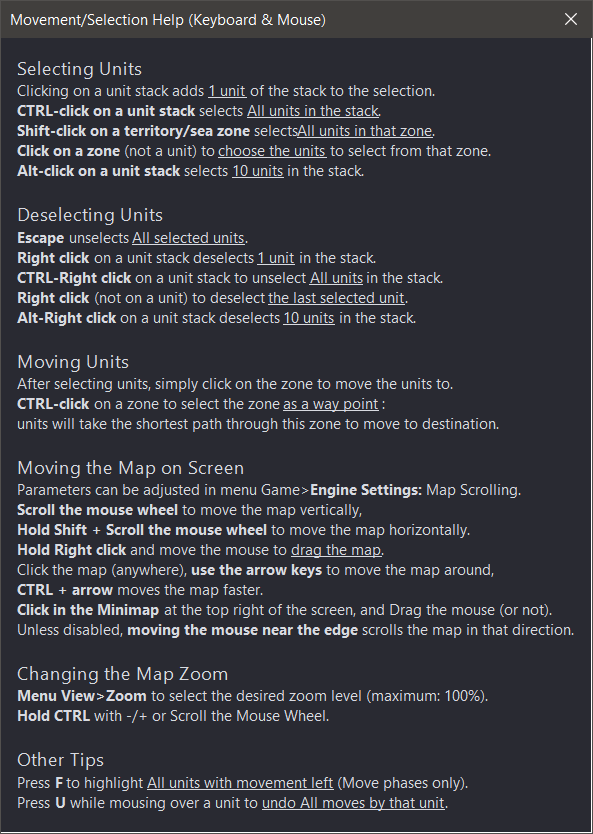
The same dialog @100%dpi (without Font Size correction on my system):
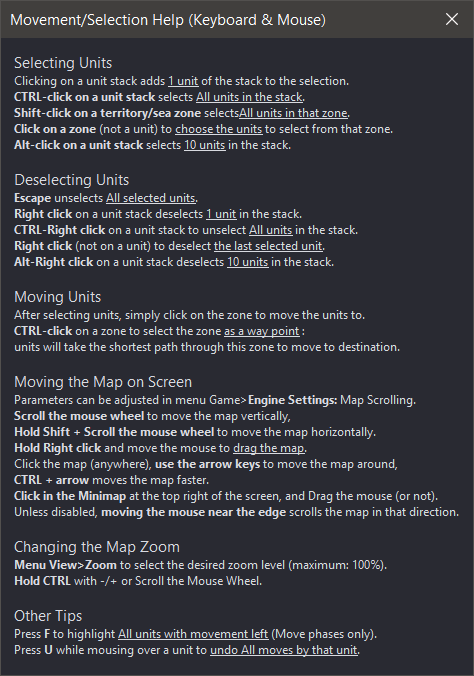
-
@butterw Really just the "Yes/No" prompt when someone makes a user or political action requiring your acceptance is an issue (as you are writing in chat and inadvertedly accept).
All occurrences of that I believe are strictly related to the presence of this "option name" in the game (XML) file:
actionAccept
The most frequent, however, is likely accepting casualties as the defender, but that is already avoidable by having "Space bar confirms Casualties" set to "false" in "Engine Preferences".
-
@cernel said in Make Movement/Selection Help menu more readable (+Hotkeys discussion, Zoom Level display):
@butterw Really just the "Yes/No" prompt when someone makes a user or political action requiring your acceptance is an issue (as you are writing in chat and inadvertedly accept).
All occurrences of that I believe are strictly related to the presence of this "option name" in the game (XML) file:
actionAcceptNext time you play a game where this is a potential issue, could you please post a screenshot of the window or post the dialog title and/or part of the message, so I can look up where it takes place in the code.
I haven't played a game using politics for a long while, but I do remember thinking the ui could use some improvements.
The immediate solution could be to remove the keyboard focus from the buttons in these dialogs (there would be no hotkeys to validate the default action).The most frequent, however, is likely accepting casualties as the defender, but that is already avoidable by having "Space bar confirms Casualties" set to "false" in "Engine Preferences".
In the case of casualties, the issue is typically that the default selection is in some way sub-optimal, but this isn't easy to get right.
-
I'm not sure if this problem can be fully solved. By default 'space' activates the UI component that has focus. The dialogs must be modal and by default they have one of their buttons in focus. Removing that default focus is a major blow to as it is really rare when you are typing away and accidentally confirm, but I acknowledge that can be very impactful when that happens.
There might be a clever solution here like detecting if the focus is in the chat and if a user is typing and try to "re-steal" the focus back to the chat if a modal is to appear. A double confirmation could do it too maybe, kind of like how the purchase screen is set up. Unless we can do something programmatically, it's tricky to set up and retain an efficient UX, forcing players to use the mouse slows games down. Game speed is critical, many players do not play because games take too long to play given how much game you actually play per unit time (game play is inefficient). Efficient game play has been and will continue to be a very high priority to help increase the player base.
-
@lafayette
From my testing JOptionPane.showOptionDialog does allow to have a dialog choice with no default button. -
@butterw Cool, hard decision how to proceed. Removal of common hotkeys that allows for greater game play efficiency vs mitigating a rare but impactful mis-click due to chat. Maybe there is another option here..


Hello! It looks like you're interested in this conversation, but you don't have an account yet.
Getting fed up of having to scroll through the same posts each visit? When you register for an account, you'll always come back to exactly where you were before, and choose to be notified of new replies (either via email, or push notification). You'll also be able to save bookmarks and upvote posts to show your appreciation to other community members.
With your input, this post could be even better 💗
Register Login