First time making a map
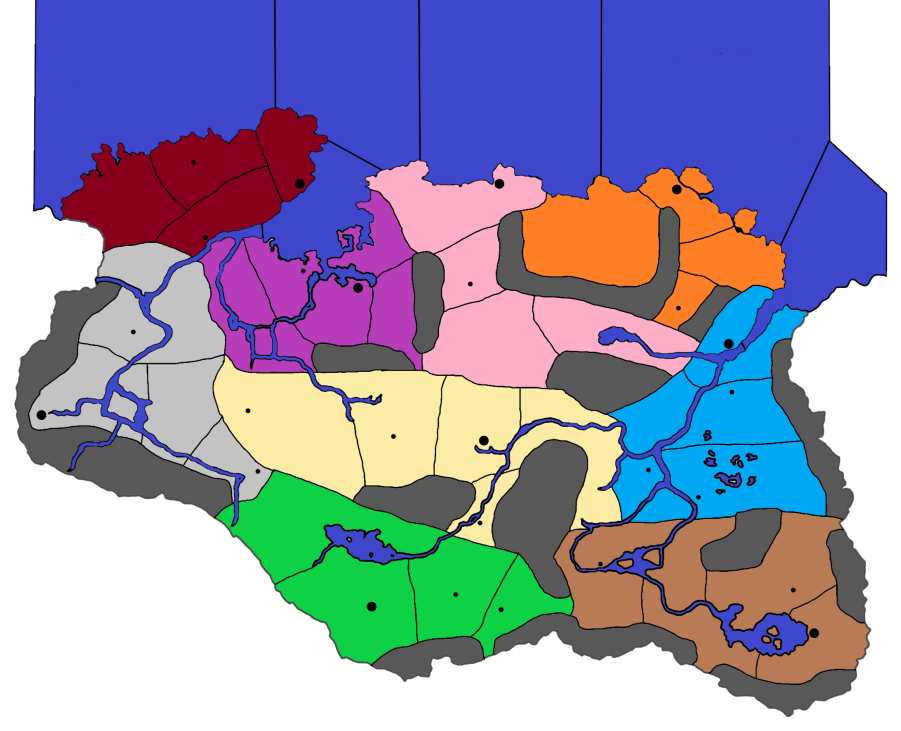
-
Been a hot minute (6 months) since I posted on here I apologize
@qwerty I do hope to eventually move to Tamriel, but want to learn map making with Skyrim first. I do hope to do some full world maps like "The Great War" or the war of the triple alliance during the second era (the war in ESO).
@TheDog after I scale the map up x3 (and the boarders/lines and maybe develop cells for the cities) what would be next on my to do list for map making?
-
For the baseTiles I would use a vector program like Inkscape, as this will allow you to easily resize the your traced map by x3 or x5 etc.
https://inkscape.org/releaseDo not attempt to make the reliefTiles at this stage although tempting you will make mistakes on the baseTiles.
Download a good text editor like
https://notepad-plus-plus.org/downloads/Produce map.properties file by hand (Notepad++) or use Map Creator Tools>Map Properties
Map Utilities
-
Run the Centre Picker (makes centers.txt)
-
Run Polygon grabber (makes polygons.txt, internally TripleA uses this file not baseTiles)
-
Run the Automatic Placement Finder (makes place.txt, for how units are placed in a TT)
-
Run the Tile Image Breaker
-
Build the xml
-
Use vector software like GIMP or paint.net to make the reliefTiles if you are not graphically talented, like me, use inkscape.
https://forums.triplea-game.org/topic/3318/easier-map-making-with-inkscape-reusable-art-assets
-
-
Okay, I will get going on that, one thing I wanted to ask real quick, what changes, if any, do you think I should make to the map (excluding resizing and adding cells for the capital cities)? Should I get rid of the rivers? Should they stay?
-
Decide if you are going for a 4K map, I think you should, so units at a minimum should be 54x54px, round to 60x60px for placement.
This determines the size of a territory (TT)I dont know the fantasy world, but maybe this might be a starting point?
4x4 Capital, hold 16 units without overflow, so 240x240px
3x3 Major Town, hold 9 units without overflow, so 180x180px
2x2 Minor Town
Use some of the rivers to make borders for the territories (TT)Rivers usually are on the reliefTiles and not on the baseTiles.
Defining the above means you can work out the size of a TT and therefore the whole map.
TT should be able to hold 12-16 unit, so armed with the above you can work out.
Guessing your TripleA map dimensions could be 60x60x4=14400px, so use a multiplier of x13 for the above map, rounding that's 15000x9000px as a starting point.
-
Load the png into Inkscape
Trace the map on a layer.
On another layer add the TTs
On another layer add the Capitals, Cities, Towns at the maps widest point. This is to see if the current dimensions work, if not resize. It is very easy with a vector program like Inkscape.If you have not read this before doing any more work.
https://forums.triplea-game.org/topic/3318/easier-map-making-with-inkscape-reusable-art-assets -
Okay, should I resize the map I made or resize the original image? Also, you mentioned that rivers should be on the base tiles instead of relief tiles. What are those? Also, other then resizing the map in Inkscape, what else do I need to do?
-
Resize your traced Inkscape map, in Inkscape. Check that your borders are 1px wide, if not select them all and change the width.
Rivers are usually on the reliefTiles, but you can use the rivers to aid forming the TT border on the baseTiles, but the rivers on the reliefTile might have to be thicker to compensate for the border running down their middle.
baseTiles are white, black and usually a shade of blue for the Sea Zones (SZ) only. (baseTiles folder)
reliefTiles are the pretty/good looking geographical relief tiles. (reliefTiles folder)
To see the difference, pick your favourite good looking map, load it into TripleA, then
View> Show map details> UntickThis will turn off reliefTiles, turn on/Tick to see them again.
-
Ah, I see, thank you for that clarification. I will mess around with the image this afternoon when I get off work or this weekend. I will see if I can't find a good geographical map of skyrim since the map I used was a blank map (unless you just think I should color the map according to the terrain of each hold, i.e. Winterhold and the Pale would be white since they are the snowiest usually, Whiterun would be a shade of yellow because it's plains, etc).
-
Im certain that you need to trace your map as it will not scale (x13) as its raster based, you a need map to scale.
Winterhold, the Pale, Whiterun etc colours/textures are for the reliefTiles to make them pretty for the human eye, Triple A does not use the reliefTile just displays them.
-
I will work on scaling it up then. You said roughly 15k by 9k px correct? Does this look better for a starting map (prior to both the relief map and base map)? I decided to remove the rivers while keeping the major inlets (next to Windhelm and Solitude) and also keep the lakes (I can get rid of them though if it would be better).
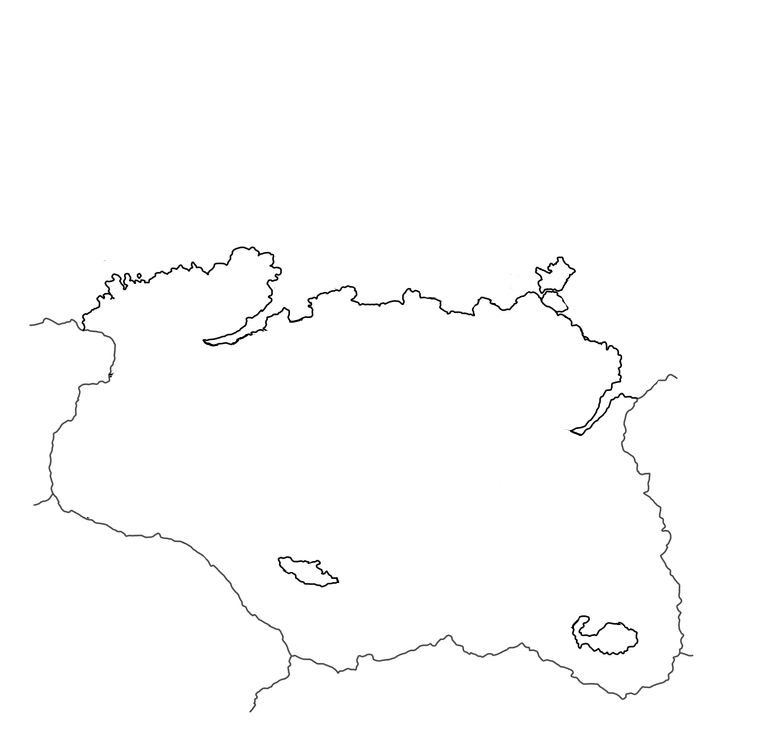
Edit: Feel free to friend me over Discord if it would make it easier then chatting over a forum:
GreenSpartan425#7224 -
Good start to your trace.
I would put the small lakes on the relieTiles, the big lakes/seas should go on the baseTiles as it will probably be a SZ.
Im old school, I dont have a Discord account, so here is fine, also I have time to think about my replies.
-
Okay, so before I trace the map to make the reliefTiles and baseTiles, I just need to get rid of the lakes? Then add the lakes back in for the relief as well as adding the appropriate geographic features (biomes, mountains, etc), then retrace it and add the TT?
-
@jackias-revenge just to paraglide in here with a quick suggestion. You may want to adjust the aspect ratio of your map from a square to something more 16:9 or 16:10. That way when you zoom out in the mapview you won't have dead space. Otherwise it'll give a look like watching a 4:3 movie on a wide-screen, with the bars on either side. You could crop in tighter at the top/bottom, or add in some peripheral areas to the map on the sides, or stretch your map wider before tracing out the baseline.
Also before deciding how large you want to go, make sure you have a unit graphic to compare. 15000 px is quite large.
Here's Aela the Huntress at 54px tall...

Here she is upscaled to 125% (the current ceiling for unit view at the high end)

If I enlarge the Skyrim map you posted at the beginning of this thread to 15000px wide, that Aela graphic, even at 125% of 54px, may be too small to register. She'd be about half the size of the black dot used for Jorrvaskr at that scale. A pretty small Circle, even for a suspicious wolf hehe.
Basically you want to scale your map to the units you plan to use, and make sure the display looks alright for them. You can preview this by just opening your map image at 100% scale and pasting in a unit graphic at 100% or 125% scale to see what you end up with. Then adjust the image dimensions of your map to suit the unit graphics.
Just as an example, here's what you'd get with that unit and a map at around 5000x4000px.
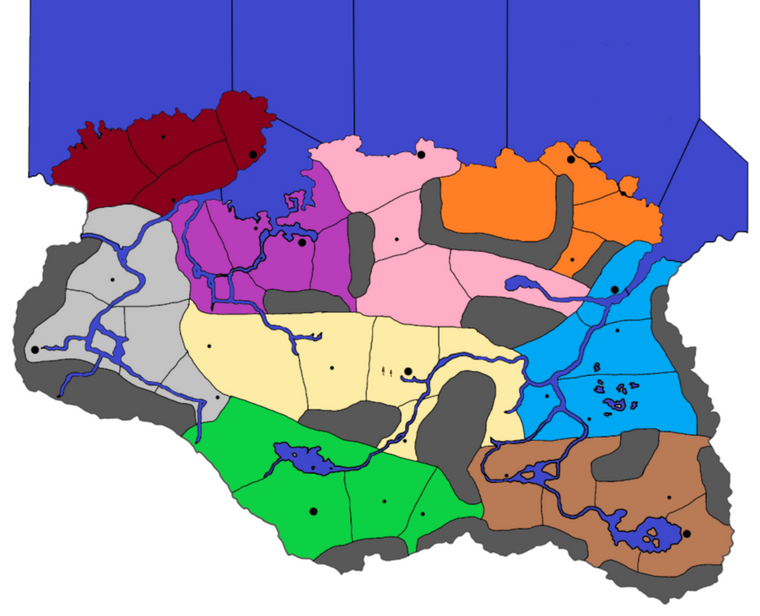
So if you up to 15000 you can imagine map is 3 times as large, but units will be the same size. So it really depends on what zoom you want the playscale to happen at. For something like a a castle or a keep, you could go larger with graphics, but if it's a unit that moves or has to show up in the battle screens basically you got about 68px tall by like 100px for units. Just depends what you're after. Something like a horse or a dragon or a trebuchet you can go wider.
-
@Jackias Revenge
The baseTiles contains as a flattened png made up from many layers of Vectors- Black coastal outline of your traced map with big lakes/seas
- Black 1px wide borders for Land zones
- Black 1px wide borders for Sea Zones
- Blue filled Sea Zone
You dont need to trace the map for the reliefTiles as you just take a copy of the vectors/png from the baseTiles as a start point. baseTiles are best produced with GIMP or paint.net.
Dont get hung up on the reliefTiles, produce a working game then do the reliefTiles.
-
@Black_Elk I have upscaled just the map (without the ocean tiles) to 15k x 9k px. I can upscale further if needed but I believe that's a good starting point.
@TheDog after I upload my image to InkScape and trace it to give me a new image, what do I do? I messed around with InkScape for a few hours yesterday to familiarize myself with it, but I'm still not sure what to do after tracing the map. I will skip working on the reliefTiles instead focusing on the baseTiles this weekend for the map.
-
Assuming you have done the coast lines, next is the TT borders.
In Inkscape
- You can put the upscaled source png on the bottom layer.
- Next layer up has your current coast line.
- I would put the land and sea borders on the same layer as the coast line.
- Next layer up is the capitals, cities, towns.
-
@thedog Okay, will do, how wide should the coast boarders be? TT boarders and Sea Zone boarders are to be 1 px, should I make coastal boarders 2 px, 3 px?
-
All black lines on the baseTiles should be a constant, I think 1, 2 or 3px
@Black_Elk
What is the best px thickness for the baseTiles? -
Is there a way to set the default width of a pencil? I keep trying to draw with a width of 3 px, but it keeps setting it for 11.339 px instead. It kind of annoying to trace the map of skyrim, and just when I think I am finished, I notice that not all of my pen/pencil traces are of the same width.
-
Save your map, I serialize them -01, -02 etc.
Select (s) the whole of a layer, change tool to Edit paths by Nodes (N) (left bar)
Select Fill and Stroke (Right hand pane)
change mm to px
change width to 1
Save


Hello! It looks like you're interested in this conversation, but you don't have an account yet.
Getting fed up of having to scroll through the same posts each visit? When you register for an account, you'll always come back to exactly where you were before, and choose to be notified of new replies (either via email, or push notification). You'll also be able to save bookmarks and upvote posts to show your appreciation to other community members.
With your input, this post could be even better 💗
Register Login