TripleA Mobile!
-
Hey
 ,
,
I'm not here to ask when there is a mobile version coming for TripleA i instead wanted to show you a little project im currently working on.https://github.com/xXEddieXxx/TripleA-Mobile
This is an attempt in bringing TripleA to Android devices in its early Alpha.
It is basicly a single player edition of tripleA ( altough save game sharing is possible)I had to do some internal changes to the engine to make it work and by this desktop and mobile version saves are not compatible. (may change in the future)My goal with the current version is to get some playtesters that tell me if they like the idea and direction and to improve the overall stability of the engine and the ui for mobile devices.
If you are interested there is an APK Download in the GitHub Page (Android only)
If you want to reach out to me im pretty active in discord and recently joined the tripleA discord https://discord.gg/PRtexuSprq
Thank you
-
Hey Guys,
UPDATE:
Save games are now compatible between Desktop and Android version.Turns out the compatibilty was not that hard to achieve so you now can import/Export save files between the mobile and Desktop version in the newest release.

(keep in mind you still need the map installed on both)keep in mind this app is still in Testing if you find bugs you can report them to me or write a issue on github.
-
@xxXEddieXxx
Wow, interesting.... -
@xxXEddieXxx Hooray! I'm happy to see a mobile version of this game, as playing on the go makes it more convenient especially out of the house. Good job!
-
@CentralCommando
Yes! Thank you.
Also do not forget that many people also do not have access to a computer.
I was watching this game the past 10 Years and always hoped for something like this.Now i have the knowledge doing it myself and i thougt giving it a go
The APK can be downloaded from the github page, if you need help with it just ask me.
Feedback is much appreciated, it is quite hard to port such a mature programm to a mobile interface and i want to hear about all the things you guys are missing from desktop so i know what is you priority.
-
I've been enjoying it so far!
Only issue I've seen is that if there are multiple fighters on the revised map the pathing only considers the fighter with the least amount left after combat. Like if you have 2 fighters with 1 movement left that you want to leave on a carrier in that square and one plane that has 3 movement left and needs all 3 to reach land, I get told that not all fighters have enough movement.
-
So I decided I will keep this post alive by updating changes that have been made to the app.
If you have the app installed and want to update you can directly get the newest release build and update the app without deinstalling it (keeps all the maps and save games)
The new version includes some bug fixes and a better UI for diplomatic actions on some maps.
-
Update:
-
new unit scroll option in the settings. (needs to be activated)
lets you scroll trough all units with moves left. Units can also be put to sleep -
fixed issue with the loading of tiles in landscape (horizontal) mode that lead to tiles not rendering correctly.
-
fixed issue where planes that had no movement blocked others that could still move.
this was done in 2 ways first tapping on the unit now selects the ones with the most movement first.
second the unit selection screen now splits units that have different movement left. (if you didnt know you can open it by double tap or holding on a province) Thank you @ben.h.11 for pointing this one out. -
the about section now shows the testers, that helped improve the game.
if you provided feedback and want to appear you can send me the name you want to have there.
newest Release can be Downloaded from Github.
-
-
Update:
i worked on some more of @Karl Roderick(Discord) suggestions and extended the Game Info Tab.
- You now have a diplomatic info screen and you get a diplomatic matrix shown instead of a big wall of Text
- You now have a info screen for aviable Units
- You now have a info tab for all aviable tech
- Diplomatic actions and tech rolls got improved selection screens.
- the ingame menu got sorted (i moved bug report and how to play out of the menu)
- Game Notes got renamed Game Info and now includes the mentioned changes.
- transporters now use the least amount of ships possible to transport a given amount of troops -> Example if the player has 2 transports in a zone and has 2 inf and 1 tank. The move of 2 Inf no longer fills 2 Transports on default.
- improved yes/no Dialogs (strategic bombing, shore shelling, etc.)
All of this is part of the new release. Thank you guys
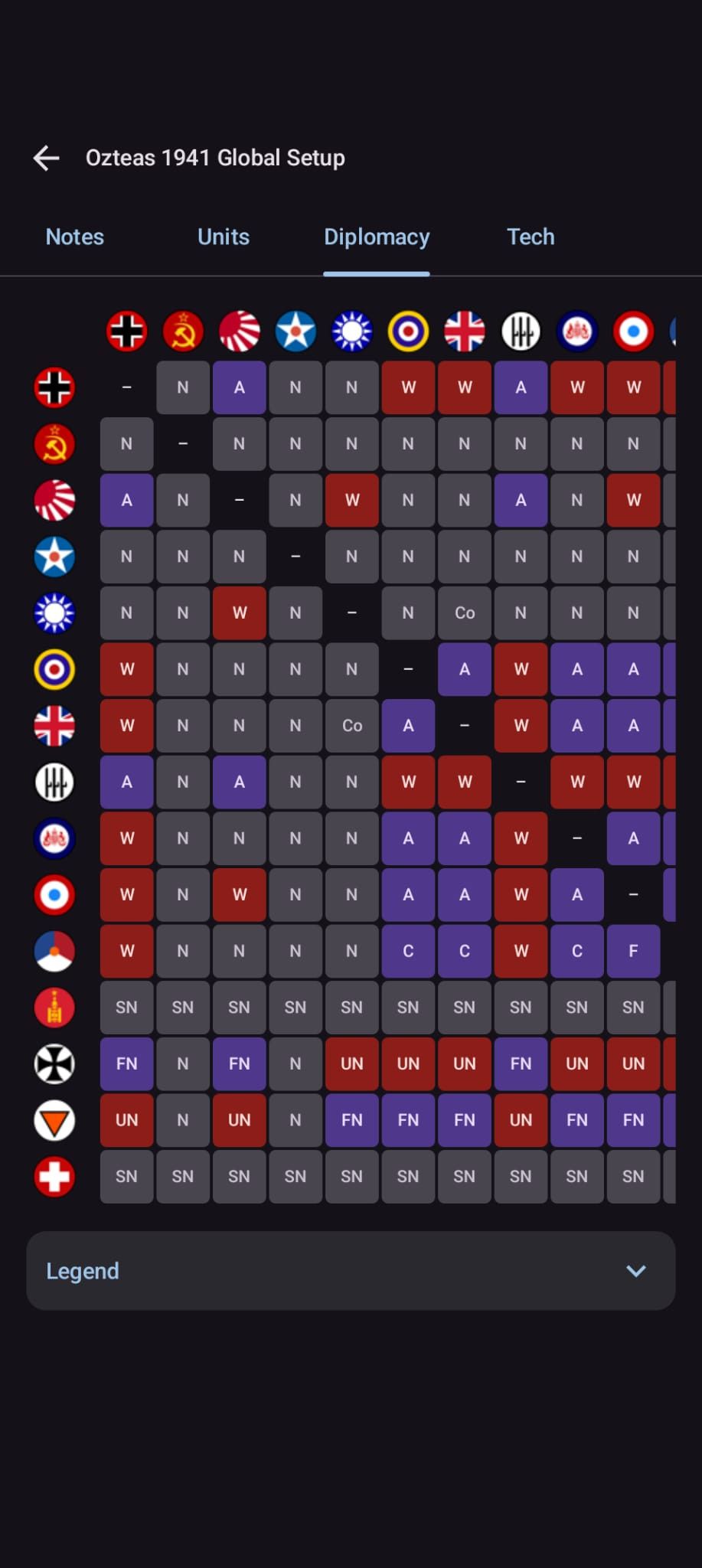
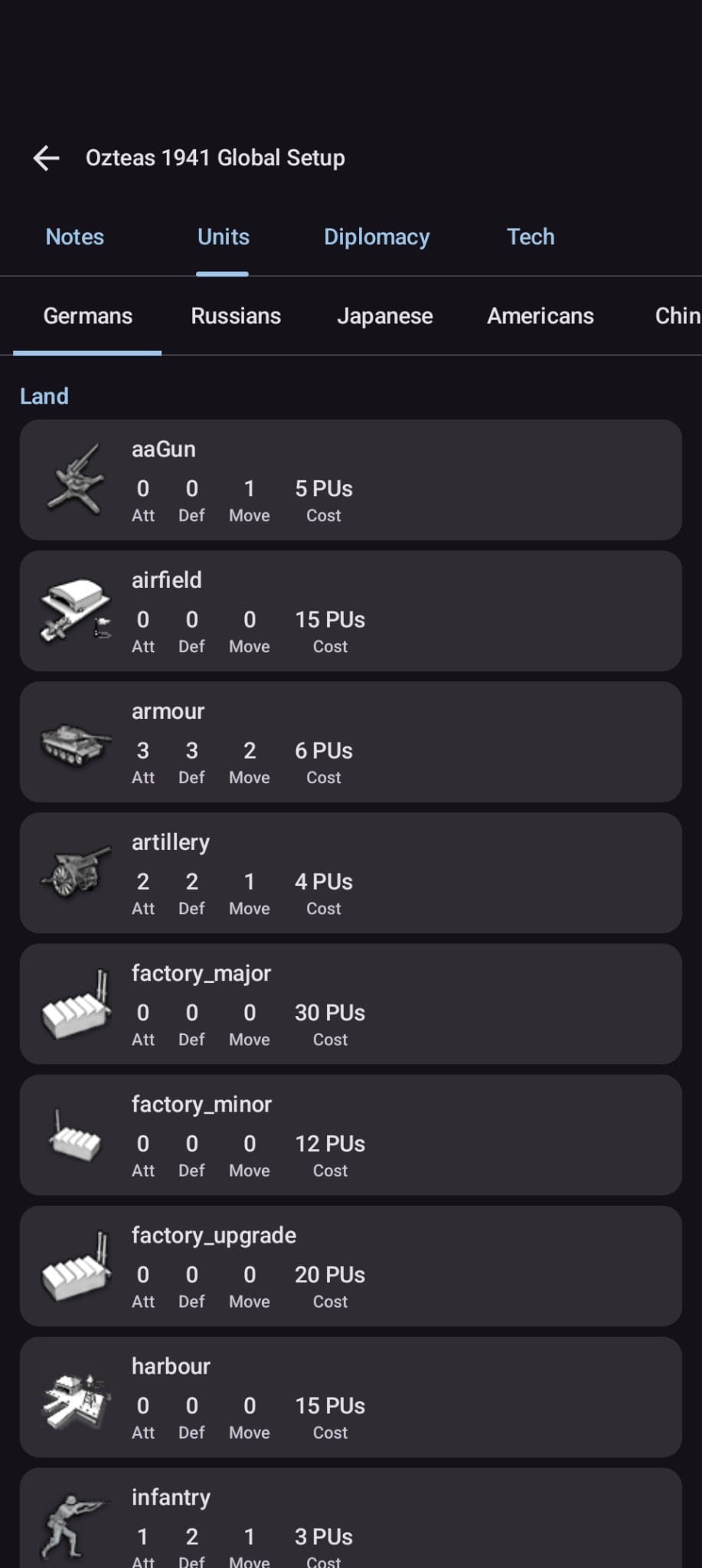
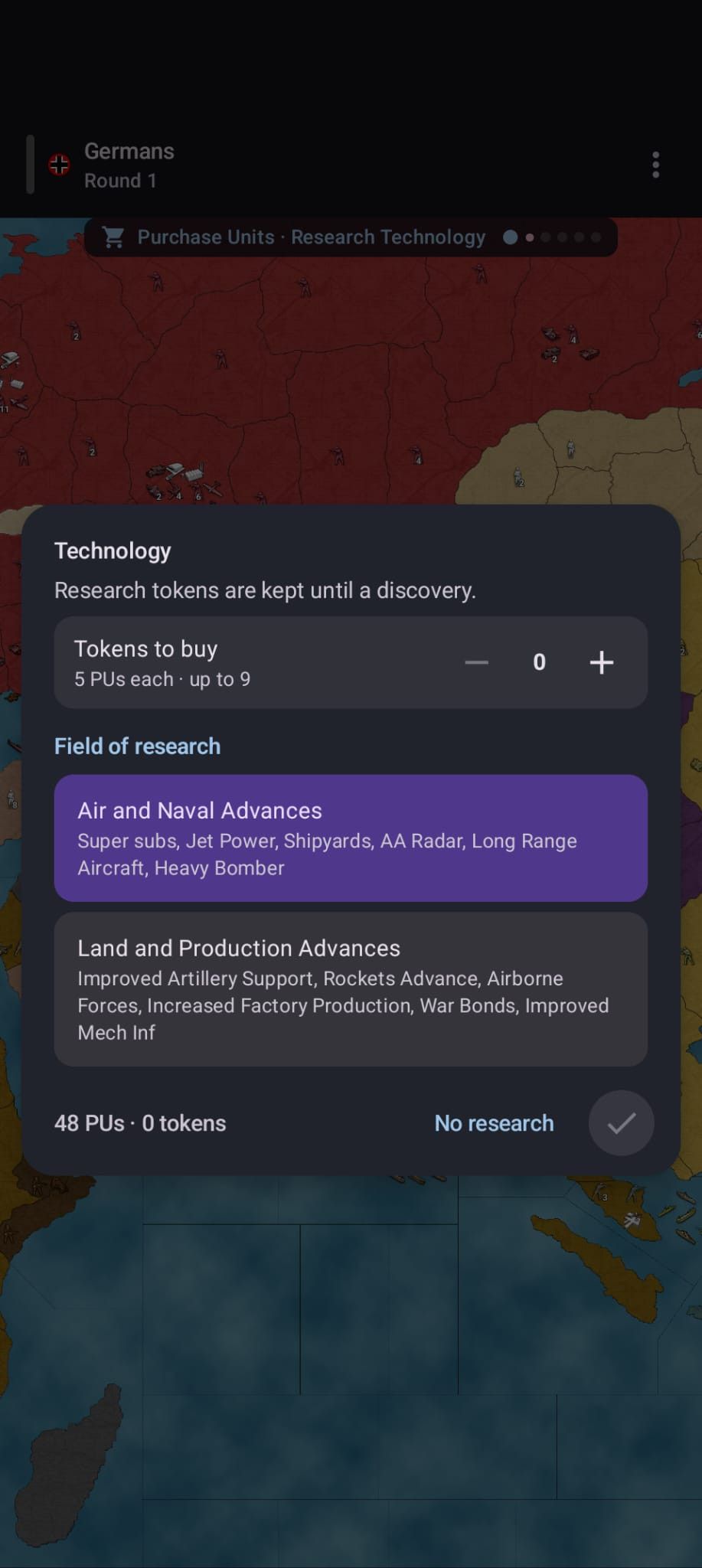
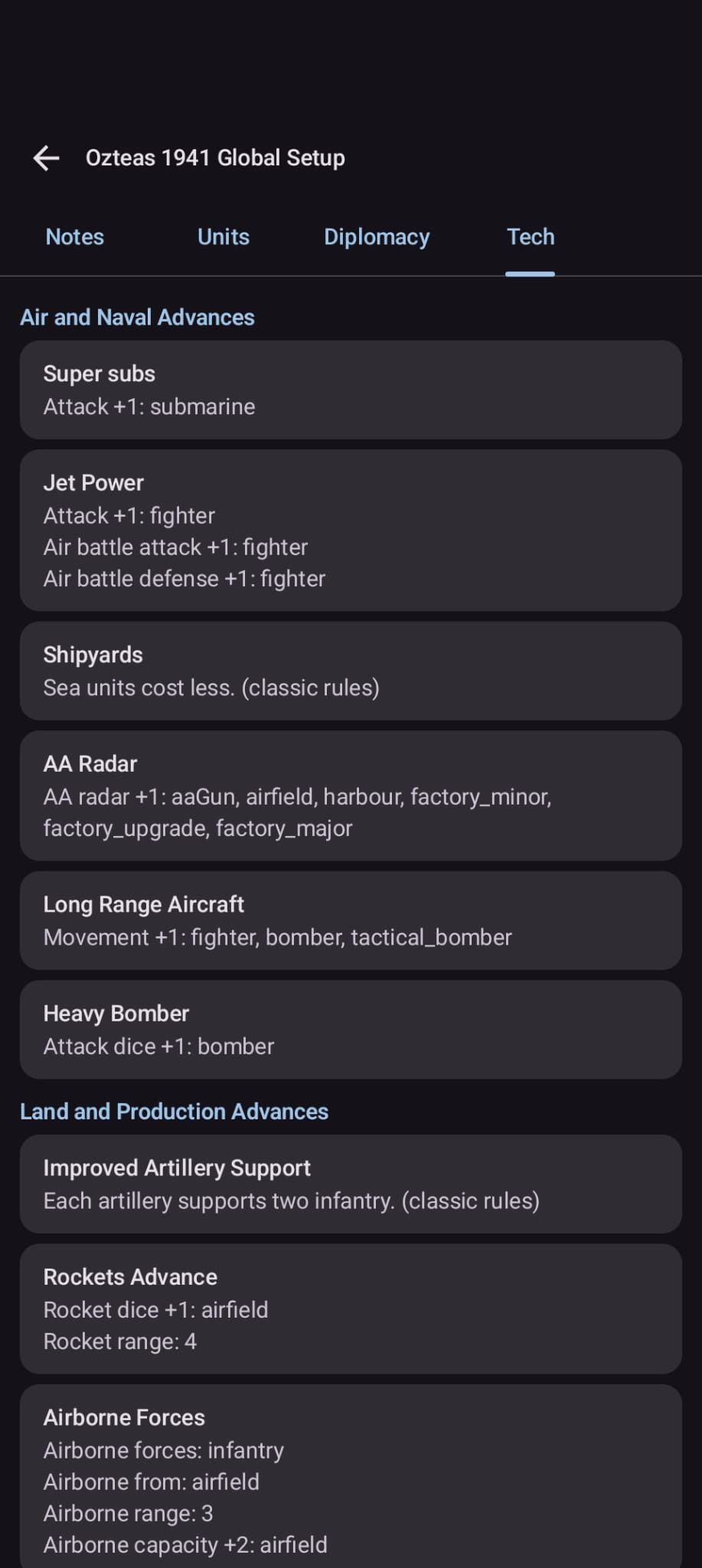
-
Update:
- fixed issue where Master of Empire caused the map browser to crash the app
- fixed issue where strategic bombing dialog was not working if multiple buildings are involved.
- fixed issue where AA was not movable even if it should be on some maps
- Error Dialog can now be skipped by clicking on it.
- maps now get fetched from the current map URL and not from an older repository file (makes more maps available.)
the fixes are now part of the newest release.
Thank you -
@xxXEddieXxx
What is your Mobile's TripleA closest version?In your Politics/Diplomacy panel above, you have purple for Allied, yes?
TripleA convention is Green for Allied, no biggy for me.
Also Mobile has Diplomacy, TripleA has Politics, maybe stick to TripleA naming?Does a very large map like 1941 Global Command Decision, run on Mobile?
It has large images for its manual in Help> Game Notes, do they render?Keep up the great work.
-
@TheDog hey thank you for the Feedback!
The UI needed to be designed from scratch so I choose some liberty's in that regard. I'm planning a UI version that is closer to desktop for larger mobile screens (tablets) but focus is now on phones. So there is no real version that is closest to the Desktop version yet.
I do not like the use of green and red without alternatives, maybe I would settle on something like red and blue in the future ( better for colourblind ).
Also I do not think that politics is the correct term for a window showing international relationships.
The map runs on mobile I tested it with fast ai but I found no description maybe I'm showing the wrong part in the notes here.
Especially in that regard I'm open to feedback, there are so many maps I can't possibly test all of them!Again thank you for the feedback I will try my best!
-
@xxXEddieXxx
In the xml there is a minimum version required to play the map.
In 1941 GCD it is 2.7.14848, this is required because it uses a function called isAIIn 1941_global_command_decision.notes.html file this holds the html to display the Help> Game Notes manual and like a lot of other maps uses html like code as below.
This is what I was asking about, do they render OK ?
<html> <body bgcolor="AAAAAA" align="left"> <div style="padding:10px;"text-align:justify;"> <h3 style="font-size:2em; "> 1941 Global Command Decision</h3> Version 1.275 2026-08 <br> by Black_Elk (graphics, testing) & TheDog (coding, testing) <br> For the latest download and discussion, copy and paste the link below <br><a href="https://forums.triplea-game.org/topic/3326/1941-global-command-decision">https://forums.triplea-game.org/topic/3326/1941-global-command-decision</a> <br> <br> For tips to improve game speed of bigger maps like 1941 Global Command Decision, 270bc Wars, Gundam, Shogun, Shogun Advanced, Warcraft War Heroes <br><a href="https://forums.triplea-game.org/topic/3133/get-ready-for-our-new-game-the-shogun-coming-soon">https://forums.triplea-game.org/topic/3133/get-ready-for-our-new-game-the-shogun-coming-soon</a> <br> <br><img src="preview.png"/> <br><img src="Game_Notes.png"/> <br><img src="Prologue.png"/> <br><img src="Start_Germany.png"/> <br><img src="Start_Italy.png"/> <br><img src="Start_Japan.png"/> <br><img src="Start_Britain.png"/> <br><img src="Start_China.png"/> <br><img src="Start_Pacific-Allies.png"/> <br><img src="Start_USA.png"/> <br><img src="Start_USSR.png"/> <br><img src="1941_Global_Command_Decision_Manual_01.png"/> <br><img src="1941_Global_Command_Decision_Manual_02.png"/> <br><img src="1941_Global_Command_Decision_Manual_03.png"/> <br><img src="1941_Global_Command_Decision_Manual_04.png"/> <br><img src="1941_Global_Command_Decision_Manual_05.png"/> <br><img src="1941_Global_Command_Decision_Manual_06.png"/> <br><img src="1941_Global_Command_Decision_Manual_07.png"/> <br><img src="1941_Global_Command_Decision_Manual_08.png"/> <br><img src="1941_Global_Command_Decision_Manual_09.png"/> <br><img src="1941_Global_Command_Decision_Manual_10.png"/> <br><img src="1941_Global_Command_Decision_Manual_11.png"/> <br><img src="1941_Global_Command_Decision_Manual_12.png"/> <br><img src="1941_Global_Command_Decision_Manual_13.png"/> <br><img src="1941_Global_Command_Decision_Manual_14.png"/> <br><img src="1941_Global_Command_Decision_Manual_15.png"/> </div> </body> </html> -
@TheDog
The engine is on the most current version. On all mobile versions.
The issues that get resolved are mostly UI related.
The thing you are showing me is actually not implemented!
I will update it and see how it looks.IsAi is present in the mobile version.
Thank you.
-
@xxXEddieXxx
I know Im labouring the version, but does the Mobile show a version number?On Windows it looks like this
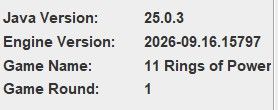
The really important bit is the last 5 digits, if you could display the engine version with an added m or M so that we all know its the mobile version.
-
Hey Thank you for the Info.
Mobile has its own versioning in the about section (current version 0.3.3)I needed to change some things in the original Engine and there may be more changes in the future...
So they are not really the same anymore.Also im still asking myself what the User does with the engine version information.
For me it seems like a abitrary number that the normal Users have no use for.
What is the benefit we giving the user by showing this number? Especially what the last 5 digits mean exactly.Keep in mind that the Mobile screen has much less space, then a Desktop Screen. So we need take care of our Information.
The only real benefit i can think of would be an indicator if the Map is compatible with the current version of the app and that can be solved with a icon. This would be something normal Users can understand way better.
-
i added a new version.
Images can now be shown as game rules.
-
@xxXEddieXxx
Version numbers are important to some people/map makers, to most not.
Here are some milestone version numbers
2.5.22294 this cover most A&A maps and most older maps, 100s maps
2.7.14848 uses isAI, for making the AI appear better, but the map maker is really doing this, 10ish maps, I would say the better solo maps.
2026-09.16.15791 Allows construction upgrades to be placed within construction limit, 1ish mapThe last one, will be a new map we/I are releasing soon.
See here, for a glimpse of above, look for version numbers.
https://forums.triplea-game.org/topic/3741/curated-best-top-maps-triplea-guidesHere is a TripleA feature list
https://triplea-game.org/release_notes/Here is the effort over the years to fix things
https://github.com/triplea-game/triplea/issuesThe number to look at is
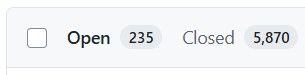
The 5870 issues raised/closed, some of these issues are because players are on old an version and should of upgraded and many other reasons.Here is what I would do, pick a TripleA version greater than 2026-09.16.15791 and tell us what that is, and say twice a year upgrade your mobile version, then you dont really have to bother with version numbers, as we know if the map will work or not based on the desktop version. -
@TheDog
Thank you again for these informations they are pretty helpful.I would suggest a marker on maps that use advanced features. Or the Crash should be catched with the question (are you running the most recent TripleA version?)
"Here is what I would do, pick a TripleA version greater than 2026-09.16.15791 and tell us what that is, and say twice a year upgrade your mobile version, then you dont really have to bother with version numbers, as we know if the map will work or not based on the desktop version."
This was my plan all along. i'm currently running the most recent version.I'm also reading the issues and PR's you guys add to the base repo. When i think the feature is important i will update my version of the engine to stay up to date.
I was just asking myself if is this is really something i should show in the app.
My goal with this project is to make TripleA more accessible and altough the Game is great it is to complicated for many people so i'm overthinking every addition to the UI.
-
@xxXEddieXxx said
I was just asking myself if is this is really something i should show in the app.
Answer yes, put the TripleA version, APK version, Java version etc here
Help> About
TripleA does not have this

Hello! It looks like you're interested in this conversation, but you don't have an account yet.
Getting fed up of having to scroll through the same posts each visit? When you register for an account, you'll always come back to exactly where you were before, and choose to be notified of new replies (either via email, or push notification). You'll also be able to save bookmarks and upvote posts to show your appreciation to other community members.
With your input, this post could be even better 💗
Register Login