Unable to Load Polygons.txt Error
-
@LaFayette, @ff03k64
Alright, so in GitHub I’ve changed the default branch to be the master branch… in fact I removed the other one so that there’s only one branch now. (mimicking warcraft_war_heroes as an example) I’ve removed the map within TripleA, re-downloaded it and the error persists.@LaFayette
I’m not following what you mean about “map” being the top level folder, when I download the G40_Alt_Universe zip file the structure looks like:\g40_alt_universe-master.zip\g40_alt_universe-master\map
Using warcraft_war_heroes to compare, I see:
\warcraft_war_heroes-master.zip\warcraft_war_heroes-master\map
So, it seems similar to me, unless I'm not looking at the same thing as you are.
Thanks both for the help, I appreciate it.
-
Not time to extensively test at the moment, but When i unzip it it works.
-
@Contango Idk if it makes a difference but warcraft has the description with map. That's how I've always seen it done too.
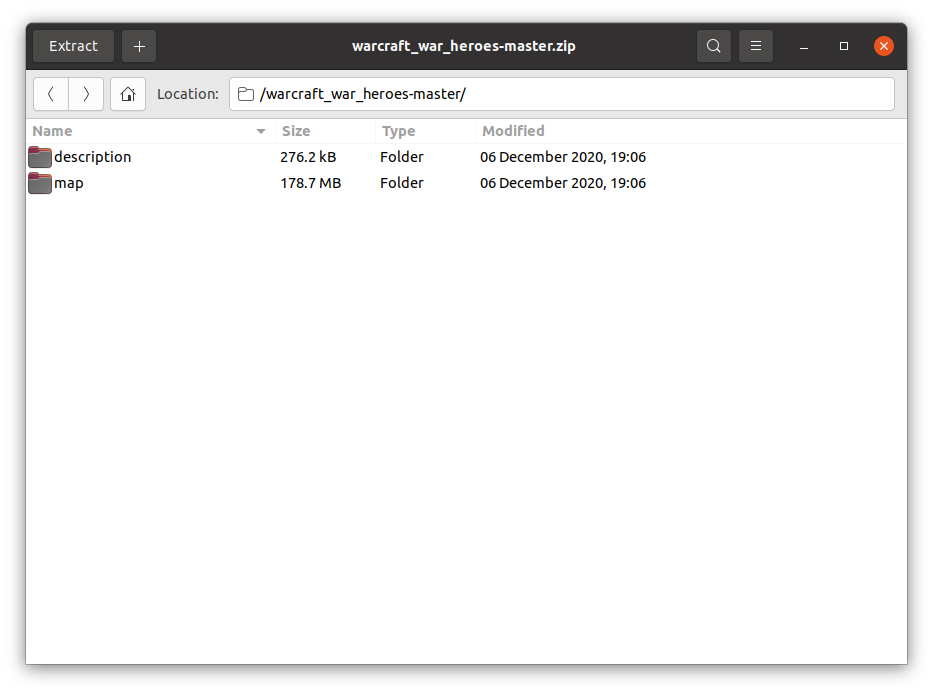
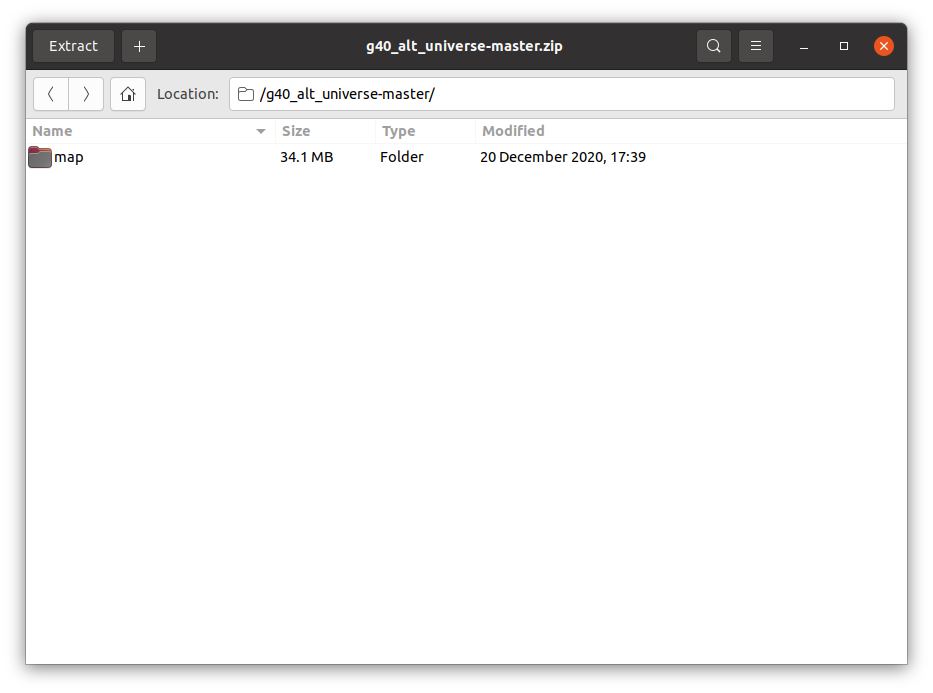
Your Description is after you open map. As I said Idk if it matters but you could try it.
Edit
Also you have a text file of some sort along with the png. Haven't seen that either so maybe just call the folder description with just the png and put it with map right after you open the master -
Thanks for the suggestions, I deleted the extra text file to no effect.
I also tried moving the description folder above the map folder and deleting the other one that was inside the map folder. This also didn't work and has the unfortunate consequent that it means the map snapshot won't show up anymore. (the YAML file is linking to where I originally had the snapshot)
I made another discovery, that if I return my original local folder for my map to the "downloadedMaps" directory on my computer, both instances will now work.
So it would seem that the version of my map downloaded from TripleA is attempting to reference the polygons file from my original working folder and when I remove it, it's getting confused.
Does anyone know how to remedy that? And what do other mapmakers generally do if they are keeping a live instance and a working instance of their maps for making updates?
-
@Contango Hmm...so your git one isn't working but the local one that you tested on and then uploaded to git does ? If so maybe try adding map from your working local to the git repo again. Check to make sure it didn't have any fails or errors. If on terminal I've blown by them before.
You can merge that yourself without updating the map yaml and waiting for it to be merged. Probably best to do that and when it works then update yaml. Make sure to make different version number for the non yaml as well.
When I get it working locally, I copy and save to a folder with that version number and then go to new number when I add to it and test until that works and then repeat the process.
I usually keep all the versions for quite a while until I'm sure it's working correctly. It might fire up and run but when you get 20 rounds in to a test game you see another problem sometimes.
Anyway, not sure if that's what you meant, but you're real close, so as you said, probably something simple.
Edit
Actually I think I remember seeing that error recently. Think it was over the top and it was a naming file structure error. I guess just double check everything against how Frostion did it. -
@Contango something else I noticed. You have upper case on mapName. I think it needs to be lower. In the xml
-
@beelee said in Unable to Load Polygons.txt Error:
@Contango Hmm...so your git one isn't working but the local one that you tested on and then uploaded to git does ? If so maybe try adding map from your working local to the git repo again. Check to make sure it didn't have any fails or errors. If on terminal I've blown by them before.
Interestingly, they both work when the local one is present, but if I remove it (which would be the case for anyone downloading it from Triple A) then the downloaded one doesn't work. Also, I've discovered that if I re-name my local file, then even it won't work. So it seems to want that particular folder name for some reason. I even tried re-constructing a new folder with a new name (and new name in the XML file) and it still won't work.
-
@beelee said in Unable to Load Polygons.txt Error:
@Contango something else I noticed. You have upper case on mapName. I think it needs to be lower. In the xml
I've seen a few with upper case names that seem to be fine, but just in case I tried changing it, but that didn't help. Also tried with spaces VS underscores and no difference.
-
I also tried uninstalling TripleA and deleting the downloadedMaps folder, and then re-installing it.
Immediately when I load it up I get an error that it can’t find my map zip folder:
java.nio.file.FileSystemNotFoundException: C:\Users\name\triplea\downloadedMaps\g40_alt_universe-master.zip
That’s odd since it’s a newly installed instance of TripleA. How would it even know that such a map existed in that location? I’m wondering if TripleA stores some kind of reference information elsewhere that I need to clear out.
-
@beelee has 'Hit the Nail on the Head'. When working with the .zip file Capitalization matters. You need to change the mapName property:
<!-- Need to remove the capital letters in value -->
<!-- <property name="mapName" value="G40_Alt_Universe" editable="false"/> -->
    <property name="mapName" value="g40_alt_universe" editable="false"/>
When working with an unzipped file, capitalization is dependent on the OS you are using.
Cheers...
-
My apologies, I mistook "info name" for "mapName". Changing to lower case seems to have solved it. So I believe I just need to update this in the version on GitHub.
Thanks for your help.

Hello! It looks like you're interested in this conversation, but you don't have an account yet.
Getting fed up of having to scroll through the same posts each visit? When you register for an account, you'll always come back to exactly where you were before, and choose to be notified of new replies (either via email, or push notification). You'll also be able to save bookmarks and upvote posts to show your appreciation to other community members.
With your input, this post could be even better 💗
Register Login