TripleA Logo TripleA Forum
    • TripleA Website
    • Categories
    • Recent
    • Popular
    • Users
    • Groups
    • Tags
    • Register
    • Login

    Game Window Too Big For My Screen

    Scheduled Pinned Locked Moved Player Help
    8 Posts 2 Posters 2.9k Views 1 Watching
    Loading More Posts
    • Oldest to Newest
    • Newest to Oldest
    • Most Votes
    Reply
    • Reply as topic
    Log in to reply
    This topic has been deleted. Only users with topic management privileges can see it.
    • S Offline
      skidmarc
      last edited by Panther

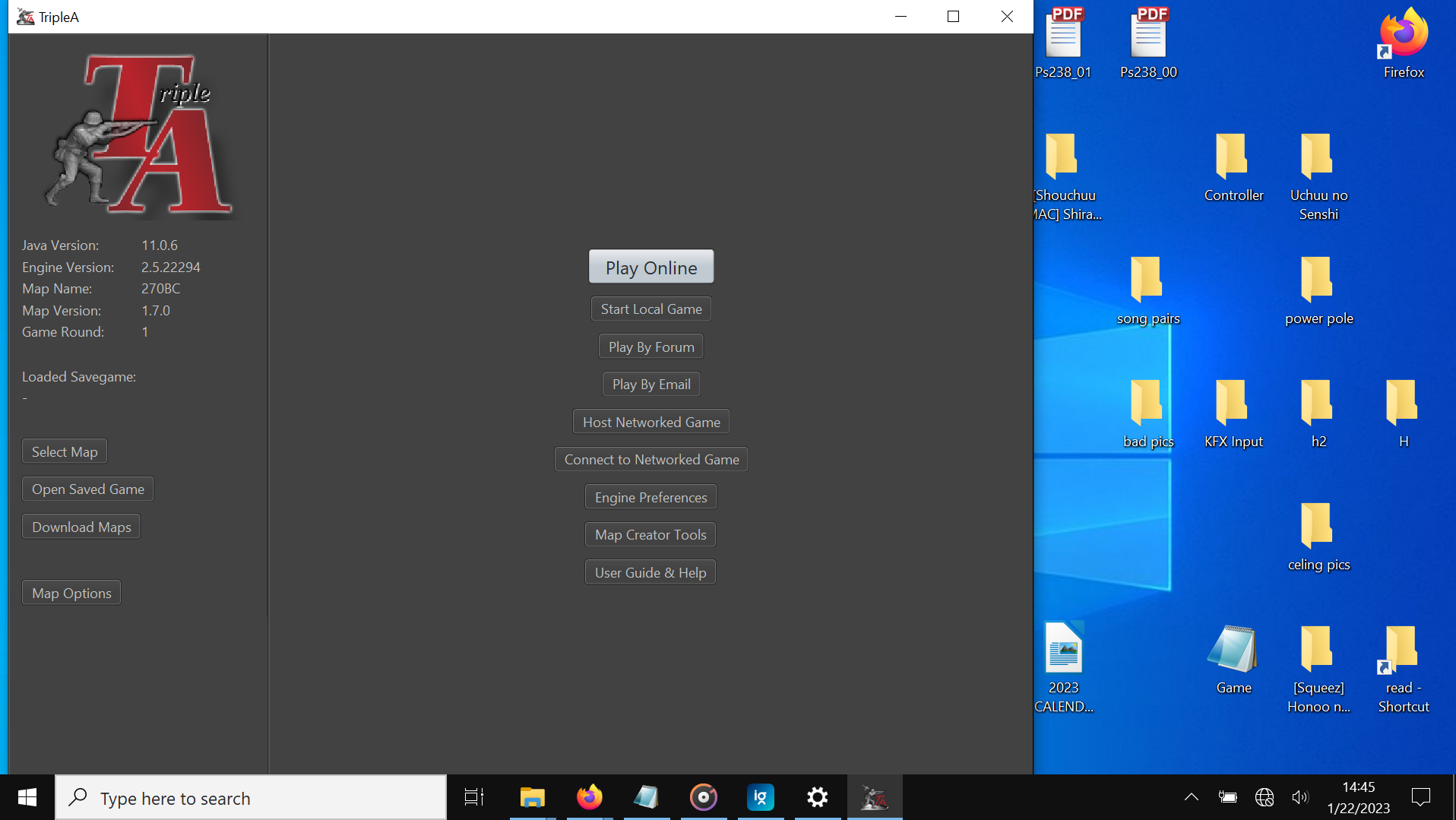
      I just had to get a new 13 inch laptop and when I tried to load I find the starting menu and the game windows are to large for my screen. Worse when I close the window after resizing it it reopens at the default dimensions. This is certainly not a bug in the game but a matter of setting I just can't find them. Funny it wasn't a worry on my old 17 in laptop, go figure.

      Being serious what do I need to do so the game will fit my screen on opening? I am not one to readjust the window every time.

      PantherP 1 Reply Last reply Reply Quote 0
      • PantherP Offline
        Panther Admin Moderators @skidmarc
        last edited by Panther

        @skidmarc
        It's not (only) the size of your screen that matters, but the resolution. An important aspect when you consider to buy a laptop/notebook.
        What resolution are you going with - and is it the native resolution?

        On a FullHD resolution (1920x1080) for example the default TripleA dimensions ar neither too big nor too large.

        Some 13 inch laptops go with 1280x800 or 1366x768 or even lower screen resolution. This is where you can expect windows being too large when in default settings.

        Check the native settings of your screen. In case the current resolution is lower than the native resolution set your notebook display to run with the native resolution. Maybe it will be high enough.

        Don't always trust TripleA when it comes to rules questions. Know the rules before you start … and better check what TripleA has done.

        1 Reply Last reply Reply Quote 0
        • S Offline
          skidmarc
          last edited by

          Nope it is 1920x1080 is the default, good thought though. Anything else that might help?

          PantherP 1 Reply Last reply Reply Quote 0
          • S Offline
            skidmarc
            last edited by

            A note with the 64 bit the game map does restore down to a very small window and maximize is just fine. However the start screen still has the play and quit buttons below my screen every time I open it.

            1 Reply Last reply Reply Quote 0
            • PantherP Offline
              Panther Admin Moderators
              last edited by Panther

              @skidmarc

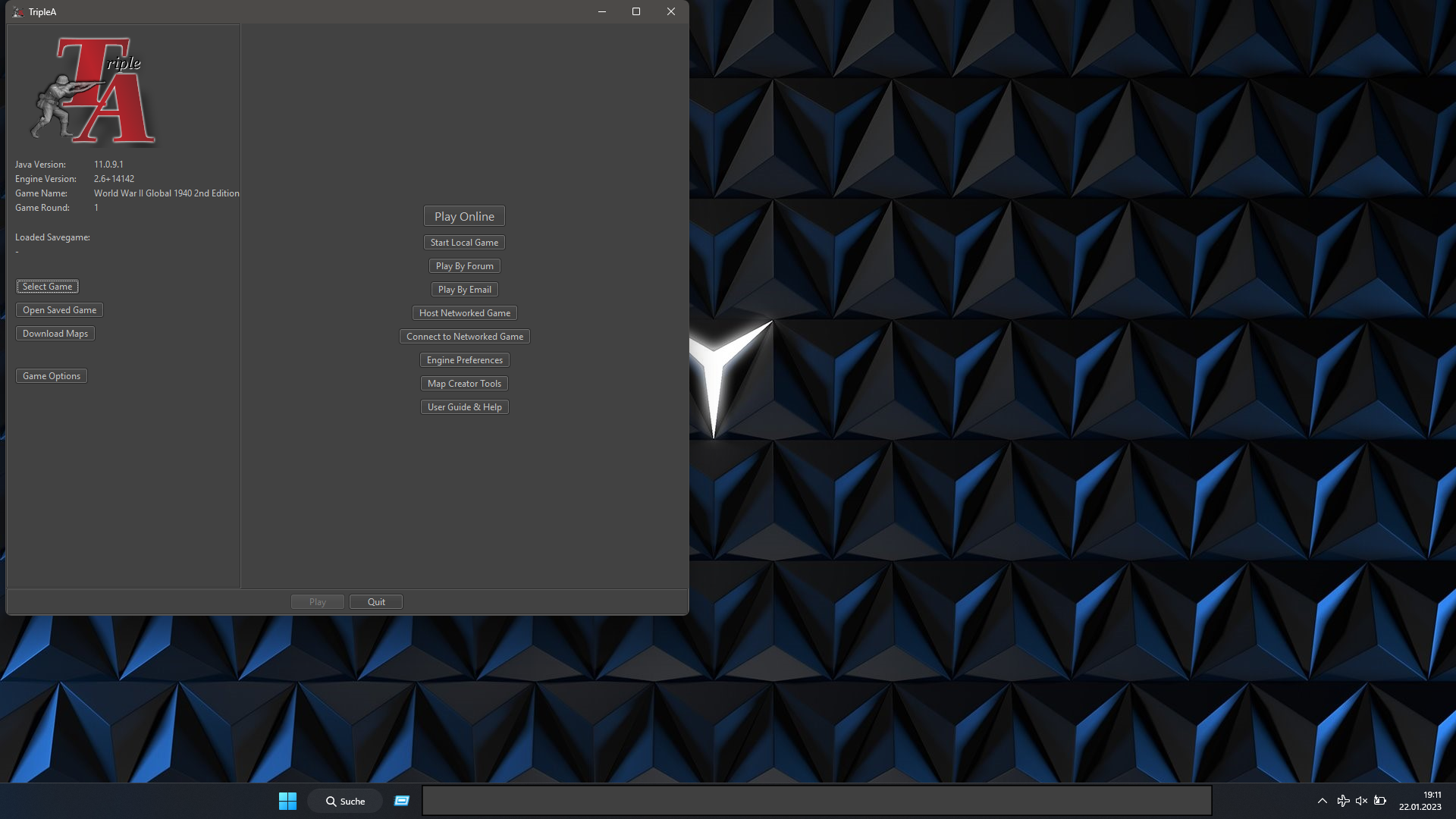
              This is how it should look (by default) on a 1920x1080 screen:
              Screen2.png

              Can you post a screenshot, please?

              Don't always trust TripleA when it comes to rules questions. Know the rules before you start … and better check what TripleA has done.

              1 Reply Last reply Reply Quote 0
              • PantherP Offline
                Panther Admin Moderators @skidmarc
                last edited by Panther

                @skidmarc

                You might have set scaling (of text, apps...) to a value higher than 100%. This would have the effect you describe. If that is the case just reset scaling to 100% (Display Settings of your OS).

                Don't always trust TripleA when it comes to rules questions. Know the rules before you start … and better check what TripleA has done.

                1 Reply Last reply Reply Quote 0
                • S Offline
                  skidmarc
                  last edited by

                  Capture.PNG

                  1 Reply Last reply Reply Quote 0
                  • S Offline
                    skidmarc
                    last edited by

                    I need it set at 150%, so if there is a way to change the game let me know.

                    1 Reply Last reply Reply Quote 0

                    Hello! It looks like you're interested in this conversation, but you don't have an account yet.

                    Getting fed up of having to scroll through the same posts each visit? When you register for an account, you'll always come back to exactly where you were before, and choose to be notified of new replies (either via email, or push notification). You'll also be able to save bookmarks and upvote posts to show your appreciation to other community members.

                    With your input, this post could be even better 💗

                    Register Login
                    • 1 / 1
                    • First post
                      Last post
                    Copyright © 2016-2018 TripleA-Devs | Powered by NodeBB Forums