My map editor for TripleA
-
@xxXEddieXxx
For version 0.1.9Map Look> Resize map
1941 GCD cannot be increased in size only shrunk. But it says it can grow 60% this is not correct.
Also it should not offer what it cannot do, eg offer 50% and custom shrink of 60%
Ideally the resize should work up to a bigger px size, that is bigger than 16816x8085px
Can this be increased so I can make 1941 GCD bigger ?
Also what are the maximum limits of this resize ?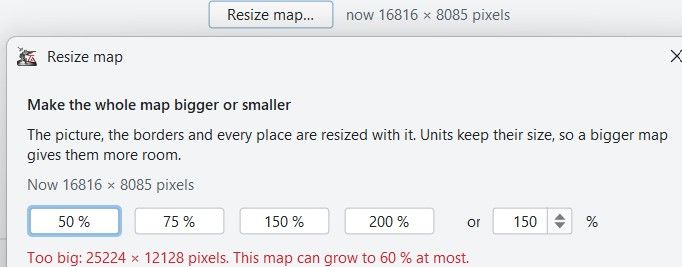
.
Infrastructure labels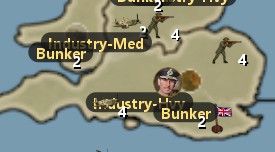
Im not a fan of the Infrastructure labels can they be unit icons instead ?
If this is/was a request then maybe these display options
--Infrastructure only
--Units (not Infrastructure)
--All units.
Places> Reload places from the files
When selecting this without place,txt or decorations.txt loaded, just get this timed popup, where are the place,txt or decorations.txt ? (not displayed)
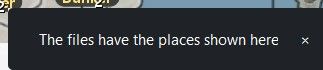
Ideally it should tick these on the menu and therefore display both place,txt or decorations.txt
.
Places> Placement
When working in a TT/SZ it would be good to highlight, say with an Orange shade all the units in that TT/SZ, as sometimes you are not sure which TT/SZ the units belongs to.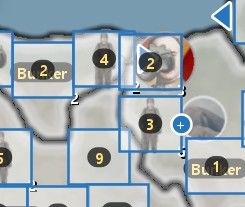
.
Places> Placement
When selecting a unit, a nice addition, using the 4 arrow keys to move a px at time, for micro placement would be cool..
Map Look> Resize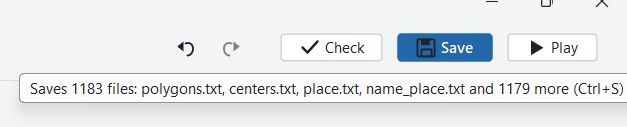
This should also say all baseTiles & all reliefTiles, not 1179 more.
Said Saved without a new relief ? (I could not screen capture this)
Checked it does resize reliefTiles, so message above is wrong.
.
More help/intelligence can be given to the mapmaker by
Giving this suggested size calculation
1 / current unit.scale (round up to the nearest even number)
eg. 1/.875 = 115% but thats an odd percentage, so best 116% or 120%
If the map is 6500 x 4000 at 120% = 7800 x 4800px also change the unit.scale to 1
The app could also offer to change this ?.
Map Look> Resize - Line Smoothing
The map resize function is awesome, it does so much for very littler user input.
Here I am being really fussy, but if you don’t ask you don’t get

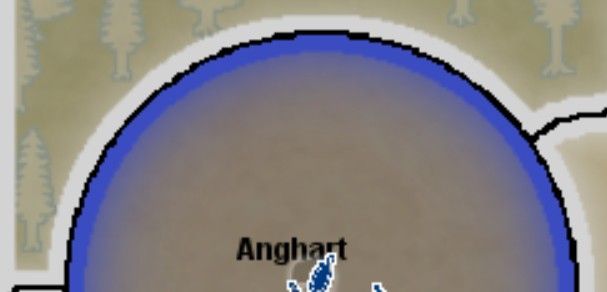
Can the resized line images be smoother ?
Settlers: Fallen Empire, 120% resize at 200% zoom
Circle drawing is rough ?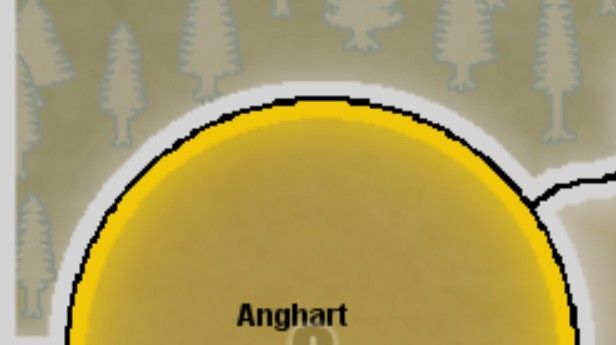
.
Settlers: Fallen Empire, 100% so before resize at 200% zoom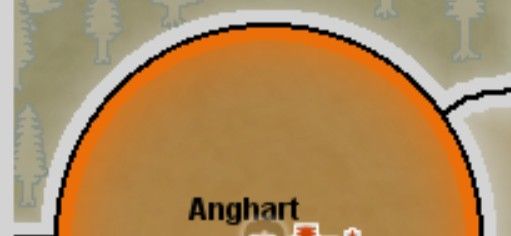
For version 0.1.91
Settlers: Fallen Empire, 120% resize at 200% zoom
-
I need to think about how to handle bigger maps. A Image file that has 600mb is actually quite large.
In my first round i will make the UI resemble the rules the editor applies so only 60% will aviable. The rest are good points and will be implemented!
-
Map Look > Resize
- 1941 GCD: the message was wrong, not the resize. The editor holds a resized picture only
up to 50 million pixels, and 1941 GCD is already 136 million, so it can only be made
smaller. It now says "can be made smaller, to 60 % at most", and the 150 % and 200 %
buttons are greyed out with the reason as tool tip. - Limits are now stated in the dialog: 25 % to 400 %, at most 50 million pixels, each side
at least 200 px. Making 1941 GCD bigger would need a tile-by-tile resize; that is an open
issue, not in this release. - The Saved message now names all tiles and relief tiles written, no more "1179 more".
The relief tiles were always resized, only the message was wrong. - units.scale: the dialog now offers the size you suggested. With units.scale 0.875 it
shows "115 %: units at their pictures' size"; tick it and the resize sets units.scale
to 1. - Line smoothing: enlarged flat-color maps are now smoothed and then snapped back to the
map's own colors, so curves no longer get steps and border lines stay one color.
Have a look at Settlers at 120 % and tell me if it is good enough.
Places
- Reload places from the files now ticks Units in the menu, so the reloaded places show.
- The clicked territory's unit places and units are shown in orange, so you see which belong
to it. - Arrow keys move the place under the mouse by one pixel, Shift+arrow by ten.
Infrastructure labels
- Those name badges appear only when the editor finds no picture for the unit, so something
in the picture lookup is off for that map. Logged as an issue; I'd like to check it with
1941 GCD before adding display options.
- 1941 GCD: the message was wrong, not the resize. The editor holds a resized picture only
-
Those name badges appear only when the editor finds no picture for the unit, so something
in the picture lookup is off for that map. Logged as an issue; I'd like to check it with
1941 GCD before adding display options.This might be because the folder that holds those images is the root of UNITS
\triplea\downloadedMaps\1941_global_command_decision\map\unitsThis means that ALL factions share these images, so reduces file size and duplications.
-
@xxXEddieXxx
For version 0.1.91
After a map resize save, got this popup message, it would be better to use the text just before pressing the save button as it has what is needed.

For version 0.1.91
Settlers: Fallen Empire, 120% resize at 200% zoom
I will also post the resize with the other resize in above post for comparison.
It appear just as poor as the 1st post here
https://forums.triplea-game.org/topic/4472/my-map-editor-for-triplea/40?page=2 -
Is there a way to rename the map from within the editor?
-
@xxxeddiexxx
For version 0.1.91Units
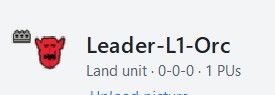
Unit icon – sometimes the unit icon disappears, I cannot workout why
.
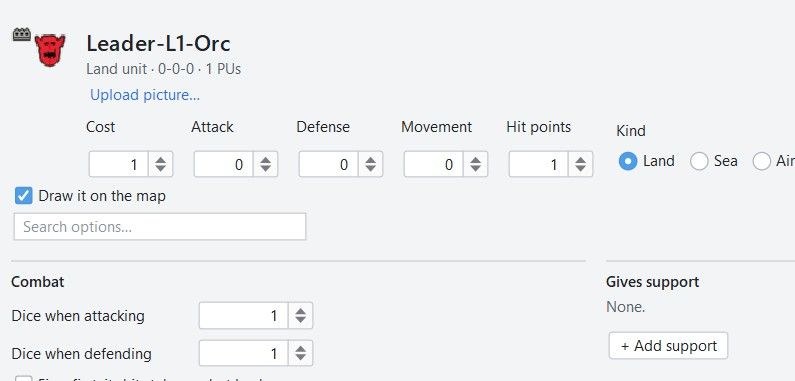
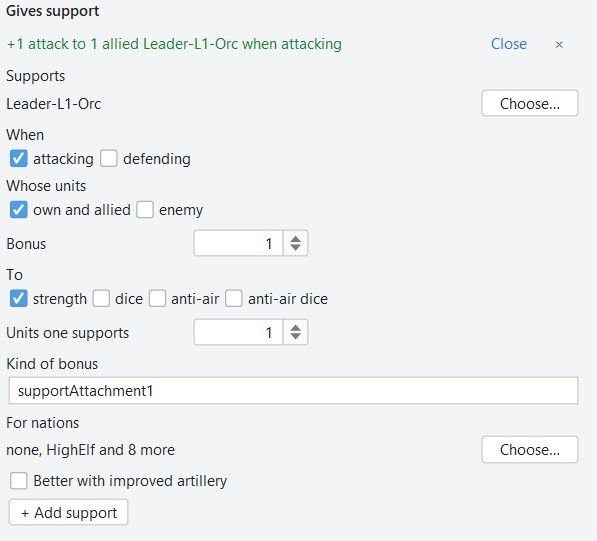
Sometimes – Gives support does not display as below
Show all options is TICKED
.
Click on Add support buttonand the support data appears

Unit> Resources its missing, no I have found them
Its most common use is for Upkeep
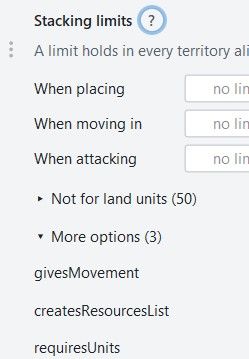
<option name="createsResourcesList" value="-1:PUs"/>Unit> tuv (total unit value) its missing
This should go near PU cost, as it over-rides the AIs value of the unit, especially useful when the item is given free,0pu or very cheap ie 1pu, or in the Miscellaneous.
Miscellaneous
Stacking limits should be renamed to Miscellaneous with a sub heading of Stacking limits
.
Maybe put tuv here as its not used frequently..
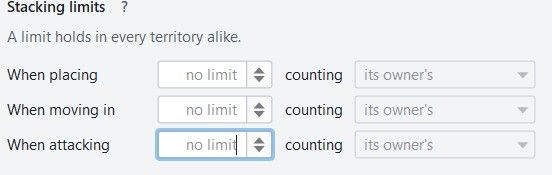
Stacking Limits are not working, data is blank, tried two maps
.
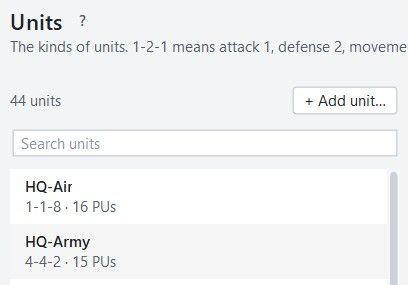
Units could display the actual unit png in the table below
Be aware some unit icons have weird shapes, 115x115, so need to be shrunk, yes?
You could test will 1941GCD its ships are upto 96x54, HQs 66x66px
The norm is 48x48px
-
i've started to put your feedback into some issues,
i will work on all of them if you want to see the current state you can check here:
https://github.com/xXEddieXxx/eddies-map-editor/issues -
Tested the nation renaming feature. I noticed the nation will lose its original unit image set; the editor will create a new folder for those under the new name, but it won't copy over the original images from the folder with the old name, so you have to go back and do it manually.
EDIT: It also didn't copy their old flags over either
-
Tested the nation renaming feature. I noticed the nation will lose its original unit image set; the editor will create a new folder for those under the new name, but it won't copy over the original images from the folder with the old name, so you have to go back and do it manually.
i will start to put the feedback into issues now and test them more. Those are all things that arose because i tried to implement to much feedback to fast
 next releases will be a little smaller. But i try to test and iron out the bugs. Thank you again for testing! If you find more please tell me.

Hello! It looks like you're interested in this conversation, but you don't have an account yet.
Getting fed up of having to scroll through the same posts each visit? When you register for an account, you'll always come back to exactly where you were before, and choose to be notified of new replies (either via email, or push notification). You'll also be able to save bookmarks and upvote posts to show your appreciation to other community members.
With your input, this post could be even better 💗
Register Login