TripleA Logo TripleA Forum
    • TripleA Website
    • Categories
    • Recent
    • Popular
    • Users
    • Groups
    • Tags
    • Register
    • Login

    Ancient Empires: 222 BC
    Scheduled Pinned Locked Moved Maps & Mods
    265 Posts 8 Posters 228.7k Views 7 Watching
    Loading More Posts
    • Oldest to Newest
    • Newest to Oldest
    • Most Votes
    Reply
    • Reply as topic
    Log in to reply
    This topic has been deleted. Only users with topic management privileges can see it.
    • redrumR Offline
      redrum Admin @Name
      last edited by

      @Name Seems like a pretty good size and I think at least in greece placements would be decent at that size. The borders are definitely pretty rough looking. One thing that I noticed is that it doesn't look like the bottom 10-20% of the map has very many territories. Could consider cutting some of that off to reduce overall size a bit.

      TripleA Developer with a Passion for AI: https://forums.triplea-game.org/topic/105/ai-development-discussion-and-feedback

      N 1 Reply Last reply Reply Quote 0
      • C Offline
        Cernel Moderators @Name
        last edited by

        @Name said in Ancient Empires: 222 BC:

        • The minimap looks awesome being in an exactly scaled down ratio.

        Correct, but that minimap is making the right side bar taking an absurdly large amount of board view. If the map is 24,000 wide, is suggest going with a 240 or 200 pixels wide minimap.

        1 Reply Last reply Reply Quote 0
        • HeppsH Offline
          Hepps Moderators @Name
          last edited by Hepps

          @Name said in Ancient Empires: 222 BC:

          • My borders look ugly in game, will need a lot of work.

          If you want to post just a small portion of the actual base map... say just the area you keep using for your example pictures. I could probably show you how to clean it up.

          Because in looking at your examples it looks like your border lines are 6 pixels wide.

          "A joyous heart sours with the burden of expectation"
          Hepster

          1 Reply Last reply Reply Quote 0
          • N Offline
            Name @redrum
            last edited by Name

            @redrum I cut some of the bottom. No big deal losing some neutrals bellow Egypt.

            @Cernel Since it's ment to be played using zoom anyway, not sure it's a big deal. Will see about it though.

            @Hepps Yeah I started with a smaller image and did borders 2x2. Then surprise, in the enlarged it was 10x10! I'm trying to fix this with a combination of shrink, grow border etc to avoid extreme finetuning, but can't get desired results so far. Here's the part:
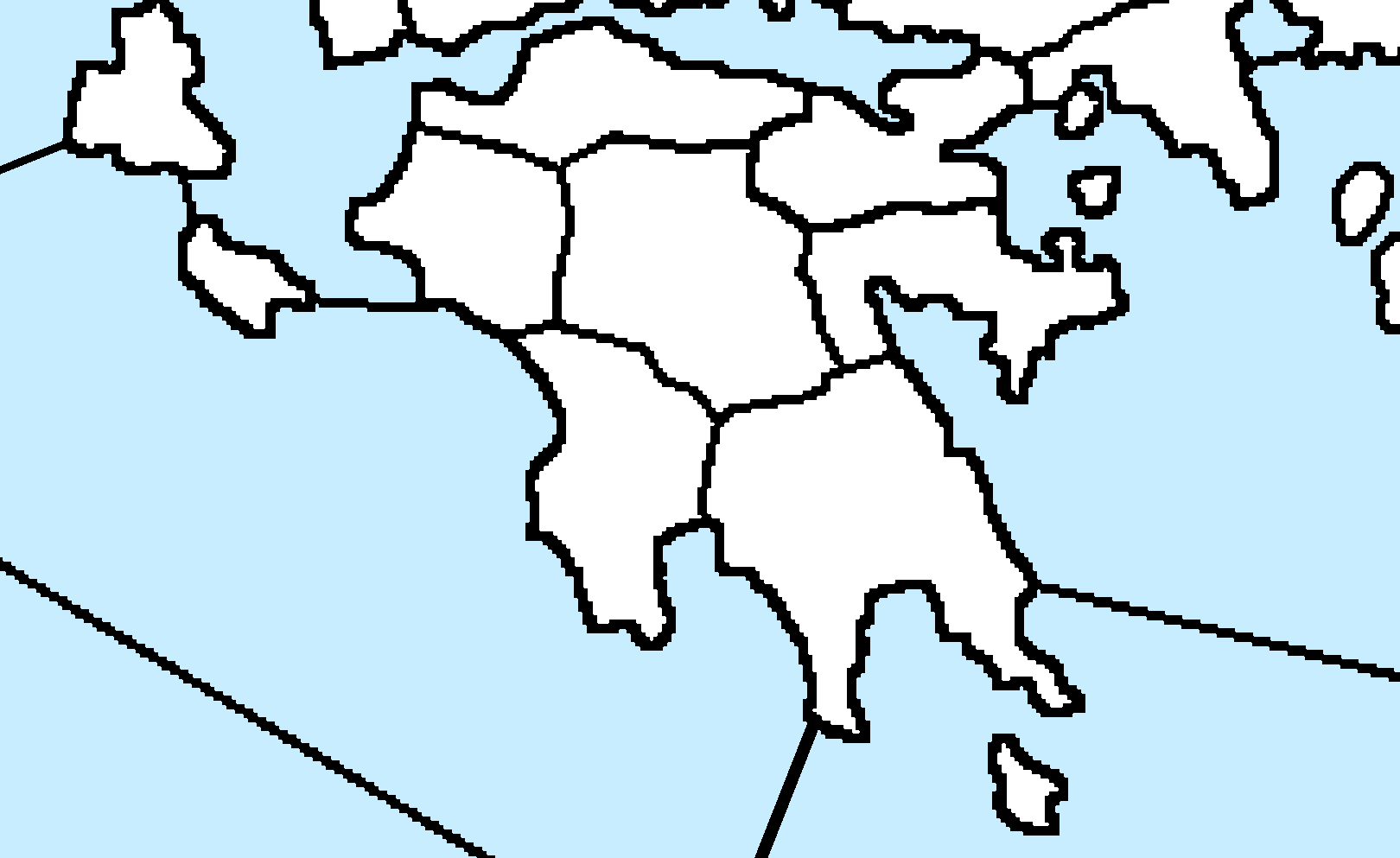
            3bb99796-e878-487c-b0e4-36f92c80f821-εικόνα.png

            HeppsH 1 Reply Last reply Reply Quote 0
            • HeppsH Offline
              Hepps Moderators @Name
              last edited by

              @Name Yeah this is not going to be an easy fix. At least for any method I am aware of.

              "A joyous heart sours with the burden of expectation"
              Hepster

              N 1 Reply Last reply Reply Quote 0
              • N Offline
                Name @Hepps
                last edited by

                @Hepps Maybe I should just redo the borders (keeping those in another layer as guidance), in some advisable size and style?

                HeppsH 1 Reply Last reply Reply Quote 0
                • HeppsH Offline
                  Hepps Moderators @Name
                  last edited by Hepps

                  @Name So here is the best result I could manage with the least amount of work...
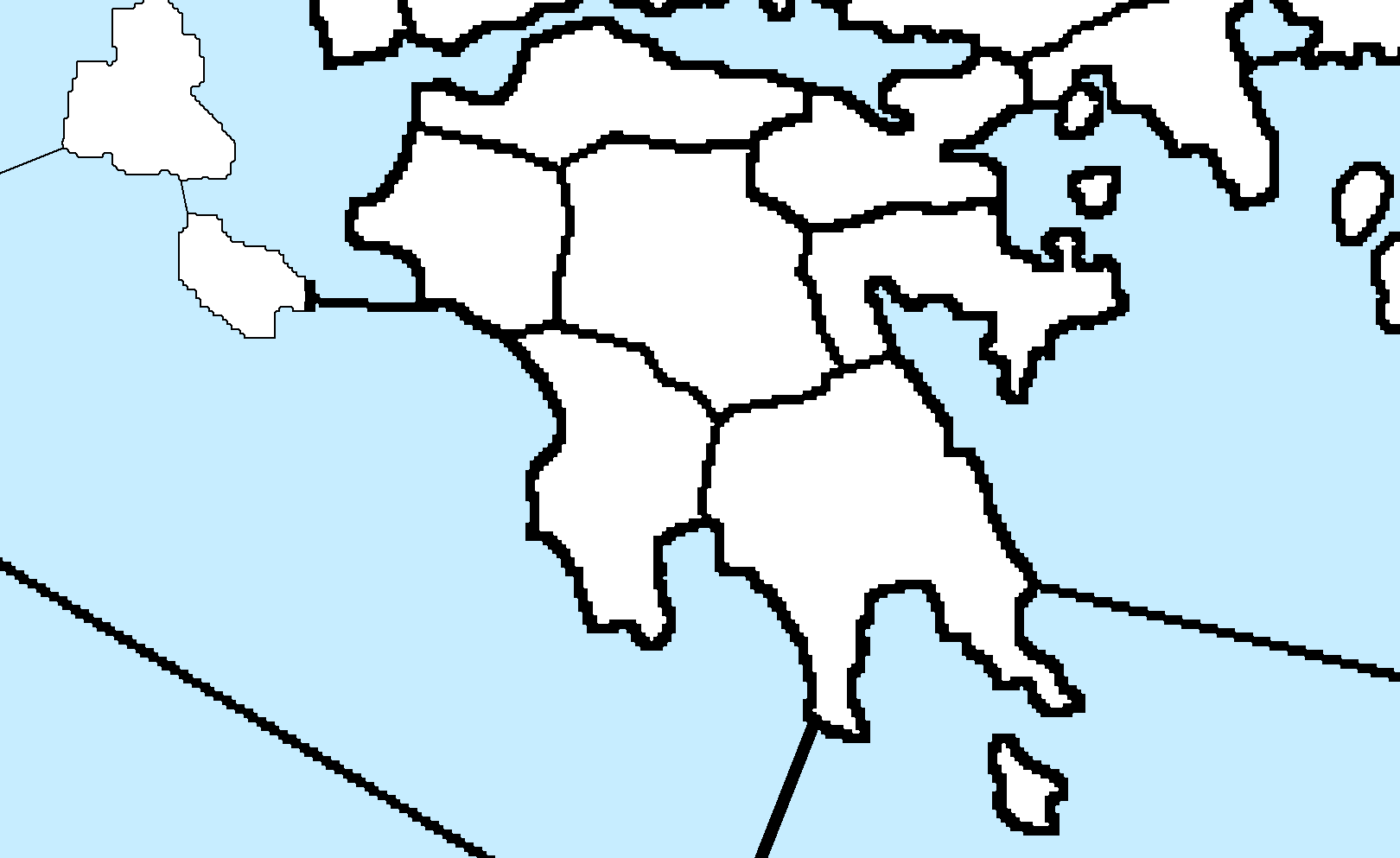
                  Best result.png

                  The issue is that regardless of being able to reduce the line thickness... because of how blocky the border lines look, they appear really unnatural to me. But look at what I did quickly. At the end of the day the quality is what you want it to be. I can show you how to do this (relatively) quickly over the entire map.

                  "A joyous heart sours with the burden of expectation"
                  Hepster

                  C N 2 Replies Last reply Reply Quote 2
                  • C Offline
                    Cernel Moderators @Hepps
                    last edited by

                    @Hepps Since he still has the original (this is a no-interpolation 500% scaled version of), wouldn't it be better starting from those?

                    HeppsH 1 Reply Last reply Reply Quote 0
                    • HeppsH Offline
                      Hepps Moderators @Cernel
                      last edited by

                      @Cernel I have never found a good way to create a detailed map from a small original. The problem really comes down to as you attempt to enlarge the scale... what looked good small always becomes blocky. Unfortunately the only way I have ever been able to get any reasonable kind of definition is to find the largest original I can find and then draw the map with as much detail as I want at the scale I intend to use.

                      So in this case because the original is so much smaller than the finished size... every line ends up just being huge 90 degree angles.

                      "A joyous heart sours with the burden of expectation"
                      Hepster

                      1 Reply Last reply Reply Quote 0
                      • N Offline
                        Name @Hepps
                        last edited by Name

                        @Hepps I'm interested, but before/instead of doing that, I'm also interested in:

                        • How long did it take you for that? Is there a way to apply it at once to the whole map, I guess not?
                        • If I restart with a 20% sized version could stroke with 1x1 produce any good results (also considering the x5 scaling later). Answered to @Cernel
                        • If I restart from the full version, what should I consider for a relatively easy decent look? I could finetune later.
                        HeppsH C 3 Replies Last reply Reply Quote 0
                        • HeppsH Offline
                          Hepps Moderators @Name
                          last edited by

                          @Name said in Ancient Empires: 222 BC:

                          @Hepps I'm interested, but before/instead of doing that, I'm also interested in:

                          • How long did it take you for that? Is there a way to apply it at once to the whole map, I guess not?

                          The area I did took about 5 minutes... but that result could be applied to the entire map. To yeild those same results over the entire map would likely take 5-6 hours depending on your pace and proficiency.

                          • If I restart with a 20% sized version could stroke with 1x1 produce any good results (also considering the x5 scaling later). Answered to @Cernel
                          • If I restart from the full version, what should I consider for a relatively easy decent look? I could finetune later.

                          Most everything is a process you need to consider right from the start. I will show you my process.

                          "A joyous heart sours with the burden of expectation"
                          Hepster

                          N 1 Reply Last reply Reply Quote 0
                          • C Offline
                            Cernel Moderators @Name
                            last edited by Cernel

                            @Name If you want to upload here the integral original baseMap image anyways (the one just drawn at 2 pixels borders manually), no harm if someone might want to take a look at that right?

                            1 Reply Last reply Reply Quote 0
                            • N Offline
                              Name @Hepps
                              last edited by Name

                              @Hepps Makes more sense to redo it then I think. By what to consider I mean pixel size, stroke settings or alternatives etc. I don't want to go into extreme detail though, cause playtesting will have me re-edit a lot of regions for sure anyway.

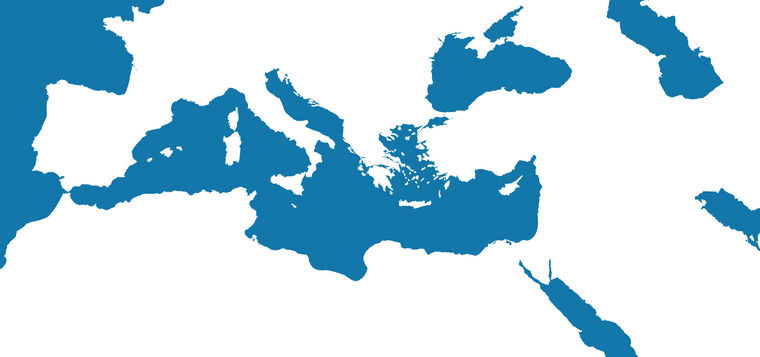
                              @Cernel unfortunately I don't have that version anymore, I did the mistake to overwrite it with the scaled up. I could reproduce something similar from it relatively quickly (or even better from the last pic I posted in page 5).

                              But I'm thinking on fiting the following (same base map) to the dimensions and redrawing the borders with the previous one as guidance.
                              c6440c00-1e43-4877-8fe0-b474605818b4-εικόνα.png

                              1 Reply Last reply Reply Quote 0
                              • HeppsH Offline
                                Hepps Moderators @Name
                                last edited by

                                @Name

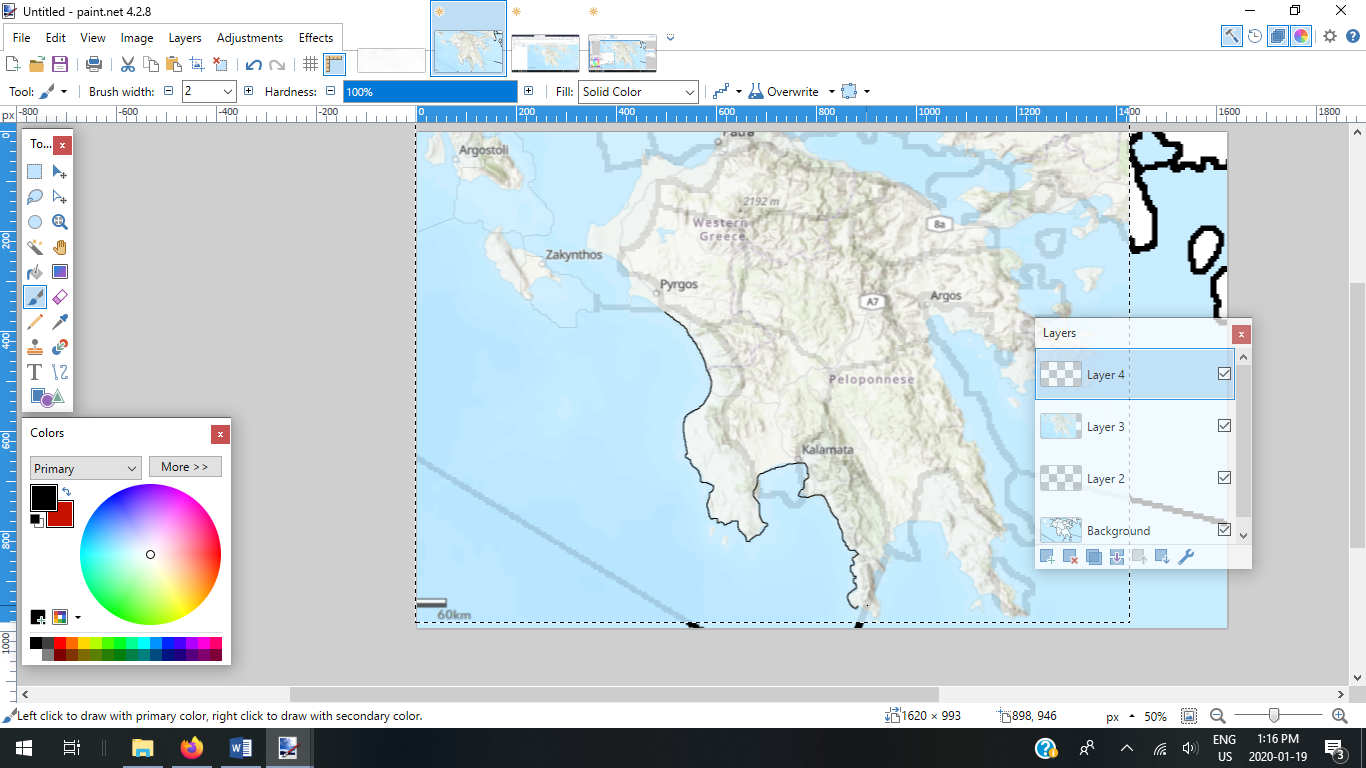
                                1. Find the map you want and the largest version you can find that is as close to the scale you intend to use. In your case the entire Mediterranean. Then scale it to the exact dimensions you intend to use.
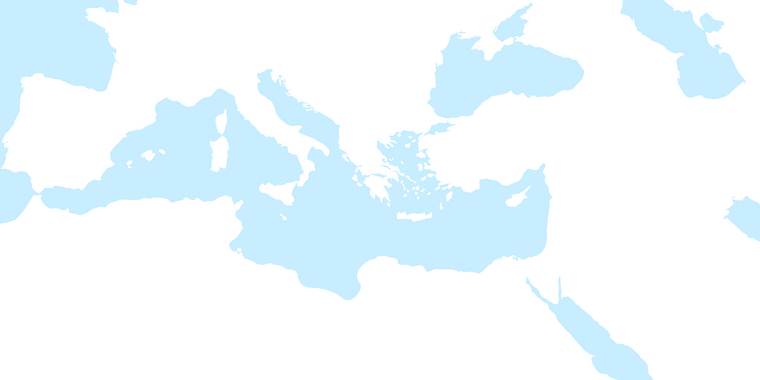
                                5389c064-3d47-4e14-8e38-25e2279fc7c1-image.png

                                1. Make all the general alterations you want to suit game play. In your case enlarging Greece.
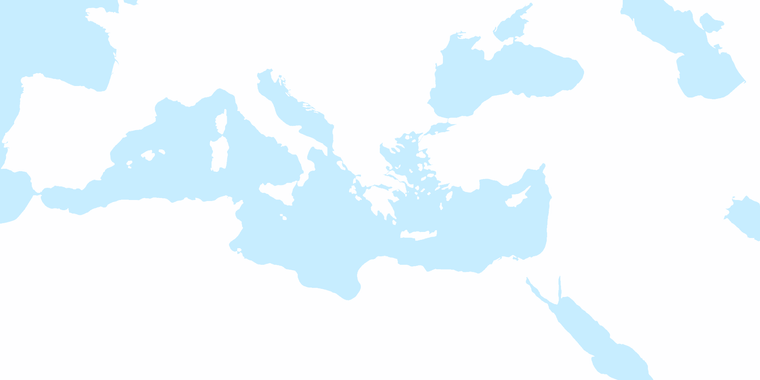
                                Large Greece.png

                                1. Find a site like Google Earth where you can zoom in to roughly the same size and take screen shots of all the areas that your map encompasses, crop them to eliminate all the other stuff (menus search tabs etc.) and paste them together in a new canvas until you have all the important things you need in great detail.

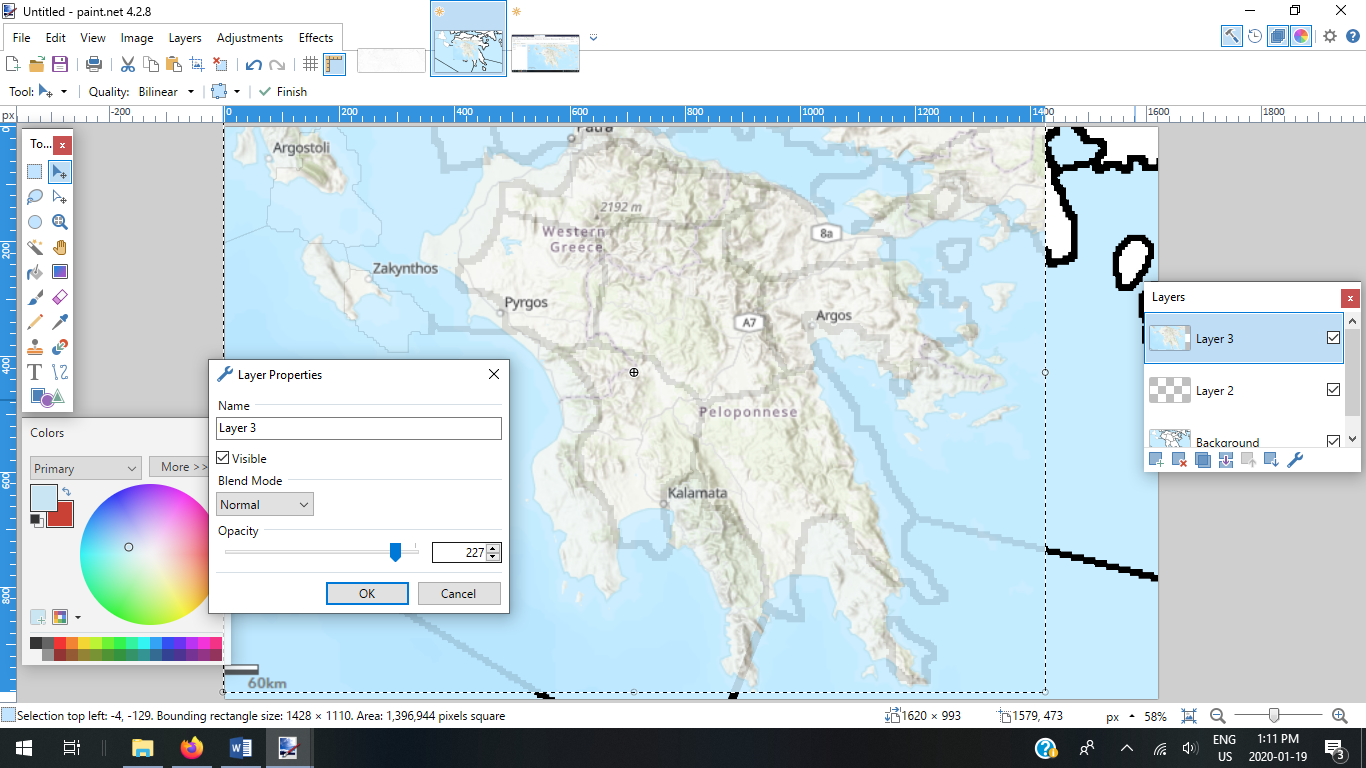
                                2. Copy that entire image and put it into a new layer of your first map and then adjust the opacity of the new layer so that you can see the original layer underneath.

                                3. Manipulate the new layer to match all the adjustments you made for game play purposes.

                                4. Increase the opacity of the detailed layer. Add one more layer and now trace the outline of your now very detailed map.

                                "A joyous heart sours with the burden of expectation"
                                Hepster

                                N 1 Reply Last reply Reply Quote 2
                                • N Offline
                                  Name @Hepps
                                  last edited by Name

                                  @Hepps The google earth part is meant to provide realistic shapes? And then fit them with edits onto the final map?

                                  HeppsH 1 Reply Last reply Reply Quote 0
                                  • HeppsH Offline
                                    Hepps Moderators @Name
                                    last edited by

                                    @Name Here is a sample of what step 4 looks like using your section as an example...
                                    Step 4.png

                                    "A joyous heart sours with the burden of expectation"
                                    Hepster

                                    N 1 Reply Last reply Reply Quote 0
                                    • N Offline
                                      Name @Hepps
                                      last edited by

                                      @Hepps So it's meant for the relief tiles?

                                      1 Reply Last reply Reply Quote 0
                                      • HeppsH Offline
                                        Hepps Moderators
                                        last edited by

                                        Step 6...

                                        Step 5.png

                                        Step 7... Once the entire tracing is done... including detailed coastlines and adding whatever territory divisions might already have been in the original layer... You can then delete all layers but the top one. Add whatever shade of blue you want to all the sea zones... and you have an exceptionally detailed base map.

                                        "A joyous heart sours with the burden of expectation"
                                        Hepster

                                        1 Reply Last reply Reply Quote 1
                                        • HeppsH Offline
                                          Hepps Moderators
                                          last edited by

                                          @Name People have used satilite imagery as the relief layer for their maps... take a look at Napoleonic Empire... the only issue with this is you have to use the natural scale of the satilite image for the map as manipulating it becomes virtually impossible.

                                          "A joyous heart sours with the burden of expectation"
                                          Hepster

                                          1 Reply Last reply Reply Quote 0
                                          • HeppsH Offline
                                            Hepps Moderators
                                            last edited by

                                            @Name The other nice thing about this is that while you have the detailed topographic layer still in the map... you can get a better feel for where Mountain terrains should be... where things like rivers might want to be natural boundaries for territories.

                                            For example... on your map the divisions in Egypt seem quite arbitrary and the scale of the territories is enormous when compared to Greece. You could make territory divisions that follow the course of the Nile river... crop a great deal of the bottom of the map... and add more smaller territories (sized closer to Greece for all the Egyptian Minors you intend to add.


                                            "A joyous heart sours with the burden of expectation"
                                            Hepster

                                            N 1 Reply Last reply Reply Quote 0

                                            Hello! It looks like you're interested in this conversation, but you don't have an account yet.

                                            Getting fed up of having to scroll through the same posts each visit? When you register for an account, you'll always come back to exactly where you were before, and choose to be notified of new replies (either via email, or push notification). You'll also be able to save bookmarks and upvote posts to show your appreciation to other community members.

                                            With your input, this post could be even better 💗

                                            Register Login
                                            • 1
                                            • 2
                                            • 10
                                            • 11
                                            • 12
                                            • 13
                                            • 14
                                            • 12 / 14
                                            • First post
                                              Last post
                                            Copyright © 2016-2018 TripleA-Devs | Powered by NodeBB Forums