Ancient Empires: 222 BC
-
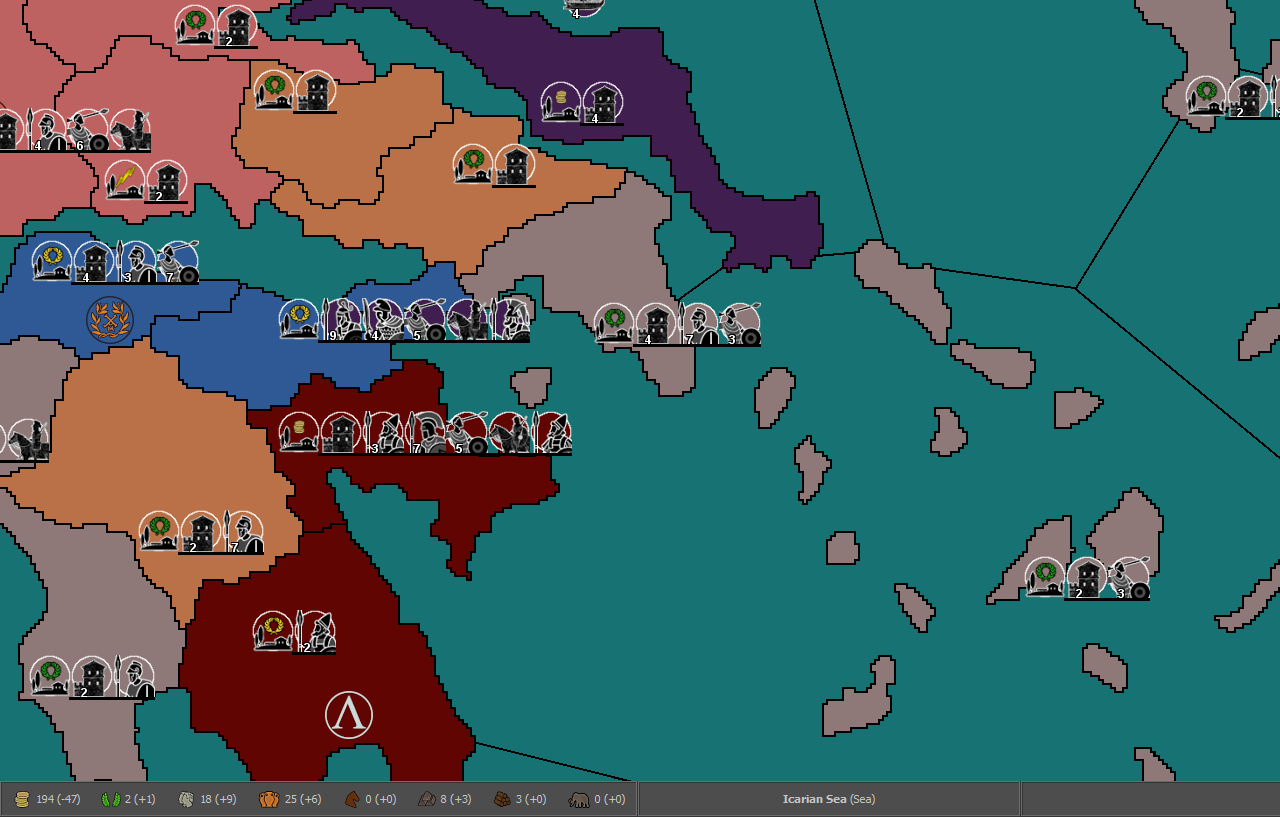
@Name No, what I meant is whether or not you are planning to have any territories without effects, since it looks like you have all the main terrain types I can think of. Only for flavour, it is also possible naming a territory effect, but leaving it with no modifiers, instead of having the default as none.
-
@Cernel I'm not sure yet, nor I completely understood you.
none is the default. Could I give it modifiers and/or rename it, while it still is the default on battle calculator?
-
@Name said in Ancient Empires: 222 BC:
none is the default. Could I give it modifiers and/or rename it, while it still is the default on battle calculator?
No.
-
-
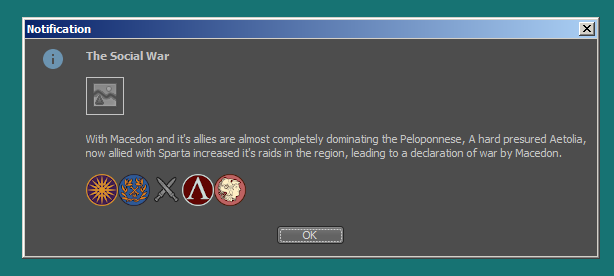
I'm working on the notification screens, but some images refuse to load, while another in that place, same size and format, could.
-
@Name How is the image called? When I collaborated on the WAW update, I discovered that images will fail to load if you have full stops in them (like "B.Transport").
-
@Cernel I've tried SocialWar.png and Social_War.png and neither worked.
-
@Name That makes really no sense, or at least the problem is surely not in the name. No idea.
-
@Cernel Found the issue.
SocialWar, Social_War not valid.
social_war, socialwar, Social_war valid.So it seems it only accepts one capital letter, I guess as the first one.
-
@Name I would recommend avoiding capital letters in image and file names. The reason is different operating systems handle them differently and it can cause issues with your map if you say develop on Windows and someone on a Mac tries to download and play it.
-
@redrum What about folder names?
-
@Name I would follow this structure: https://github.com/triplea-maps/the_pact_of_steel/tree/master/map
Personally, I don't like capital letters in the folder names either but that is the way it already is. Generally, spaces and capital letters can cause issues in folder/file names so ideally are avoided where possible.
-
@redrum said in Ancient Empires: 222 BC:
@Name I would recommend avoiding capital letters in image and file names. The reason is different operating systems handle them differently and it can cause issues with your map if you say develop on Windows and someone on a Mac tries to download and play it.
How about the territory names, like "Heraclea_Pontica.png" in 270BC. And that one already swaps a space for an underscore, since it is "Heraclea Pontica", in the game. Also it is even a standard way to name units, in TripleA, putting a capital letter in the middle of the name, since you cannot have spaces, and underscores look really not good. Like, in the TripleA assets themselves you have "aaGun.png".
-
@Name said in Ancient Empires: 222 BC:
@Cernel Found the issue.
SocialWar, Social_War not valid.
social_war, socialwar, Social_war valid.So it seems it only accepts one capital letter, I guess as the first one.
Just out of curiosity, can you try a single capital letter, but not in first position. I wonder if the issue is having more than a capital letter or having it not in first position.
I guess you are not on Windows, as I've never met something like that.
-
@Cernel tried socialWar, didn't work. Could in be specific to docs/images? I'm on windows 7.
-
@Name So, how can you see the "aaGun.png" unit images, assuming you do.
EDIT: Nevermind. As I said, in WAW I could not see images with a full stop in the notes, but I was able to see them as unit images in the game. Seems like these strange issues happen only when you want to show images in game notes, or such. No idea why.
-
@Cernel never had an issue with such. I tried something else, could be the case:
<img src="socialwar.png"/> in notifications
but socialWar in docs/images.It worked this way.
-
@Name Well, I believe in windows "socialWar" and "socialwar" are the same, in file names, so that works. However, it will not work in case sensitive systems and it may not work if you zip the map.
However, in Windows I believe that should work if you have socialwar and socialWar, associated in all 4 possible combinations. I never had this issue you are having.
-
@Name Looks tantalizing. Can't wait to see more as you continue to progress.
-
@Hepps Thanks:)
Here's some progress:
The Romans are in game (army roster still WIP), only with a portion of their land though.
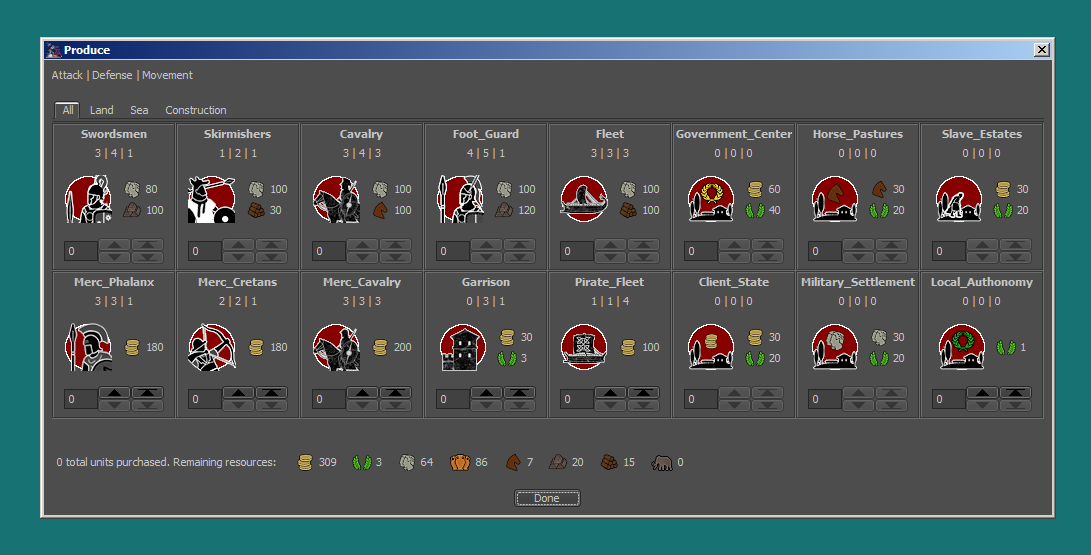
I'm puzzled by the supply system. There are situations where some players will be unplayable if I reduce supplies given by territories. But over time most players stockpile more than they could ever use, since they don't move all troops all the time and are rarely near their cap. Maybe I should do away with fuel and use supplies just as a cap on total troops?
Also, do I need to set up TUV for non-PU units for the AI to function properly?




Hello! It looks like you're interested in this conversation, but you don't have an account yet.
Getting fed up of having to scroll through the same posts each visit? When you register for an account, you'll always come back to exactly where you were before, and choose to be notified of new replies (either via email, or push notification). You'll also be able to save bookmarks and upvote posts to show your appreciation to other community members.
With your input, this post could be even better 💗
Register Login