First time making a map
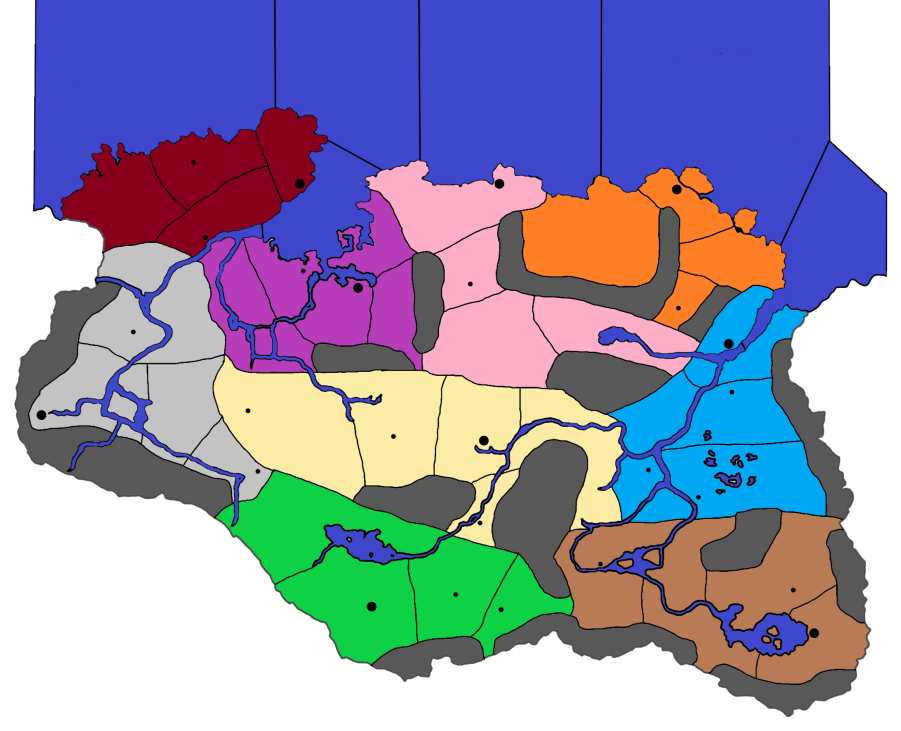
-
Is there a way to set the default width of a pencil? I keep trying to draw with a width of 3 px, but it keeps setting it for 11.339 px instead. It kind of annoying to trace the map of skyrim, and just when I think I am finished, I notice that not all of my pen/pencil traces are of the same width.
-
Save your map, I serialize them -01, -02 etc.
Select (s) the whole of a layer, change tool to Edit paths by Nodes (N) (left bar)
Select Fill and Stroke (Right hand pane)
change mm to px
change width to 1
Save -
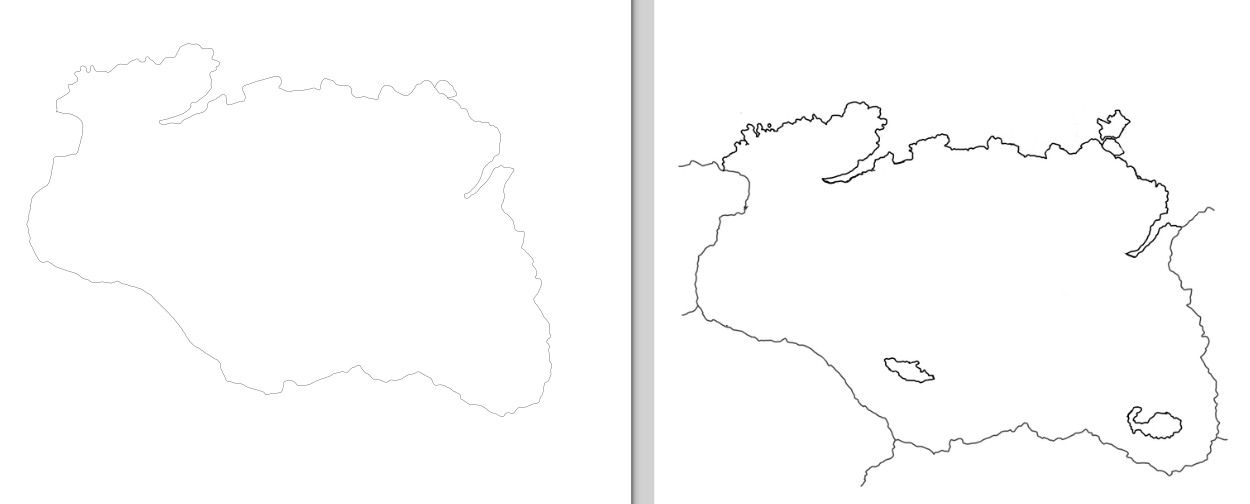
Here is my traced version of the map (drawn by hand) on the left, compared to the original version on the right. I do believe the lines are 1px in thickness. This is also prior to rescaling, I will rescale the new image to 15k x 9k px then start on the TT and capitals. Edit: Forgot to include the image, here we go.
-
1px is best for the map creator tools.
You can still use the polygon grabber if your baseline is thicker than 1 px, provided the pixels are 100% black, but the main issue arises when tripleA is rescaling these lines, or redrawing them from the poly file at different mapview sizes.
If you want to preview what will happen to your baseline scaling inside of tripleA when map details are off, you can take your baseline image and downscale it using no interpolation, in whatever program you're using to edit the images. Or you can change the mode of the image from RGB to Indexed color before scaling to get a similar sense of what will occur inside TripleA.
When you do this, the 100% black of the line will be preserved when the image is shrunk, but the individual black pixels themselves will change position to try and maintain the basic shape of the line.
Since the choice is either black or white, with nothing in between (no interpolation means no changing into a gray or blurring along the way to smooth stuff out) tripleA is trying to determine which black pixels get to remain and which get eliminated when you zoom way out. This is harder for it to do when the line is bouncing between say 1 and 2 pixels, or 1 and 3 px. As you zoom out/downscale, the movement of the pixels will be more pronounced, and eventually the line will appear to break apart. If tripleA doesn't know what color to paint over a given pixel it will display as white, so you might end up with floating white pixels embedded within your thicker black borderlines at various map zoom levels. Usually this will happen when two or more borders come together, since you're more likely to have extra black pixels in those spots. The polygon grabber is trying to grab the white stuff right up to the edge where the pixels turn black, so if there are gaps, these will end up as white pixels between the black lines that the poly is drawing, and you'll see them kinda dance around inside your thicker borders when the mapview is zoomed way out.
-
Okay quick update:
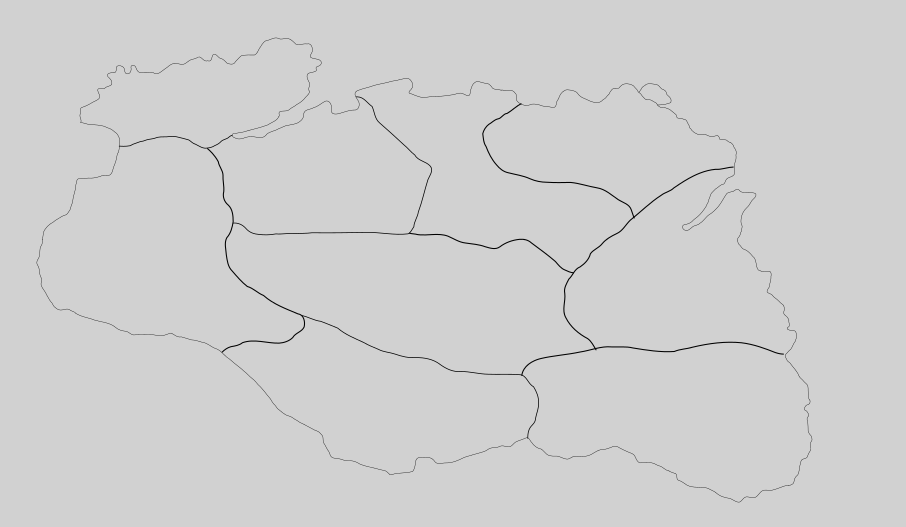
I have managed to draw out the provinces (haven't gotten all the territories I want though. Just to double check this is how I have the layers set up from high to low
Layer 2 - Province boarders (I will break down the provinces more)
Layer 1 - Base MapEventually I will add a 3rd layer, which will be above layer 2, and it will be my hold capitals, villages, and maybe castles. Also, this map has been scaled up to 15k x 9k px.
-
Looking good.
I think the borders are darker/wider than the coast. -
Yeah, I can't get them to remain unified in size so I'm debating redrawing all the boarders. Even when I try to fix it's width it doesn't want to cooperate.
-
You might of locked the borders layer, check the layers pane (on the right) does not have

a closed lock.
-
They are all unlocked, I think it has to do with scaling causing problems, cause when I drew the map originally, it wasn't scaled up, then I scaled it up, then drew the borders so it is all sorts of messed up and just need to redraw everything.
-
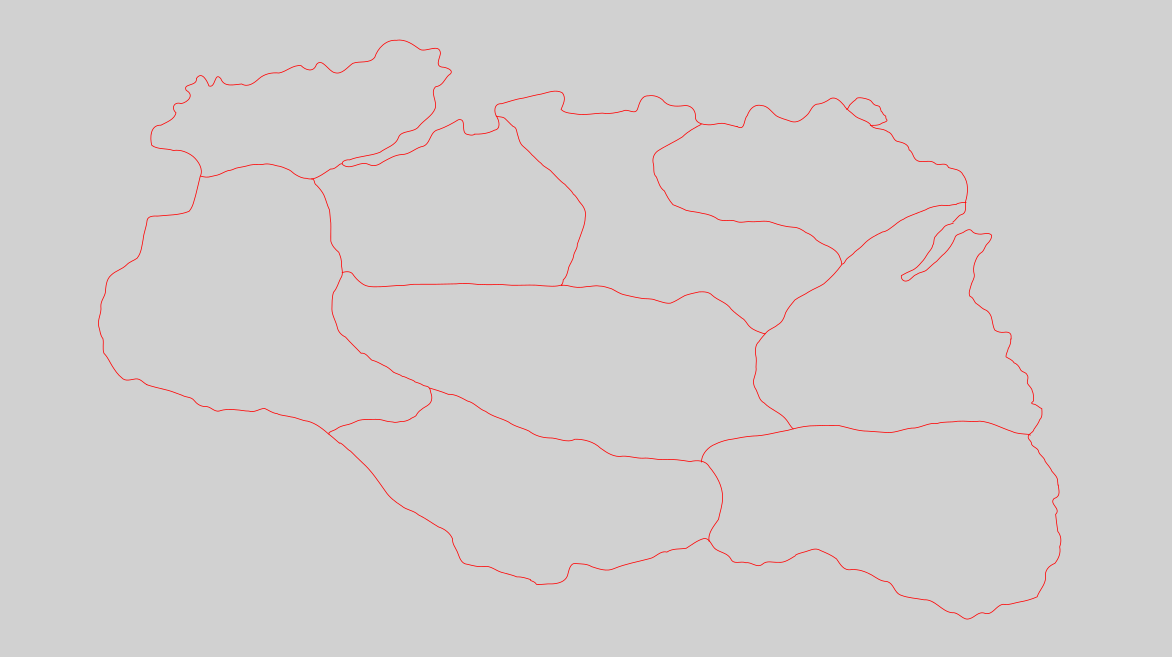
Okay, last update of the night, figured out why my lines were uneven, it's due to drawing at different zoom levels resulting in different width lines. I zoomed in to 25%, and retraced the OG map and saved it to -01, then retraced the holds (again, will add more provinces to the map maybe tomorrow) and saved that to -02. But finally my map is uniform in width.
-
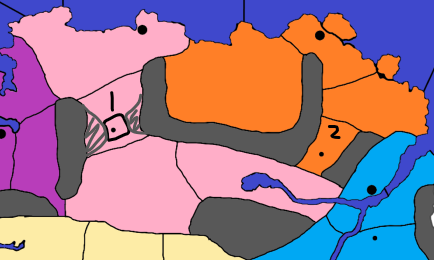
Okay, I'm back at it again this morning, and need a little help with a decision. So I was thinking of making each fort its own box (like I would do with the hold capitals and the smaller villages), but I started thinking about 2 interesting forts:
For Dunstad in the Pale (Dawnstar) and Fort Kastav in Winterhold (Winterhold). They defend the roads leading into those regions, and I'm having a bit of a hard time with what to do. I used my older map to quickly edit what my ideas are for visual references.
(option 1) I could keep the forts as their own tt, and adjust the mountains to block the sides forcing someone to attack the forts
(option 2) I could drop the idea of forts having their own tt and just put a castle unit in the larger TT.
-
I would make opt 1, as you have it and move the mountains to the fort.
And where appropriate put the fort/castles in the middle of a TT or on the coast.
-
Okay, on the topic of mountains, what layer would you suggest it be added to? Layer 1 (base map) no TT, Layer 2 (TT), or layer 3 (towns and cities)
-
I assume they are impassable, so I would put them on their own layer.
Even if not I think I would put them on their own layer.


Hello! It looks like you're interested in this conversation, but you don't have an account yet.
Getting fed up of having to scroll through the same posts each visit? When you register for an account, you'll always come back to exactly where you were before, and choose to be notified of new replies (either via email, or push notification). You'll also be able to save bookmarks and upvote posts to show your appreciation to other community members.
With your input, this post could be even better 💗
Register Login