Proposed Map: Domination 1941
-
@black_elk said in Proposed Map: Domination 1941:
ps. @Cernel how do you feel about the handling for those G40 tiles corresponding to W. Germany and Greater Southern Germany? My thought was that it kinda made sense just for the shape of the G40 TTs. Where I guess the 'Greater Southern' part just means like Austria sans Tyrol heheh.
I thought about including Bohemia in the tile, but then there's the G40 need for E. Germany to touch the Hungary-Slovakia tile. It might work if more of the Czech tile was carved into but then you kinda lose the recognizable shape for Czechoslovakia, which maybe might be worth keeping just for game set more in the late 1930s?
I tend to think that I would include Czechia (which, at the time, was the sum of the Sudetenland and Bohemia-Moravia) in "Greater Southern Germany" (even though it should be rather called "Southern Great Germany" or, better, "South-Eastern Great Germany"). Fix the adjacency by actually re-drawing the borders as to assure Silesia and Slovakia are adjacent as they actually were after the annexation of Katowice to Upper Silesia. This means giving that south-west corner of the "Poland" territory to the "Germany" territory. It looks like "Poland" is only representing the General Government zone plus the enlarged East Prussia, so this change should better capture Germany as to be all the metropolitan German territory after the occupation and partial annexation of Poland. My best guess is that "Greater Southern Germany" is actually meant to be mostly Austria plus Czechia otherwise why not having called it just "Eastern Austria"?
You can make Albania realistically bigger, by the way, by giving it what was annexed to Albania after the conquest of Yugoslavia: it makes no sense for Albania to have those territories in a 1940 game but, in a properly drawn 1940 game, Albania would not be adjacent to Bulgaria, either. After all, the territories annexed to Albania were populated mostly by Albanians and the territories annexed to Bulgaria were populated mostly by Macedonian Bulgars (currently known as North Macedonians).
-
Right on, we can give it another pass after I move into the next phase, which is something a bit like this...
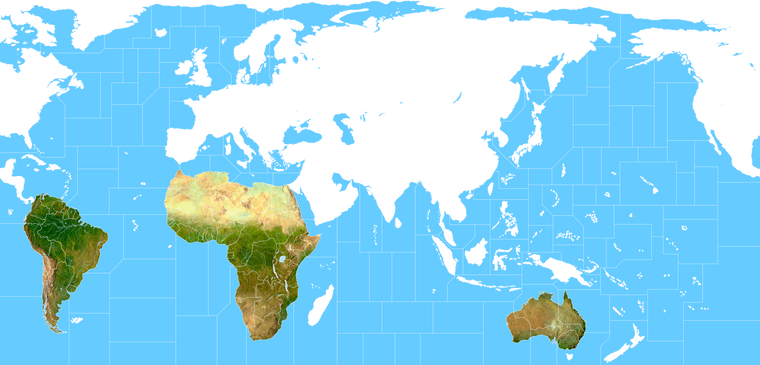
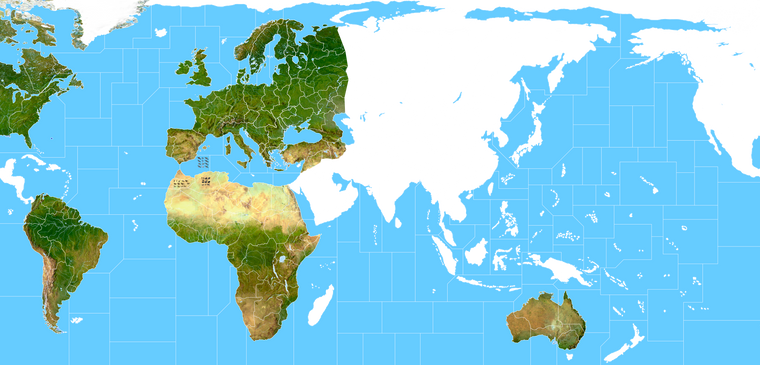
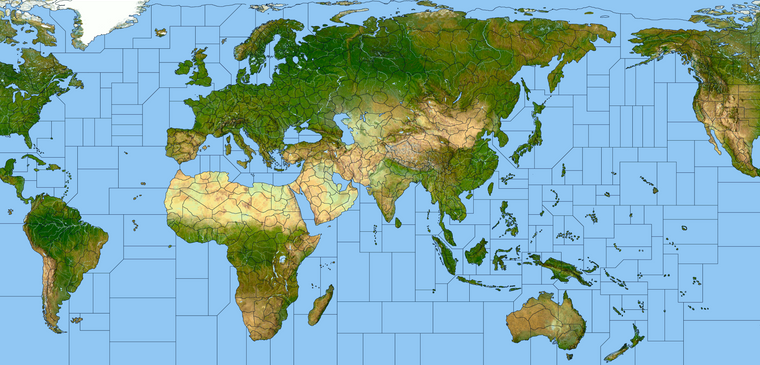
With the G40 tiles roughly blocked in, we bring up the a terrain map and contort it to roughly graft onto the baseline, just to reinforce what's going on and sell the distortions in an impressionistic way.
This is the part where we literally move the mountains and redirect the course of the rivers like Thales

Basically so the terrain can adapt to the overall game warp. I'll go back in a redraw some borders or repaint some terrain, knock it into the background a bit so it's not a focal point and just try to get the major rivers and lakes around about where they need to be to make it 'feel' alright.
Once that's done there a lot of ways to do a decorative paint job, but the simplest is just to do a gradient where the opacity goes from 100% whatever the HEX color of the player nations to fully transparent across say 50-100px. That's usually enough to let enough of the terrain background peek through so it has that vibe, while also being easy enough to tell who owns what by the border lines. In game it would just be a value gradient sands hue/sat, with that info provided by the map properties. But to paint it up manually basically you can magic wand a tile window and do it that way.
Here it is start to fill out in the Global south, since they kinda get short shrift in scale, figured I'd start there cause it's a bit easier with the separate landmasses. Basically we'll just be going around the board like this and blocking it in region by region, until it looks cool enough to pass muster. Then stitch it all back together once we got more of those features in place. Easier to recast the TTs at that point so it all sort of agrees, since people will scrutinize Europe a fair bit I'd think. Still we can fudge it a bit by increasing the opacity of the transparency and background the terrain more than this. Just wanted to show what the step looks like. When we finish we can save out a couple images/layers. The Baselines, The terrain, the Labels, and then the decorations.
Anyhow, this is crude cause I just sorta slammed em in place, but you get the idea. We'll comb over it with the clone stamp and the paint brushes to create a basic template, then go back in and doll it up once all that stuff feels good.
-
@black_elk said in Proposed Map: Domination 1941:
It's tricky to know what sort of general Naval dynamic one wants to entertain though. Like A&A doesn't really do a great job of simulating naval warfare, and it's generally subordinated to the ground game for simplicity.
As each SZ has a PU value Im hoping the pacific will be become hunt the submarine, as they take SZ/PU the enemy will have to send out destroyers to kill the subs or reclaim the SZ/PU.
As well as the island hopping battles.
-
@thedog more blockade zones help as well. One thing that is hard is to prevent is the two big fleets facing off. The PU value can be such a drastic change, that it's usually not worth the risk of a bad first round of rolls.
Maybe with farther to travel and multiple high valuable areas to defend could help also. Haven't been able to try that yet, ( I guess you could with reduced movement but I think it slows the game too much ) this new map should make it possible.
-
more blockade zones help as well
Totally agree, in test game ships have a Blockade of 1 and Subs have 2.
-
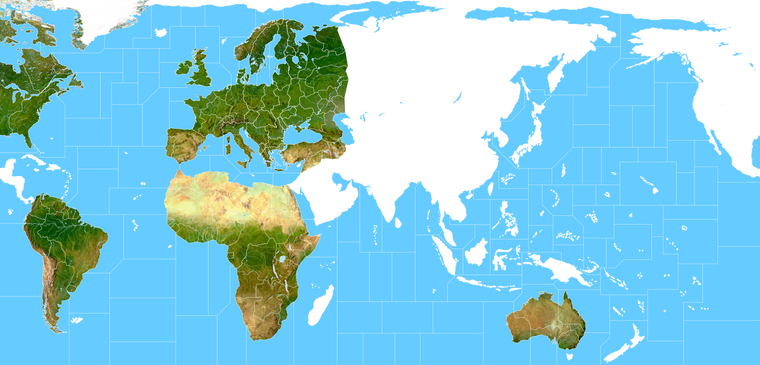
Just chipping away at the terrain. I'm about halfway finished with the blocking, but just to give an idea. You can see the method is basically a combination between adjusting the morph of the terrain to suit the drawing, then adjusting the borders of drawing to follow the terrain, and back and forth like that lol. I think for the final pass it will mostly be about omitting or knocking stuff back so it's more subdued.
Since in gameplay the focus will be on the units, it's more about just creating a sense or impression of reality rather than the real real deal if that makes sense. So like if the player can see the mountains and rivers and it feels believable, then the distortions of the warp itself become less pronounced. Sorta the inverse of what one might usually do. This whole approach is a bit ass backwards, but it's sort what is required to get a map that can work for the basic G40 abstractions. So you know instead of tracing the world to make the map, here we are making the world fit our drawing, sorta like they did for the all more modern A&A maps, but just with a new spin to get that vibe going as well hehe. I'll be repainting some of the rivers and such to get it aces once it's all in place. I think looks pretty cool like this, all bare bones, but obviously we'll get it going with some colored borders and such once II'm back on that again hehe.
Anyhow, here's where I'm at with it tonight...
Although I've been making the baseline map at 16000px I think for G40 it will look a lot better at like 13000px with the relief, maybe even down to like 11-12000px because that looks pretty solid with 54px units at 100%.
-
@black_elk Looks way bad ass especially Greenland
-
@Black_Elk said
Although I've been making the baseline map at 16000px I think for G40 it will look a lot better at like 13000px with the relief, maybe even down to like 11-12000px because that looks pretty solid with 54px units at 100%.
Down to 13000px or less that's a massive reduction, is one of the reasons for the reduction when you remove the roundels, some of the units can be closer together?
Also the 20%ish reduction in size will probably mean more overflows?
Let Gibraltar and Malta be your map reduction guides.
BTW the relief map looks amazing!!!
-
Thanks!
So the map scale comment is really less to do about the map design per se, but a question for the G40 playscale and our current unit graphics. I'm making it at 16000px regardless to support the bigger maps 4k idea. The current Global map is roughly 7500 px, so if the player is used to seeing the G40 map with 48px units there, this will definitely still be an upscale. But here's what I mean...
The units are 100% in each image. First examples shows the map at 16000px. For that size map this is basically as large as we can make the units display, without actually upscaling or redrawing the units. Second example shows the map at 13000px. So depending on what one likes for unit sizes during gameplay, they might want a map at different scales, since it's a bit easier to downscale the map than it is to upscale the units.
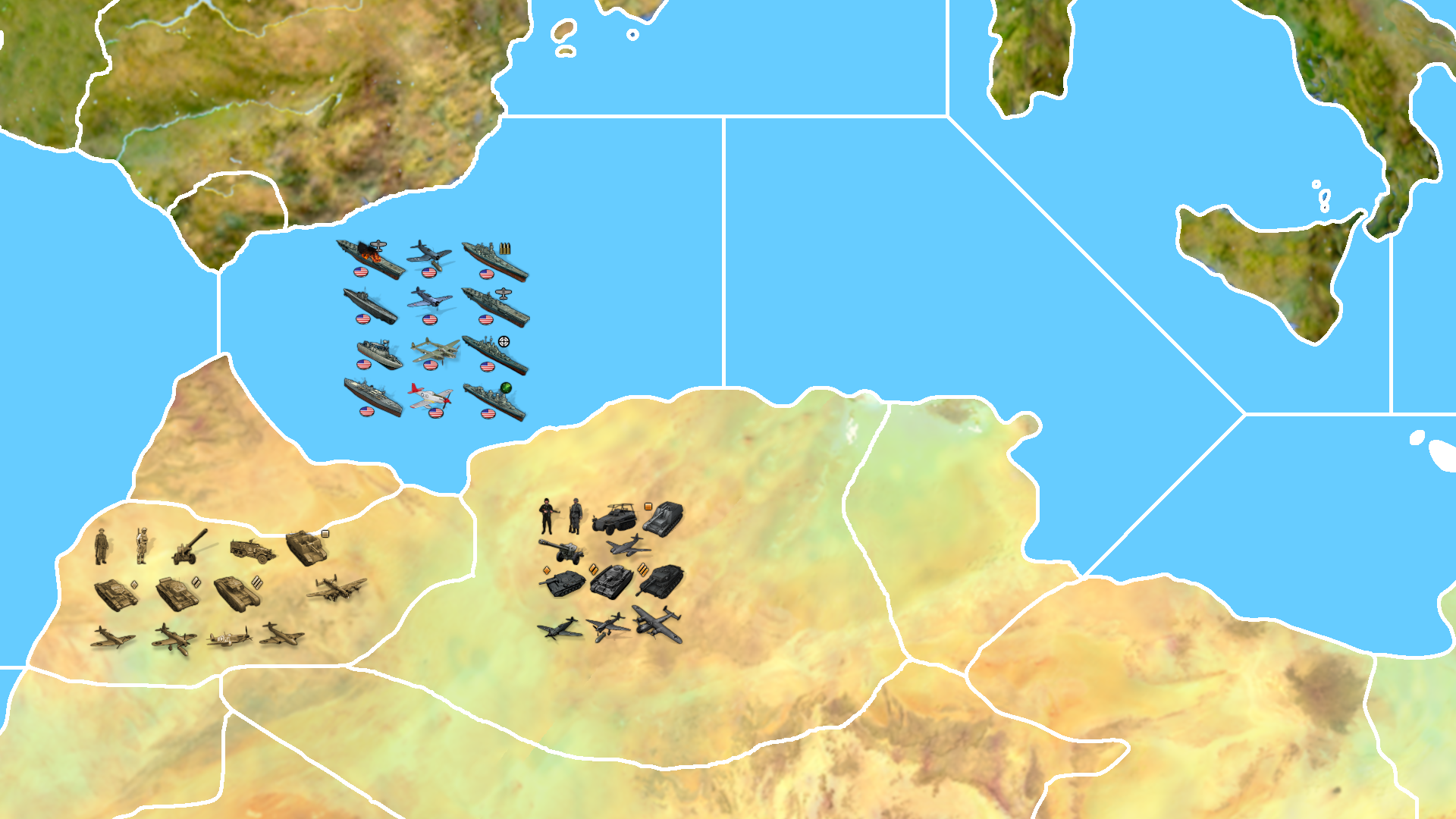
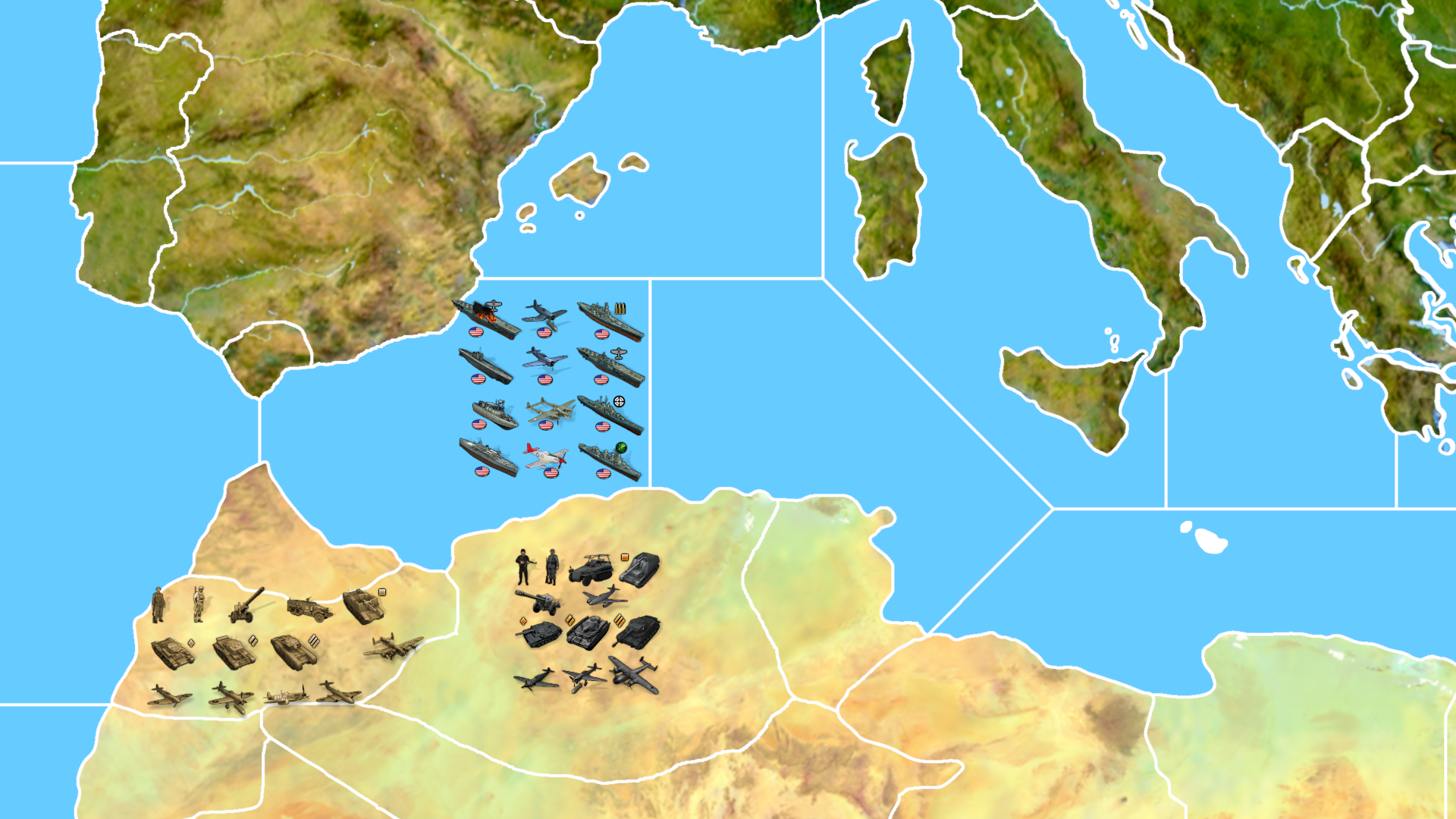
I think it just depends how large you like your map view vs your unit view. But right now it's the units that are presenting the ceiling, since we can only make them 110% from the default right? It might not be a huge issue, cause players who like to zoom out could play the 16000 one at like 50% map view. I'd guess most players would prefer their units to display at the most scaled out distance possible, as long as they can still read the font and make out the graphics hehe.
I guess this would be more a thing for players who struggle with smaller units, since the practical effect of the much larger map is a smaller unit display when panned out. Perhaps rather than kneecapping the 16000 and creating a smaller default, we could have an alt version. Basically like my grandmas phone, with the enlarged buttons and sculpts lol. Ideally we'd have some jumbos at the ready, but the biggest we got is the 54px scale. They can upscale to like 68 before it starts looking rough, but I mean beyond that, without redrawing all those units from the ground up, sort of the biggest they can go lol.
At playscale I'd basically be viewing the map birds eye for the quick glance at higher than the 25% preview than the boards will allow me post - say something like 50-75% while actually making the moves and checking out the warfronts. But 25% zoom out on the map would be my max out, before I lose sight of the units completely and then feel like I need an eye exam lol. You can tamp it down maybe with no halo downscale for a bit less blur, but for me at least that's when the unit slip out of view and become too fuzzy to differentiate hehe

-
@black_elk yea if anything I'd like the dudes bigger. If you'r not familiar with Frostion's guys it'll take a bit to tell at a glance. Will regardless
I guess monster map but units are already maxed type thing is where it would be ?
The Big picture has eluded me for most of my life. I occasionally have limited success when more focused lol
-
@black_elk
Understood, here is an alternative.4K map____@ 16000px, with White & Black TT, units are 54px high @ 100%
Global map @ 16000px, with White TT, ________units are 54px high @ 125% = 68px highSo same map size for both versions, but as Global has less TT (black borders removed) the units can be bigger.
For Global this means map.properties units.scale=1.25 (1.0 for 4K version with more TT)
But the place.txt (the file that holds the unit slots for the TT) will change for Global as the TT are bigger and the units look bigger 68px, meaning bigger units in a bigger TT. As this place.txt can be generated automatically with a few variables, I favour this method. It also means a lot less work for you
 its just one map size, but with two border sets, 4K and Global.
 -
Sounds good! I like that plan
I'll just keep charging ahead for the max rez version, it's pretty close, home stretching next week probably. Like we just gotta get the TTs dialed and a few rivers and whatnot getting the shifty shift, but then when I get that together we'll start saving out some svgs. I'd like to start with one basic BW bitmap, just shows the baseline TTs at 1 pixel. Then the first relief layer, which would be the terrain at 100% opacity with the basic borders at like 3 or 5 px. Then we can do another layer for the TT gradient. Like I'd think we'd probably want something like 24-36 px for a colored line to indicate ownership clearly that sorta fades out in opacity to show more of the terrain relief the further from the borderline. Will try a few things to see what looks nicest.
-
OK I'm getting pretty close now. Just on the last few islands and such.
At full scale I was able to get the terrain relief at 16000+ down to about 15mb for the full size file indexing the colors.
True color is closer to 50mb right now for the one I'm working on, but can probably slim it down a bit. Here it is at 25 percent with the optimized palette according to GIMP skynet with a frostier blue I guess hehe.
Looks pretty decent I think though. Like some kind of A&A National "almost-Geographic vibe lol.
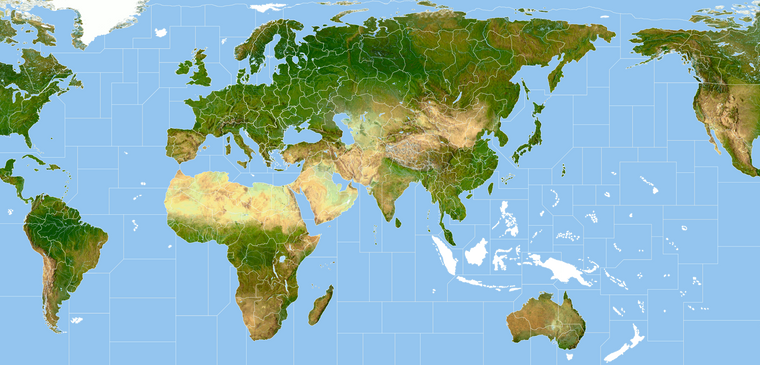
Once I get the last islands dialed and clean it up, there a few different things we can do with it, depending on what sort of paint job we want to give it with the border colors and gradients and whatnot. I think G40 look is probably what something like 50% opacity with a national colored border line? We can try a few different things. Desaturating the terrain map will allow more of the selected HEX to show through, preserving the terrain colors with an opacity gradient is another option, or just choosing HEX's that play well with the terrain colors in the core region. Different things probably look better in game in tripleA depending on how abstract one wants the patterns and such to look, but anyway. Least we almost got something to tool around with hehe
-
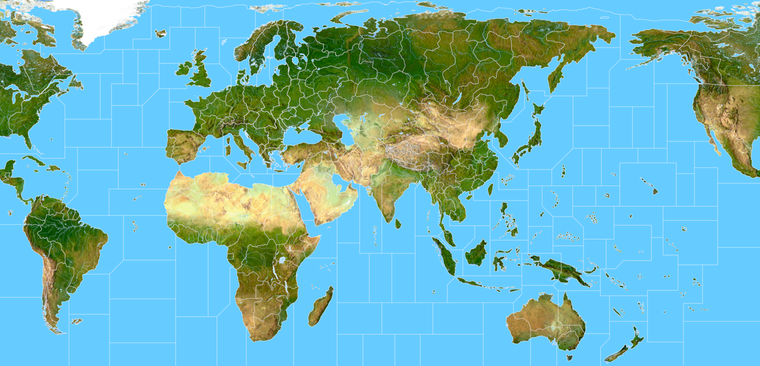
Alright here's our terrain world...
True color is 63 mb, before messing with it.
https://www.dropbox.com/s/hv8l6j6cntfncxp/Terrain World.png?dl=0
We can clean it up some in the details, but it's basically blocked in.
I'm right at the limit here on filesize for a preview attachment on the boards, so here it is at 20% with a little crunch to get it under the 4.1 mb threshold.
Indexed Color is at around 15mb for the full size image...
https://www.dropbox.com/s/gvotomlf59xg9ko/terrain world indexed.png?dl=0
You lose a little detail doing that but it's mainly in the smoothing. Not too bad though honestly, without something to compare it against I'd probably be happy that for a template, since it's pretty easy to work.
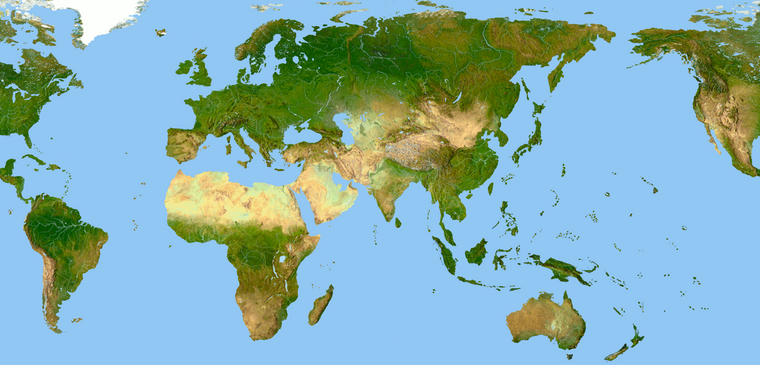
Guess it just depends how camo light you want your terrain to feel lol. I think you could probably add back in some dithering or another opacity layer or whatever, and most people wouldn't really notice the difference unless they're at 100% view and like right on top of it at 16000.
Not sure what's best for a standard G40, if trying to keep the filesize down as low as possible, but I saved one out just in case people like to see it with no borders at all. Or if they want a map in the 17th century or whatever, with completely different TT borders lol. GIMP had a minor stroke trying to heal transparency on the big one hehe, but the indexed it handled, so that'd work for a preview at least. Otherwise the true color is still pretty light and reasonably clean I think. I didn't tool around with the Baseline borders yet really, but they're pretty close. In most cases where it's borderline I'd either shift the border to follow the terrain or just knock it out.
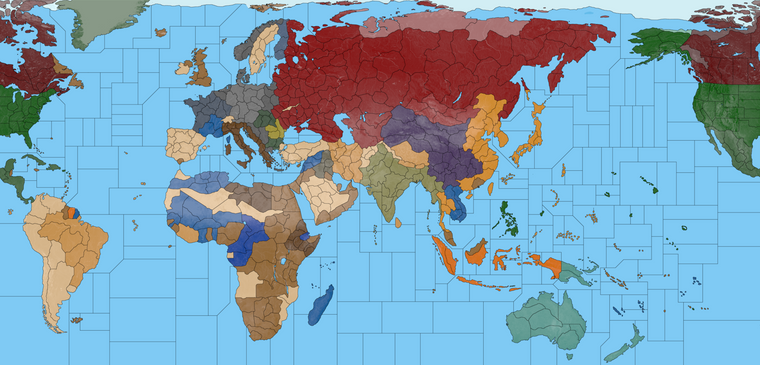
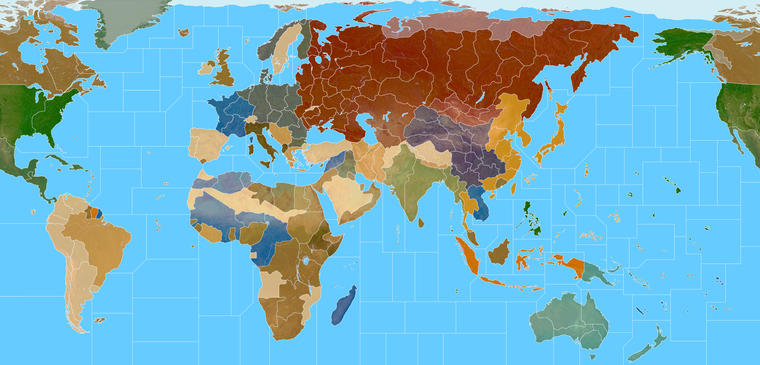
Here's a very crude color map, just using the other quickie paint job I had crammed on top a desaturated terrain relief with the opacity at like 75%.
We'd want something more polished with a nice gradient and a border that pops a bit and more of the terrain showing through a for the real deal, but just wanted to see some color before heading off to sleep, so I did the hard and fast ash and ghosts version hehe
This is not how I think it should look in game of course, too muted and some borders are off, but just for a quick effect. I couldn't help but think it'd be a cool visual for a paused game or something. You know, like ghost menu style where it goes all specter on the fade out lol
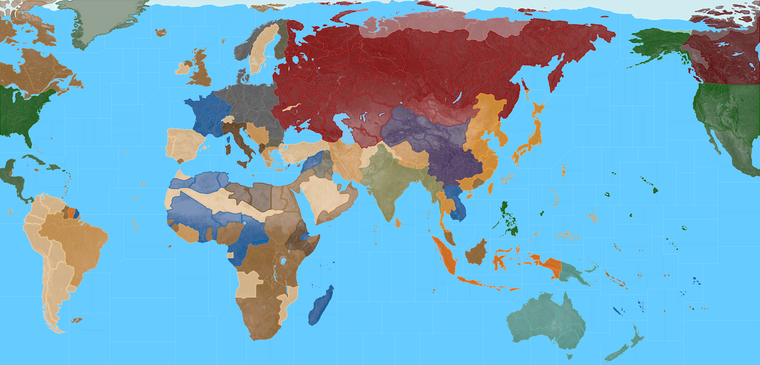
Black line for the crazy one lol
Quick Color up
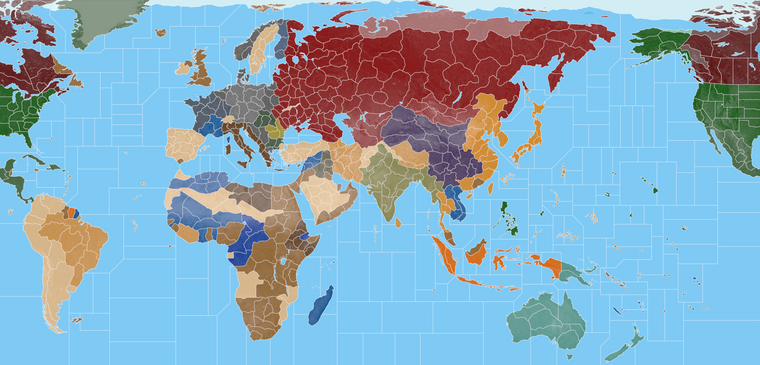
Catch ya next round!
Night! -
Quick G40 mask in RGB with the opacity at 75%. Took a minute for gimp to put em together compared to the desaturated terrain map, but you can see it pulls a bit nicer with more color showing through hehe.
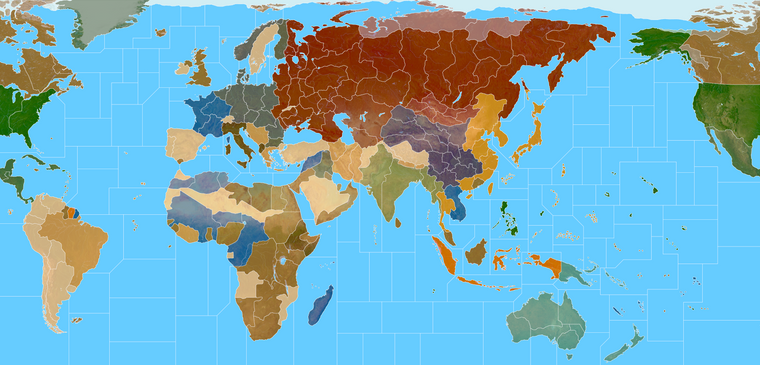
Kinda the simplest form of indicating ownership, it reminds me a bit of like a bomber's eye view lol.
-
@black_elk looking way sweet ! If this the G40 version Yukon needs another line and WUS and CUS.
-
Oh good eye! I'll fix that up this week and anything else I missed.
I think I need to shift the N. America split too, keep meaning to do it but then got busy with other stuff. Basically so we don't have a hanging Gulf of Mexico Hudson bay sz hanging on the wrong side of the board haha.
That should be easy enough though. It's be better anyway, I can clean the relief a bit while I'm at it, in case there were any artifacts or weirdness I didn't catch there.
Let me know if anything else comes to mind!
Catch ya next roundps. More like this right? I'll correct it on the big base when I get some time free this week.
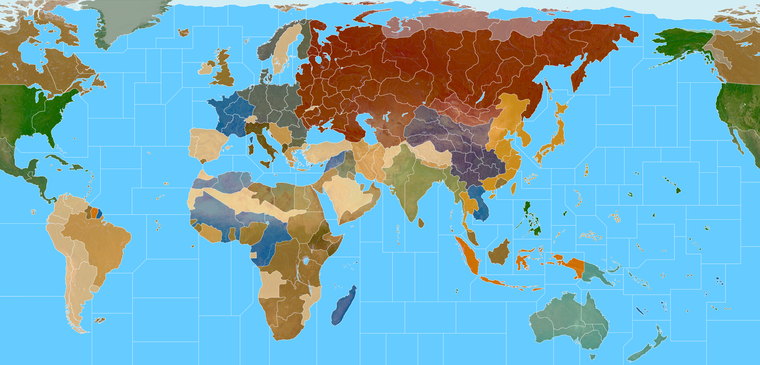
Terrain
https://www.dropbox.com/s/nsuiz1tnk8d7ya1/terrain world warp.png?dl=0
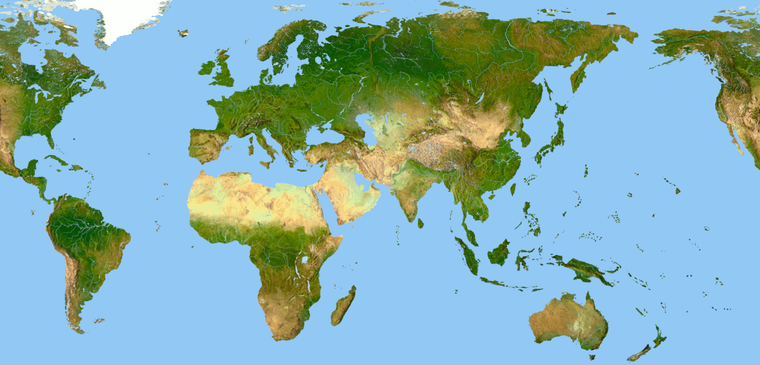
Base at 6px white line with the TTs transparent
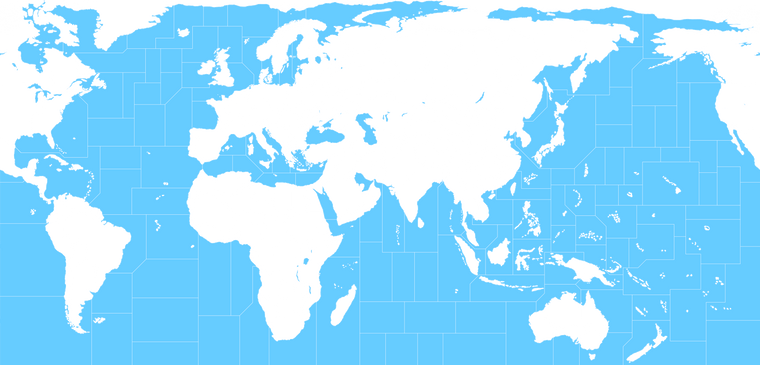
World War II Global draft (Atlantic fixed)
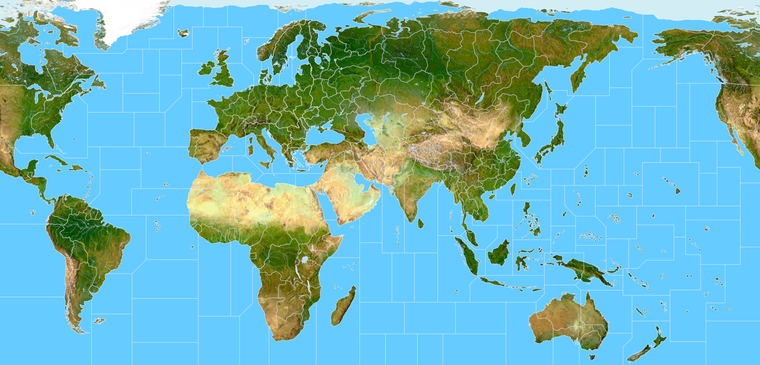
ps. here is the baseline with the corrected split at 1 px for the utilities. I think it's good to go
World War II Global 1940 Base
https://www.dropbox.com/s/4740bj0l87sbb57/World_War_II_Global_1940_baseline.png?dl=0 -
@black_elk
Your map has 4SZ New York to Iceland. There appear to be some annolomies in the mid atlantic.I might be using the wrong G40 map, but the one Im looking at, has 3SZ from New York to Iceland.
Im looking at this one.
https://www.axisandallies.org/p/axis_allies_europe_1940_preview_4_the_global_rules/ -
Good eye! Thanks
I must have missed a line when expanding the Atlantic sz107 and sz117
ps. OK I think I got it fixed. Somehow there was an extra zone. I believe this should be correct, though my eyes are starting to glaze over a bit. I'll check it again tomorrow when after some sleep hehe. Guess I should probably do one with labels just to make sure lol. I'll update the db links
Baseline 1px
https://www.dropbox.com/s/4740bj0l87sbb57/World_War_II_Global_1940_baseline.png?dl=0Terrain with with Border 5px
https://www.dropbox.com/s/1e7aj1e8ipqzmmo/G40_alternate.png?dl=0Terrain Relief LT Indexed color at 16.5 mb.
https://www.dropbox.com/s/gvotomlf59xg9ko/terrain world indexed.png?dl=0Quick Paint
https://www.dropbox.com/s/1qlojy8bbgkujvz/World_War_II_Global_1940_painted.png?dl=0 -
@black_elk Suggestions follow;
Can most of the Pacific SZ hold 8+ units? In particular SZ18, 10, 13, 27
SZ50 Fuji is a weird shape and will confuse players, any chance it could be made a more regular in shape.
SZ31 Wake Island, can it hold 8 ships in a C shape and say 4 Land units with an overflow to the right?
SZ23 could be more rectangular to hold 8 Sea units and give more space to SZ31ps. Remember to increase the unit icons to x1.25 in size, so they will be 68px high for testing above.

Hello! It looks like you're interested in this conversation, but you don't have an account yet.
Getting fed up of having to scroll through the same posts each visit? When you register for an account, you'll always come back to exactly where you were before, and choose to be notified of new replies (either via email, or push notification). You'll also be able to save bookmarks and upvote posts to show your appreciation to other community members.
With your input, this post could be even better 💗
Register Login