Proposed Map: Domination 1941
-
@schulz said in Proposed Map: Domination 1941:
@black_elk I tend to like more "elegant games" too. The basic concept is achieving the most replayability value with the least complexity as much as possible.
I think elite infantry is the one which provides the most HP per buck which means conscripts or basic infantry. :face_with_tears_of_joy: Other expensive ones have some niche uses but they are generally situational and not as versatile as bacis infantry.
A&A has always been only loosely based on WWII. Realism is gone the moment when I can see what is being produced in New York with 100% accuracy as Axis player. :face_with_tears_of_joy:
@schulz So true! hehe Honestly a fog of war just by itself, would be enough to make the regular Classic scale game pretty interesting. Of the 3 things I've spent the most time thinking about, the ones I puzzle and ponder most are...
-
Same Time Axis and Allies - eg. some for of collapsed turn order. Either by side, or all together with both teams moving at at once.
-
Random start - to the turn order sequence. Sort of the funhouse mirror inverse of the above. So basically you have a set turn sequence like we do now, but the starting position or first nation to go in sequence, changes based on an initial roll. With standard income adjustments to accommodate for that based on position in sequence.
-
Fog of War - Hiding the location of forces, hiding the forces but not their location, or vice versa, or something like that with, vision cones/cups to block the view for the board? Who knows, but foggy!
I've never managed to get a version of 1 or 3 that I liked, but I did get a version of number 2 that worked in AA50. It was my favorite ever A&A idea! But when I posted it on A&A org it just sank like a lead balloon lol

ps. I'm going to work on just blocking out the rest of the Globe for the sea zones. We can go back in a fine tune the shapes, or subtly shift locations of islands to make it cooler, but I just want to get the connections mapped out in a rough. Then we can tweak the rest of the geometry. Here give me like an hour. I'll finish banging it out and then we can start thinking about how to break them in 2 for the subdivided type scale.
-
-
- Fog of War - Hiding the location of forces, hiding the forces but not their location, or vice versa, or something like that with, vision cones/cups to block the view for the board? Who knows, but foggy!
Fog of War can have a downside as well. In the game, Wars Across the World, the fog of war increases the incentive to build mega-stacks.
I have seen board games implement it well such as block games (and the game Fog of War), but the game has to be build on the fog of war, not retrofitted.
-
@rogercooper said in Proposed Map: Domination 1941:
- Fog of War - Hiding the location of forces, hiding the forces but not their location, or vice versa, or something like that with, vision cones/cups to block the view for the board? Who knows, but foggy!
Fog of War can have a downside as well. In the game, Wars Across the World, the fog of war increases the incentive to build mega-stacks.
I have seen board games implement it well such as block games (and the game Fog of War), but the game has to be build on the fog of war, not retrofitted.
Fog of War, in its normal form, is a terrible idea for a game like TripleA basic set in 1941 or later, which starts with an already highly developed setup. You would spend the first and few following rounds having to check the initial setup to try to guess where the units are now (because, for some rounds, it will be a partial fog of war: you can have an idea of where the units are if you were seeing them all at the start of the game, knowing the starting setup). Moreover, it would make absolutely no sense that you know exactly where everything is at the start of the game (because you would know it if the starting setup is not random, and it cannot be highly or fully random in a historical game), like if there was no fog of war up to that point, and the fog appears magically at the start of the first round.
Fog of War would be acceptable only if the game starts in 1939 or before if it is an Europe game or if it starts in 1936 or before if it is a Global or Asian game. Practically, it needs to start some time before the actual war starts (so that you have a few rounds of no-war build-up under the cover of the fog before anyone can fight) or at the very most when the war starts.
Otherwise, a Fog of War in a traditioral TripleA basic game needs to be turn-only, that is getting lifted for every power at the start of the turn of the power (so that you always know exactly where everything controlled by that power is at the start of its turn: you just don't know what he or she did during the latest turn if the moves are beyond your visual). However, this would not be an actual Fog of War... just delayed knowledge, similar to having everyone acting at the same time, revealing all the moves at the same time.
-
yea i added Elk's SBR idea to Global 40 House Rules a while back. Tested it a lot. Over 100 games but all solo.
Bombers are now a A0 D0 M6 +1 w/AB C5 unit. They may perform SBR attacks only. They do not participate in the Air Battle with Interceptors. They do 1-6 damage. They no longer receive a +2 to an SBR attack.
The one thing that triplea can't do is change the dice number for Air Attack (it can but you have to change it for the whole game then). Otherwise having Air Attack use a D 12 would allow the bmbrs to have a 1 in 12 defensive roll giving them a realistic chance at Defense but not overpowered. Doesn't work with 1 in 6. Too powerful at Cost 5 and tweaking the Cost doesn't make the SBR worth it as they still fly through AA.
The Air Battle still only lasts 1 rd . I found Ftrs Escort at and Intercept at 2 and Tacs Attack at 1 worked best. If there are any Defending Ftrs it forces one to use Ftrs to Escort even if the Defender doesn't Intercept. It especially forces the Luftwaffe to defend W GER tying up a lot of resources which was Historically accurate.
For the most part, only USA, UK and Germany used them. Sometimes JPN would hit India and depending on the late game, pound stalingrad and moscow late. Takes a while to get there though, as i also use a Limited Factory rule where they can only be built in Tokyo.
UK is a little problematic, because they have to attack alone and aren't strong enough to crack the German Air Defense. They can sometimes hit smaller French Factorys. I toyed with a Night Bmbr version, does less Damage, can't be Intercepted, still susceptible to AA, but it didn't quite seem to work. I can't remember why, I'll have to revisit it.
Anyway TLDR I thought they worked good. Definitely made Tacs more valuable and Fleets less vulnerable.
Also added a LR FTR so USA could Bomb Berlin with Escort if they had a Mainland European Base.
-
I think with "Fog of War" you'd need some sort of surveillance/espionage component that would allow a certain chance to detect Enemy Forces.
Otherwise, at game start, as Cernel mentioned above, the Attacker could concentrate and the Defender would almost be forced to max protect there most valuable area as they can't defend it all. Most likely anyway. Would definitely need some tweaks.
It'd be a lot of fun finding them though

Edit
Actually one should be able to see who is adjacent to you. So, behind the lines so to speak, would be where the "Fog" would come in.Where are those damn Panzers !!! lol
Even then you could go with probabilities. Especially game start
-
Ok so how does this feel for G40 sz divisions?
I did the blocking so the connections would be the same, I think hehe. I tried to preserve some of the sweep of the OOB sz shapes without having to move too many islands/TT out of position. Obviously there's a fair bit of distortion on the South Atlantic/Pacific OOB, but I tried to get close. Let me know if I goofed anything major.
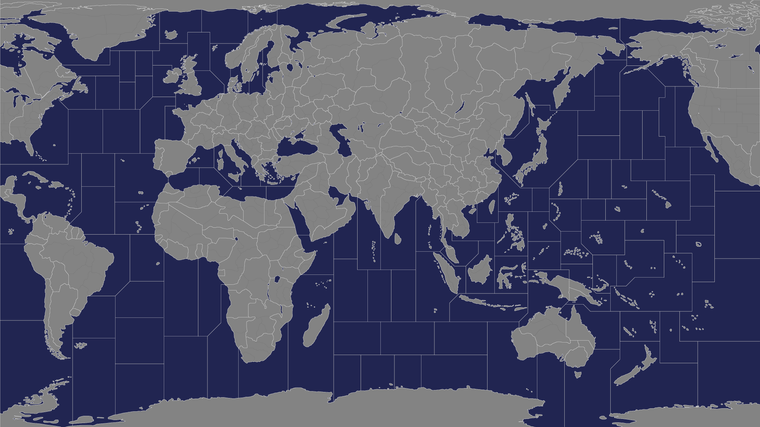
https://www.dropbox.com/s/9f3tanjxa2485uo/TripleA_4k_baseline_G40_sz.png?dl=0
So what I tried to do, was give us some options to bisect various sz in half, so that they could split islands or just to add another zone. So the smallest tile shown above for each ocean, would be about as small as one would want to go for that. Right now they can each fit about 18-24 unit typesat 54px depending on how tight we want to make the centers.
-
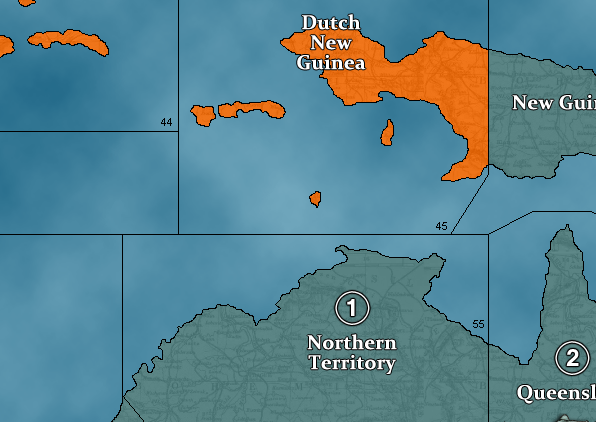
@black_elk you need to add one more off Northern TTy so Celebes farther away
-
@beelee Good eye! Geez that's sort of a weird one isn't it lol
OK what if we went for something more like this? Little more room for the ships that way too.
https://www.dropbox.com/s/9f3tanjxa2485uo/TripleA_4k_baseline_G40_sz.png?dl=0
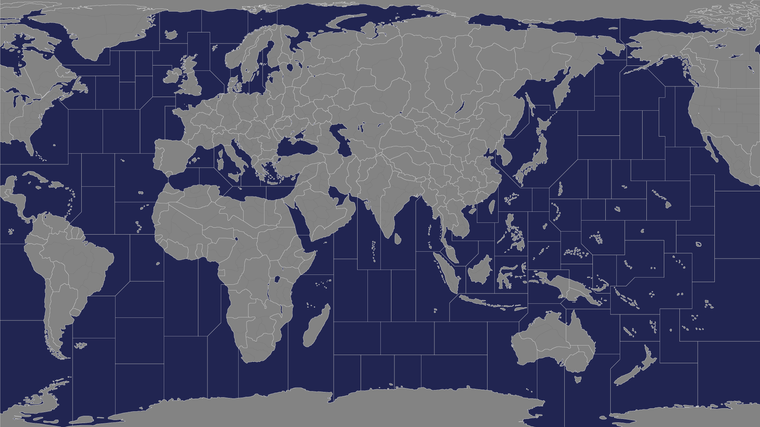
Here is the bitmap with all the extraneous borders removed to just show the G40 lines.
https://www.dropbox.com/s/1j7omf0s69t1r3k/TripleA_4k_G40.png?dl=0
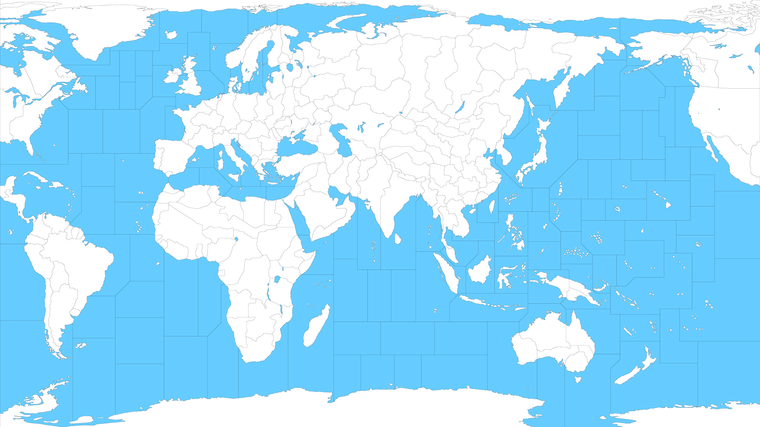
-
@black_elk That looks way sweet
 Plenty of room to mix it up. Dutch boys can even join in lol
Also got room for the Ancient Alien nazi base in Antartica lol
-
Word! heheh
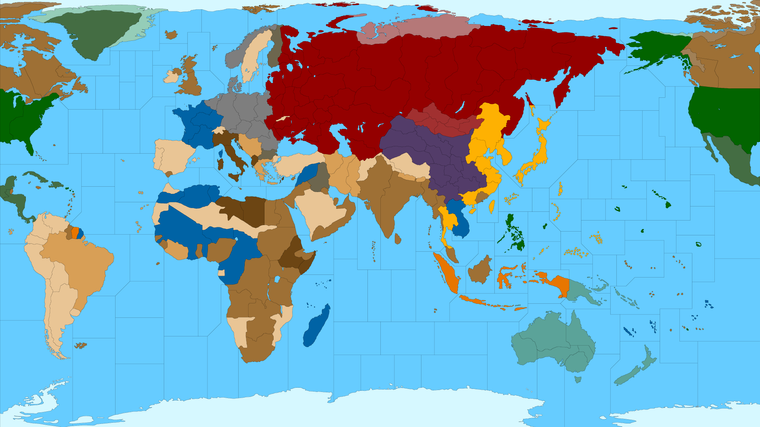
Here it is with a quick G40 paintjob. Borders should be closed up proper now
-
@black_elk Am I understanding correctly this is supposed to be a map-skin of WWII Global? Meaning that it gives the same game as the original, just with a different visual.
If so, the non-Dutch part of New Guinea should be a single territory.
-
@cernel Ah thanks! I'll fix it in the baseline right now
Yeah that was the idea. First get one that looks aces for Global.
Then we can make another version with subdivisions once we know that G40 one looks correct. At least in terms of the connections and such!
Ok got it, fixed the bitmap image in the dropbox link and the painted reference post above. Let me know if there's anything else you see that I missed.
https://www.dropbox.com/s/1j7omf0s69t1r3k/TripleA_4k_G40.png?dl=0
Catch you guys tomorrow!
Best Elk
ps. here's a more 40-into-41-ish vibe on ownership, but with the 'regular' G40 TTs.
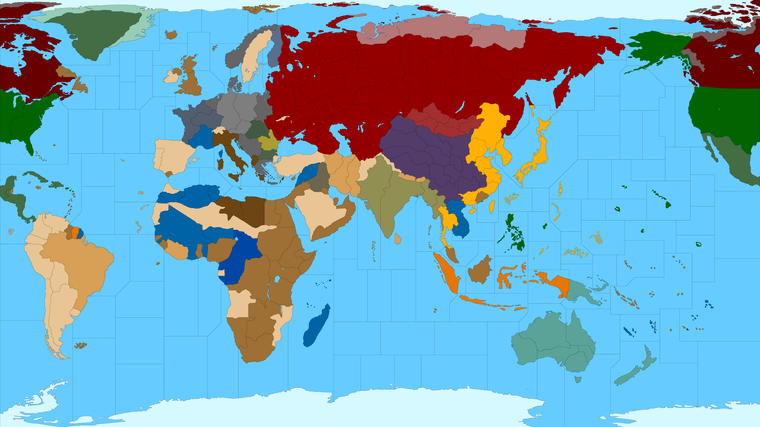
-
If there will be another version with subdivisions;
Japan is shown to close to Vancouver as much as it is to Vietnam. Northern Pacific can be shrinked for gameplay reason. But if realism is the top priority, Japan should be closer to Vietnam than Vancouver.
Also you might want to divide Southwestern Dutch Guinea because Japan never captured southern part of the island.
-
@schulz Here it is with those earlier tiles overlaid with the White/Black switch again.
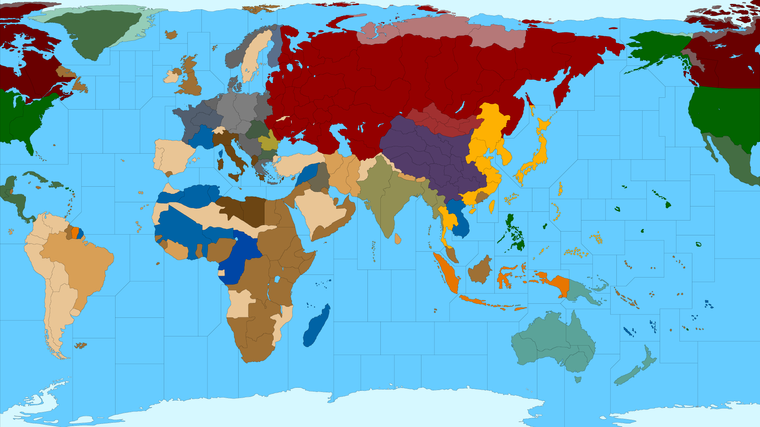
For the Pacific, my impression was that by shrinking the Americas in A&A, the idea is that all those coastal sz tiles represent much larger distances than the tiles in say the South Pacific.
The warp on this area of the OOB board is even more extreme than in Europe, with the North Pacific compressed by almost 50% and the South Pacific enlarged by almost 50%, and obviously many of those smaller islands and sz are made fairly gigantic along the way OOB hehe.
I'm not sure of the best solution if what you want is just to have Japan even further from Vancouver, beyond expanding the width of the entire board in that area. It's possible to insert more ocean, east of Hawaii if one wanted. It's also possible to slide the Americas down a bit, which might create a similar effect. My main goal was to minimize unnecessary dead space in the oceans by focusing the warp on the areas of major activity.
I guess I was definitely prioritizing gameplay over realism there, or at least trying to find some sort of happy medium between the OOB gameboard and the real world.
I'd think maybe the best approach would be to create the impression of more distance by inserting more sz tiles. Or else to increase the width of the map slightly, which kinda throws off the 16:9 aspect, but then maybe maybe that's not super important anyway. I'm not sure how much of the Antarctic region in the far south one wants to retain either. I don't like scrolling past too much deadspace on the map myself, especially when you're right on top of it. So if the distances feel more abstract anyway, and it's more important to just be able to see what's happening at a glance, I kind feel like we can get away with it, provided the Pac is at least still wider than the Atlantic at a glance. That might just be me though and more the way I play. I think OOB and Bung's version both show a ton of compression on the West Coast of North America. Since I didn't distort the shape of North America as much, it's probably reading a fair bit larger and contributing to that sense of the shorter distance. They're not that far off actually, this map compared to Bung's, but the rest of the West Coast is shaped pretty differently here than in OOB, you know where Mexico displays like North of Japan lol.
I'd say for every large sz or sz with an island, we could try to do some splits and see how it starts shaking out.
If ya got any thoughts on fun splits for the sz divisions, bang out the red marker and we'll go to town hehe
-
@black_elk
Im not a A&A player, but my 2p, your aim of gameplay over real distance is a winner for me. There is enough SZ and islands to make for a very interesting island hopping pacific game.Japan is sitting in one large SZ, should it be split along the axis of NNE to SSW to make it a West SZ & East SZ ?
-
@black_elk If the main goal is playability and eliminating useless sea zones then the current distances are fine.
-
Yeah those are the definitely good Qs. I mean it would make sense to me to have some SZ coming off Japan sorta like rays of a sunburst and then to give them a protected drop back spot or just more variety in the approaches there. And then for basically all the major island chains to have a SZ that bisects the islands, so the chain become more strategically usefully for aircraft movement around the map. That'd be my thought.
Here's the biggie with those land subdivisions again, I still think any of those could get tweaked, they're just roughs from the earlier draft... I find that if I open the map and look at it at 100% like that, really cozy up, it feels like there could be many more sz arranged around the board.
https://www.dropbox.com/s/6d719ncdzub7lli/TripleA_4k_Domination_1941_painted.png?dl=0
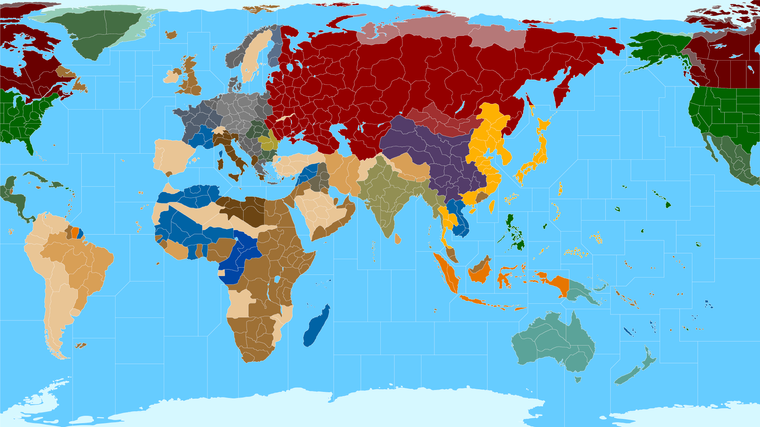
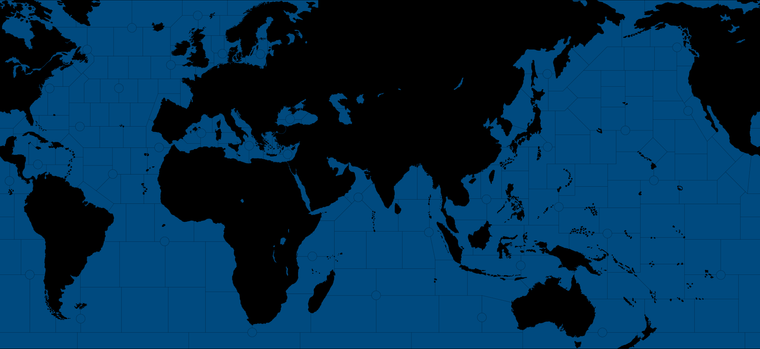
Here it is back in black line... needs some clean up from the G40 tweaks, but gives an impression.
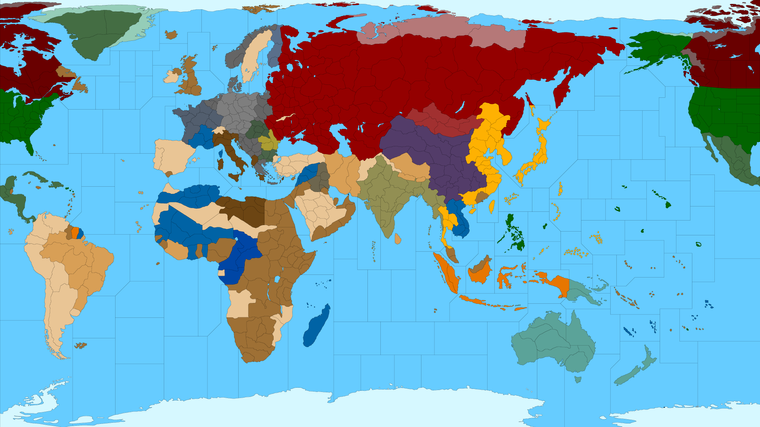
white lines
Here is one of Hepp's concepts that shows many of the tiny islands bisected and of course the convoy lanes that he had for 1914...
Perhaps something more in keeping with that style would be fun. And more Domination-esque than the G40 style blocks. But I just wanted to get us off to a good start

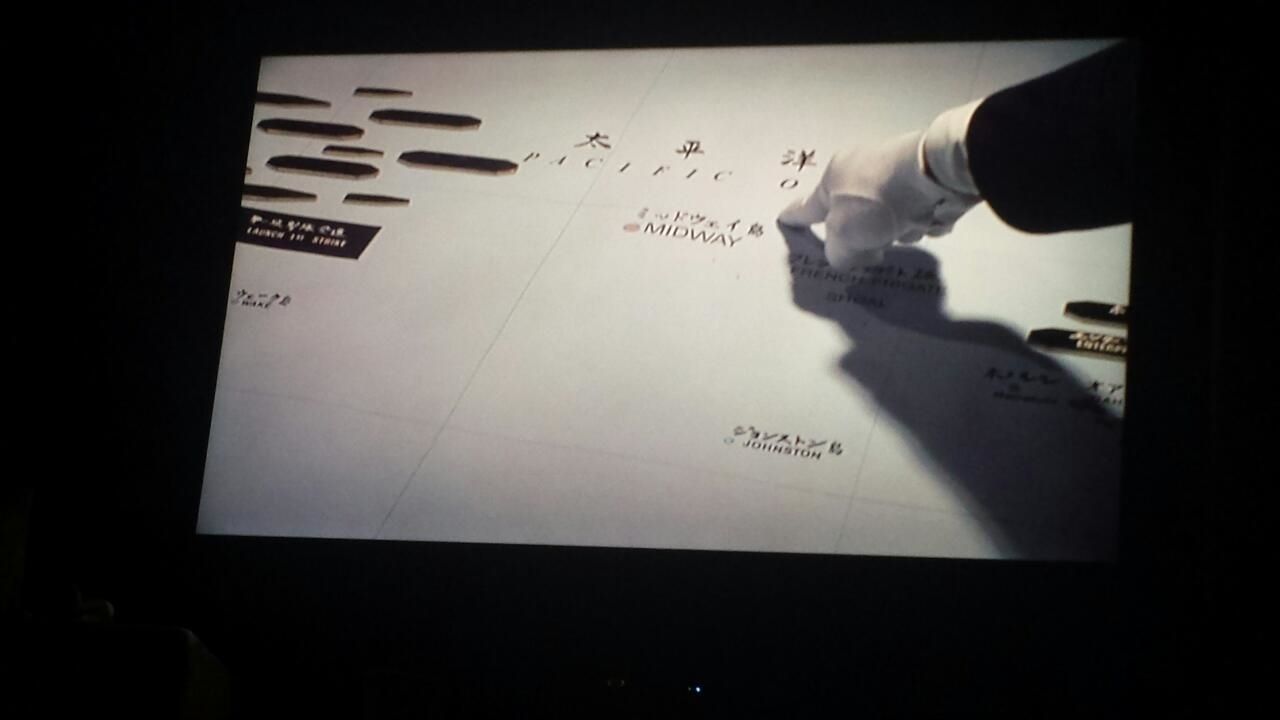
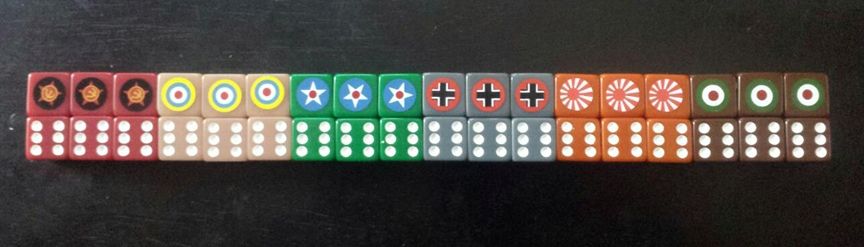
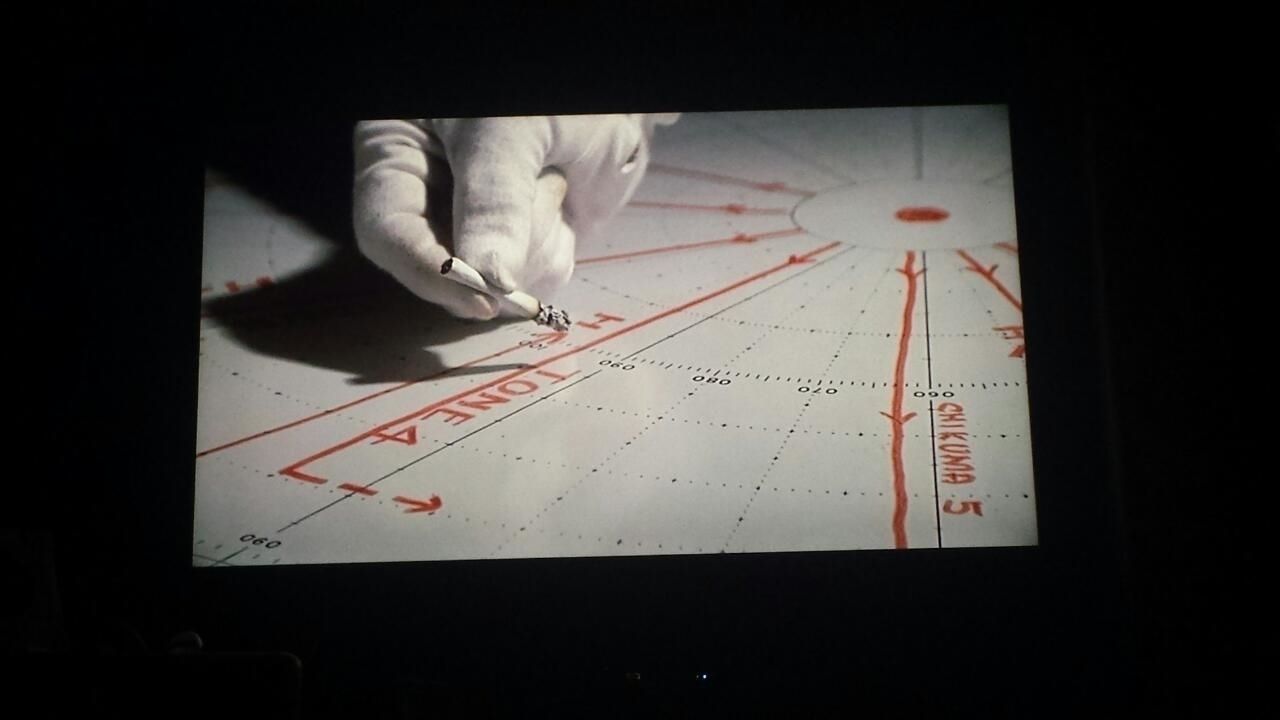

Hehehe
Catch ya next round
-
@black_elk sweet makes me wanna roll a tippy top cigarette now lol
-
Always! lol
So I started laying down some lines for further SZ divisions in ways that struck me as potentially interesting...
https://www.dropbox.com/s/tugjcvsb5y106rl/TripleA_4k_Domination_1941_painted_more_sz.png?dl=0
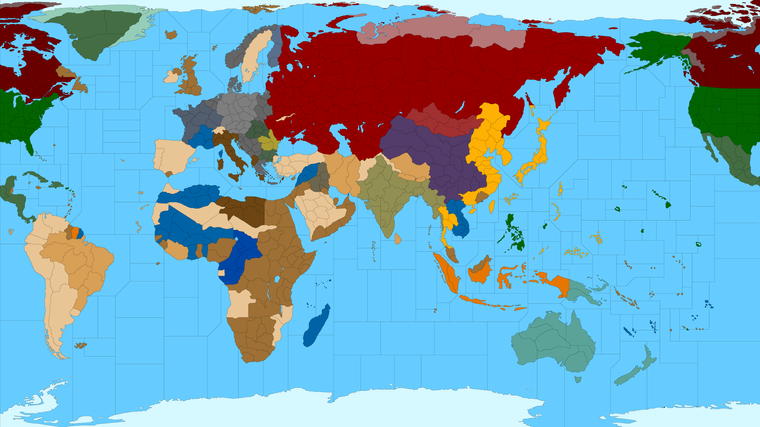
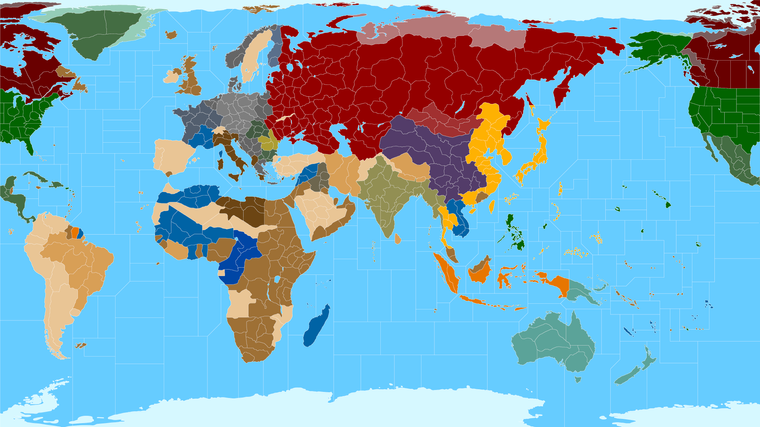
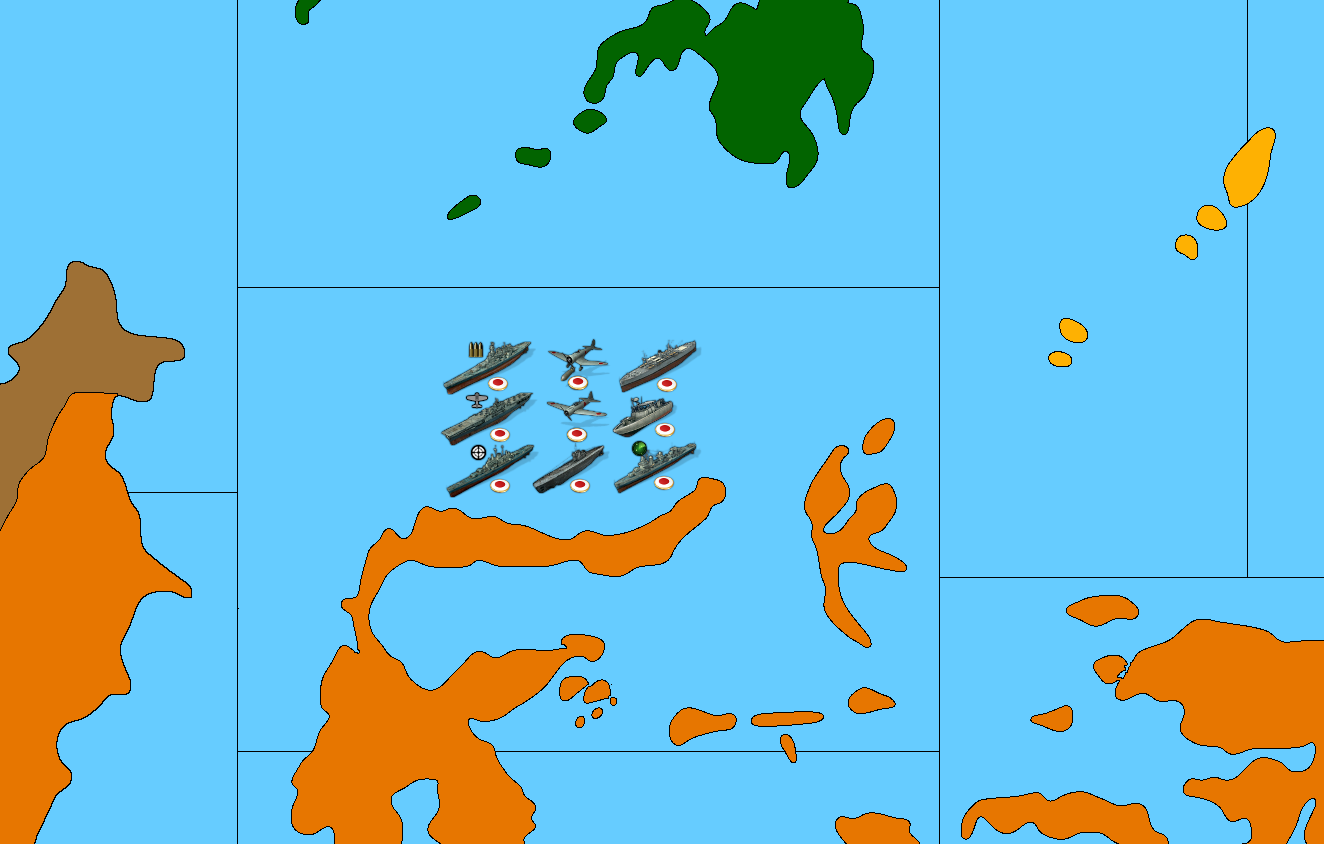
The goal wasn't necessarily to increase the distances by inserting more tiles, but more to create a few different ways of getting from point A to point B, and to highlight some of the islands, and generally just to give ships more places to go. I figure if money is attached to sz either directly to all or with specific convoy type zones, then it's good to have some that are more for the cat and mouse or like naval blitz/picket type dynamics. For islands, usually it comes down to making them more interesting as landing pads, whether for ground units being transported or aircraft. Obviously we could insert more tiles than this or try to do it in different ways, but just wanted to start laying down some lines. Some sz are more strategically useful, some are more like transits, but I thought that idea of randomized sub spawning in the Atlantic had promise, so I put a few spots down with that in mind. Let me know what you think or if you have ideas for the layout. I tried to maintain some visual interest in the shapes, so it wouldn't be just a series of rectangles, but clearly there are still quite a few of those haha.
-
I've found the map visually very appealing. Especially white borders and national colours look very nice. Except Japan. Bright yellow looks not very eye-friendly to me.
-
I think Turkey and Saudi Arabia can be impassable. But probably it is better to keep their territories because this map has also potential to be a WW1 mod.
-
Does English Channel touch the German coastline? I think it shouldn't.
-
Northern Tyrol was part of Germany.
-
I would really suggest not making Germany-Belgium-Paris route longer than Germany-Lorraine-Paris route. Alsace-Lorraine should be separated.
-
Italy had Italian East Afrca until November 1941.
-
Montenegro and Southern Slovenia were part of Italy. I am not sure if Croatio and Bosnia should be part of Italy. @Cernel ?
-




Hello! It looks like you're interested in this conversation, but you don't have an account yet.
Getting fed up of having to scroll through the same posts each visit? When you register for an account, you'll always come back to exactly where you were before, and choose to be notified of new replies (either via email, or push notification). You'll also be able to save bookmarks and upvote posts to show your appreciation to other community members.
With your input, this post could be even better 💗
Register Login