Release Strategy & Versioning Proposed Changes - CalVer and Quarterly Recommended Releases
-
If they want to upgrade sooner, they'd have to go to the TripleA website from time to time and check if there has been an update.
- Which scenarios do you imagine where a user would want to upgrade sooner?
- Downloading from the website always gives the very latest, there might not be a lot to check per se
- We can always manually toggle a new 'recommended release' to skip ahead of the scheduled 'recommended release'
however I understand there are other considerations regarding code activity and download counts.
Funny enough, by having the latest always be downloaded, we're really torpedoing the download count. It'll be resetting on a pretty frequent basis as far as Windows is concerned.
Could you tell more about how this will work in practice? Like releasing them as a beta-testing feature or as pre-release?
Here is an example that has been in the code for some time. The 'relay server' migration/technology upgrade has been a work-in-progress for some time. An example below from
EvaderRetreat.java, also look atClientSettingand the beta flag there. There's individual flags for specific features, and an overall 'beta-feature' flag:if (ClientSetting.useWebsocketNetwork.getValue().orElse(false)) { parameters.bridge.sendMessage( IDisplay.NotifyRetreatMessage.builder() .shortMessage(shortMessage) .message(longMessage) .step(step) .retreatingPlayerName(retreatingPlayer.getName()) .build()); } else { parameters .bridge .getDisplayChannelBroadcaster() .notifyRetreat(shortMessage, longMessage, step, retreatingPlayer); } -
@LaFayette I meant that the push-to-update is likely going to cause a spike in the amount of problem reports (as well as complaints) from the community on that day and shortly thereafter, especially regarding the risk (however low a possibility) of suggesting an update much worsening the user's experience.
-
And I guess the maintainer/maintainers will retain the capability of skipping a scheduled recommended release if they feel like it's better not to (in case the current release having some serious regressions). Or not? This was the only potentially proactive thing I was assuming on this matter (of course the recommended release happening if no maintainer takes any actions).
How about the recommended release being automatically skipped if there is one or more open GitHub issues with the "Regression" label on it?
(I obviously also assume the recommended release will not happen if it is the same as the previous one, like in case it is seasonal and no new version of TripleA was release in 3 or more months. Right?)
-
And I guess the maintainer/maintainers will retain the capability of skipping a scheduled recommended release if they feel like it's better not to (in case the current release having some serious regressions).
If the upcoming recommended release has a serious regression, then so would the version that the new players are downloading. The way to deal with regressions will be to immediately start rolling back code updates until the regression is removed. It's easy to restore those code updates, but the reaction will be to start rolling back as soon as any issue is discovered and then roll forward with a confirmed fix. Thereby, regressions should be resolved essentially immediately, not with fixes, but with rolling back. That buys time for doing a fix properly, avoids trying to patch broken code with potentially more broken code, and reduces how many other updates that go into the code base that could be broken themselves (it's a lot easier when something breaks if it's obviously the last thing that was merged, it's a lot more difficult when we are testing for the first time months after the fact and there are multiple things interacting with each to cause a breakage)
How about the recommended release being automatically skipped if there is one or more open GitHub issues with the "Regression" label on it?
That idea was floated, the regression label might become obsolete. It will depend how significant an issue is, but generally the response will be to remove all recent code updates until the culprit is removed.
(I obviously also assume the recommended release will not happen if it is the same as the previous one, like in case it is seasonal and no new version of TripleA was release in 3 or more months. Right?)
This is in part a rationale for 6 month cadence. Helps avoid that situation and reduces the frequency for players being asked to update
-
@LaFayette What happens if there is bad update, that breaks part of the game. How can we go back to good prerelease version?
-
@RogerCooper same question came up on reddit just now but i believe @lafayette covers that in the highlighted example

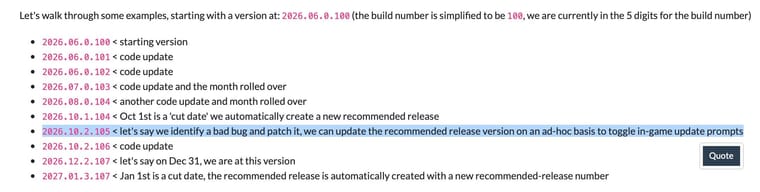
@lafayette wanted to share this comment with you as well:
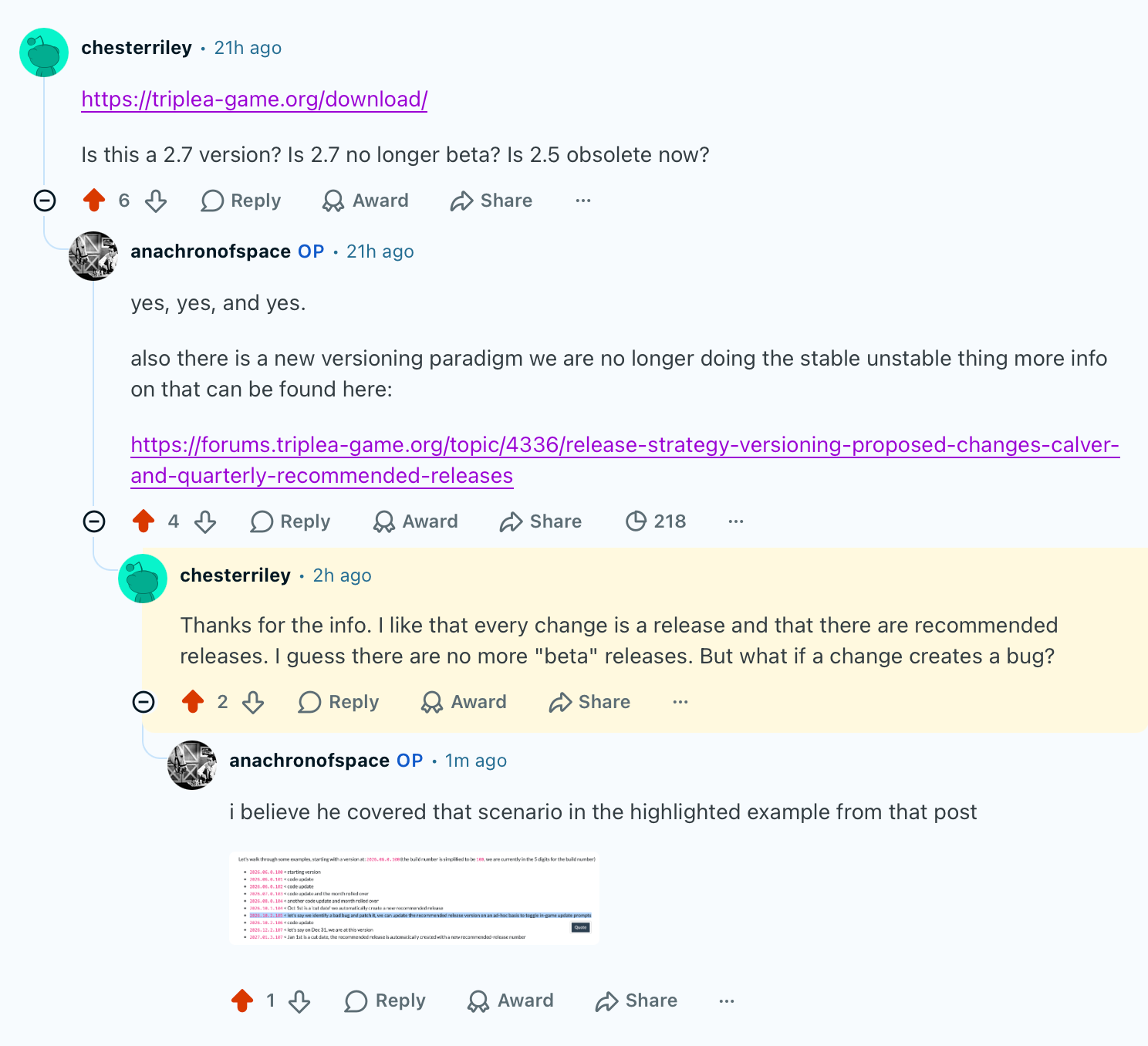
-
@rogercooper @ubernaut , generally the strategy will be to revert the change that introduced the bug. We should avoid trying to fix newly introduced problem, but instead roll back. Rolling back is generally safer because you are more likely to be returning to a stable state rather than risking adding more broken changes on top of broken changes.
Git makes it really easy to revert the revert. That is the thing that should then get patched. So, the first goal is to remove the bug, get back to stable state, DO NOT FIX, but revert. Once done, re-introducing the change with a patch has no urgency, it can be done carefully and correctly the second time.
Further, because all code updates are live, and it's super easy to create things that are broken, the developers should try to "gate" features behind "flags" that are in the "testing" settings. That way we will be "opting in" to test out those features, and once well tested, we can remove the "gate" and make the feature be live. The developers will need to try and get in the habit to do this frequently in order to reduce risk.
cc: @frigoref & @victoryfirst (FYI)
-
@LaFayette love it posted that as an additional reply on the reddit post
-
@RogerCooper I missed your earlier question and didn't quite address it in my last response to ubernaut.
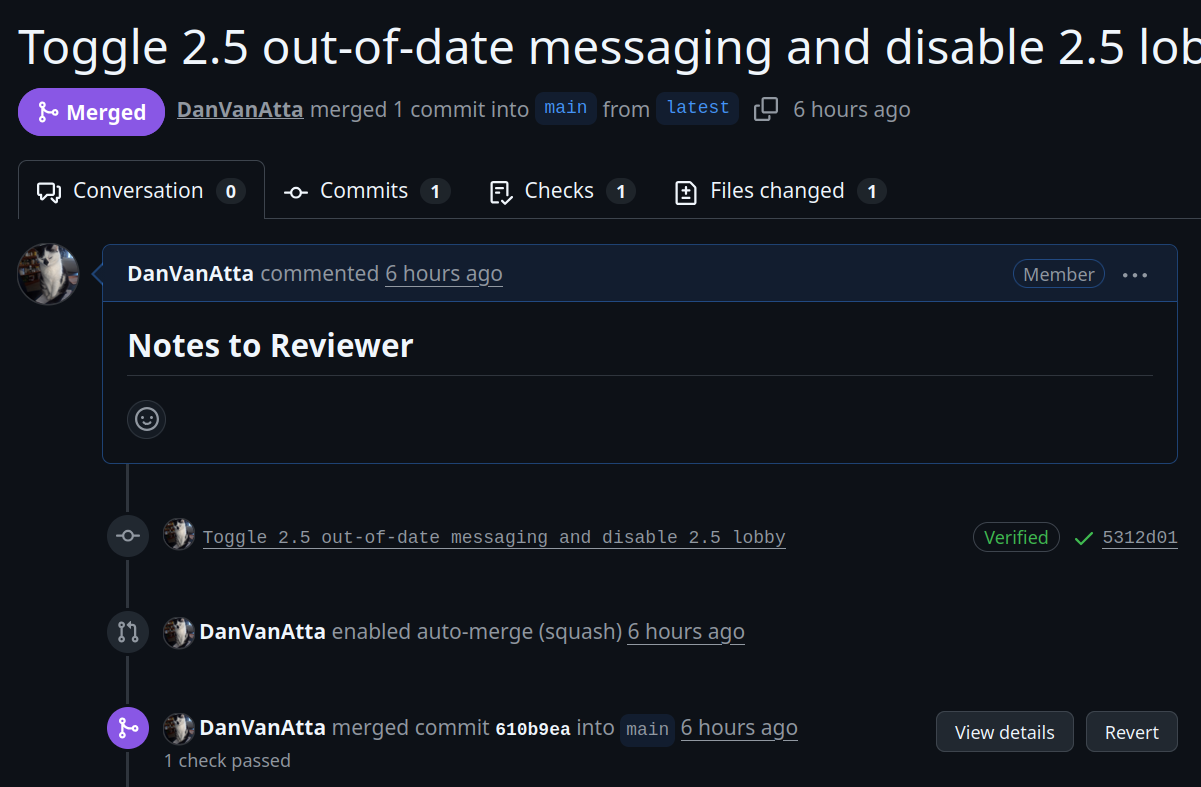
Updates can be rolled back from the Github (GH) web-UI by clicking buttons.
First, find the PR with the update that should be rolled back and find the 'revert' button. Click that, GH will create a PR with a revert for the update. That can then be merged like any ordinary update. All of that can be done with button clicks, for example:
Note the revert button in bottom right:
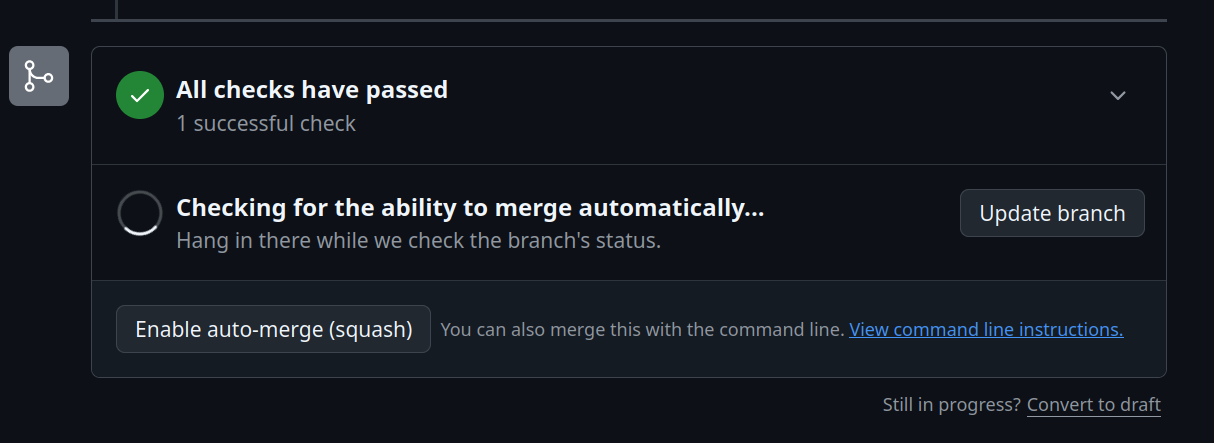
Then, in the new PR that is created by GH, clicking 'auto-merge' will merge the update once the build checks have passed:
-
I suppose it is worth pointing out that a 'revert' in git is just an undo update. The code history in Git is write-once. Git never deletes anything. So, in a revert update, based on the reverted change: any lines that were added are removed, and any removed lines are re-added. So, a revert is a new update, it just an inverted update to cancel out a previous one.
Revert PRs are not at all special to Git, it's just another update. Once a revert is merged, a person can revert the revert update, add more changes to it, and then merge all of that as one bundle.
So, a flow might be like this (the letters on the left hand side represent the commit ID, AKA the commit SHA):
a43ae  Some update that introduced a bug
3ads2  Revert: Some update that introduced a bug
fae54  Revert: Revert: Some update that introduced a bug + Bug Fix
Changes to the code base are "squashed" together. When a person clicks the revert for the revert, that creates a new proposed change. Bug fixes can be added to that proposed change, then it'll all be squashed together as a single commit that is then released.
For example, when reverting the revert, this change would be proposed:
abc12 Revert: Revert: Some update that introduced a bugIn that proposed change, we can add the bug fix, eg:
abc12 Revert: Revert: Some update that introduced a bug
fea23 Bug fix
Then, when merged, that would land on the main branch and in the history as one commit, eg:
fae54 Revert: Revert: Some update that introduced a bug + Bug Fix



Hello! It looks like you're interested in this conversation, but you don't have an account yet.
Getting fed up of having to scroll through the same posts each visit? When you register for an account, you'll always come back to exactly where you were before, and choose to be notified of new replies (either via email, or push notification). You'll also be able to save bookmarks and upvote posts to show your appreciation to other community members.
With your input, this post could be even better 💗
Register Login