Creating new game with multiple friends
-
add all the emails to the actual email list
unclear what you mean by this to me at least but currently marti only deal wth two emails at a time and we are aware of that issue at least if you mean something else please clarify

-
Yea the old dice server you would put a space between emails but it was still limited character wise. I think it was 56.
Anyway, the new dice server only allows 2 emails total. So, unless you're in a FreeForAll, select a Captain for each side. They will receive the emails.
Post to Forum isn't working, so you have to manually post the save to your Game Thread.
I do it like this. Actually will start at the very beginning.
Download 15640 from the Home Page.
Hmm ... says 15650 now. Not sure what's up with that. Whatever, just DL the latest that it offers.
Then register at the new Dice server
https://dice.triplea-game.org/
Set up game. I use PBEM but it should be interchangeable with PBF. At least it used to.
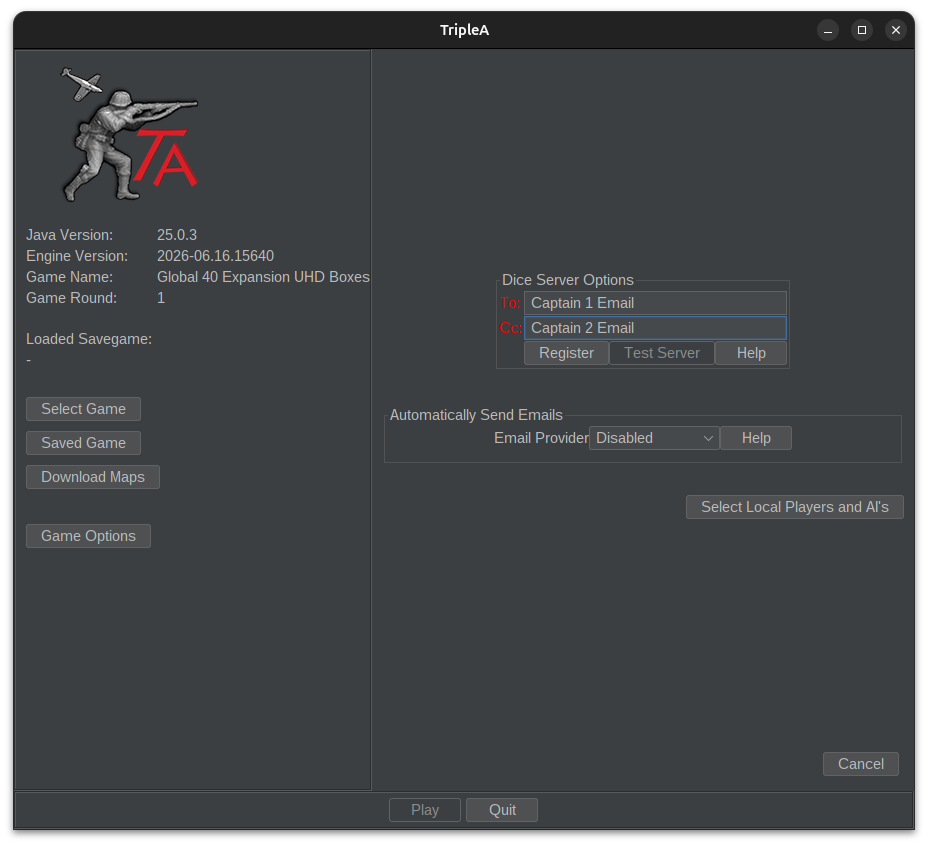
Note
You can also register for the Dice server by hitting Register. It takes you to the above link.Practice turn in Local mode, then do your real turn in PBEM mode. You'll see "Dice Server On" bottom right and it'll also show a "View Turn Summary" button. Top right.
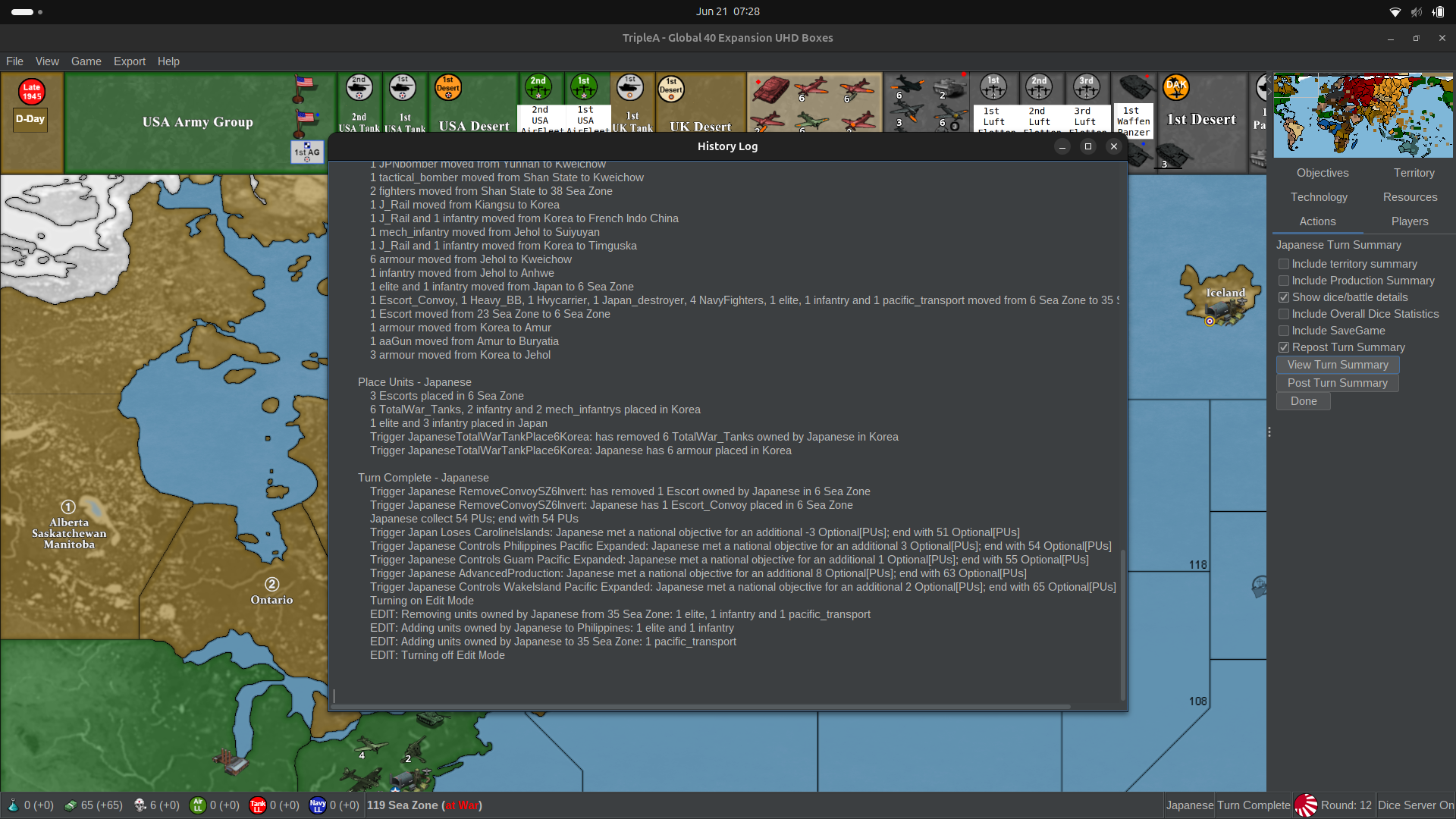
Click on the Turn Summary window and do a ctrl a ctrl c
Save the game, ctrl s
Then post turn summary and save to the thread. Your opponent DLs the save, does their test turn in local and then repeats the above process.
The 2 Captain's will be the only ones to receive the dice rolls. You can look in History ctrl h under Combat and it will show the dice rolls.
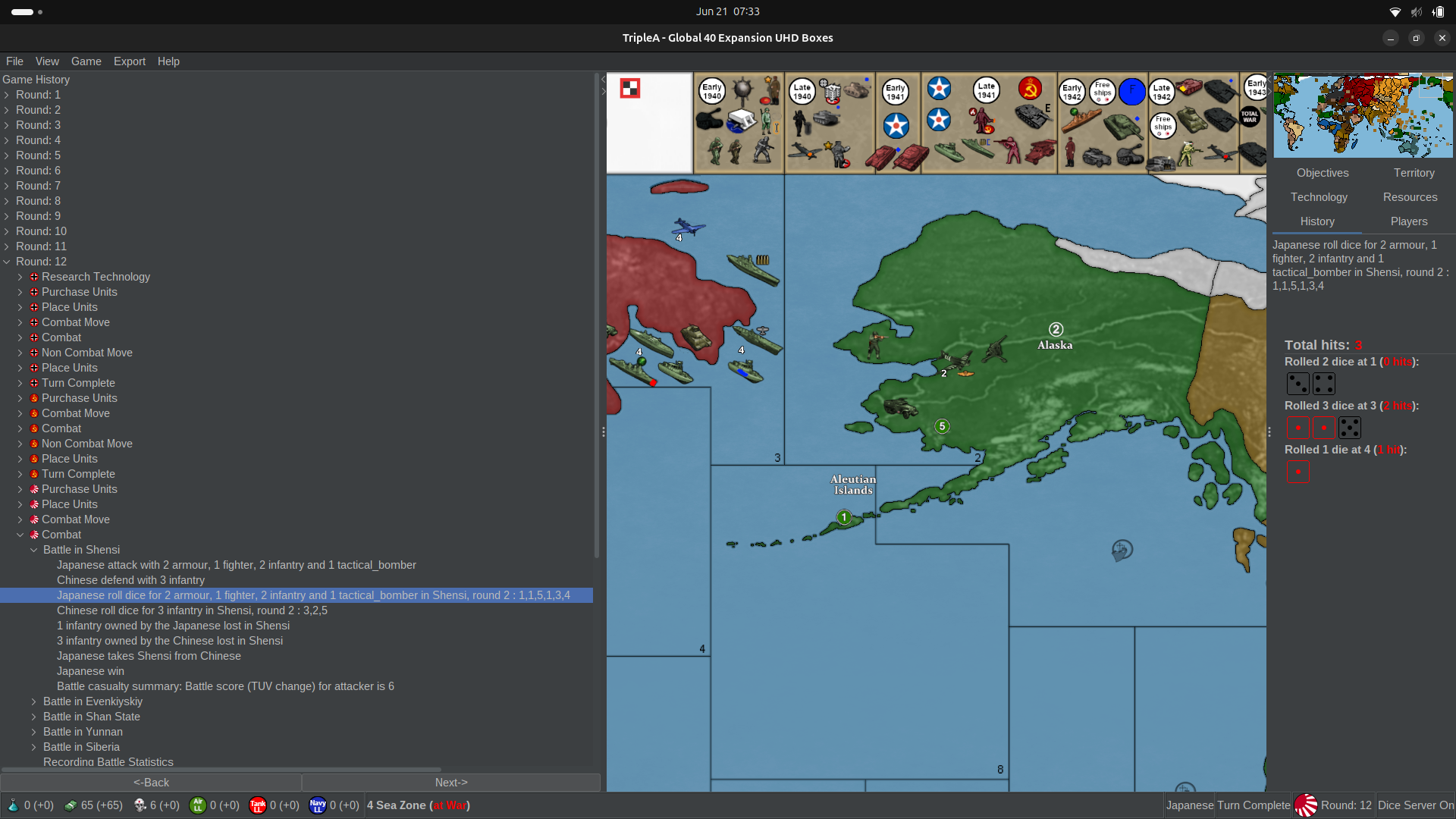
Let us know if you get stuck somewhere. This from my game with Panzer if you wanna scan how we do it.
-
@beelee Thank you so much for being thorough trying to help. I notice on the first cropped image you didn't actually PBEM? You just registered 2 people for the dice server but then only emailed the save file manually? I hadn't seriously enough considered just essentially bypassing the email feature altogether and emailing the game file manually, is that what most people honestly do?
-
No you still click on PBEM. It'd be like this for a new game.
Click on PBEM
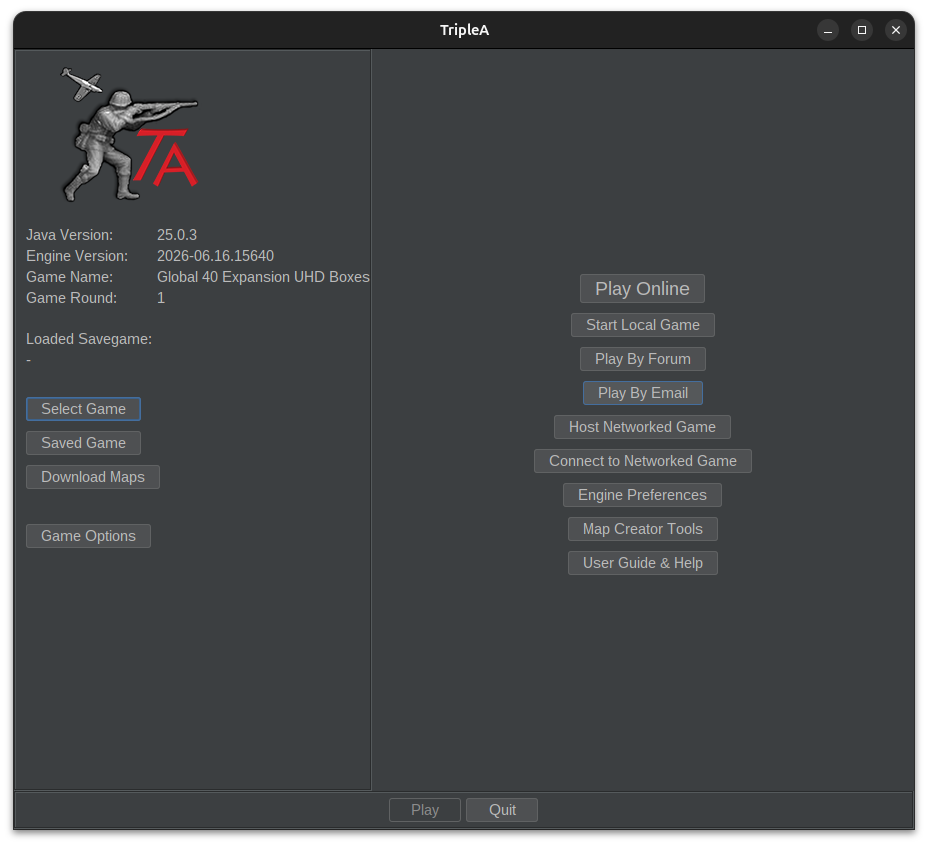
Takes you here
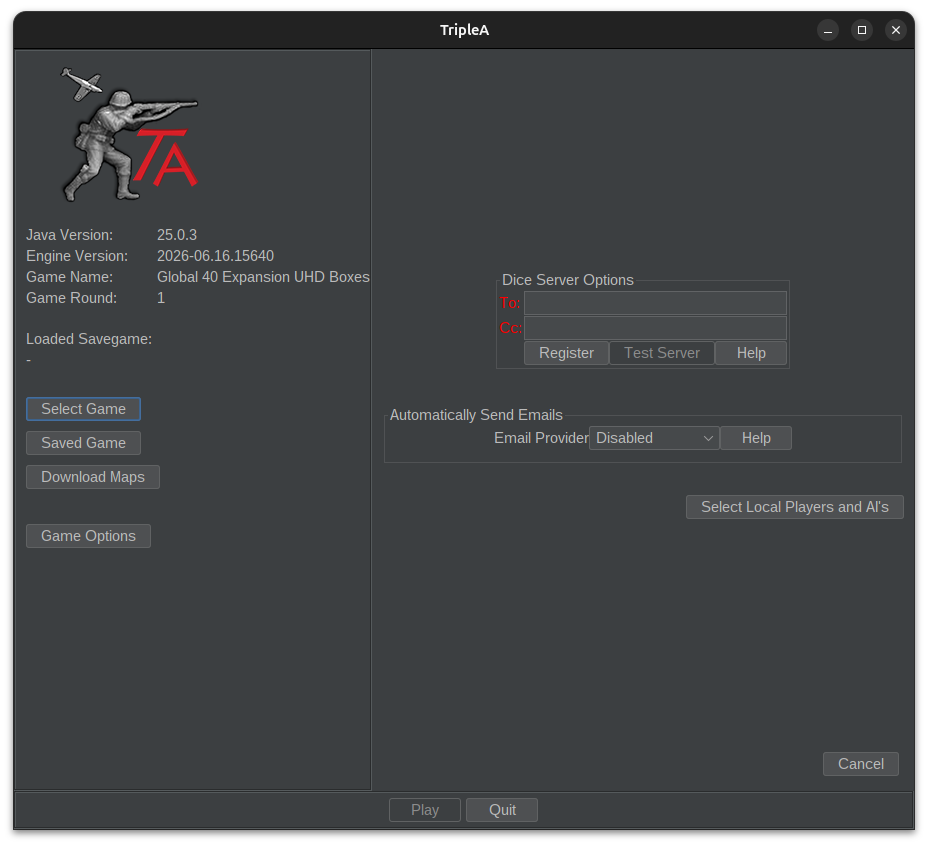
Then fill in the emails.
Edit
All Players need to be registered for the Dice ServerEdit 2
Including the ones whose email is not entered into the gameEdit 3
All Players need to be registered to the Forum too. We can set a test game up if you want -
@beelee Oh, let me clarify. I noticed the "Automatically Send Emails" section is disabled. That is what I was referring to.
-
Trying to create a 1v1 with a friend and the "to" section is red despite only having 2 emails, separated by a single space. Anyone else having this issue?
-
Hi Bill
The new update only allows 1 email per slot. So the To and the Cc can only have 1 email.
If you playing with a multi, you will need to select Captains and have the team members use the Captains email so you can get the turn summary and dice rolls.
Edit
hmm if its 1vs1 one email in the To and the other in the Cc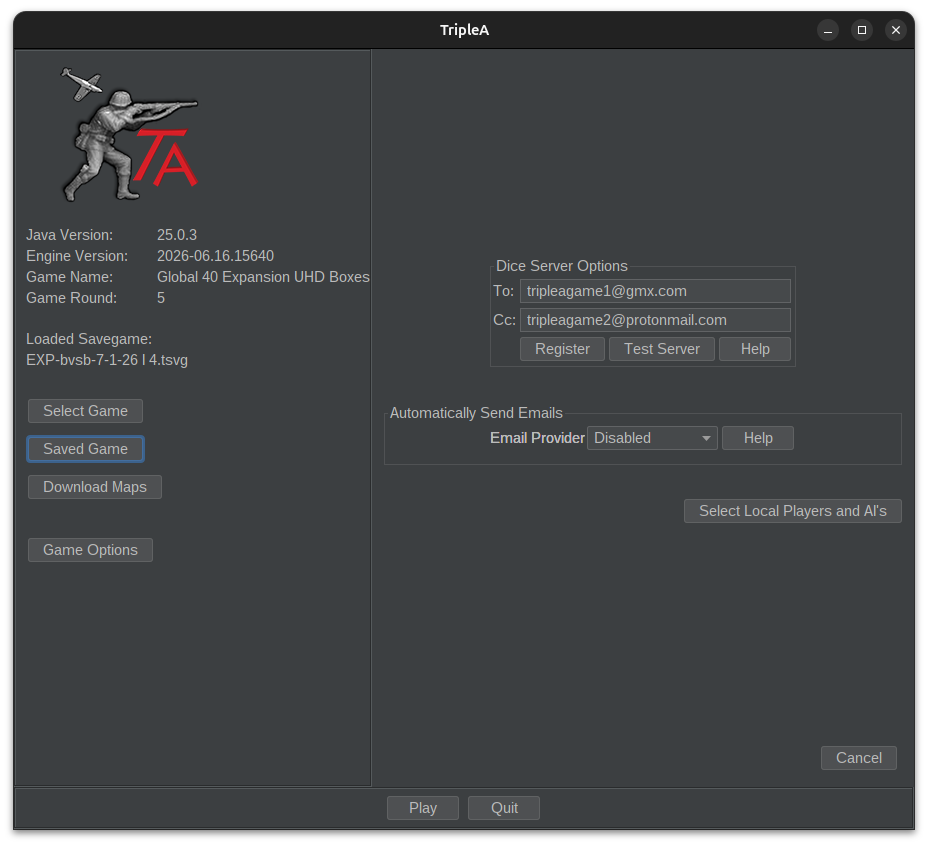
-
@beelee Hi Beelee, ty so much for always trying to help out!
The dice server part is working great. Its the part bellow, I have a generic SMTP set up. I have all the other sections ready to go, but the "to" section I have the 2 emails set up with a single space inbetween yet it will not run a rest or let me start the game. I know I can disable it, but the email feature will be more convenient if I can use it rather than emailing a save file manually.
-
Oh yea the email feature is still broken. You have to do it manually.
In the shot above I have a test game going using my two game emails. You would replace those with you and your opponents and hit test server and your good to go.
In order for the turn summary to work, you click on it at end turn and ctrla ctrlc and paste it to your game thread or add it to an email.
You can also see what happened by looking at History which is what I usually do. Mostly purchase and how some bigger battles rolled out or if there was an upset.
So yea, I'm thinking it'll be a bit before it gets updated or fixed
Edit
Or you can play at the other site by Forum. The turn summary works for auto send over there I think but the email thing still doesn't -
@beelee Unfortunate, but its good to know its currently not working rather than something I was doing wrong, ty.

Hello! It looks like you're interested in this conversation, but you don't have an account yet.
Getting fed up of having to scroll through the same posts each visit? When you register for an account, you'll always come back to exactly where you were before, and choose to be notified of new replies (either via email, or push notification). You'll also be able to save bookmarks and upvote posts to show your appreciation to other community members.
With your input, this post could be even better 💗
Register Login