Image Icons


-
I also say "Quantity then medium"
But could you you then please try to enlarge the quantity font 1 or 2 seizes so that they fit the picure size a bit more? (Absolutely not to a degree that makes a single resource cost line take up more vertical space.) (Edit: Maybe all the text in the entire window should be enlarged by 1 or 2) (Edit 2: Then you could perhaps remove the extra "space" you made between the unit and numbers, but we would have to see.)Also, I would already advocate for the bottom bar of the purchase screen to not remove the resource texts. I would recommend it be displayed as something similar to:
10 PUs
 , 5 Food
  , 7 Wood
or
10(PUs), 5 (Food), 7 (Wood)This is because I think that it may be good to have at least one place that reminds the player what the icons actually symbolize. We wouldn't like to have player in chats and forums beginning to call fuel "drums", PUs "cash", Food "Apples" or "Steaks" ... calling the resources what they see in the icons instead of the real definitions. I don't think explanations in the notes would be sufficient and we cant expect player to intentionally use the tooltips to investigate what the icons represent. I think the real resource definition should be repeatedly and visually printed into the player's mind.
(Be advised that I am not a psychologist ... But I still think that I got a point
 )
)Map maker of: Star Wars: Galactic War + Star Wars: Tatooine War + Caribbean Trade War + Dragon War + Age of Tribes + Star Trek: Dilithium War + Iron War + Iron War: Europe + Warcraft: War Heroes
-
@frostion That seems reasonable. The new players will have a reference without searching. Also I think the typical noob doesn't even know tool tips exist.
-
@frostion Yeah, I think leaving the resource text alongside the icon at the bottom of the purchase window makes sense. If I leave the "medium" size at 24x24 then yeah there is really no reason not to increase the quantity font size a bit. Though what I'd like to try 16x16 and 20x20 to see if those still look pretty good while saving a bit of vertical space.
If anyone wants to upload 16x16 and 20x20 versions of the Civil War resources that would save me a bit of time

TripleA Developer with a Passion for AI: https://forums.triplea-game.org/topic/105/ai-development-discussion-and-feedback
-
@frostion said in Image Icons:
This is because I think that it may be good to have at least one place that reminds the player what the icons actually symbolize. We wouldn't like to have player in chats and forums beginning to call fuel "drums", PUs "cash", Food "Apples" or "Steaks" ... calling the resources what they see in the icons instead of the real definitions. I don't think explanations in the notes would be sufficient and we cant expect player to intentionally use the tooltips to investigate what the icons represent. I think the real resource definition should be repeatedly and visually printed into the player's mind.
In civ 5, its very common for players to call production "hammers", to call science "beakers", so this is definently a thing.
Can I ask a quesiton about PUs real quick. Are we pretty much stuck with that as the default resource because of old code? Anyway to rename it, at least for appearances? I would much rather have a map spending gold or something
-
Yea, I hope we are able to create a full set of the standard Icons in good quality? Is it @Hepps who is the keeper if the original artwork?
@redrum We see in you example pictures how it looks when a unit cost 4 different resources. I would think going larger that 16 might be too much as the whole row of unit/cost display is expanded in hight. But no harm in trying

-
@redrum Still need those resized images?
-
@hepps Yes, please. I think at least posting a few screenshots with 16x16 and 20x20 is probably worth the time. I'm fairly sure we have consensus that 12x12 icons are useless.
-
@redrum So then what are we thinking 16 x 16, 20 x 20 and 48 x 48?
-
@hepps I'm just focusing on the small resource icon at the moment but here are my thoughts:
- Small - either 16x16, 20x20, 24x24 - used for areas with text like purchase costs
- Medium - either 24x24, 28x28, 32x32 - used for bottom bar, other main UI areas
- Large - 48x48? I think that is the most used unit image size? - used when displaying them as a 'unit'
-
@redrum Yah that looks ideal. Allows for some individual customization.
I'll work on those for you now that I am home.
-
@hepps Right, though I'd like to pick the 'best' and make that what we include in the engine for each size as well as our 'recommendation' to map makers.
-
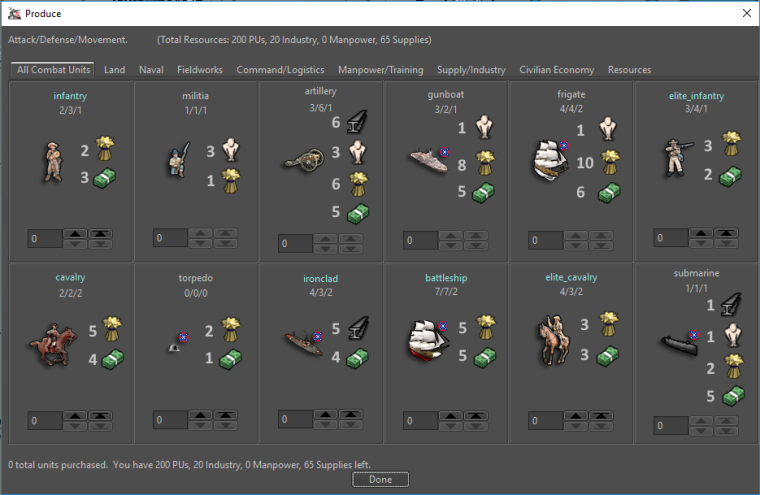
@redrum I just moved a few things around and included the resources as a 32 x 32 size image, increased the font for the quantity to 16 and made it bold.
-
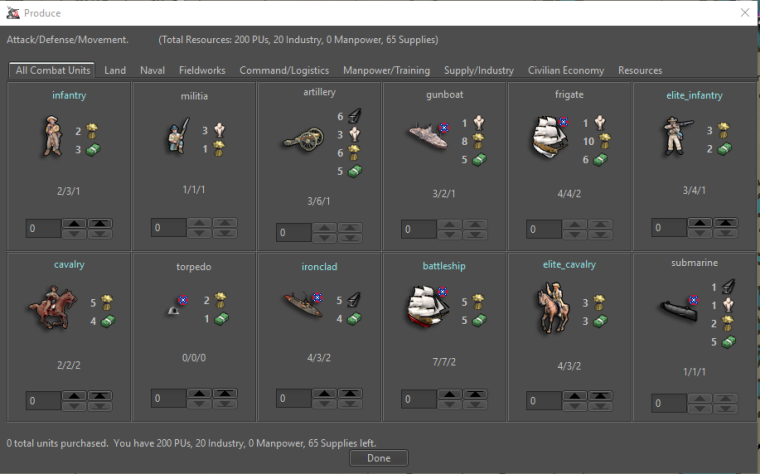
Alright so here are some options with other image sizes. My initial thoughts is I prefer 16/20 over the 24 as they seem identifiable but don't take up as much space. No real preference on not bold vs bold as I think bold looks better but then it makes me starting wondering what else should be bold
16x16
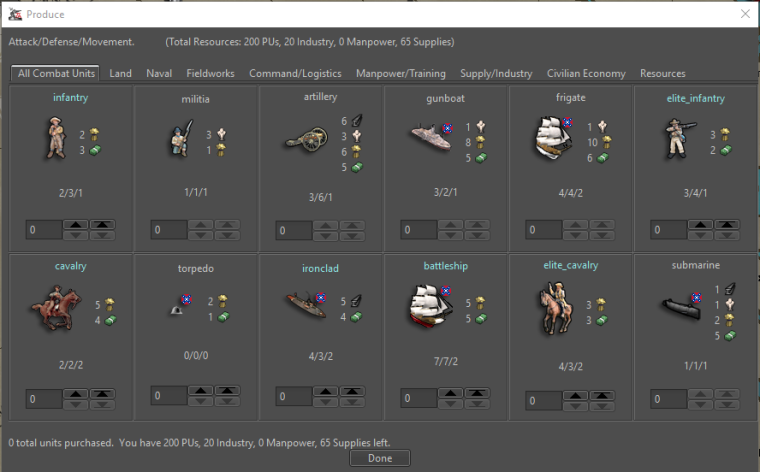
20x20
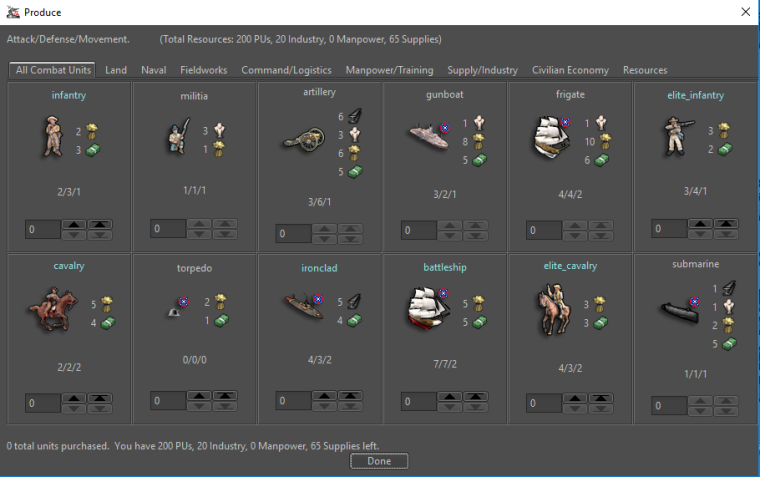
16x16 with Bold Quantity
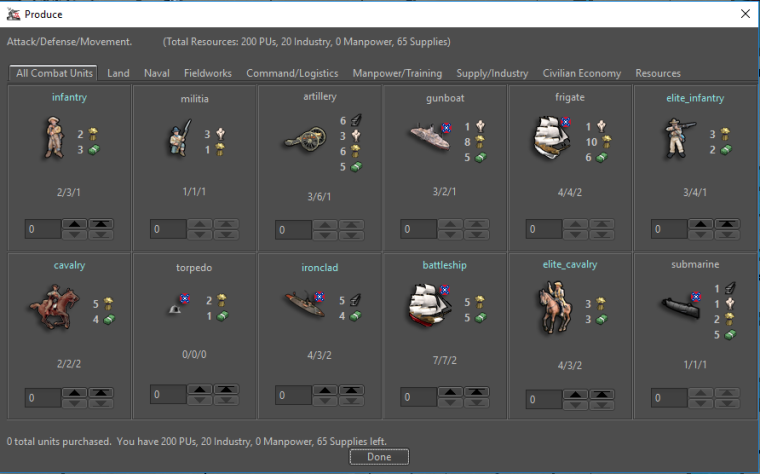
20x20 with Bold Quantity
-
@Hepps - Hmmm … I don’t think I like the bold resource numbers. And I think it’s a little “off” having the units and the resource cost pictures almost the same size. its all just a bit too much.
Anyway @redrum here is a collection of Dragon War pictures that you can play around with. Also there is an XML of Dragon War where the players start out with a random bunch of resources, making them able to purchase from round 1. I contains unit size, 32, 24 and 16.
Mind you that these pictures, unlike the standard TripleA resource pictures, have a yellow backdrop and more transparent space around them. That also goes for the smaller pictures. I have not made a “clean” version. I might do that. You so you know that a Dragon war 16x16 might not give the same impression as a standard TripleA picture 16x16.
-
@redrum I like the 20x20, I just wish we could see the same preview with 1 size larger font instead of bold font.

-
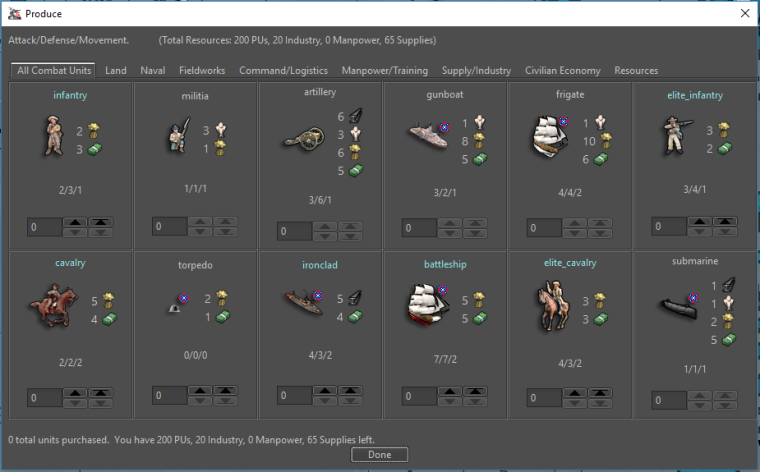
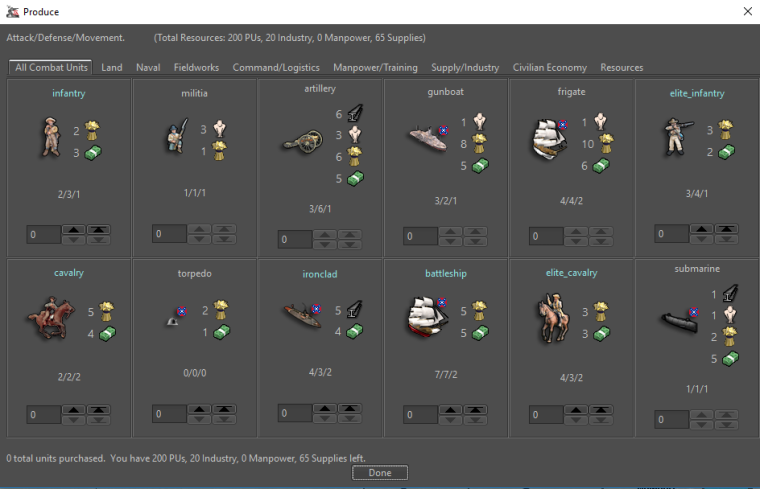
@frostion Ask and thou shall receive:
20x20 with larger font quantity
24x24 with larger font quantity
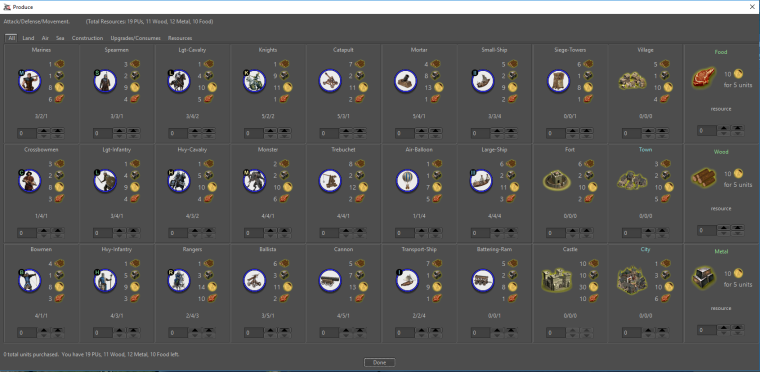
Dragon War @ 24x24 with larger font quantity
-
Nice. I like the “20x20 with larger font quantity” For me at least it seems to represent a good balanced display.
Here are Dragon War 20x20 icon.
I will try to make some Iron War icons and post them for you to test. I will include some 20x20 also.
-
@frostion Yeah, only thing that worries me is font size inconsistency and whether that opens up a can of worms. But to be fair good UI design often uses different size fonts/images to highlight different areas. My initial guy reaction is either 16x16 with normal size font or 20x20 with larger font.
DW Pre-Icons (Death By Text!)
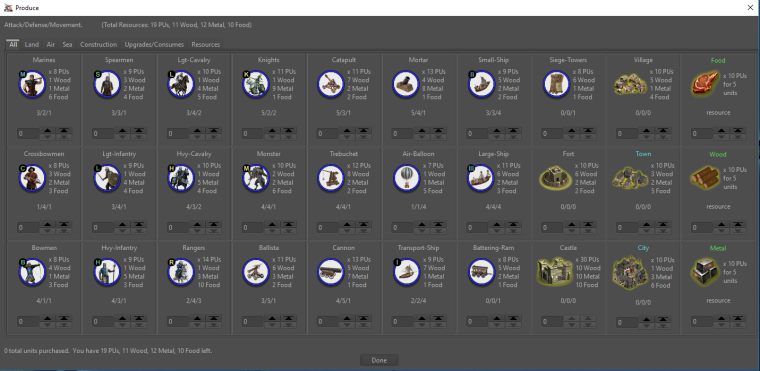
DW 20x20 larger font quantity
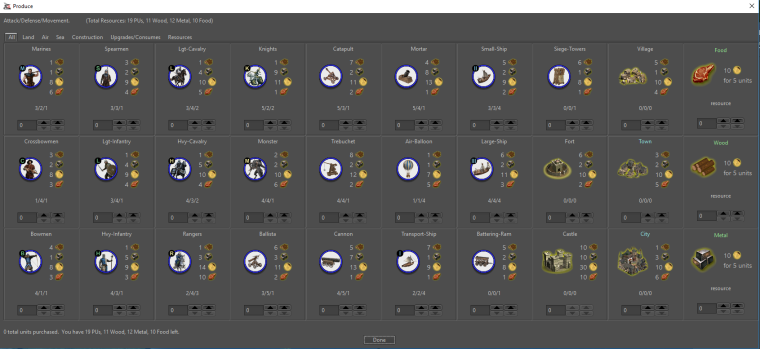
DW 16x16 larger font quantity
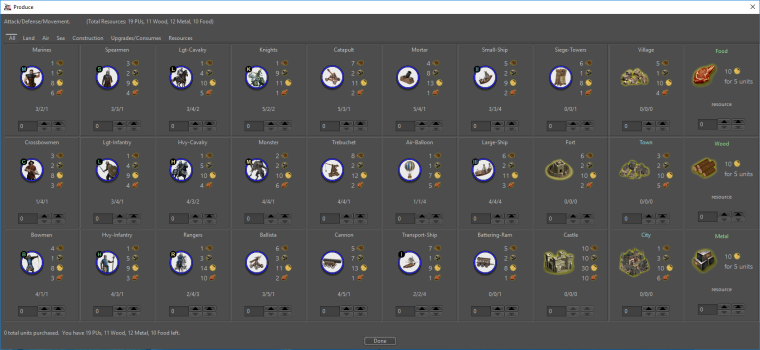
DW 16x16
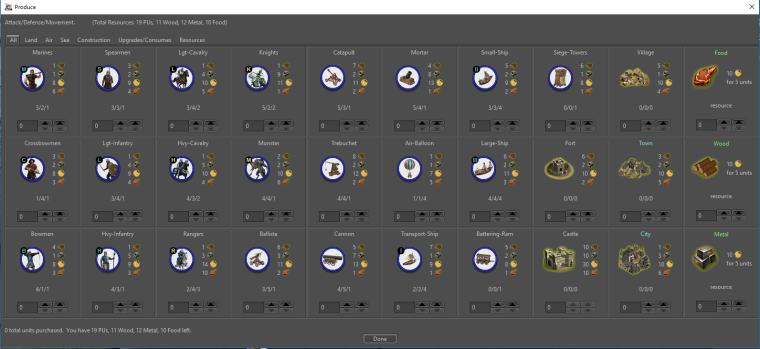
-
The 16x16 with normal font also looks good, but the icons are on the verge of being unrecognizable.
Taking the civil war version in mind, I am still for “20x20 larger font quantity”.
I am eager to know what other people think.
Did the first work for Iron War icon set, but you will have to wait about 22 hours till I finish them
 Good night!
 -
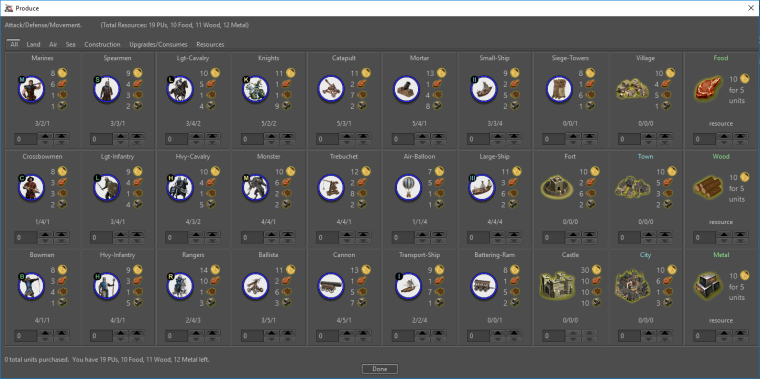
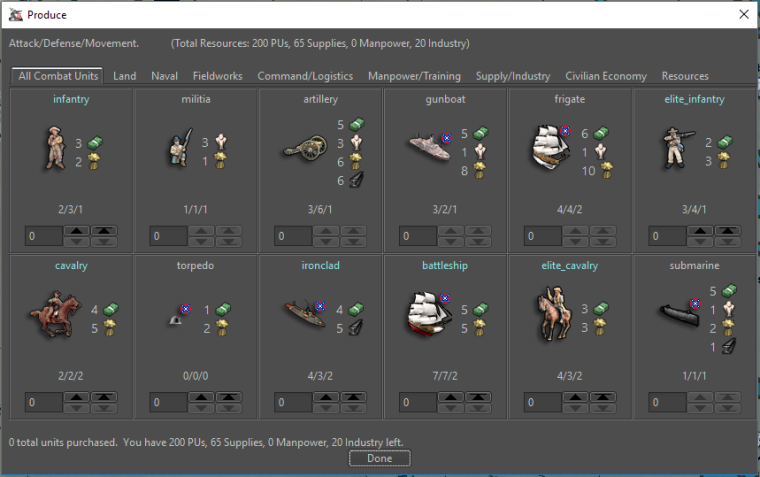
So for now going with the 20x20 and larger font, I adjusted some spacing and now enforce resource ordering based on the XML to get the following:
Dragon War
Civil War





Hello! It looks like you're interested in this conversation, but you don't have an account yet.
Getting fed up of having to scroll through the same posts each visit? When you register for an account, you'll always come back to exactly where you were before, and choose to be notified of new replies (either via email, or push notification). You'll also be able to save bookmarks and upvote posts to show your appreciation to other community members.
With your input, this post could be even better 💗
Register Login