Image Icons


-
@redrum I just moved a few things around and included the resources as a 32 x 32 size image, increased the font for the quantity to 16 and made it bold.
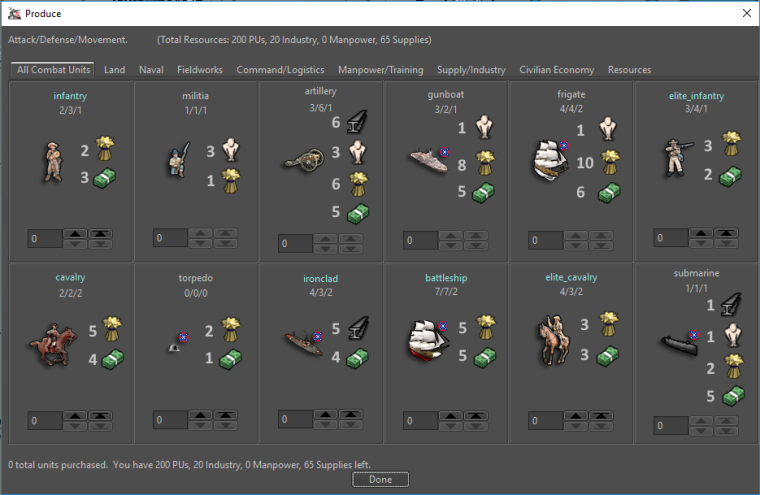
-
Alright so here are some options with other image sizes. My initial thoughts is I prefer 16/20 over the 24 as they seem identifiable but don't take up as much space. No real preference on not bold vs bold as I think bold looks better but then it makes me starting wondering what else should be bold

16x16
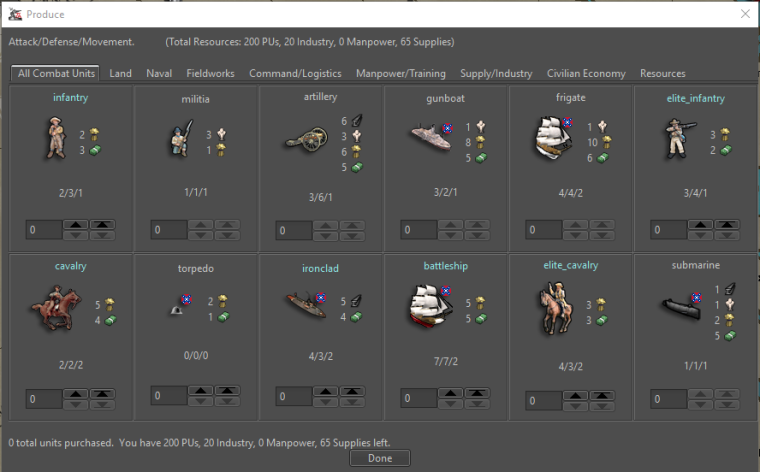
20x20
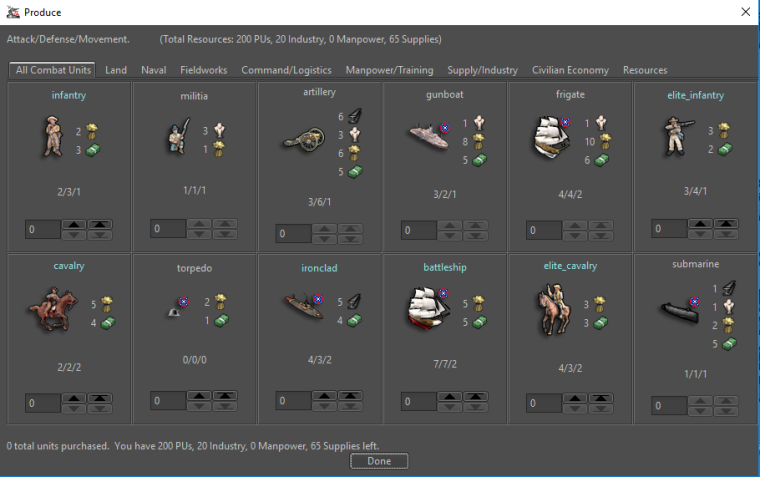
16x16 with Bold Quantity
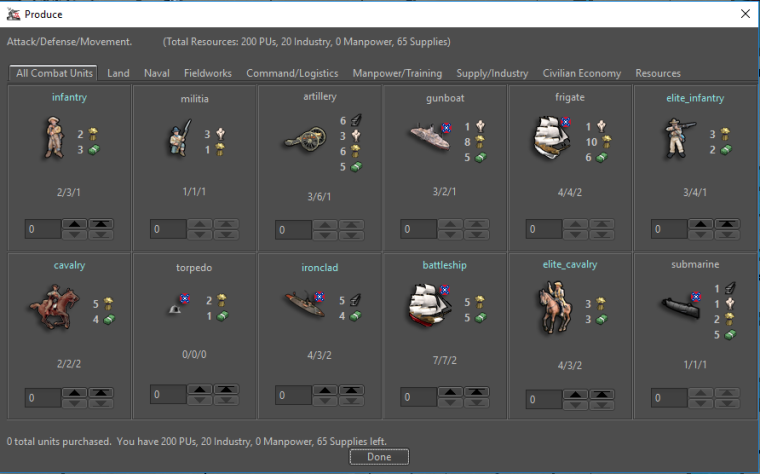
20x20 with Bold Quantity
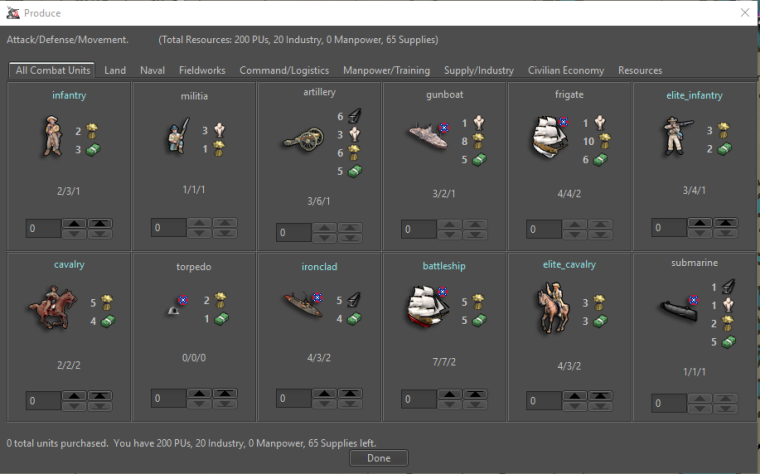
-
@Hepps - Hmmm … I don’t think I like the bold resource numbers. And I think it’s a little “off” having the units and the resource cost pictures almost the same size. its all just a bit too much.
Anyway @redrum here is a collection of Dragon War pictures that you can play around with. Also there is an XML of Dragon War where the players start out with a random bunch of resources, making them able to purchase from round 1. I contains unit size, 32, 24 and 16.
Mind you that these pictures, unlike the standard TripleA resource pictures, have a yellow backdrop and more transparent space around them. That also goes for the smaller pictures. I have not made a “clean” version. I might do that. You so you know that a Dragon war 16x16 might not give the same impression as a standard TripleA picture 16x16.
-
@redrum I like the 20x20, I just wish we could see the same preview with 1 size larger font instead of bold font.

-
@frostion Ask and thou shall receive:
20x20 with larger font quantity
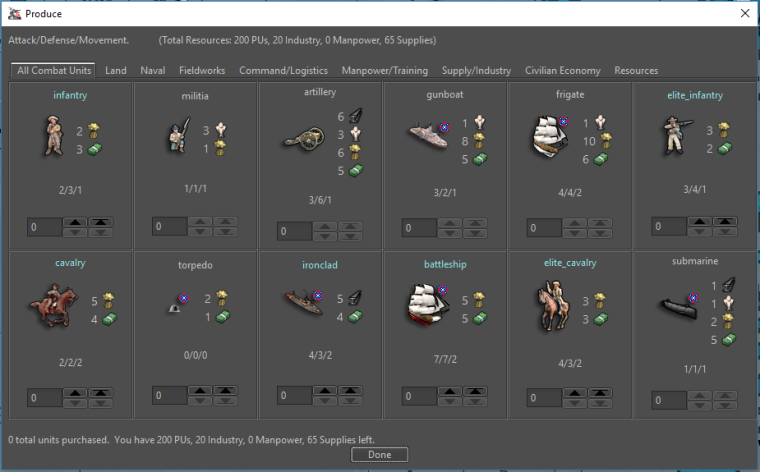
24x24 with larger font quantity
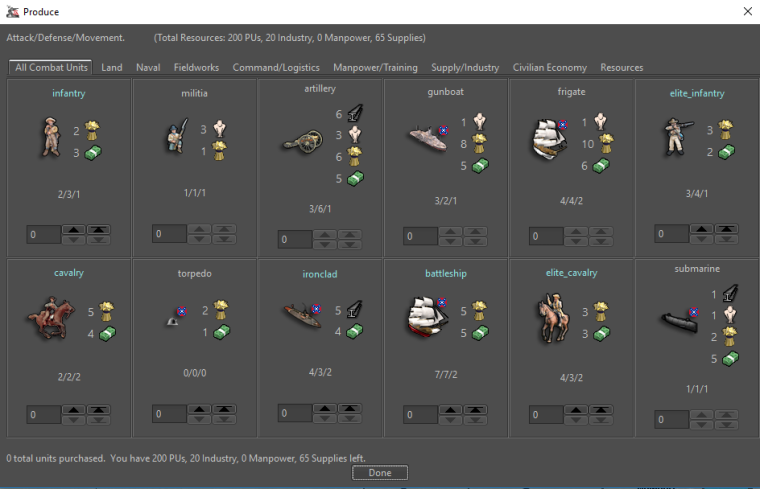
Dragon War @ 24x24 with larger font quantity
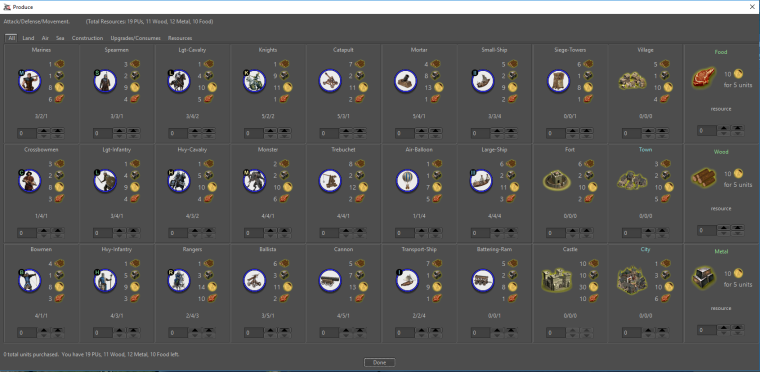
-
Nice. I like the “20x20 with larger font quantity” For me at least it seems to represent a good balanced display.
Here are Dragon War 20x20 icon.
I will try to make some Iron War icons and post them for you to test. I will include some 20x20 also.
-
@frostion Yeah, only thing that worries me is font size inconsistency and whether that opens up a can of worms. But to be fair good UI design often uses different size fonts/images to highlight different areas. My initial guy reaction is either 16x16 with normal size font or 20x20 with larger font.
DW Pre-Icons (Death By Text!)
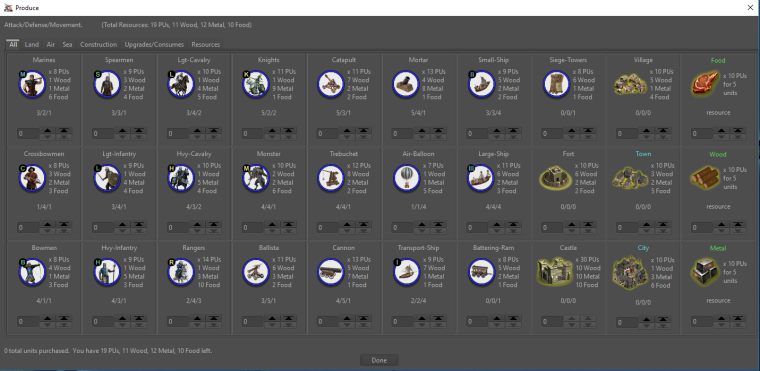
DW 20x20 larger font quantity
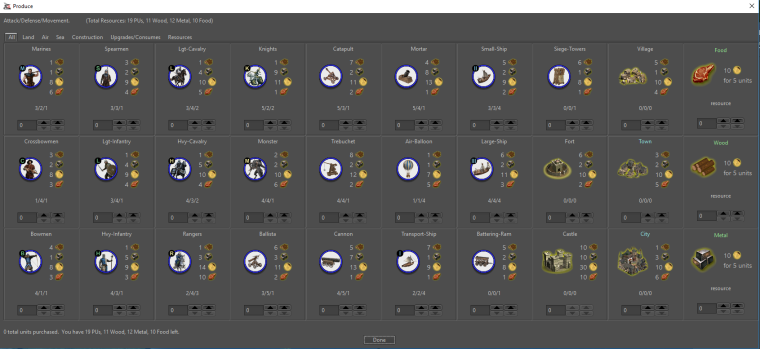
DW 16x16 larger font quantity
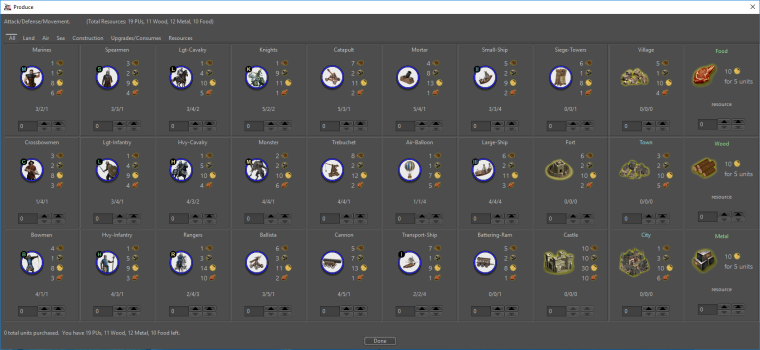
DW 16x16
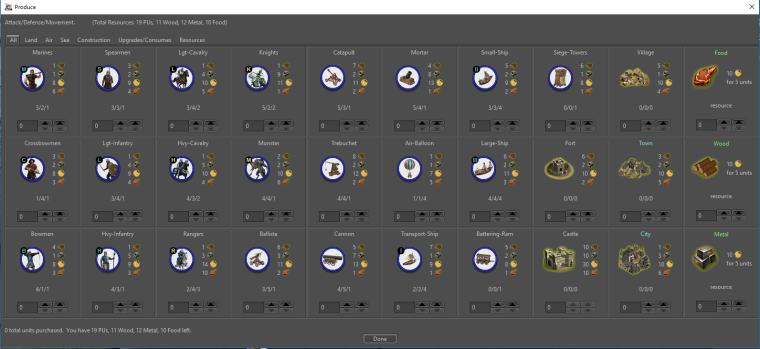
-
The 16x16 with normal font also looks good, but the icons are on the verge of being unrecognizable.
Taking the civil war version in mind, I am still for “20x20 larger font quantity”.
I am eager to know what other people think.
Did the first work for Iron War icon set, but you will have to wait about 22 hours till I finish them
 Good night!
 -
So for now going with the 20x20 and larger font, I adjusted some spacing and now enforce resource ordering based on the XML to get the following:
Dragon War
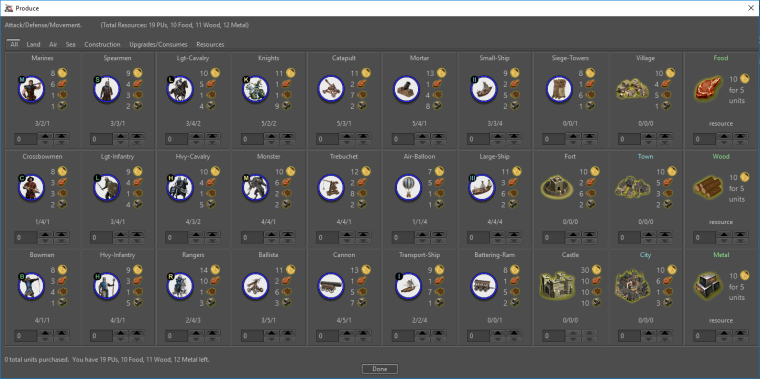
Civil War
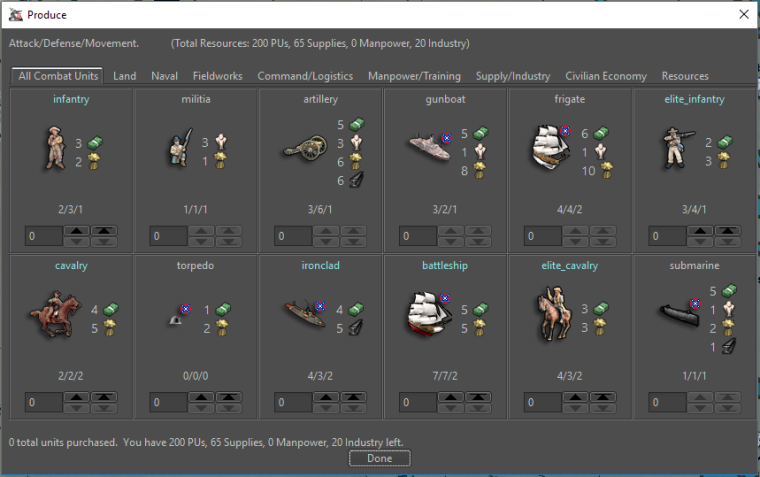
-
@redrum I think you found the sweet spot. All looks great!
-
Alright, I think we'll go with the 20x20 with larger font for the purchase window. Next up is resource bar!
20x20

24x24

28x28

32x32

TripleA Developer with a Passion for AI: https://forums.triplea-game.org/topic/105/ai-development-discussion-and-feedback
-
@redrum Would probably be best to show the examples with the entire window... maybe with the purchase window open at the same time. Since a comparison is an important part of the concept.
We have to bear in mind that the quality of the resource image is also a factor. I did the larger images quickly by expanding the existing images... which yields blurry results without a great deal more work. So it is important to evaluate the sizes based on how they work comparatively rather than on the quality of the icons themselves.
-
@redrum sexy
-
@Hepps Good point. Here are screenshots with purchase window open. After we narrow it down I can try some different font sizes as well. I also need to fix the right part of the bottom bar so its height scales with the rest.
20x20
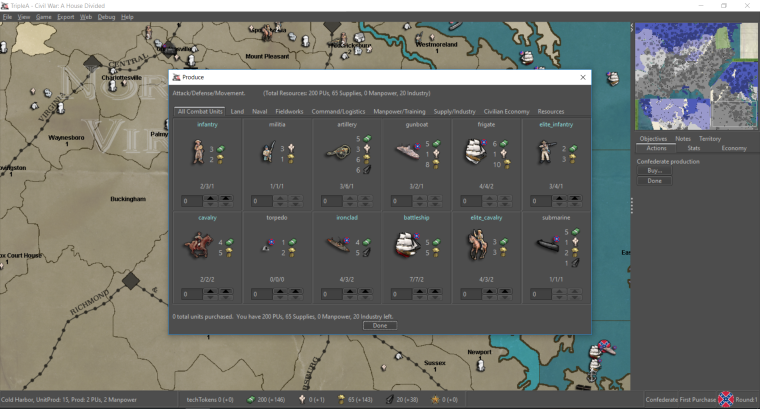
24x24
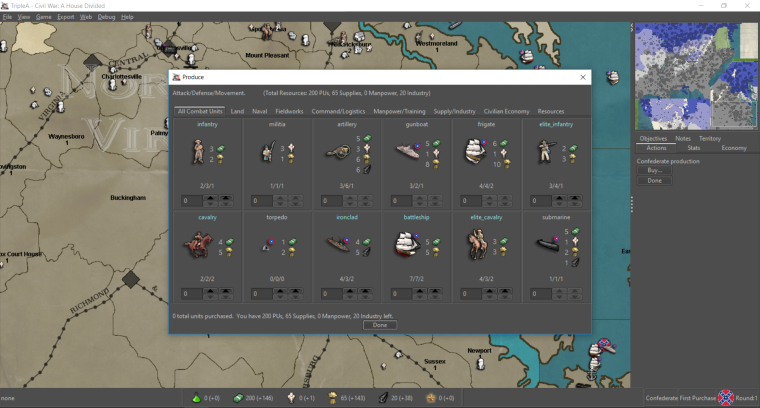
28x28
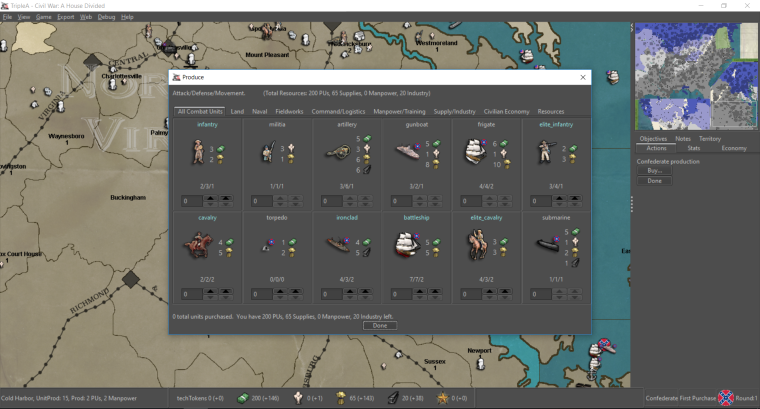
32x32
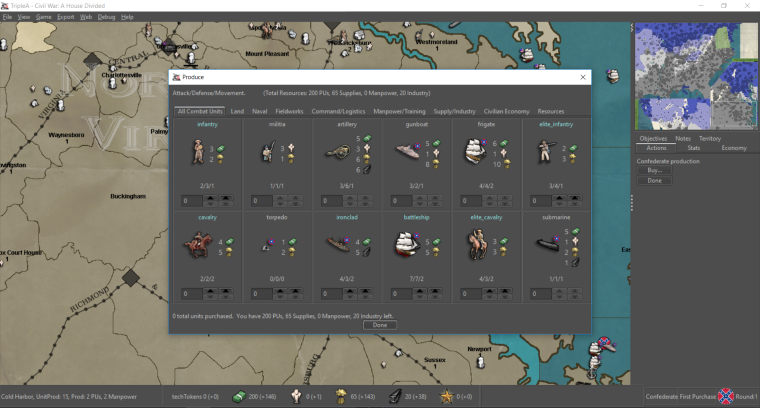
-
@redrum 24 does it for me.
"A joyous heart sours with the burden of expectation"
Hepster -
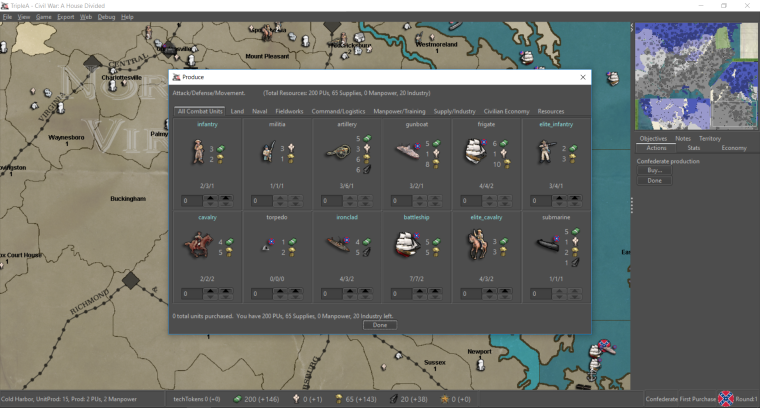
Here is 20x20 with larger font (same as purchase window):
-
@hepps WHAT about the old blind guys?
24 is fine
bigger is better
-
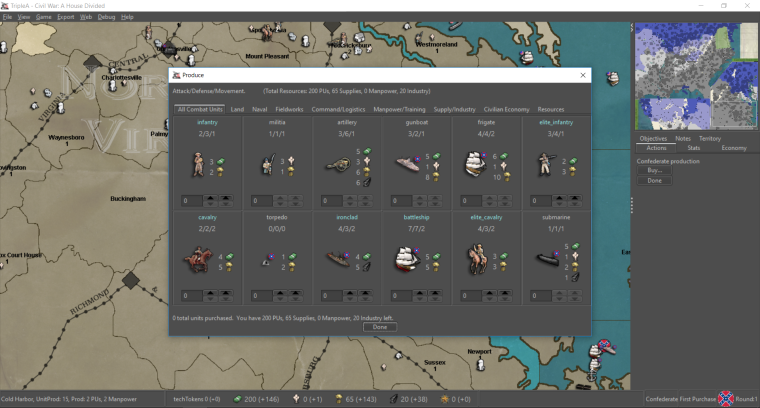
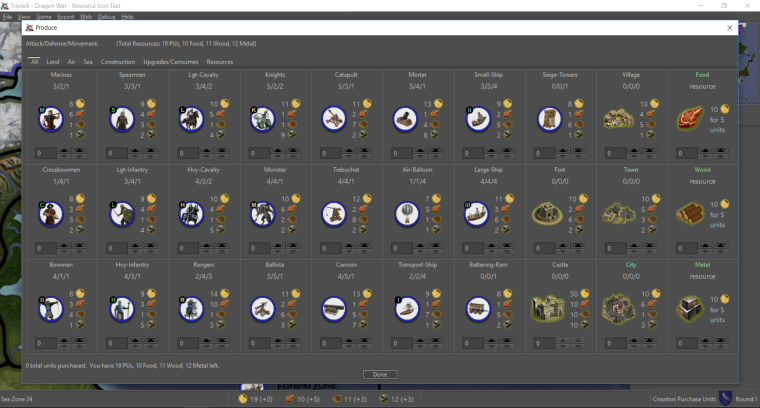
Purchase window with A/D/M above unit image and larger font size:
DW:
-
@redrum all improvements are amazing! You guys pick what looks best to you. Don't forget I am an old colour blind bastd with spectacles
either way all great stuff! TY for all the work @ all -
@prastle We will introduce a braille version for you when nano technology is incorporated into LCD screens.



Hello! It looks like you're interested in this conversation, but you don't have an account yet.
Getting fed up of having to scroll through the same posts each visit? When you register for an account, you'll always come back to exactly where you were before, and choose to be notified of new replies (either via email, or push notification). You'll also be able to save bookmarks and upvote posts to show your appreciation to other community members.
With your input, this post could be even better 💗
Register Login