What is command to not show VC images via map.properties?
-
Can any one help me with the following. What is command to not show VC images via map.properties?
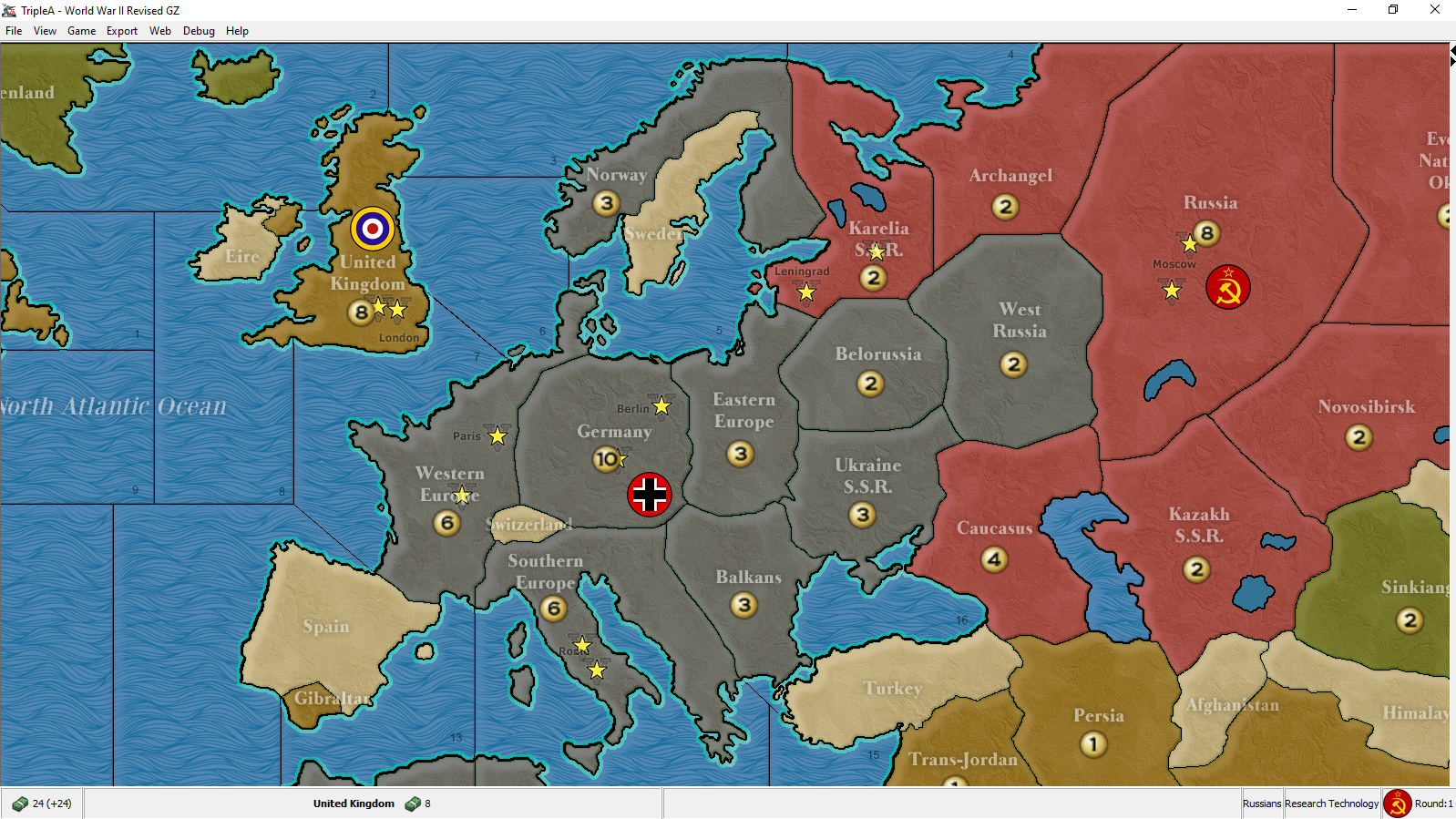
I want to display VC images just not where TripleA places them, so I am placing via decorations.txt, but I need to turn off the auto placements to avoid duplicate VC images per territory.
As this pic shows, the VC are being duplicated in undesired locations.
-
@general_zod I believe you need to edit or delete the vc.txt file. So for the current revised that would be this one: https://github.com/triplea-maps/world_war_ii_revised/blob/master/map/vc.txt. You can just edit that to move them instead of using decorations.txt I believe.
TripleA Developer with a Passion for AI: https://forums.triplea-game.org/topic/105/ai-development-discussion-and-feedback
-
@redrum I tried to delete the vc.txt file, but it still is placing as it the file existed. It seems to be defaulting to something in the center.txt is my guess.
-
Yes I think it defaults to the centers file if the vc file is not there.
You should keep the vc file and manually edit the coordinates. If there is no sign of the edits working / no changes on screen, I usually find that it is a file naming issue, file capitalization or me editing the wrong file in the wrong dir

BTW: Moved the topic from Help/Questions to Map Making.
Map maker of: Star Wars: Galactic War + Star Wars: Tatooine War + Caribbean Trade War + Dragon War + Age of Tribes + Star Trek: Dilithium War + Iron War + Iron War: Europe + Warcraft: War Heroes
-
@general_zod said in What is command to not show VC images via map.properties?:
I want to display VC images just not where TripleA places them, so I am placing via decorations.txt, but I need to turn off the auto placements to avoid duplicate VC images per territory.
I don't understand why you want this. If you are using the same image for all victory cities, just use the vc.txt file and have in it the coordinates you intend to have in decorations.txt. This is the proper way to do it.
Anyways, what you want can be hacked by having an invisible vc image.
-
Ok I got it. Manually editing the vc.txt file worked. But need to have it in the correct format. As shown, rather than name of image and coordinates, need name of territory and coordinates. For some reason, not sure exactly why, the mapmaker was not able to do this (in desired locations). Or maybe I just don't know how to.
Germany  (1159,383)
United Kingdom  (869,277)
Eastern United States  (223,496)
Western Europe  (979,416)
Southern Europe  (1088,673)
Russia  (1719,256)
Karelia S.S.R.  (1318,258)
India  (1931,917)
Philipine Islands  (2531,1001)
Western United States  (3493,443)
Japan  (2715,537)
Kwantung  (2412,805)



Hello! It looks like you're interested in this conversation, but you don't have an account yet.
Getting fed up of having to scroll through the same posts each visit? When you register for an account, you'll always come back to exactly where you were before, and choose to be notified of new replies (either via email, or push notification). You'll also be able to save bookmarks and upvote posts to show your appreciation to other community members.
With your input, this post could be even better 💗
Register Login