Can no longer download any maps
-
Pretty much self explanatory.
Every time I try to download a map I get the following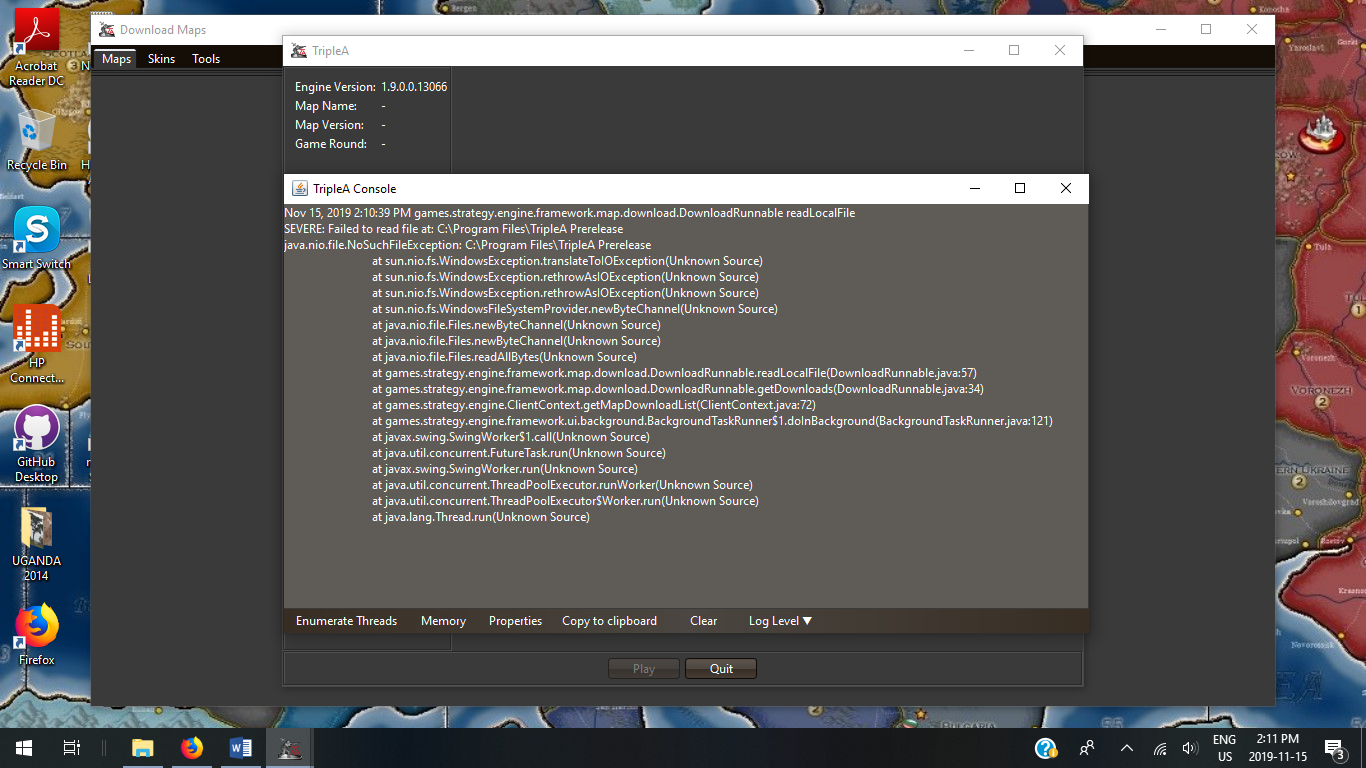
-
@Hepps Works fine here. What I notice from your screenshot is that you likely have installed the current stable into a folder called "TripleA Prerelease"
So maybe you accidentally mixed up installation folders.
While the current stable needs Java 8, the current pre-releases need Java 11. And Java 11 is bundled with the current pre-releases.Maybe that is the problem...
-
@Panther No idea... I have now deleted both versions of Triple A and re installed the current stable.
But the same issue persists. It is still referencing a prerelease that is no longer on my system.
-
@Hepps Can you try to execute this from the current stable:
-Exit TripleA (shut down)
-Start TripleA
-Start a new Local Game (any will do)
-When the game has started find the Menu Debug and then click Show Console
-When the Console has opened, click the button Properties
-Then click Copy to Clipboard
-Paste in this thread -
@Panther Nov 15, 2019 2:46:00 PM games.strategy.engine.framework.map.download.DownloadRunnable readLocalFile
SEVERE: Failed to read file at: C:\Program Files\TripleA Prerelease
java.nio.file.NoSuchFileException: C:\Program Files\TripleA Prerelease
at sun.nio.fs.WindowsException.translateToIOException(Unknown Source)
at sun.nio.fs.WindowsException.rethrowAsIOException(Unknown Source)
at sun.nio.fs.WindowsException.rethrowAsIOException(Unknown Source)
at sun.nio.fs.WindowsFileSystemProvider.newByteChannel(Unknown Source)
at java.nio.file.Files.newByteChannel(Unknown Source)
at java.nio.file.Files.newByteChannel(Unknown Source)
at java.nio.file.Files.readAllBytes(Unknown Source)
at games.strategy.engine.framework.map.download.DownloadRunnable.readLocalFile(DownloadRunnable.java:57)
at games.strategy.engine.framework.map.download.DownloadRunnable.getDownloads(DownloadRunnable.java:34)
at games.strategy.engine.ClientContext.getMapDownloadList(ClientContext.java:72)
at games.strategy.engine.framework.ui.background.BackgroundTaskRunner$1.doInBackground(BackgroundTaskRunner.java:121)
at javax.swing.SwingWorker$1.call(Unknown Source)
at java.util.concurrent.FutureTask.run(Unknown Source)
at javax.swing.SwingWorker.run(Unknown Source)
at java.util.concurrent.ThreadPoolExecutor.runWorker(Unknown Source)
at java.util.concurrent.ThreadPoolExecutor$Worker.run(Unknown Source)
at java.lang.Thread.run(Unknown Source)Nov 15, 2019 2:46:17 PM games.strategy.engine.auto.health.check.LocalSystemChecker checkLocalSystem
WARNING: 1 system check(s) failed. Some game features may not be available or may not work correctly.
Can connect to github.com (check network connection): false
Can create temporary files (check disk usage, file permissions): true -
@Hepps OK, so even the system check cannot be executed. Are you on Windows 7 or 10 64bit? And do you have a system-wide Java installed? If yes, which one?
-
@Panther Windows 10
JAVA_VERSION="1.8.0_221"
OS_NAME="Windows"
OS_VERSION="5.1" -
@Hepps Can you please check whether you have a folder called "jre" inside your TripleA installation directory.
-
"A joyous heart sours with the burden of expectation"
Hepster -
@Hepps Looks good.
I am running stable and pre-releases side by side without issues, but I cannot reproduce that issue with only the stable installed.
I am running out of ideas for the moment. I'll be back when I have new ideas.
-
@Hepps Umm. You probably have either a permissions or file system issue.
I would recommend removing all your TripleA installs. Install just the latest stable and to a new folder. Then launch TripleA and check the settings where you can specify a maps folder to see where that is and make sure its a proper location. If you can post screenshots of all that then we should be able to figure it out.
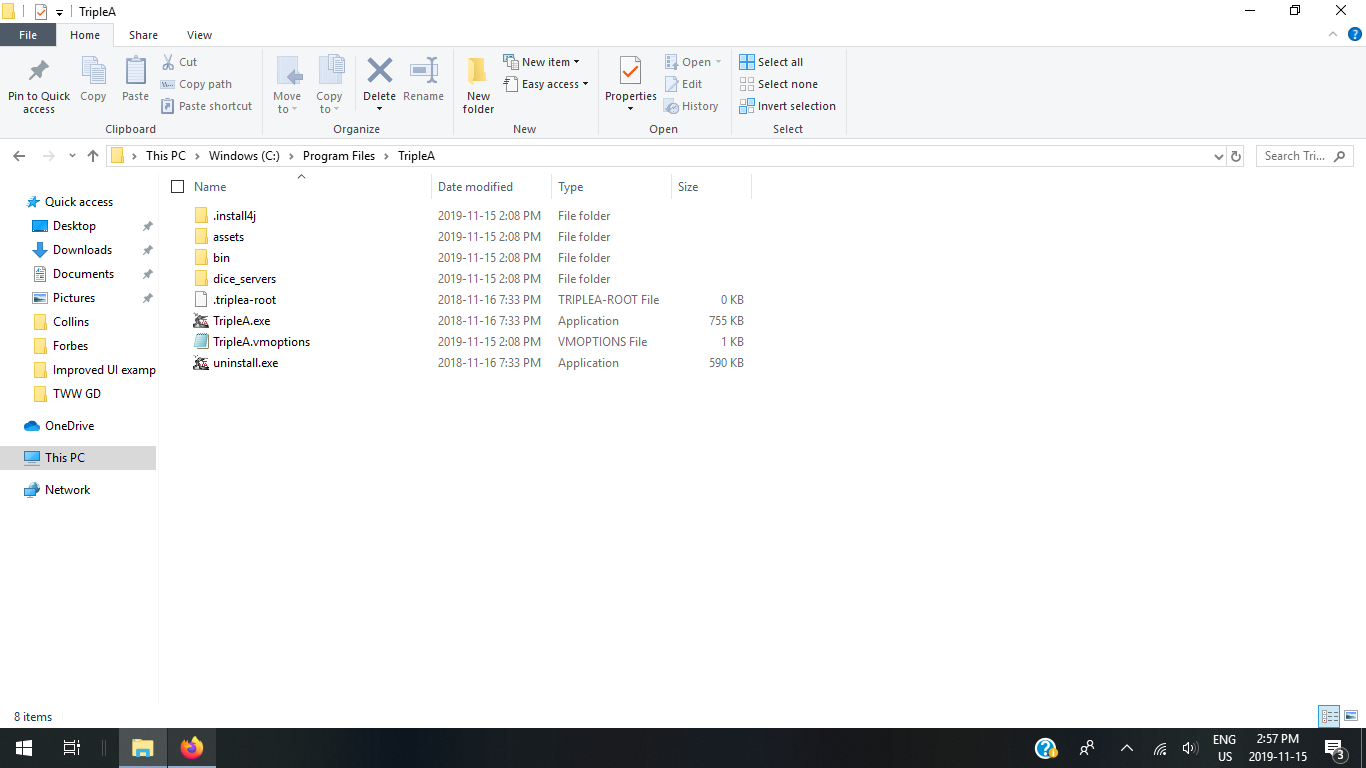
Also it appears to be trying to read the folder: C:\Program Files\TripleA Prerelease. Can you use windows explorer and take a screenshot to show the contents of that?
-
@redrum Maybe he just right-click deleted the whole TripleA folder instead of uninstalling it? Not sure if this would matter, anyways.
-
@Cernel I'd recommend running the uninstall then deleting any remaining folders (which should in theory be empty after the uninstall).
TripleA Developer with a Passion for AI: https://forums.triplea-game.org/topic/105/ai-development-discussion-and-feedback
-
@redrum I have now uninstalled all versions of the game.
I even deleted the triple A folder in the user.
Now when I download the stable I no longer have a single map in my downloaded maps folder. Nor can I even down load a single map.
-
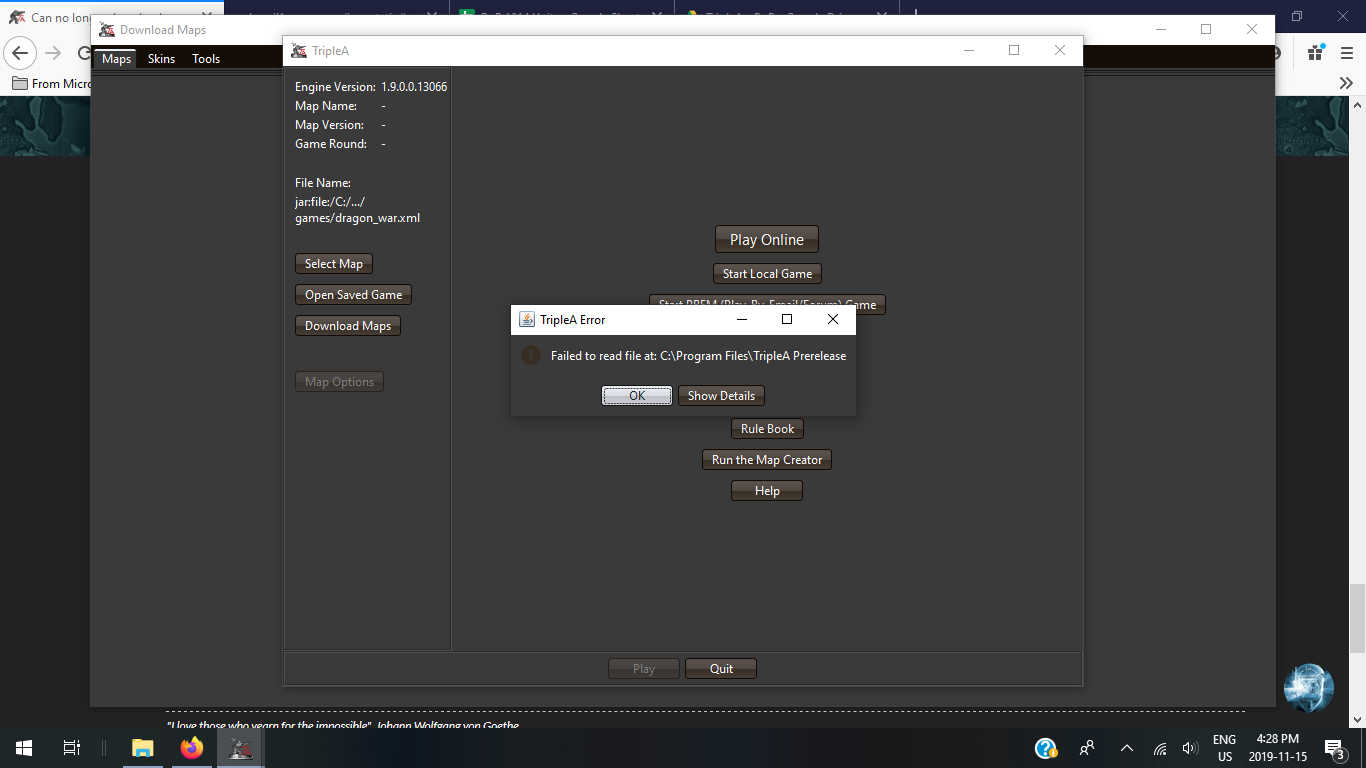
Now even with a fresh install and every other version uninstalled... this is what happens when I try to download maps
-
@Hepps Even though there is no longer any trace of the Prerelease on my system any longer.
"A joyous heart sours with the burden of expectation"
Hepster -
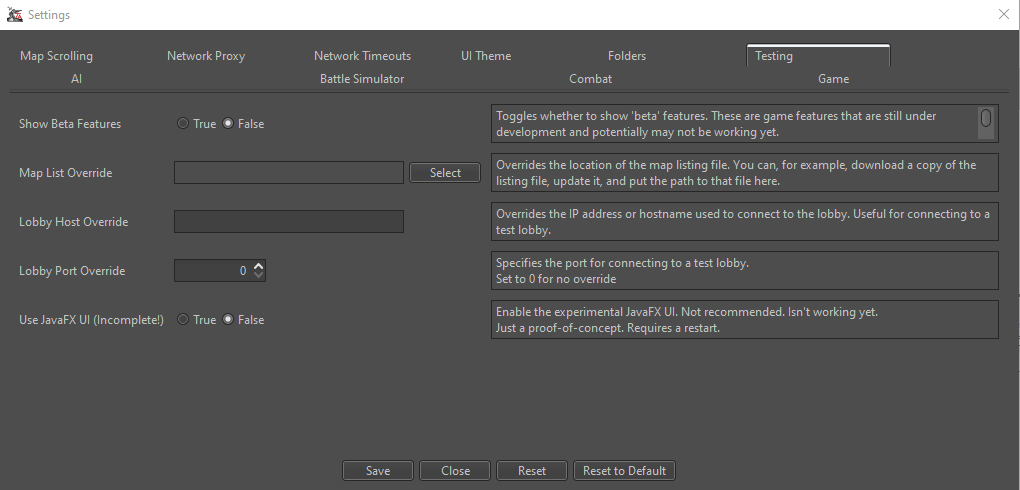
@Hepps Ok. Let's check some of your Engine Preferences. Can you check Engine Preferences > Testing > Map List Override and make sure that is blank like this:
-
@Hepps YOU BROKE IT!

-
Problem solved
Don't ever remember making any changes to that... but that was what it was.
-
TripleA Developer with a Passion for AI: https://forums.triplea-game.org/topic/105/ai-development-discussion-and-feedback




Hello! It looks like you're interested in this conversation, but you don't have an account yet.
Getting fed up of having to scroll through the same posts each visit? When you register for an account, you'll always come back to exactly where you were before, and choose to be notified of new replies (either via email, or push notification). You'll also be able to save bookmarks and upvote posts to show your appreciation to other community members.
With your input, this post could be even better 💗
Register Login