Ancient Empires: 222 BC
-
@Name The other thing I fogot to mention was that because in your test map all the territories only have 1 placement... all the extension bars of units will also muddy up the mini map.
-
@Hepps @Cernel @redrum
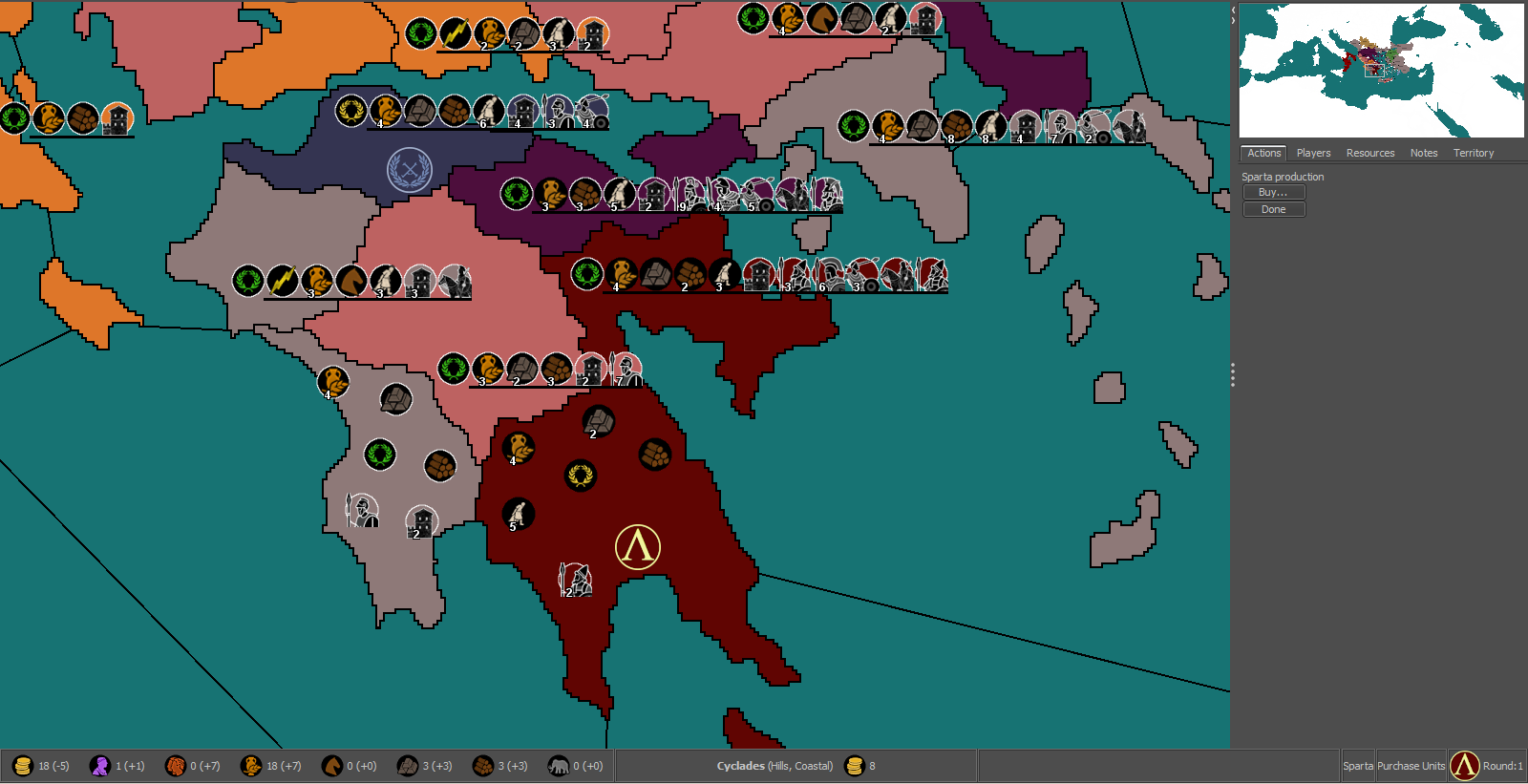
Thanks for the info, I'll take all that to account in due time. For now I want to pick the default unit size. This is 100% (I think it's too much, anything from 75% to 87.5% seems better).
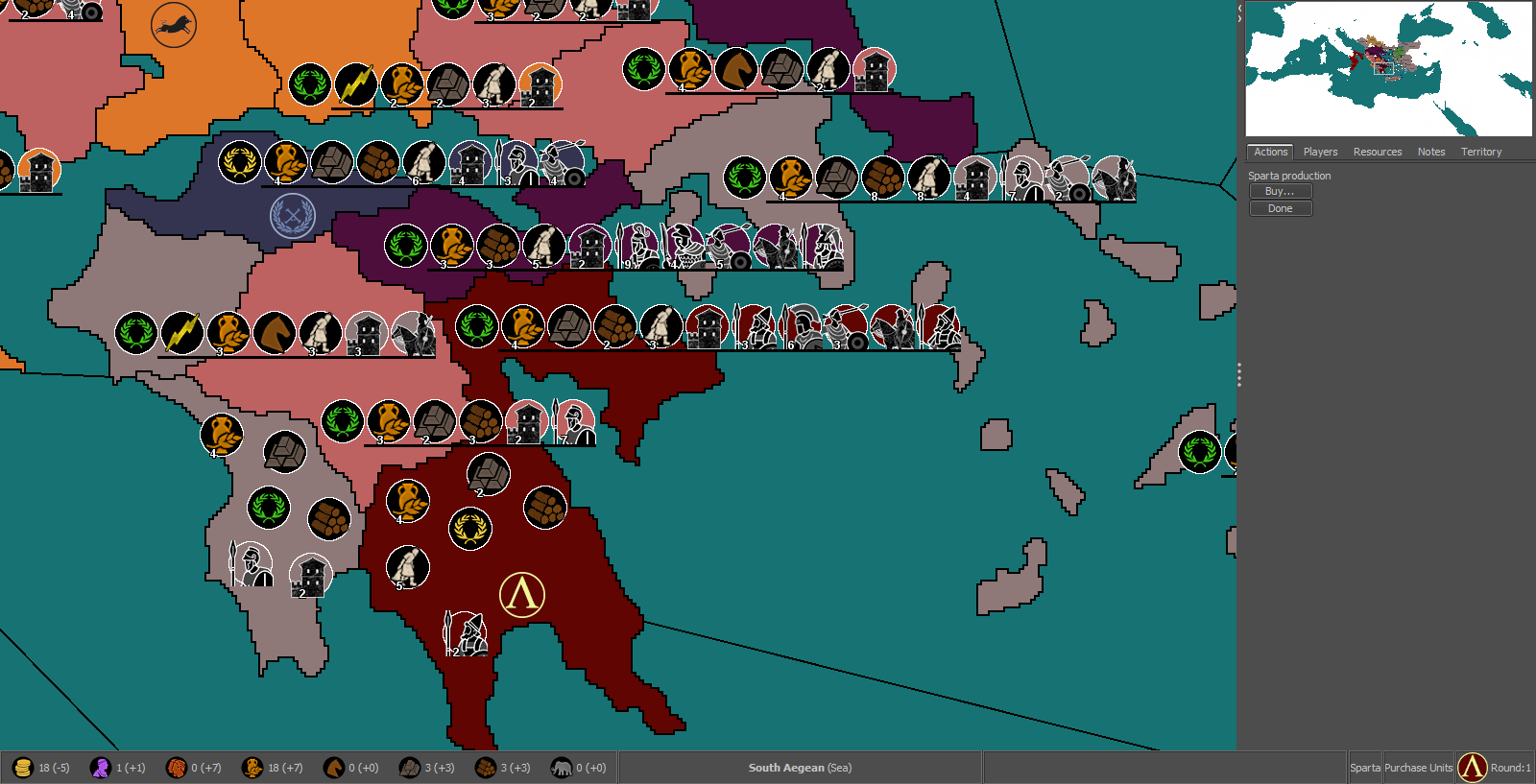
75% (Also notice the icons for Sparta, no white ring around the black circles, I think it looks better for the structures)
-
@Name My suggestion for any maps currently in development is looking good an a 4k. This means being generous with units and zones dimensions, as well as other elements.
-
@Cernel With that in mind, would 87.5% be a good middle ground? Because some territories will be small.
-
@Name 87.5% looks like it would be pretty good based on the examples thus far.
-
@Name If those are 48 per 48 pixels units image, you cannot really go below 100%, when you are on a 4k, unless it is huge, of course. For a rough reference, you can simply zoom the map at 50%, though a 4k will, of course, look better than that, thanks to the small detailing and no zooming approximations. However, it is your call. Something that is decent on a 4k is going to be arguably hardly playable on a full HD, due to getting only a small portion of the map on screen.
-
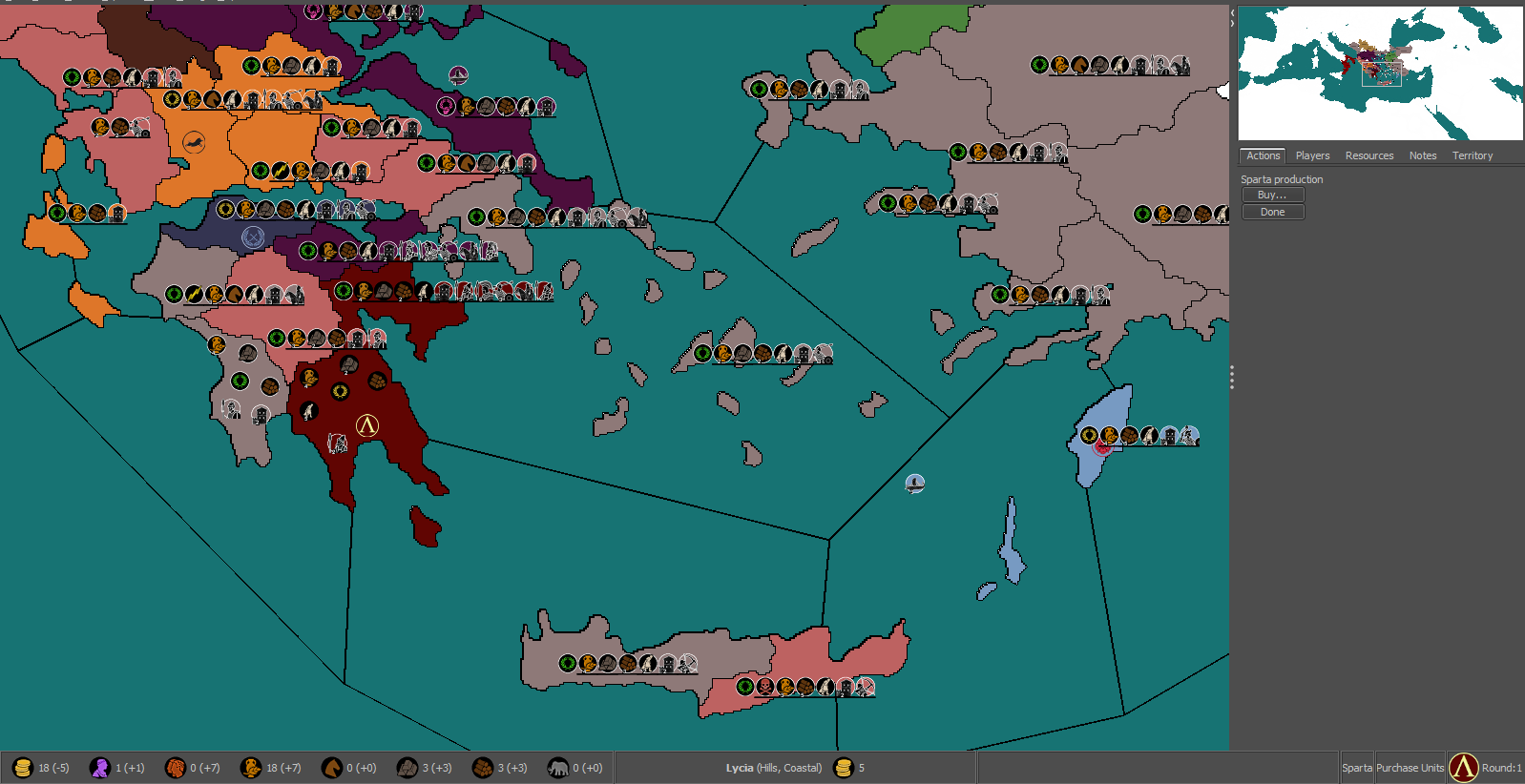
@Cernel This is 87.5% at 50% zoom.
-
@Name Go for 100%. Let people use that zoom. If you really want to, tell the players in notes that they should go zooming the map, and give your favourite zoom level. Also, the pre-release has a better zoom, thanks to @RoiEX. I don't know if you are using the stable or 2.0.
Of course, the matter should also be decided, or rather mostly be decided, on how much placements you are getting, as the bigger the units the less of them you can feasibly pack inside the same space.
I think those units at 100% are fine, but, then, you have to make the map as big as you feel it is giving a reasonable quantity of space for placements, unless you prefer going with overflow in all cases, with a single placement per territory only everywhere (that would allow you having a sequential listing, instead of something looking like a set, that may be more readable, though I'm not the fan of overflow lining myself).
-
@Cernel I guess 100% with careful use of placements (I won't go with straight lines) should be ok. Looks good at 75% zoom, not so much at 66% (I'm using the stable release).
-
@Name I would recommend scaling the units at 75% - 87% so you get more placements per territory and then leave the map display at 100%. Then you can recommend to people to use a different zoom while playing.
-
@Hepps To me that looks fine, even with default zoom (100%). Though I can see the value of viewing more of the map at once. But Cernel got me thinking about higher resolutions. Forcing people to smaller units in that case seems suboptimal. But I might not be getting everything right, this is one more new field of discussion for me.
-
@Name So as @Cernel mentions the ideal situation is you keep units at 100% though given your map size, I think you'll struggle with having adequate placements in many of the smaller territories. So unless you want to actually make the map larger, I'd agree with @Hepps that something around 75-87.5% is probably gonna be better.
Taking a look at some other existing maps might help. Many of them have honestly done a pretty poor job and Civil War is an example of one that is mechanically a great map but very difficult for many people to play as the units and territories are so small. On the other hand, TWW did a pretty good job around this as units and territories are a pretty good size and allowed for a good number of placements in most territories.
-
@redrum I'd like to enlarge the map, with focus on some aspects I neglected to a degree (placement space, line shape/size, island size and there's probably some other thing I'd come across after a lot of work:p). My main issue (and one of the reasons why I cut a bit of the south and east) is that it was getting laggy - almost unbearable - in the map editing utilities, even with 6GB allowed ram.
So if I don't go that way, and with the varied pros and cons discussed here, I'm not sure yet if it's going to be 87.5 or 100%. I think I could manage the later with extra units extending to the generally larger sea regions and using lines both to the left and right accordingly. Not matter what units won't be that small like in Civil War.
Whatever extra advice regarding the map, unit size and related issues is very welcome, before I go deeply into it.
-
@Name Interesting. I'm not a map/graphics expert so I'd defer to folks like @Hepps @Frostion as they probably have more insight into these things.
I can try to take a look at improving performance of the map utilities though if that is becoming a limiting factor. Though I'd need a bit more detail and probably the image you are working with so I can try to reproduce it.
-
It really is difficult to say exactly what is best for your needs at this point because a great deal depends on how many actual unit placements you will need on average for most territories. So I'm not sure whether the examples you have are the exact number of unit types that might actually be in any given territory during the course of the game.
-
@redrum I guess you'd need the enlarged image to do that (though the current one is also laggy in things like the placement picker). In my limited experience something like 10k pixels wide is fine, 15k bareable, 20k really problematic (depending on height as well, but assuming a 4/2-ish ratio).
@Hepps I'd say it's going to be like 3-7 slots for structures and on top of that 7-9 land unit types per player (plus any extra allied or enemy armies). So in really odd cases it could reach a scary 30 or even 50+ present unit types in a territory (experienced players could do a better guess than me I think).
If I end up redoing the map, it would have to be over 22000-ish pixels wide for a meaningful change. I'm not at the right computer now, but I think my current map is about 19 x 9k.
Another consideration is the faster way to get good looking borders. So far my efforts have been with editing paintable territory maps for strategy games or their mods, as it provided a good starting point and often almost ready borders. Then copy-pasting bits of the lines to move them around as desired, or deleting smaller, in-between territories. The stroke tool in Gimp is also a bit laggy with such map sizes, and without great results, so I'm eager for related advice as well.
-
@Name Have 100% units zoom and go for double dimensions then what you have now by doubling all coordinates in the various txt files with excel. And any time you have to do anything, just use the 50% map, then double what you obtain with excel. That way you will go around the limits. Just keep in your map both the doubled files and the original, in case you have to retake the originals for modifications (then doubling again).
-
@Cernel In this case, use units at 50% zoom when you are making the placements, of course (that way, once you double, the coordinates will be fit for 100%).
-
@Cernel That's interesting but such levels of extra work would be a serious drain on my motivation. I'd rather reduce something in the scope (number of territories, structures or covered region), reduce the icon size or just enlarge the map and deal with lag (until completion or until redrum updates the utilities). Btw I wonder if it would be a good idea as solution to allow the game even more ram than 6 GB (out of 12 in total).
-
@Name Assuming you are on windows 10 with 12GB and not much else open, you should be fine to push it up to at least 8 GB maybe even 10 GB. Whether that helps, I'm not sure as depends if the slowness is due to memory swapping or if there are certain computations that run that need further optimized and its more of a CPU bottleneck.


Hello! It looks like you're interested in this conversation, but you don't have an account yet.
Getting fed up of having to scroll through the same posts each visit? When you register for an account, you'll always come back to exactly where you were before, and choose to be notified of new replies (either via email, or push notification). You'll also be able to save bookmarks and upvote posts to show your appreciation to other community members.
With your input, this post could be even better 💗
Register Login