Achievable improvements to the Triplea User Interface
-
@lafayette
Correct, the checkbox isn't needed, the game should just remember the current players (the players can be set to default to reset, and a new map will load its own defaults).
This is a useful feature, I'm hope it is included in v3.0, when the code for the launcher finally gets refactored. -
@butterw Hard to say, the goal of 3.0 is going to be to rewrite the engine. It would be logical to have, the main priority is getting the design right so that we can update TripleA in a reasonable manner and get 3.0 launched before 2023.
-
Correction/clarification, the main goal of 3.0 is going to be to massively restructure the engine without rewriting it all, FWIW.. there is a significant difference in the two approaches.
-
A checkbox is unnecessary, the game could just remember the last setting.
The remember players was built into a swing based rewrite but we then opted to try and stick with an attempted JavaFX rewrite which then was put to the side.
One issue is the select players screen is written 3 times in the code. You could implement the feature thrice if you really wanted.
Do you have any pointers on how to achieve this ?
Does the TripleAFrame need to pass the player info to the panel with the player types or can the launcher just remember it ?If you are playing a local game and leave the game (ex: maybe to reload a save game) the current player setup should be remembered.
-
@butterw See
settingPersistencefield inJMenuItemCheckBoxBuilder. Something similar could be done for a combo box.I don't know to what extent it makes sense to start this unless you think you can be done very quickly. I'd like for us to start focusing on 2.6 QA and get that released and then tackle 3.0.
-
Menu update
- I can submit a pull-request for merging WebMenu with HelpMenu in v2.6.
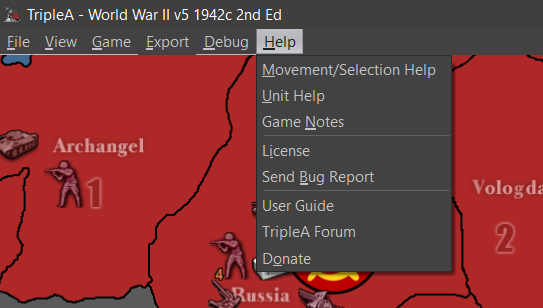
In the Help menu, my proposition is to shorten the title
"Movement/Selection Help (Keyboard & Mouse)" to "Movement/Selection". The full title would appear in the dialog window. - What about merging Debug with Export as suggested by @theDog ? The Debug Menu currently has a single entry (AI log).
- with v2.6.231 I'm getting a null pointer exception when I try to save Engine Settings/Testing.
- I can submit a pull-request for merging WebMenu with HelpMenu in v2.6.
-
@butterw Debug and export are quite different. Having the AI log appear in 'help' might be more appropriate. Not sure though offhand.
The "movement/selection" menu item title change sounds good.
-
@lafayette
The Debug menu shows one subMenu "Hard AI" (only if Hard AI is playing) with only one entry show AI logs. My suggestion would be to rename Debug to something else and bring in some features which don't really fit their current location (in View, Game Menus).
It shouldn't be in HelpMenu IMO.EDIT: "Debug" Menu could be renamed to "Tools".
These are the menu entries I suggest moving to "Tools":- Game / Battle Calculator
- Game / Game statistics
- Game / Show Dice Stats
- Game / Roll Dice
- View / Find Territory
-
Display map zoom level on screen when hotkeys are used to change it.
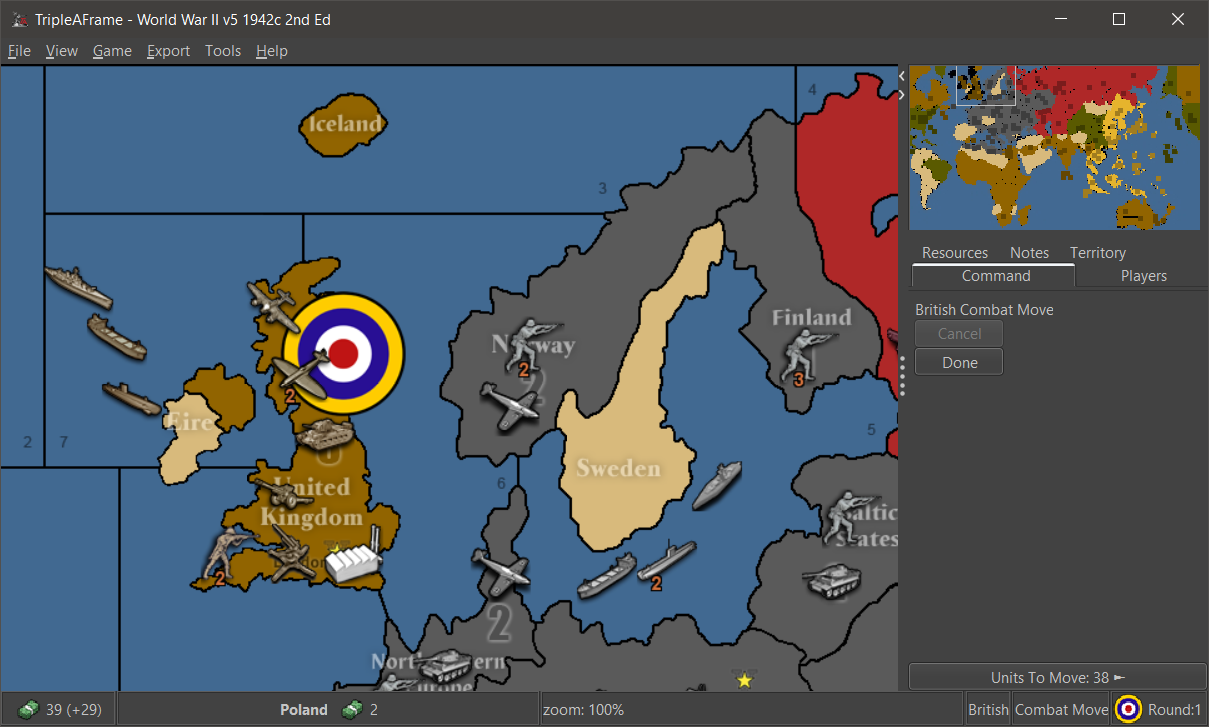
I've implemented this feature suggested by @Cernel using the status bar display.
-
@butterw Zoom menu in status bar has a few considerations:
- One would expect to be able to click it to toggle it. Why else have it listed? OTOH this would be inconsistent with the other status bar displays that are all read only
- status bar can get crammed on maps with lots of resources. The civil war maps are good test candidates. Is this info that important to compete with the other info presented?
- One would also probably want other map rendering details to be displayed in an option, maybe, like turning on and off map blends.
How about the zoom level were printed as temporary text on the screen? I'm picturing how "EDIT MODE" renders, but instead it'll be for zoom level and would disappear after a second or two.
-
- Having a zoom display when zooming is a useful feature.
- The status bar display isn't permanent, it only stays from when the zoom hotkey is pressed until the status bar Label gets blanked or overwritten.
- Map zoom could be displayed at startup, but it isn't that useful.
View Menu > Map zoomcan be used to know the zoom at any given time. - The GlassPane used to paint "EDIT MODE" on screen could potentially be used instead of the status bar, but there may be issues with this. The display would need to be smaller and anti-aliased (are there performance issues ?) and you would also need to handle the case where you are zooming in Edit mode.
- Adding zoom display from keyboard hotkey or View menu is simple to do, the mouse wheel hotkey may be more difficult.
-
More UI suggestions
Players tab: On the current Players tab, it would nice to have smallest flag displayed against each player and the faction colour is the background colour of the text of that faction.
Tech tab: On the current Players tab it would be nice to have a Tech tab, but with the axis's swapped, with the player listed vertically and the Tech horizontal.
Currently the tech can get in the way when then there are say 16 players listed. The tech is currently listed in alphabetical order, but should be in player turn order.Tool Tips: The placement currently says Placement Restrictions [ ] and should actually list the terrain restrictions.
Tool Tips: Can modify unit movement should list the units affected, currently if there 3+ units affected it just says Can modify unit movement
.End of turn summary: Needs a little attention so the numbers are listed, one to line.
Unspent PU from previous turn xx <-- New and needs adding
Blockade PU lost xx
Player collects xx
Units generate xx
Player end with xxAt the bottom of the frame the Blockade should list the territories that are being affected.
-
Regarding end of Turn Summary:
- The end of turn summary is written the way it is because it is currently also used for history log entries.
- The player has the option of turning off the summary pop-up.
- If someone wants to try create a custom summary it probably doesn''t require great programming skills to do so, but it may take some time to get the exact desired result.
The Territory Panel could use some improvements IMO, with a lot of space wasted/not so useful stuff. I would get rid of the buttons for instance.
Unit tooltip issues should probably be discussed in a separate thread.
-
So, how about my suggestion of having the scroll wheel default zooming?
It can be Alt+Wheel to move the map up and down and Alt+Shift+Wheel to move it left and right. Mouses having bi-axis wheels would scroll the map with Alt+Wheel only.
Then, clicking the scroll wheel may reset the zoom at 100%.
-
The solution is ultimately to have customizable hotkeys.
Alt+Shift+Wheel doesn't seem practical unless you have a side-scrolling mouse, (Shift+Wheel is the key combination produced by a side-scrolling mouse).
It does require significant modifications to the code, and may be more difficult to achieve for the mouse than for the keyboard.
The objective is to have a file with definition such as:
Hotkey.ZOOM_IN1 = Ctrl+mouse_wheel_forward
Hotkey.ZOOM_OUT1 = Ctrl+mouse_wheel_backwardEDIT: CTRL + mouse_wheel is the standard hotkey for zooming if the display is scrollable (ex: web browser).
-
Help > About... Dialog (work in progress)
- We can move some of the links from the current help menu to this html dialog.
- It gives the version info in the main game interface.
- I'm probably going to add Dpi scaling info (ex: 100%).
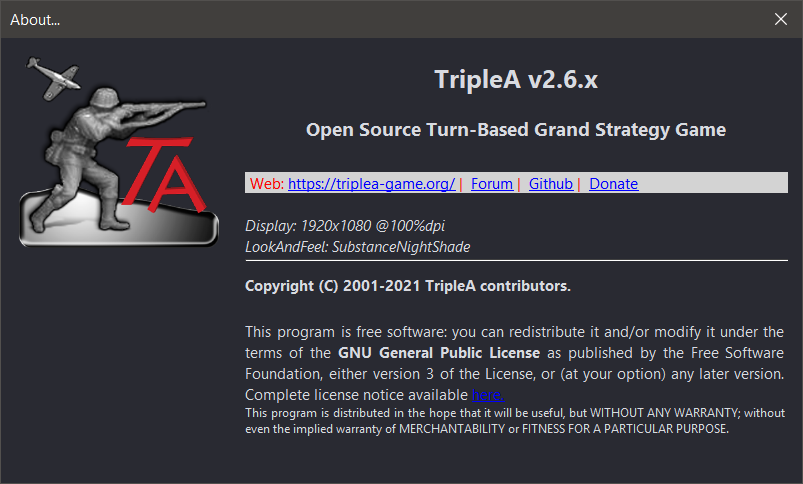
EDIT 1: This JOptionPane.showOptionDialog based version does some kind of glow effect after the dialog loads (could also be a bug as it wasn't intended
 )
) -
The Animation effect is done by Substance.
Does anyone use a look and feel other than Substance or Nimbus ?
-
@butterw There are a couple built in look and feels, notably the 'metal' (which seemingly is just 'default OS'). I presume it is pretty heavily used.
-
@lafayette
I hope nobody is using the java default look and feel "Metal" as it looks very ugly. I would encourage anybody still using it to move to "Nimbus" or to try a Substance look and feel.The only valid reason to use Metal is that it does allow to specify the font from command-line (but the font isn't applied to triplea JEditorPane displays without a code fix).
-
Unofficial v2.5-bu test build
--Experimental build for cross-platform feedback, was tested on Win10 local play.
- unzip to your triplea folder run from command-line in triplea folder:
java -jar bin/triplea-game-headed-2.5-bu.jar
On windows you can use the provided shortcut, but you'll likely need to correct the path for javaw.
Please upvote features you would like to see it included in a future official Triplea release.
Conversely, if you think a feature should NOT be included, please post your reasons. Bear in mind this is a work in progress and not all features are finished.-
Fix for Hi-Dpi display issues (Blurry images OR text too small issues with 125% dpi system setting).
https://forums.triplea-game.org/topic/2810/fontsize-and-dpi-scaling
+Engine Settings > UI >Custom Font and Image Scaling.
Changes are applied when triplea is restarted. -
Fixed html (JEditorPane) display issues in Triplea with Dark Background Look&Feel.
-
Modified Help Menu (merged with Web Menu, new About Triplea dialog with links and info relative to current dpi scaling, look&feel and font, +browse Games Notes).
-
+Map unit count display option (1: normal count, 2 AI has fog, 3 All players have fog). View menu > Unit Size to refresh.
https://forums.triplea-game.org/post/50575 -
Right Sidebar
Renamed Actions tab (CTRL-C) to:
*Command*The goal was to have a easier to find Tab with a consistent hotkey.
-
Added a zoom display (ex: 80%) to the status bar. It gets displayed when a zoom hotkey/command is used, until cleared or overwritten.
-
The Move UnitScroller starts collapsed.
Work in progress:
-
"Produce" Dialog enforces MaxBuiltPerPlayer, shows currently owned unit count in tooltip and displays Factory production capacity.
-
When you quit a game in triplea, the current players are remembered. They will only be reset to map defaults when the map is changed.
-
Debug Menu renamed Tools.
-
Modified Export.
-
+Keyboard Hotkeys Numpad +/- for zoom
-
+Hotkey: Game Menu > Hide/unhide Right Sidebar (Ctrl-X)
-
Removed buttons CTRL-B, CTRL+F from Territory Panel.
-
Some panels/dialogs are named for dev purposes, this would be hidden with a dev option in future updates.
- unzip to your triplea folder run from command-line in triplea folder:


Hello! It looks like you're interested in this conversation, but you don't have an account yet.
Getting fed up of having to scroll through the same posts each visit? When you register for an account, you'll always come back to exactly where you were before, and choose to be notified of new replies (either via email, or push notification). You'll also be able to save bookmarks and upvote posts to show your appreciation to other community members.
With your input, this post could be even better 💗
Register Login