Map Missing
-
Maybe there's something obvious I'm missing, but yesterday I wanted to try the Terra Firma map. I've used plenty of TripleA maps before, so I installed it from the "Download Maps" menu like usual. But when I attempt to play it, it's telling me it's not installed? I did some basic troubleshooting but I haven't much experience delving into the map directories and I'm not super familiar with how the .xml files function within TripleA. Is there any way for me to get this map to work?
-
@returnradio
This is what I'm seeing:Could not find map: TerraFirma1939 Typically this will be because the map is not downloaded. If you are sure you have the map, double check that the game XML can be found under one of the locations listed below and the 'mapName' XML attribute in the XML file has the correct name. Searched these locations: C:\Users\needl\triplea\downloadedMaps\TerraFirma1939\map C:\Users\needl\triplea\downloadedMaps\TerraFirma1939 C:\Users\needl\triplea\downloadedMaps\terra_firma1939-master\map C:\Users\needl\triplea\downloadedMaps\terra_firma1939-master C:\Users\needl\triplea\downloadedMaps\TerraFirma1939.zip C:\Users\needl\triplea\downloadedMaps\terra_firma1939-master.zip C:\Users\needl\triplea\downloadedMaps\terra_firma1939.zip
-
@returnradio What version of TripleA are you using?
-
@rogercooper Try clicking OK, and then try running the mod again. It works for me the second time. I have run into this problem before.
-
@rogercooper Thank you for the reply. I am using the most up to date version. I tried multiple times to click the "ok" and that wasn't working for me.
-
@rogercooper yea think it's a naming issue. i had same thing when i dl it. Changed the name but then got the polygon error.

I Forget the fix for that -
@beelee Can you explain the 'naming error' thing to me a bit? I did look into that. Am I correct in thinking that the requirement is for the .xml argument "mapName" to be the exact same as the name of the .xml file? Because if that's the case then there's definitely a mismatch in it. But even when I changed the mapName to match it still wouldn't load. Frustrating. I know that for Terra Forma the image files are pretty massive, but if there's something special I need to do then I have absolutely no idea what that is.
-
@returnradio yea, so go to your triplea folder and open "downloadedMaps". You'll see the zip file:
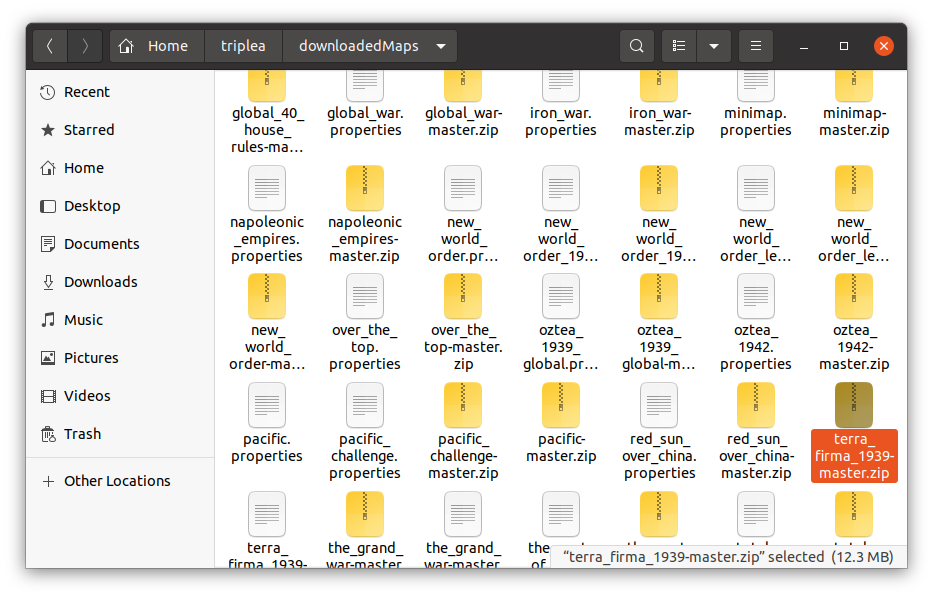
Open the zip
you'll see this:
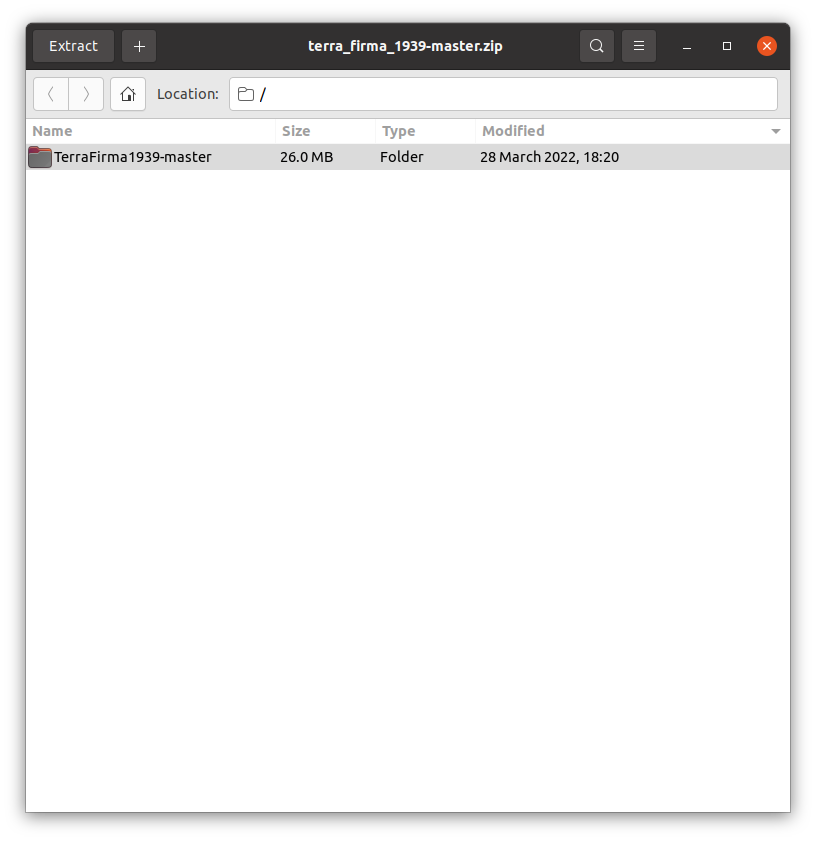
You'll notice it has a different name. Needs to be the exact of the zip file.Then open that folder and go to "games". Open that and it takes you to the xml file:
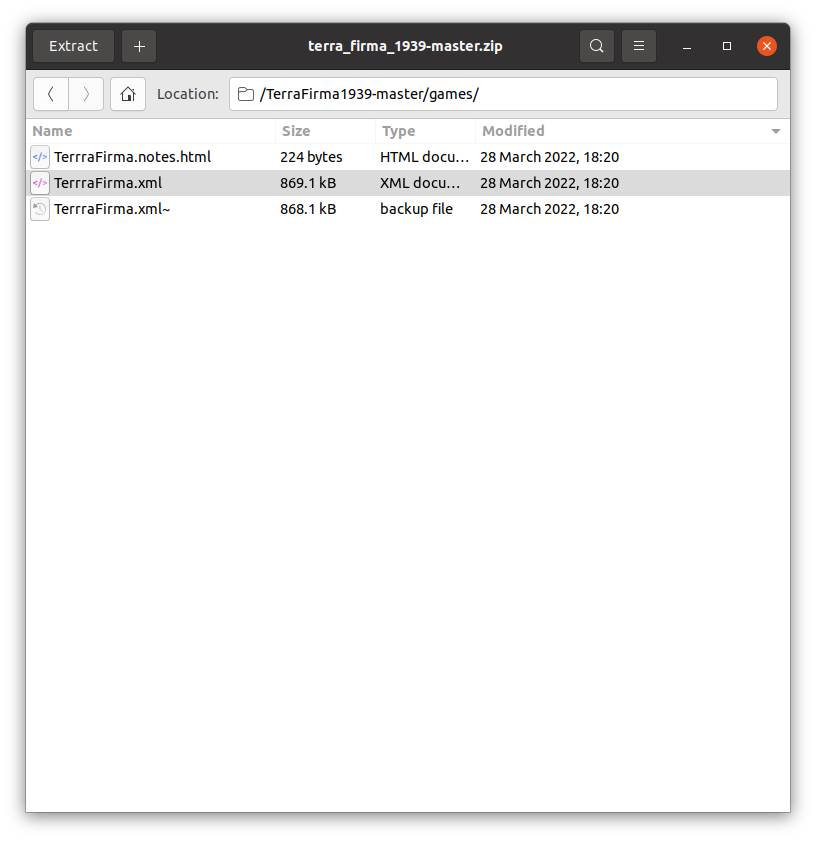
It needs to be spelled the same as the zip and the master folder.
Open the xml and you'll see:
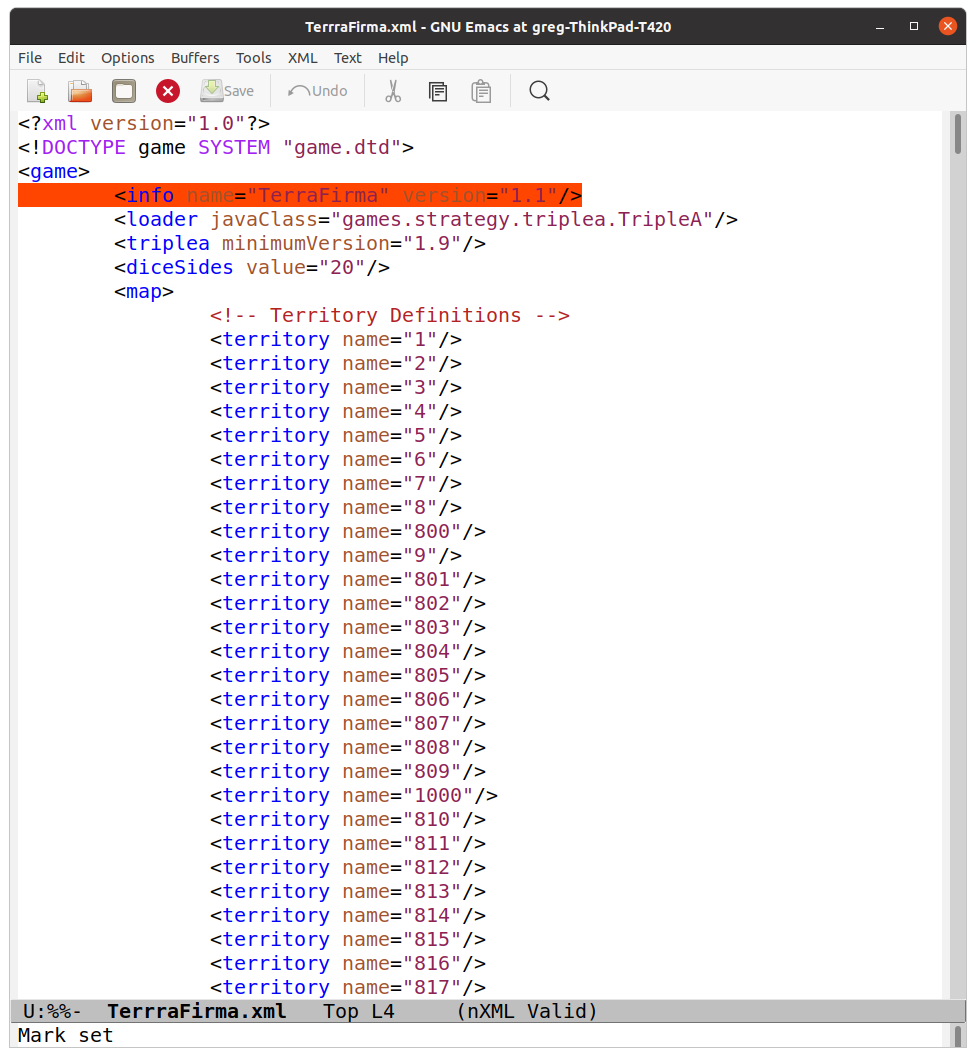
This is how it shows up in"select map" . it doesn't need to be named the same as the previous ones.Go to "mapName"
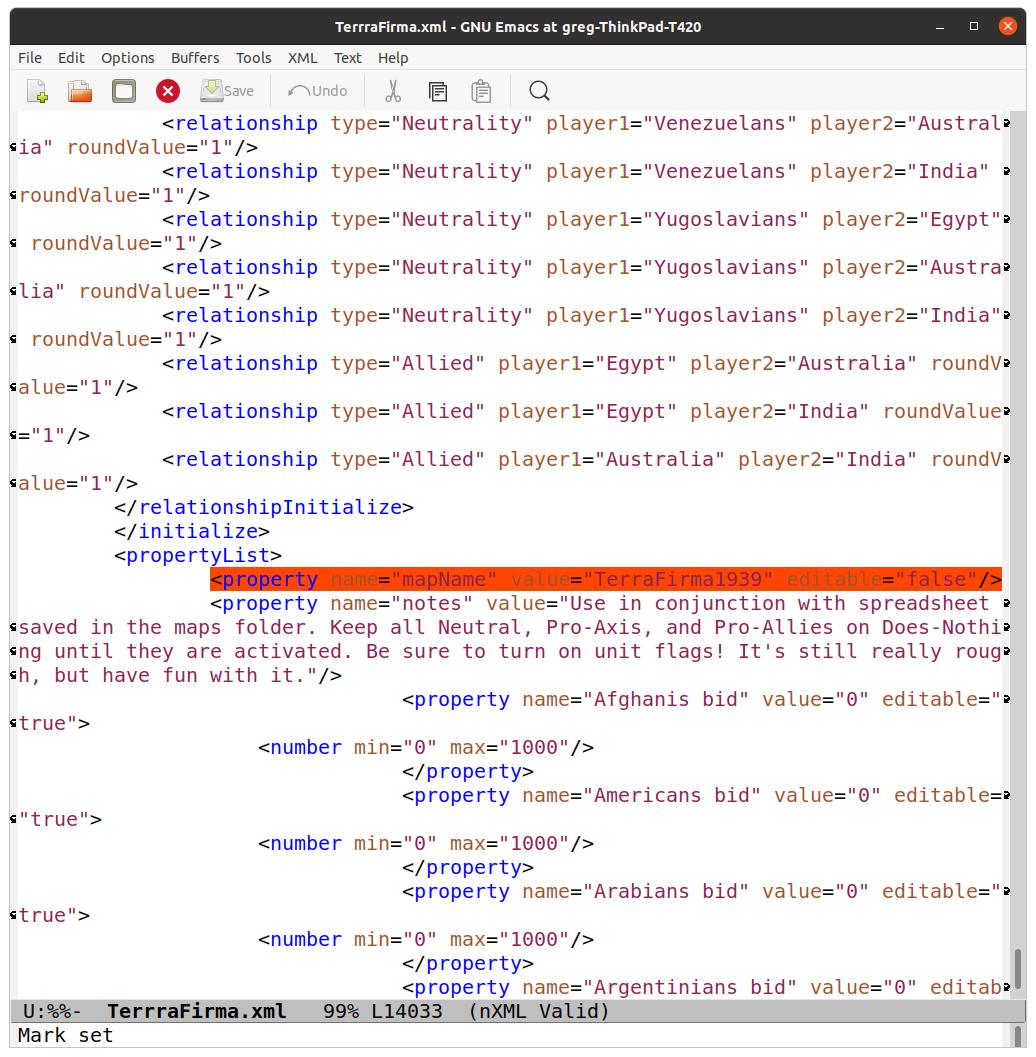
It needs to be the same as the zip and the master folder. Capitalization and underscores _After all that it fired up and i got the polygon error. I can't remember what it is and it's fix though. Should be on here somewhere.
Edit
Once you dl terra firma, make your changes and try again. if you close and re dl it'll go to the current fckd up one -
@beelee Thanks so much for the effort you put into explaining that. I will give that a try.
-
@returnradio Your advice worked. I was able to get it normally, up to the polygon error.
-
I figured out the polygon error. It was a problem with the file not having a "map" directory. I added it and moved the files around. It loaded up the map. But I had to run to work right as it started loading so I'm not sure if it totally works yet. But hopefully that will do it.
-
Okay! Last update. The last hurdle was allocating enough ram to run the enormous thing (it was crashing due to lack of memory). Once I did that it works. Thanks again for all the help.
-
@returnradio I think I have the mod fixed. Try downloading it again in a few days.
-
@rogercooper thanks! I already got mine working but I’d still love to take a look. That map is a little yikes with how bare bones it is but I think there’s potential
-
@returnradio An obvious fix would be having the initially neutral powers take sides through random events.


Hello! It looks like you're interested in this conversation, but you don't have an account yet.
Getting fed up of having to scroll through the same posts each visit? When you register for an account, you'll always come back to exactly where you were before, and choose to be notified of new replies (either via email, or push notification). You'll also be able to save bookmarks and upvote posts to show your appreciation to other community members.
With your input, this post could be even better 💗
Register Login