Easier Map Making with Inkscape & reusable art assets
-
I used Inkscape to make the baseTiles and reliefTiles for Arena of Death, hex based its a very simple map.
Download Inkscape here, for Linux, Windows, Mac
https://inkscape.org/releaseInkscape Hex Map extension - if you want a hex map
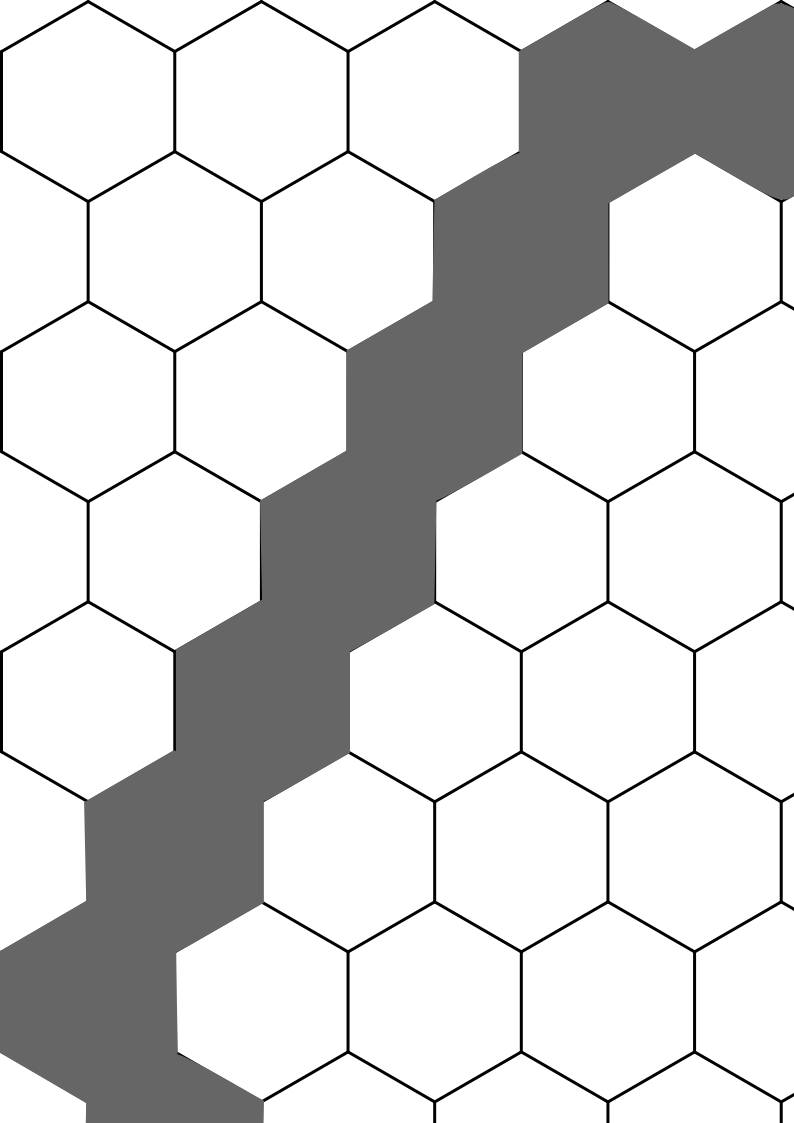
https://github.com/lifelike/hexmapextensionBelow is the svg used to make Arena of Death, right click on the image below & Save image as the file to your PC.
.
https://forums.triplea-game.org/topic/3264/arena-of-death-official-thread -
@thedog looks Way Cool ! You familiar with this @Black_Elk ?
-
I have been learning more about Inkscape and trying get the baseTiles territories and territory owner to look better by using reliefTiles.
For those who know what they are doing please offer suggestions to improve this stage, especially HSV values.
Here are the major steps (lots of minor steps missed out)
Pick a small simple map, in my case Britannia Roman Invasion it had no reliefTiles- Run the Tile Image Reconstructor on the baseTiles
- Load Inkscape create a layer called Base
- Drag-drop the above png into Inkscape Base layer
- Create a layer called Centerline Trace
- Run Centerline trace (autotrace) it will trace the outline of a simple bitmap, in this this case the complete baseTiles and convert it to vectors, its needed for the next stage.
- Create a layer called Territory Owner
- In this layer for each territory create a Fill bounded area, this creates an object just inside the baseTile territory, its just one click for each area
- Select all bounded areas, this is easy as they are all on one layer
- Press ctrl+( 3 times, this is called Inset, it is a shortcut to reduce all bounded areas by 2.5% x3, yes all areas and its relative to their own current territory position, omg such a time saver :smiling_face_with_sunglasses:
- To the same selected areas/objects, so all bounded areas apply some magic numbers to HSV, add a 5% blur
- Hide these layers Base and Centerline Trace
- Export file as reliefTiles.png
- Run the Tile Image Breaker
- Load the game and admire your work

- Above done in 4 hours, learning as I go.
.
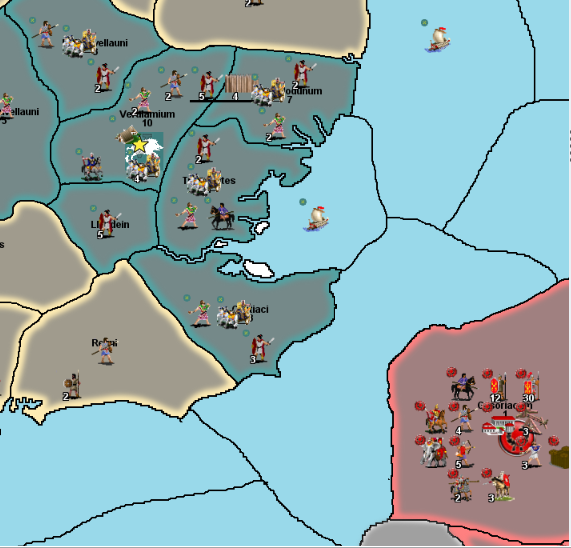
1st attempt
.
.
original /before version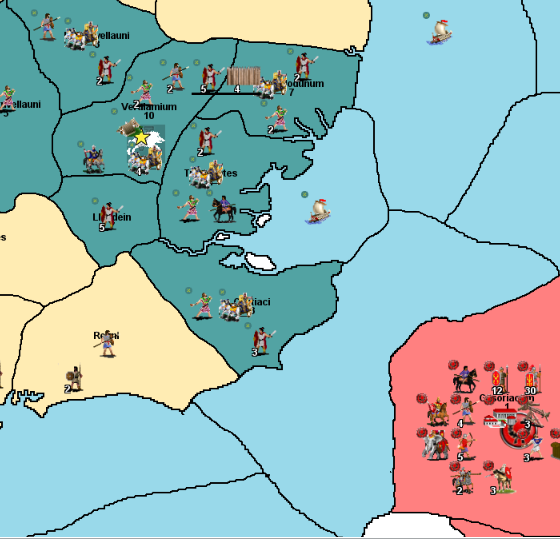
-
@Captain-Crunch
Just noticed, you down-voted a couple of posts, what didn't you like about the idea/concept?Bear in mind, quoting from my 1st post.
it is intended for people who are not graphic artists. -
Surfs Up – create white waves around the coast
- Create a layer called Sea Zone – Surf
- Select Fill bounded area, this creates an object just inside Sea Zone territory
- ctrl+L to simplify/reduce the number of nodes
- Press ctrl+( 4 times, this is called Inset, shortcut to reduce all bounded areas by 2.5% x4
- To the same selected areas/objects, so all bounded areas apply HSV 0,0,90,0 with a 10% blur, 8px wide
- Select Node to break, press
 (5th icon from the left) = Break path at selected nodes
 - Drag paths apart
- Select node to delete, press Delete key, repeat many times
.
Next post will be terrain assets..
.
Normandy coast, with upper territory with surf, lower territory with no surf.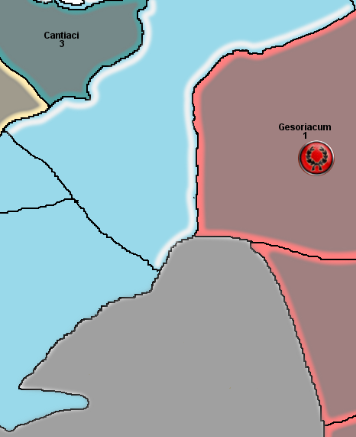
-
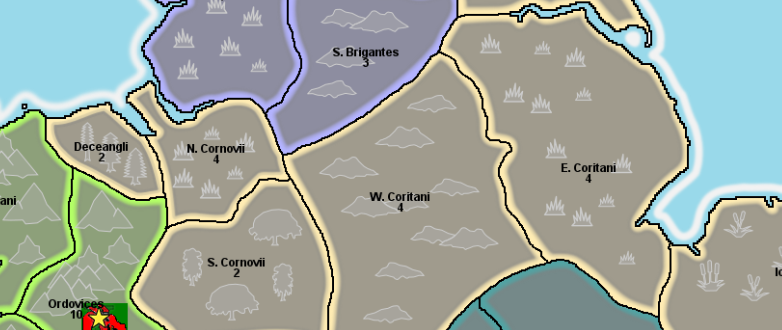
Here are some traced terrain objects;
Mountains, Forest, Plains/Grasslands, Hills & MarshHopefully the terrain colour is subdued enough so they don't distract the player?
-
As I just wanted to learn the basics of Inkscape to produce a TripleA map, the baseTiles & reliefTiles, I feel like I have reached my graphical limit, a reasonable halfway house between;
- Single colour territories (baseTiles only)
- Inkscape tracing and use of vectors/layers (baseTiles & reliefTiles)
- Gimp/paint.net (baseTiles & reliefTiles) masterpiece (unattainable with my graphical limitations)
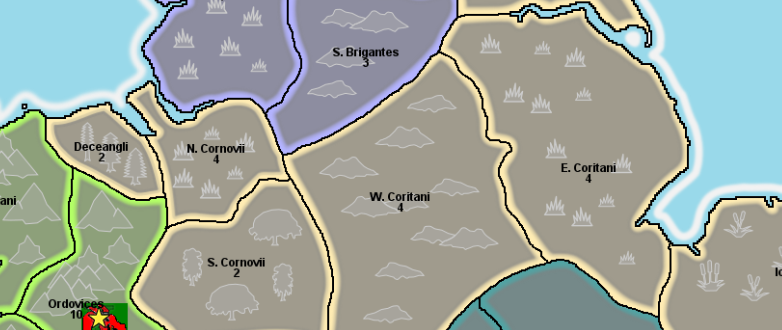
Here is WiP British Isles svg map download it below, it is incomplete, it does contain the terrain assets, that can be reused in your maps. (copy & paste)
British Isles-10-terrain.zipPlease share your svg files so others may learn and we can all benefit.
.
.
-
@Black_Elk is going BIG with Inkscape in this thread.
https://forums.triplea-game.org/topic/3315/proposed-map-domination-1941?page=1By BIG I mean big a 16000x9000px monster map of the world, its with 4K screens in mind and will be using 54px high units.
He started with 13000x6500px and that was just not big enough, so rescaled it
It is based on A&A Global and will have two versions a Global map and a more detailed version based on Global.
https://forums.triplea-game.org/topic/3315/proposed-map-domination-1941/192?page=10When he is done, he will save it as an SVG file to share, so other map makers can use it and quickly change it to their vision.
These changes will be quick because as its vector based, just break a few nodes and add some more in.
-
@thedog yea any bigger and he'd have to make the world in general bigger. maybe add a few more continents or at least Atlantis lol
-
I am using a new to me Icon Editor called greenfish icon editor pro its free
http://greenfishsoftware.org/gfie.php#apage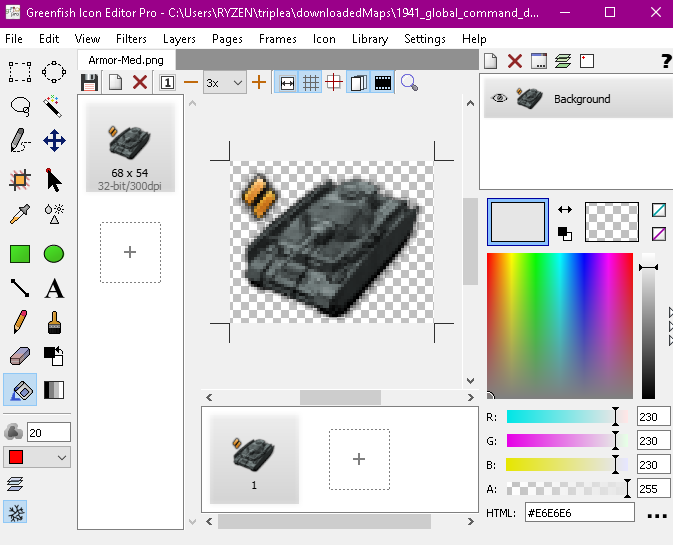
-
 T TheDog referenced this topic
Hello! It looks like you're interested in this conversation, but you don't have an account yet.
Getting fed up of having to scroll through the same posts each visit? When you register for an account, you'll always come back to exactly where you were before, and choose to be notified of new replies (either via email, or push notification). You'll also be able to save bookmarks and upvote posts to show your appreciation to other community members.
With your input, this post could be even better 💗
Register Login