How to have TripleA 2.5 & 2.6 installed at the same time
-
As TripleA 2.6 will hopefully be release sometime this year, lets make 2.6 the default version and also have a TripleA 2.5 version.
Currently 2.6 cannot download maps, so to get round this you have 2.5 for
2.6 with the latest versions can download maps, 2.5 is needed for backwards compatibility just in case..
So for 2 versions, delete/uninstall your current 2.5 version.Go here to install the latest & faster TripleA 2.6
https://github.com/triplea-game/triplea/releasesClick on the bold date, its currently 2024-February-03 - 2.6.14633
Find your version to install, click on it
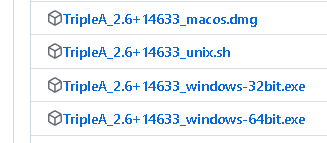
This will download it to your browser downloads folder (I don't know where it is stored, because its browser, OS and you dependant)
It will be something like;
TripleA_2.6+14633_windows-64bit.exe.
Install it, taking all the defaults. This makes 2.6 your default version and when it gets updated, it will be this version that's updated..
Now to install 2.5, this will be put in a unique folder, not the default folder.For TriplA 2.5.22294 download it here
https://triplea-game.org/download/Click on the big icon assuming this is the version you want.
This will download it to your browser downloads folder, it will be something like;
TripleA_2.5.22294_windows-64bit.exeInstall it, at this prompt add -2.5.22294 to the end of TripleA
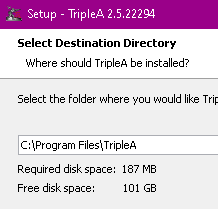
So it will look like this;
C:\Program Files\TripleA-2.5.22294.
On the next install panel, add -2.5.22294
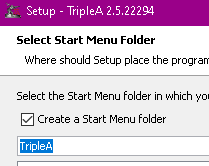
So it looks something like this;
TripleA-2.5.22294Complete the install
.
You will now have both 2.5 & 2.6 on your PC.
2.6 will allow you play;- 1941 Global Command Decision (it uses isAI a new xml command for 2.6 )
- Shogun Advanced (it uses isAI a new xml command for 2.6 )
- Any other map faster than 2.5
- 2.6 also lots of small benefits like

.
2.6 cannot download maps yet, so you still use 2.5 for that.
2.5 & 2.6 both share the same \triplea\downloadedMaps -
@thedog why did we remove the ability to download maps? i kind remember talking abt that but didn't realize we were fully disconnecting seems like there's gonna be a lot of user complaints & confusion abt that
-
@ubernaut
2.6 'map server' has been broke for months LaFayette has been working on it recently, it requires a lot of work to fix, as it will be a new better method over 2.5https://forums.triplea-game.org/topic/2998/2-6-testing-report-2-6-problems-here/51?_=1707163426106
-
@thedog gotcha thanks

-
Edited 1st post 2.6 can download maps with the latest versions.
Link 1st post
https://forums.triplea-game.org/topic/3724/how-to-have-triplea-2-5-2-6-installed-at-the-same-time -
For Windows, here are the folders where TripleA is stored.
C:\Program Files\TripleA = Default TripleA install path. In my case it is the latest 2.7 pre-release
C:\Program Files\TripleA-2.5.22294 = Custom install path for version 2.5.22294. In my case its a constant and does not change.C:\Users\USERNAME\triplea\downloadedMaps = shared download path for both/all versions of TripleA
Could a Mac user please post similar for a Mac?
Thanks -
Instructions for Mac users.
- First decide where you will put your additional copy of TrippleA, ideally with a version specific name. I put mine in the Applications folder under my user home directory like this:
/Users/simonhibbs/Applications/TrippleA_27_15256
- Download the DMG file from the release in GitHub as above.
Go to your downloads directory and find the dmg file, something like this:
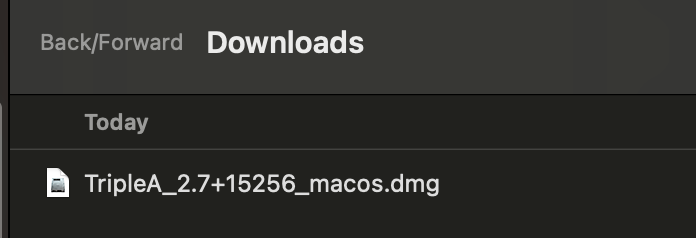
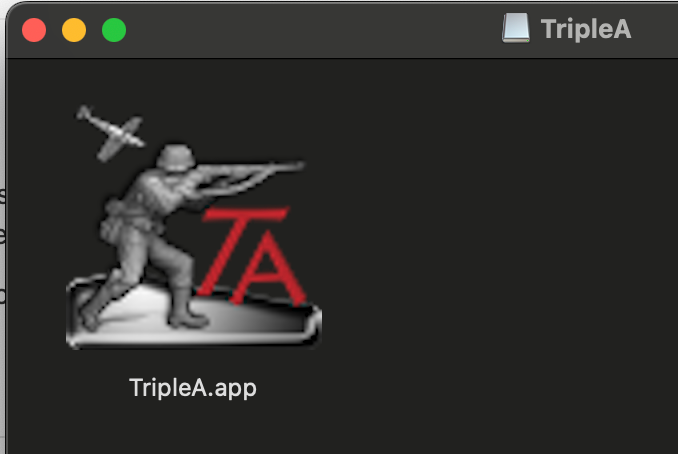
- Double-click the dmg file and it will open a folder view. This is because dmg files are disk images so it treats it like a drive or folder:
-
Do not run this. Click-hold and drag the TrippleA.app file from the dmg window into the directory you prepared in step 1.
-
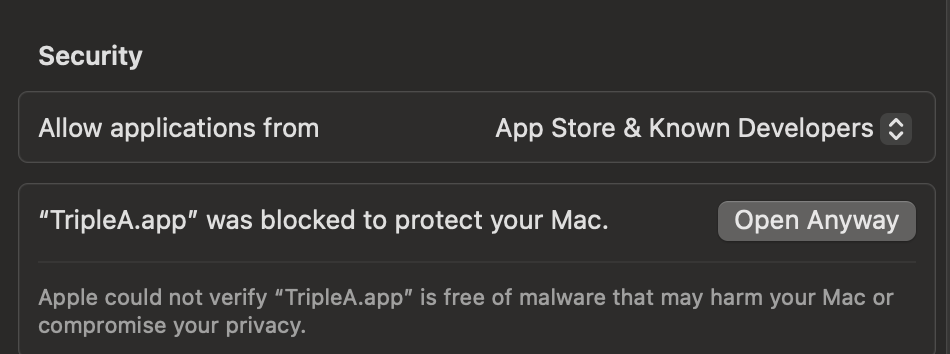
You can now run this copy of TripleA by just double-clicking on the .app file in the folder. The first time this will probably be blocked by the OS. If so, open System Settings and go to Privacy & Security, and you should see a warning like this below. Click on Open Anyway, but only do this if you understands what you are doing and where you got the file from. Please use your own discretion.
NOTE: This separate version of the game will use the same Engine Settings as any other version on your Mac. This means it will use the same downloadedMaps directory and savedGames folder.
-
 T TheDog referenced this topic
-
T TheDog referenced this topic
-
T TheDog referenced this topic
-
T TheDog referenced this topic
-
T TheDog referenced this topic


Hello! It looks like you're interested in this conversation, but you don't have an account yet.
Getting fed up of having to scroll through the same posts each visit? When you register for an account, you'll always come back to exactly where you were before, and choose to be notified of new replies (either via email, or push notification). You'll also be able to save bookmarks and upvote posts to show your appreciation to other community members.
With your input, this post could be even better 💗
Register Login