World War II v3 update to master?

-
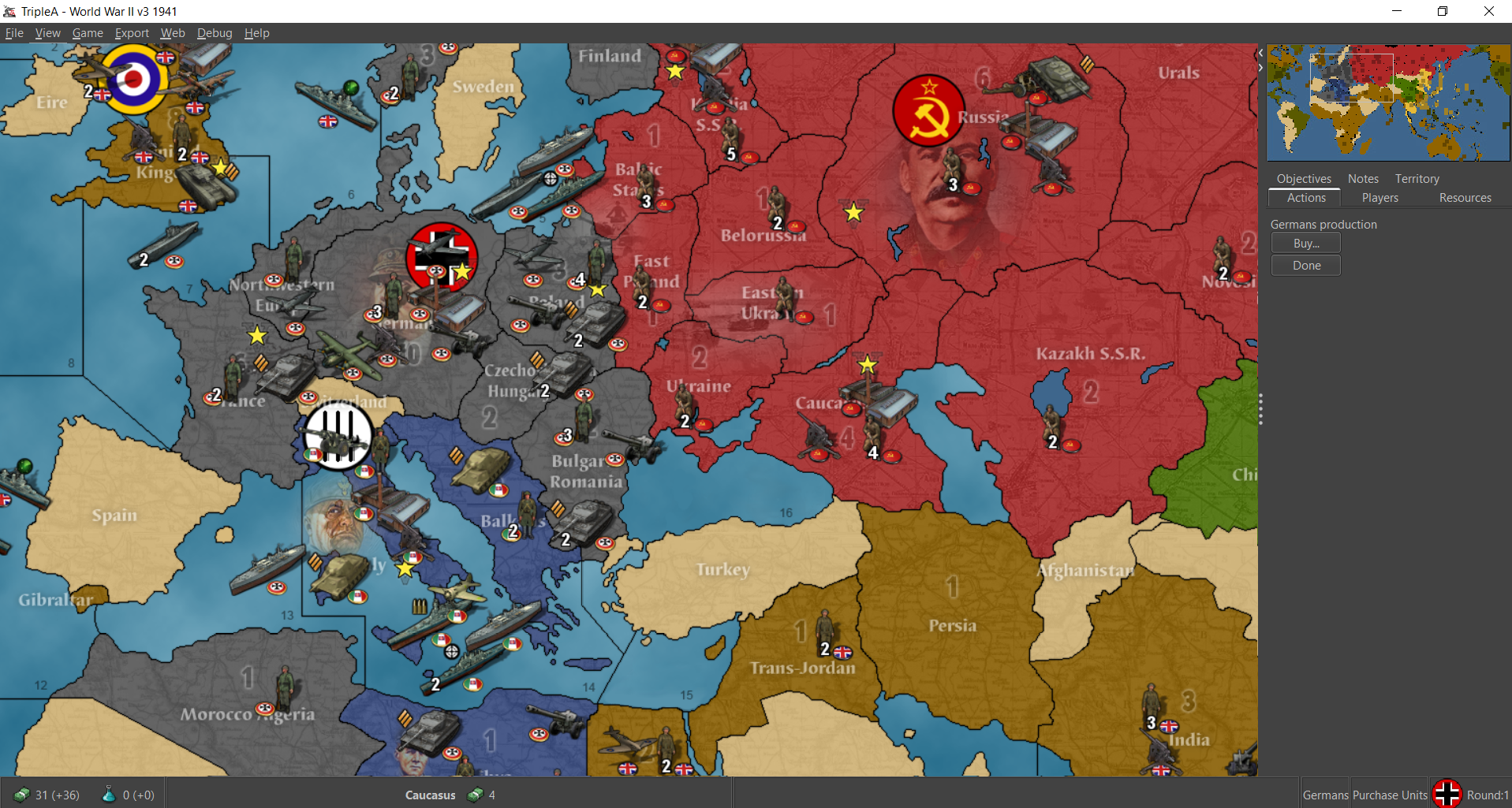
Having a nicer set of default units seems like a win. Having a toggle to go back to the 'old' units seemingly is a good move for those nostalgic users who do not want any change (though, honestly it's probably better to have nicer units and no toggle, than to leave the current units - the look of the screenshots is far better. Though that is not to say there shouldn't be a reasonable effort to allow for a toggle to use legacy units).
Having generic units as part of the engine default would be a goal, ideally with a neutral color that can be colorized and there is already code to flip units east/west orientation automatically based on faction.
Very few maps truly use the engine defaults and most unnecessarily duplicate the default unit images as part of the maps. It is a small project therefore to remove these unnecessary images so that the engine defaults would be used. There is pay-off to do that exercise alone as it would reduce download size would and reduce the number of unique (but duplicated) unit images, helping reduce unit image maintenance costs & complexity.
-
That is all to say, if updating the default images with the engine, it's likely better to avoid faction specific unit images so we have one set that are colorized and east/west flipped automatically.
-
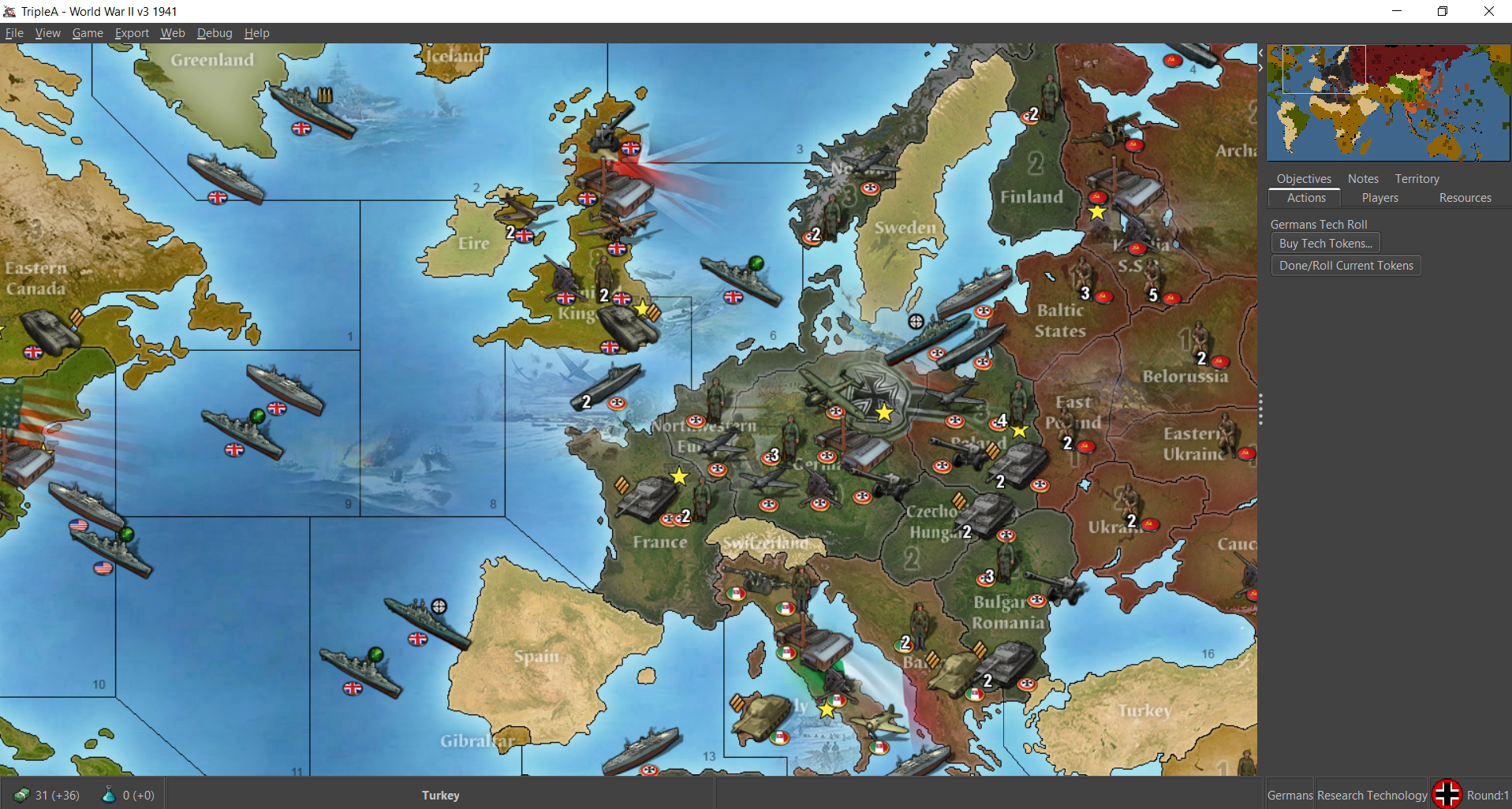
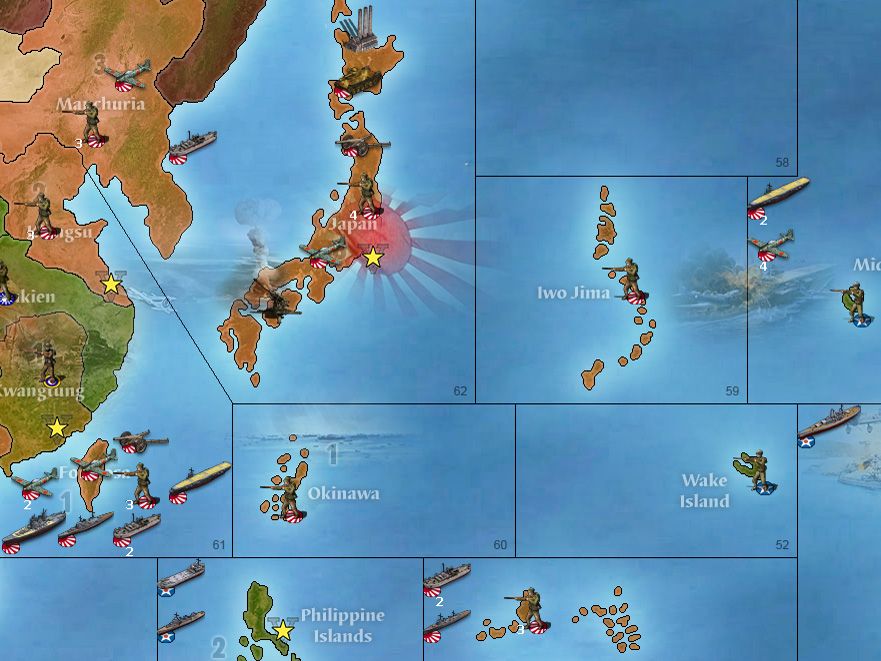
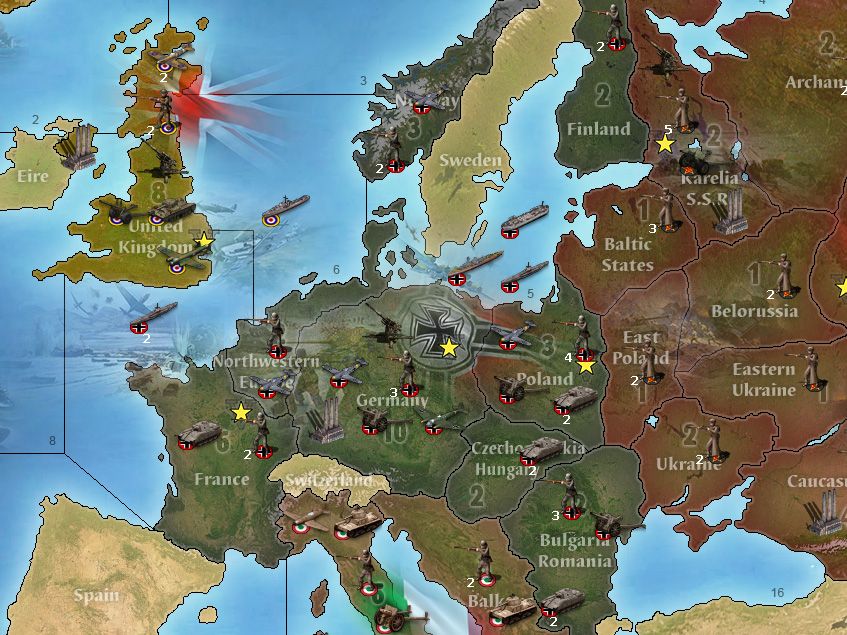
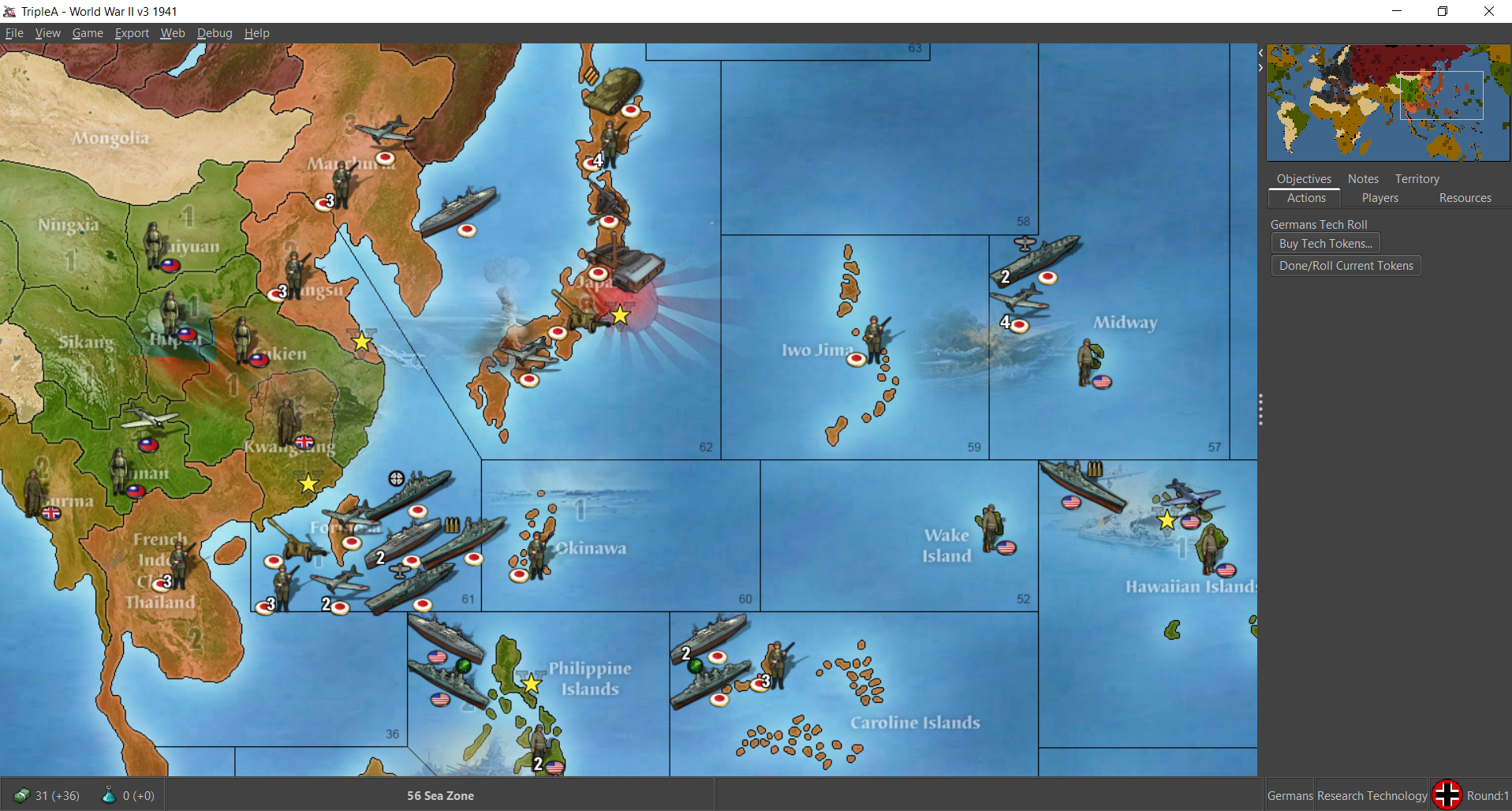
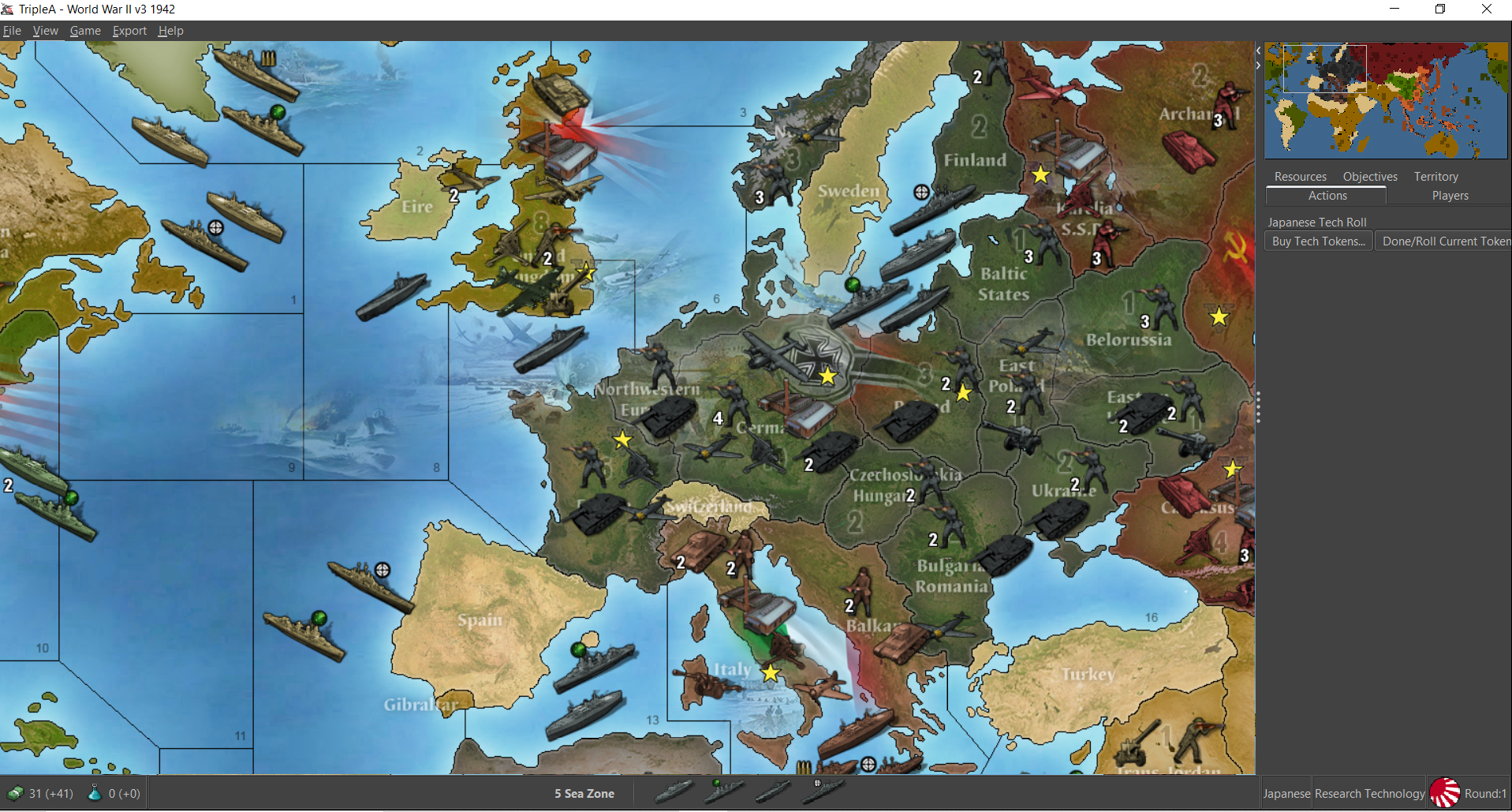
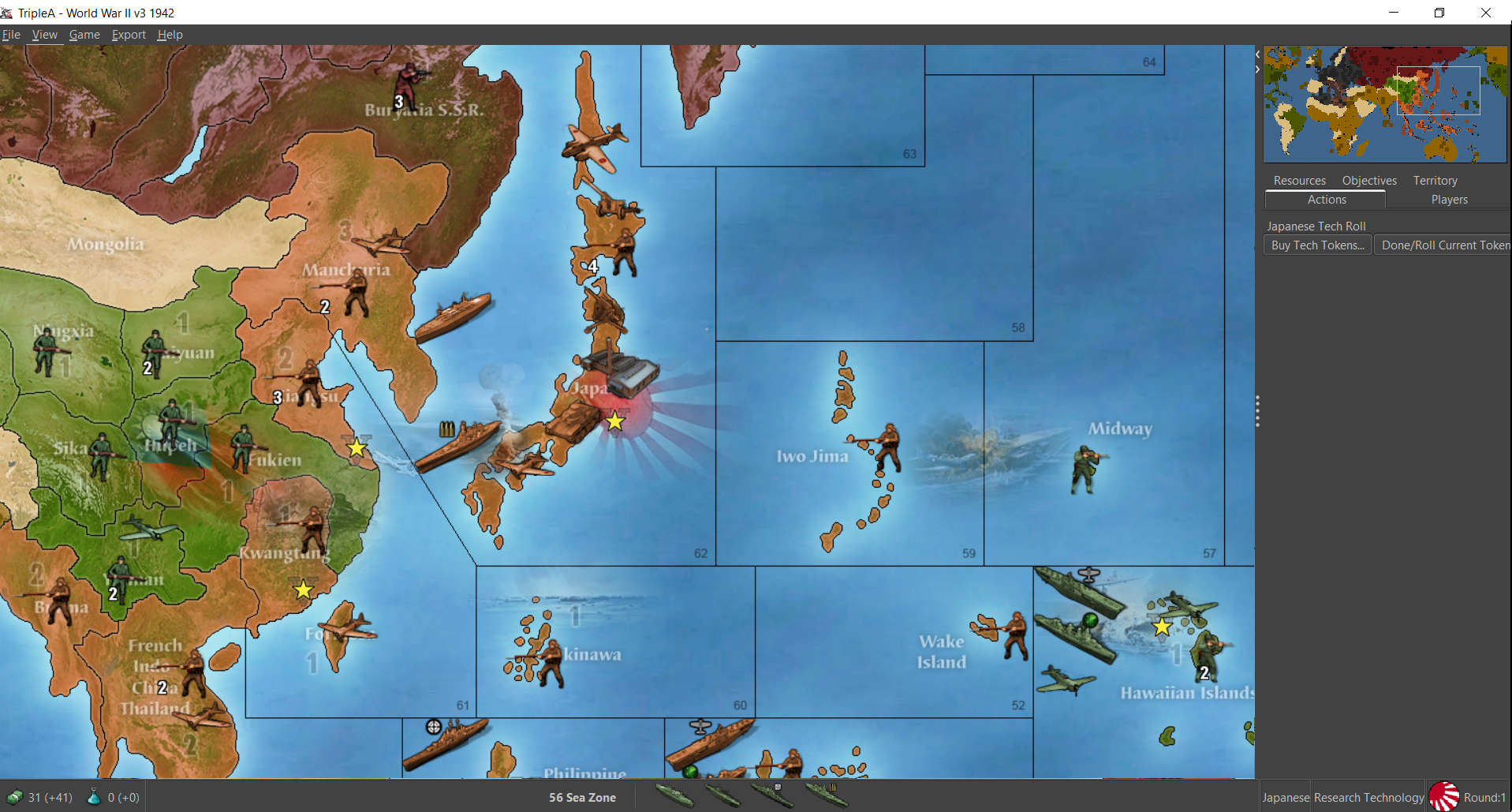
Here's a map file for v3 with WOPR's relief and the tinted Frostion units at 54px
https://www.dropbox.com/s/bw7ulqhsq5vvt2u/world_war_ii_v3.7z?dl=0
If anyone gets a chance to have a look. I think it holds up pretty nicely
ps. I put WOPRs 48px units in a subfolder in case people like to revert to the smaller size for the more iron blitz style pixel art. I think it looks pretty slick with the 54px units though. Like all I had to tweak to make it work for that v3 relief was to tint the Chinese inf, artillery and fighter units back to a greenish hue. Same set of units should work for v5 and such as well. In this one the aaguns are tinted, cause it seemed simpler to have the labels being consistent. In v3 aaguns are capturable so they just change to national tint of whichever power controls them. Overall I think the relief is pretty nice. I like the background illustrations and the terrain. Basically when I did the Japanese unit set I was kinda aiming for that orange haha.
Anyhow, to me it feels cleaner than the current, and has some better soundwork. Plus it's ready to go, so at least it'd be sweet to get that one up if we can? Maybe someone could redo the unit place so they're set a bit wider, which would be nice esp. for ships in the sz tiles. To me the units look pretty killer at 100% but they display a bit tight and clip into each other on occasion. Even then though it still looks pretty good to me for units at 100% on this one. Like just a nicer presentation all around I think.
-
-
@black_elk You're just Kickin Ass wherever you go lol
:beaming_face_with_smiling_eyes:
-
Haha thanks dude! Let me know if everything is working aces. Like I think I got all the tech units handled in there, but you never know lol. I was quite fond of what WOPR did for it. The relief has some nices touches and those 48px units look pretty cool too, but this one displayed pretty nicely with the new 54px units I thought. Like they look pretty slick with flags on as well. It'd be cool if we could get flags at the bottom center rather than bottom right, but least it works hehe.
V3 holds up pretty well with the HardAI too. It kinda stumbles on objectives, but not too bad. I think the HardAI's performance on this one is pretty comparable to v5. Like it has it's weaknesses, but still manages to brut force the occasional challenge hehe. Anyhow, I think it's a fun map. A good one to have in the grab bag.
Io Saturnalia!
-
@black_elk said in World War II v3 update to master?:
Io Saturnalia!
Lol I'd never heard of it. Party On !

-
Hehe raised by wolves!
Oh also, I noticed that the aa radar unit was missing from a couple nations so I added that just now as well. Hopefully it should stand up. I was playing against the hardAI earlier and didn't catch any kinks. Fingers crossed
-
I think having giant portraits of the political leadership displayed on the map relief for v3 is in poor taste and also just looks jank. Meaning that even if I thought those portraits were fine, the placement and the way the blur is applied makes it look wonky, but I also find the portraits problematic. I'm not sure when that was all added, the original map didn't include a relief of any sort cause it was just that old, but the relief ultimately supplied for it in the repo is basically the ww2 Revised background patterning with the repeating rail design, and some smaller illustration type graphics built in. I think WOPR's relief is in every way better, and could be used even with the older units standard units.
https://www.dropbox.com/s/etcmt3ulo65xzzb/world_war_ii_v3-master (WOPR).zip?dl=0
Using map blends we can make it color modular, by using a couple different baselines (different blues for the blend) and the HEX color assignments from the current defaults, with the current v2-6 default 48px units. I think that would give a pretty similar look to the current default map, just needs different hex assignments or the end user could change all that.
WOPRs would be fairly straight forward cause the relief is already done, but I know some people prefer that basic rail pattern. Not sure I guess I could just isolate the tiles and create a new relief pattern as a stopgap? It seems like the sort of thing that wouldn't be worth the effort really unless also upscaling the map, but that takes a lot of work lol. Any thoughts?
ps. ok I think I'll just do that actually, since it's more likely to get replaced that way, which I would prefer. It'll take me a couple days to figure out how to sort it with the opacity to match the patterns. Basically just to get a replacement relief for the current baseline scale on it. So it matches Revised I guess, although we do have a different standard presentation between Classic and v2-6, so having a different one for v3 might be interesting anyway just for variety. I like WOPRs because it reminds me of 1999 hehe. But whatever, I just don't like seeing the portraits in the current default. If it was generals or just regular soldiers sure, and probably nobody will balk at seeing Churchill or FDR I'd imagine, but the others I think they just intrude on the game and make it weird from an RP standpoint. Anyhow, just some thoughts there. I know it's an old ass thread, but it'd be nice to get this sorted. I'll give the old college try I guess.
Ok there is the older WOPR folder for safe keeping. What I'd have to do I think is knock the opacity on the entire relief image so it works with Map Blends more cleanly (all that edgework around the inserted graphics needs to be knocked way back) then I can maybe layer over another fill that just knocks the topo or put the rail stuff into it to make the patterning more abstract. Reassign the HEX colors to match the standard current games v2-6 and use the standard units from those games. Should look very similar except then players would have more control over the ocean blue and the fill colors to spec it to their tastes when using map blends.
For any sort of upscale I'd have to redraw the base, but that would take a long time to sort. I'd have to use the larger global map projection for it and then rework all the sz and tt boundaries. This seems more expedient for now, to just kinda hack the WOPR relief. If that makes sense?
here is the display on that with just the old school units he had in the folder, at scale in the 1600p display the lines hold to make zoom. It's works alright in 1440 still, little fuzz. Units would have to be replaced for the standard 48pxer's and color matched in the HEX, with the other stuff in the relief blending out. Currently the blend on that one will jank out, but with blends off shows like this just using all his presets. Here's the view on it, reduced to display.
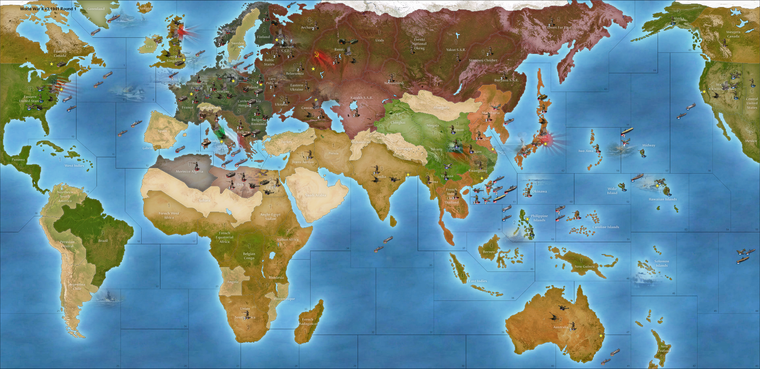
So that blue we can control via the map blends if I set it up correctly. The other colors can be changed via HEX re-assignment. The color from the topographical thing we can desaturate to smooth it out, or add a little gaussian blur to make it glassier for upscaling.
Here is an example with the HEXs and such redone
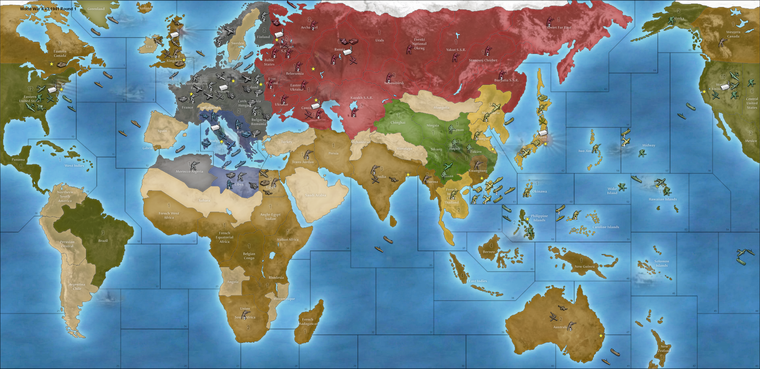
Italy/China switched to match the other games (just needs to use those standard units instead if you want it be consistent across all those boards)
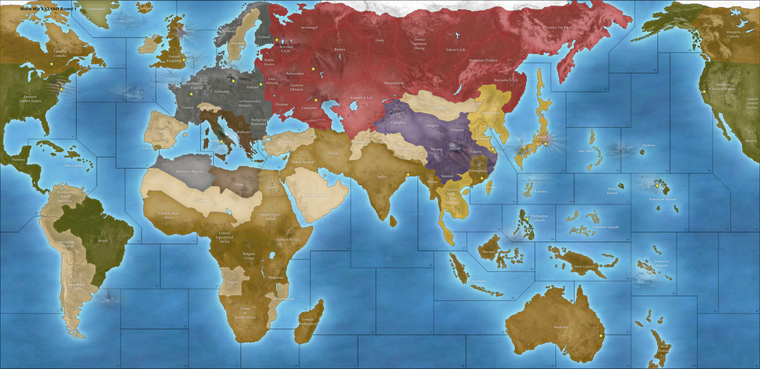
Here is a relief WIP that can be used. End user can just rework the national HEXs or the ocean color in the baseline to suite their tastes. Should work fine with the current I think. Let me know if something like that seems decent. This example has a lot of blur added over the entire image which I desaturated by like 75%, went a bit heavy with the blur, too heavy probably, cause I was just working it out to see, but something along those lines for an approach to the fill on the land TTs. The ocean blue we can make modular via the baseline. I'll just keep experimenting with the tile-reconstructed relief and seeing what looks passing fair.
-
@LaFayette we should put these in the master they are great
-
Ok I fixed that weirdness with the blur, I think it's pretty alright. Just run it through the tilebreaker map creator tool for v3 relief folder and should match the current base in the repo, if anyone wants to double check.
Everything else from there I think could be just fine tuning the HEX colors for each nation right?
I'm not super partial to the way the Italian flag cuts with the value change, I might need to knock that section even further, but seems passing fair for a quickie.
Here's the image (at scale around 1800px tall at 100% view around 12 mb)
reduced to 1080 just to attach a visual here.
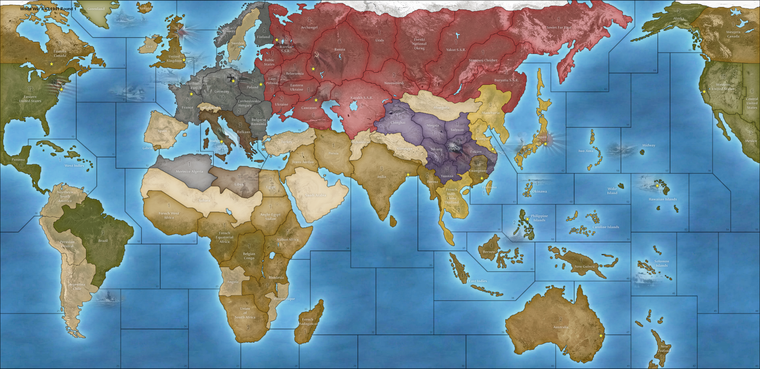
If that seems good, it's just a matter of color matching and picking an ocean blue color. Or the end user can just do that for themselves. It's a single color adjustment to the baseline, or editing HEX colors in the map.props with notepad. Hopefully does the trick for everyone.
ps. I got it down to like 7mb, updated the dropbox. Seemed pretty clean.
Also just to note the unit sprites in WOPR's folder are instantly recognizable to me, and this is because they are the Iron Blitz units from the 1999 game. I enjoy using them, cause I loved that game, but then I've also bought that CD probably half a dozen times hehe. I'm not sure whether they can live in the repo or not given the provenance, but they're kinda cool if only for the nostalgia factor, since it's pretty much abandonware from two decades ago. I think players just tend enjoy whatever they're most used to looking at. Like it's pretty hard to update/upgrade the look on anything cause consensus drifts towards what's already familiar and most will tend to prefer the current thing, whatever it is that everyone is using. The boxed games are like this too, although they didn't really hold a consistent aesthetic across editions until more recently (if the last 10 years or so can still be considered recent hehe). Here Classic has it's own same look which is Logan's style, v2-v6 have uniformity cause Bung did them all. For the most part they use the OOB warps and iconography (air roundels for everything) and the standard 48pxers (national tints) for the units, same pattern fills etc.
'
Among the various things, to me the 48px units are probably enough to make the game immediately recognizable as part of the standard WW2 spread. But it's easy enough to switch out units as the end user. For example the UHD global set at 54px would still work here, the place isn't set up for them so they'll crowd at 100% unit view, but doable. Those old 1999 sprites can be used or the standard 48px etc. To me the goal would be less to enforce a series-wide aesthetic but instead to make the visual presentation as modular as possible. Eg. if you don't like the standard units/colors etc that the end user could just make a quick substitution in their downloaded maps folder. I prefer the newer units I just made, mostly cause I'm running tripleA at a higher resolution, but it's easy enough for me to copy those over into my unit folder from Global, so I'd probably just run with the standard units from Bung's package I guess and key the HEXs off those. Map blends was hard to get working for that one, though we do have some control over the ocean blue via the base, otherwise players who want a different look can edit the map.props for pastel hues or whatever via HEX.Oh also, here are the reconstructed base tiles with the ocean glow. Control for the ocean color by changing the hue/sat/darkness of the blue with this image for the basetiles. That along with a HEX adjustment should allow it to work with whatever choices I think. It also works with the current default, but that one has capital markers set to on in the bung version and much darker ocean. I think the map props HEXs from the WOPR work fine probably, but could be changed to whatever.
Anyhow here's the base
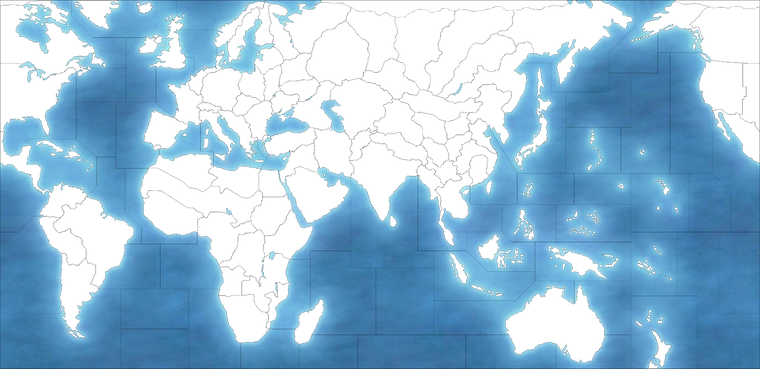
Here are the relief and base tiles folders ready to go in the zip.
Map props there just has the current color designations from Bung's so should just be able to drop it into the current v3 folder.
I turned off the capital markers cause they clashed.
Let me know if that seems cool. Came in at 13 mb altogether, for the map tile folders.
Catch ya next out
-
@black_elk Sweet ! I Dig it !
-
I don't have bandwidth to help here. The updates look good. Replacing the files in the map repository should be do-able with some googling and small determination.



Hello! It looks like you're interested in this conversation, but you don't have an account yet.
Getting fed up of having to scroll through the same posts each visit? When you register for an account, you'll always come back to exactly where you were before, and choose to be notified of new replies (either via email, or push notification). You'll also be able to save bookmarks and upvote posts to show your appreciation to other community members.
With your input, this post could be even better 💗
Register Login