AUTO-SAVE KILLS DRIVES
-
The game engine is way too cautious in terms of backups for every player STEP. Hammering the drive is NOT healthy and can cause drive failures, especially with SSD that have stricter write limits. Early releases died in hours due to system OS caches. They have been redesigned to distribute writes over the entire drive, but the write limits still exist.
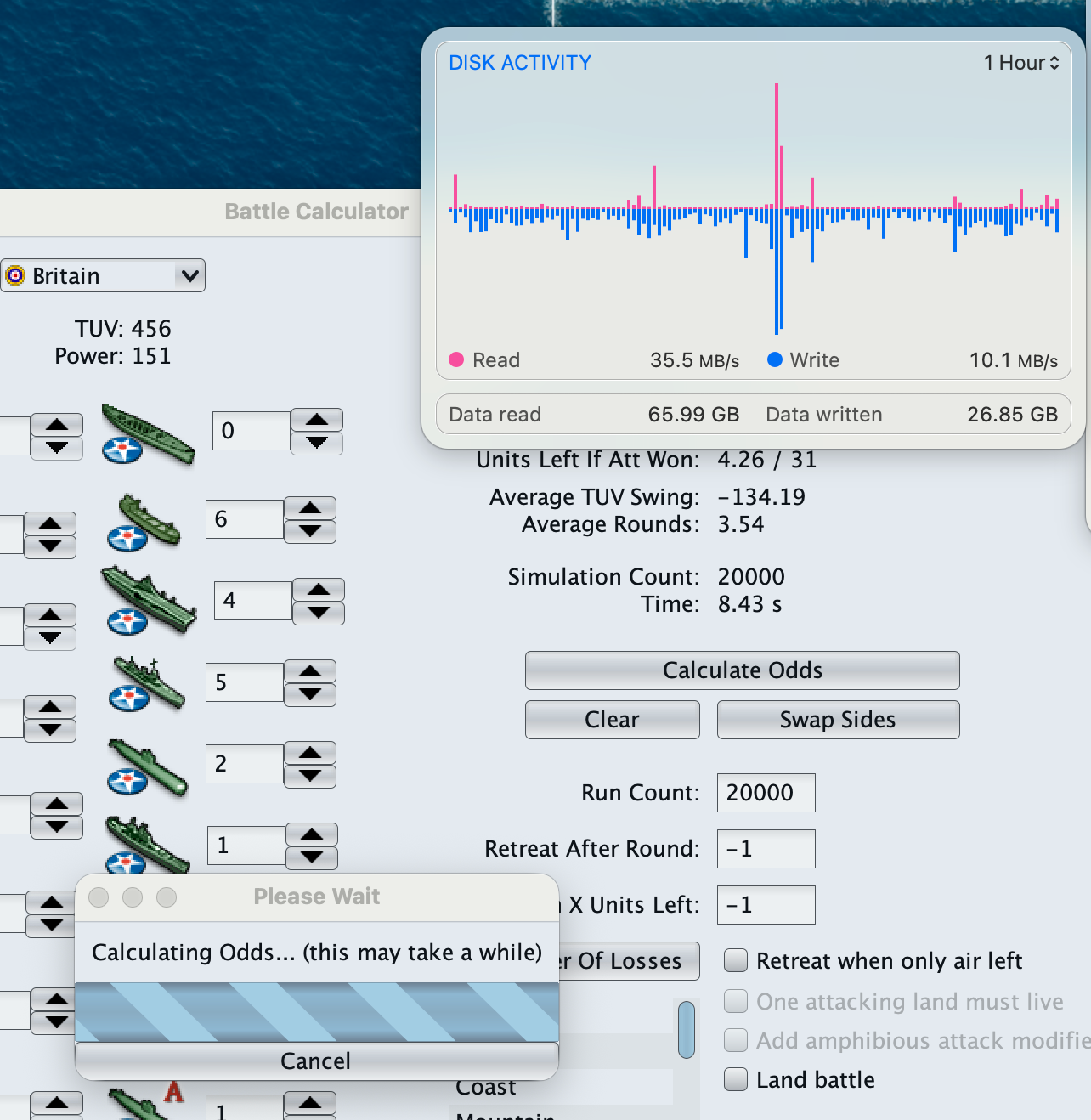
The game needs an option to TURN OFF auto-saves. The ODD/EVEN round ending saves are useful, but not every STEP. That's dangerous. Memory mapping to the drive is even worse. The battle calculator performing hundreds of mock battles may also be hammering the drive to record EACH battle. Back when memory was expensive, dumping to the drive was convenient but is no longer necessary.
The Engine Preferences does not currently have an option to turn off or restrict saves.
-
@frigoref @LaFayette
Thoughts on giving this option in Engine Preferences? -
@gregorek the amount of disk writing and reading performed by this app is nothing compared to the normal system activity in modern operating systems.
the battle calc makes no disk read/writes whatsoever
-
@thedog idk why but i though there was already a setting you had to enable to get them but i can’t find anything still i think it is not the really the concern greg seems to think it is
-
@ubernaut
The only speed settings I know of is;
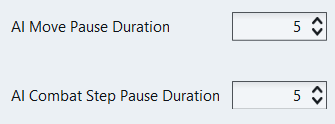
AFAIK, there are no other performance settings, the ones above are just processor based.
I have always wondered why there appears to be so much disk activity for each turn, but it is just anecdotal.
-
@thedog i dont think there is much tbh even giant saves are like 1 mb
-
SSDs have read and write limits based on their endurance, which is typically measured in Terabytes Written (TBW) or Drive Writes Per Day (DWPD). These limits indicate how much data can be written to the SSD before it may start to fail, with consumer-grade SSDs generally allowing between 500 to 3,000 write cycles depending on the type of NAND flash used.It cant hurt to be confident the game is not going to crash with each movement. An option to limit drive activity for the next release would be helpful. Surfing the web is probably just as dangerous. I was concerned the battle calculator was making hundreds of saves with each invocation. On activation it prints a brief [coping data] message and there is drive activity.
I yield to your expertise.
-
@gregorek whatever amount there is it is not noticeable versus the other background activities
your concern and input are appreciated and i am by no means the real expert here but i believe these issues should not be worrying you



Hello! It looks like you're interested in this conversation, but you don't have an account yet.
Getting fed up of having to scroll through the same posts each visit? When you register for an account, you'll always come back to exactly where you were before, and choose to be notified of new replies (either via email, or push notification). You'll also be able to save bookmarks and upvote posts to show your appreciation to other community members.
With your input, this post could be even better 💗
Register Login