Ancient Empires: 222 BC
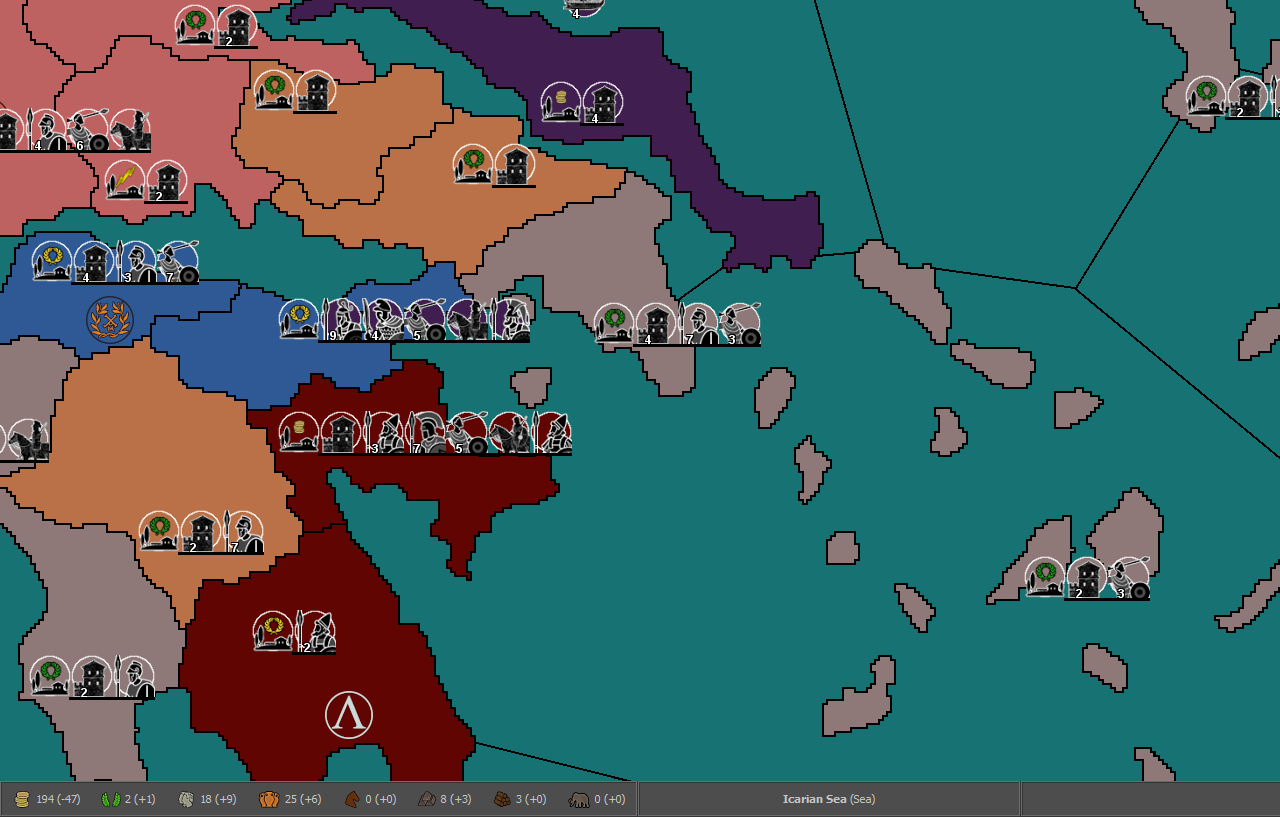
-
@Cernel It shouldn't prevent you from landing from ships. It would just allow you to cross without a fleet if you have uncontested control of both sides. Maybe a trigger could block the canal/straits if enemy fleets are present, so you can't cross even if controlling both sides in that case.
But it's still just brainstorming. I don't even remember if you can land transported units - by default or with some property - through a sea ter with enemy ships present.
@Hepps So I would need the canal attachments and some triggers with appropriate conditions (like alliedOwnershipTerritories / enemyPresenceTerritories)?
-
@Name said in Ancient Empires: 222 BC:
In my current mindset, I tend towards the first option, plus canals for sea straights (you'll need either ships or allied control of both sides to cross - I think that's doable, right?).
I believe this would be possible... you'd likely have to create a series of conditions and triggers to enforce the behavior.
You could just add territorial connections across any straits where you wanted there to be a connection... then add checks for any of the conditions which would then block movement.
I am not a trigger guy... they confuse the hell out of me. But others would be far more adept at walking you through the process.
-
@Hepps said in Ancient Empires: 222 BC:
You could just add territorial connections across any straits where you wanted there to be a connection... then add checks for any of the conditions which would then block movement.
I guess this might be better than canals. Could even prevent crossing without a fleet even if you control both sides and enemy fleet is present. Or just make it like:
- No enemy fleet present = you can cross sea straights as if there's a land connection.
- Enemy fleet present = you can't.
-
@Name Yes a series of "directPressence" checks should allow you to make very detailed set of movement rules
-
@Name said in Ancient Empires: 222 BC:
@Hepps said in Ancient Empires: 222 BC:
You could just add territorial connections across any straits where you wanted there to be a connection... then add checks for any of the conditions which would then block movement.
I guess this might be better than canals. Could even prevent crossing without a fleet even if you control both sides and enemy fleet is present. Or just make it like:
- No enemy fleet present = you can cross sea straights as if there's a land connection.
- Enemy fleet present = you can't.
Not possible in a clean way, as canals cannot test conditions. You could make some set of triggers that change how the canal works depending on units presence, but that's complex hacking.
However, you can define one or more sea zones as territories (convoy zones, like the ones of Napoleonic Empires, but at production value 0 and original owner Neutral), then having the canal dependent on ownership of that sea territory. This means that enemy ships won't be able to block you directly, but they can do so by conquering the sea territory, then you can regain the ability to pass the canal by getting that sea territory back, with your sea units.
-
@Cernel I mean not by using canals, but as @Hepps suggested. Have one side of the strait connected to the other by default (the land territories). Then check before each combatmove, if enemy fleet is present in the straits (the sea territory), block the connection with trigger. Or unblock if the fleet has left. Isn't something along those lines possible and relatively easy?
-
For example, let's say you have these land territories:
Byzantium
Chalcedon
and this sea territory:
BosphorusAnd you have this connection:
<connection t1="Byzantium" t2="Chalcedon"/>Then you can have this canal:
    <attachment name="canalAttachmentBosphorus" attachTo="Byzantium" javaClass="games.strategy.triplea.attachments.CanalAttachment" type="territory">
      <option name="canalName" value="Bosphorus"/>
      <option name="landTerritories" value="Bosphorus"/>
    </attachment>
    <attachment name="canalAttachmentBosphorus" attachTo="Chalcedon" javaClass="games.strategy.triplea.attachments.CanalAttachment" type="territory">
      <option name="canalName" value="Bosphorus"/>
      <option name="landTerritories" value="Bosphorus"/>
    </attachment>
This means that non-air units can go to and from Byzantium and Chalcedon only if you or your allies own Bosphorus since the start of your turn.
-
@Name said in Ancient Empires: 222 BC:
@Cernel I mean not by using canals, but as @Hepps suggested. Have one side of the strait connected to the other by default (the land territories). Then check before each combatmove, if enemy fleet is present in the straits (the sea territory), block the connection with trigger. Or unblock if the fleet has left. Isn't something along those lines possible and relatively easy?
TripleA likes to be confusing. "Canal" actually means something that blocks your movement, not something that allows it. You create a canal for a connection to impede the use of that connection. Basically, it says "Canal", but it is actually a "Boom", or something. Think about it in terms of the connection being the canal, and the coded canal being the thing that controls who passes through the canal.
-
@Cernel So to make this clear, can I add/remove territory connections with triggers? This should be enough to make what I wrote above (no use of canals at all) functional.
Else I guess it's only doable the way you suggested. But I can see a possible downside. What if a neutral player owns the sea territory (convoy)?
-
@Name said in Ancient Empires: 222 BC:
@Cernel So to make this clear, can I add/remove territory connections with triggers? This should be enough to make what I wrote above (no use of canals at all) functional.
Connections can never be added or removed. However, you can freely modify, during the course of the game, with triggers, anything related to any canals that is limiting, in any ways, the use of that connection. So, as I said, what you want is possible, but would be complex to code, and basically a hack. The code is complex enough that I don't feel like just writing it down.
Else I guess it's only doable the way you suggested. But I can see a possible downside. What if a neutral player owns the sea territory (convoy)?
If the Neutral (null) player (the one always at war with anyone) owns the required territory (in this case a sea zone being a territory), nobody can pass through that canal (but air units). Otherwise, it depends if the relationship you are in with that player allows your units passing through canals (default only Allies do).
-
My suggestion, just do it with convoy (sea territory) ownership, that I wrote down for you. Just change the names, for each case. Be sure to have original owner Neutral in the territory attachment for the sea zone, then, in the initialize, give current ownership (at start game) depending on what makes sense the most.
-
@Cernel So I can set my "peace" relationship to allow passing through canals like this <option name='canMoveThroughCanals' value='true'/> ?
Then I think all is fine and I'll do it that way.
-
@Name How is the project progressing?
-
-
@Name You are a natural.:face_blowing_a_kiss:
-
@Name I strongly suggest avoiding any cases of crossed borders, like Jasi, Iapodes F/mines, Andizetes, Mazaei H. Most times you are presented with such element, you have the doubt whether you are seeing a very small border or no border. In this case, one might wonder if there is a very small border connecting Japodes F/mines with Andizetes.
My suggestion, never having crossed borders except maybe if two of them are sea-to land. That is becoming even more confusing to read in the moment any borders are rivers, or anyways not single pixels, or such (and, regardless, they tend to become confusing once you do relief tiles, typically).
Especially to give more possibilities when it comes to details drawing, I also suggest avoiding small borders (as they might, then, look like crossed borders, with some relief on it).
-
@Cernel I've been told of this already, I just failed to notice in this case, thanks for pointing it out.
-
@Name Looks incredible!!! I guess I should start preparing for a relief "How To..."

-
@Hepps Everything but borders is in other layer(s), at least for now until I deside for sure. Or do you mean extra details, ideas etc?
-
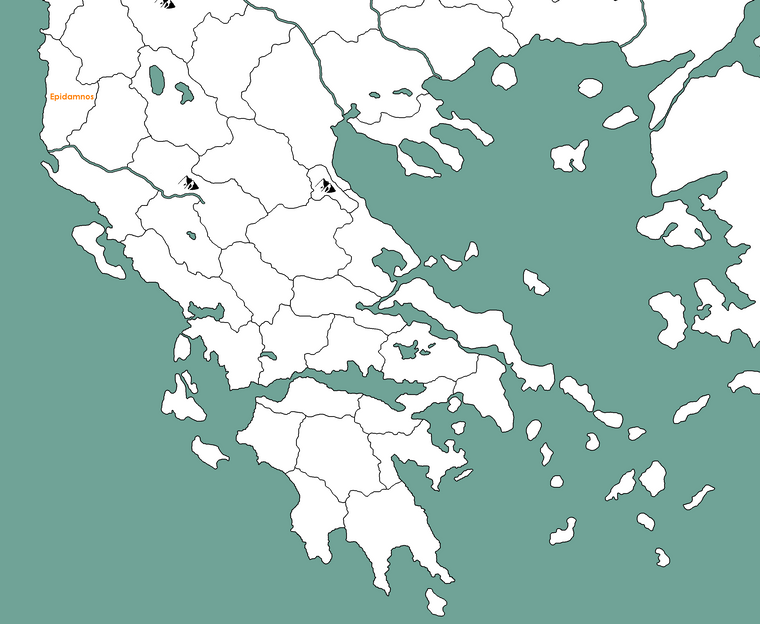
Wip Dacia and neighbourhood, center-north part of the map:
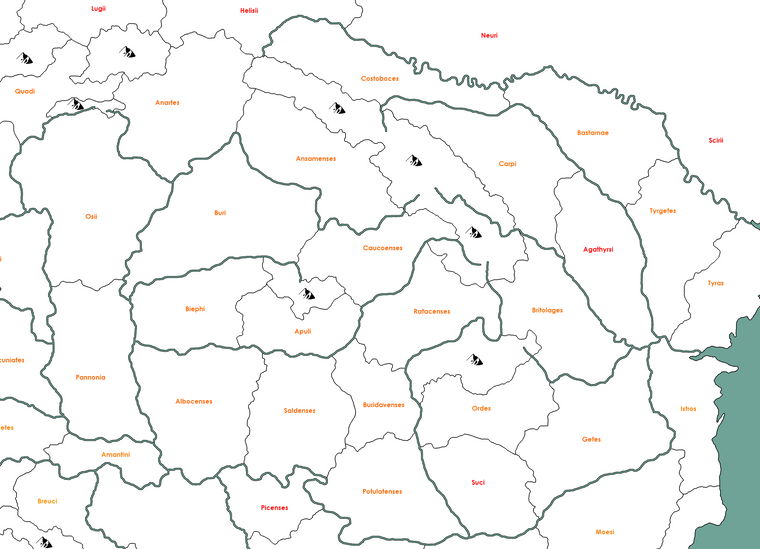

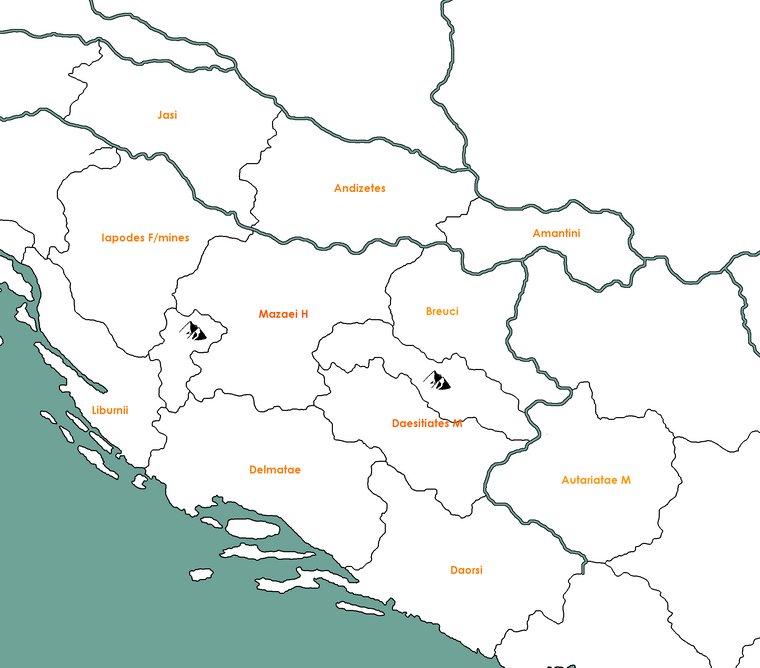
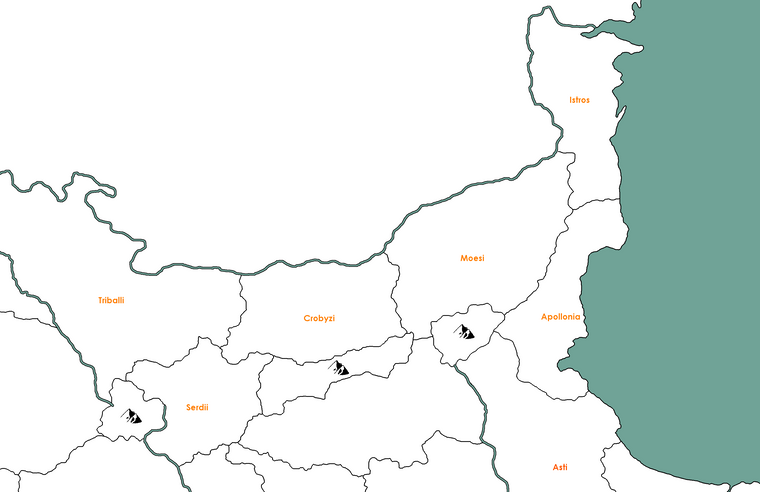
Hello! It looks like you're interested in this conversation, but you don't have an account yet.
Getting fed up of having to scroll through the same posts each visit? When you register for an account, you'll always come back to exactly where you were before, and choose to be notified of new replies (either via email, or push notification). You'll also be able to save bookmarks and upvote posts to show your appreciation to other community members.
With your input, this post could be even better 💗
Register Login