I want to make a map
-
@thedog thank you very much
-
@therese-beasley yeah modding isn't really hard tbh (at least the simple stuff like unit values being changed)
-
@thedog How do you change how a unit looks or add a new image to it?
-
@board-3659
I use a very simple pixel icon editor/maker, its an old version of IcoFx 1.6.4, this version is free to use.
http://www.oldversion.com/windows/icofx-1-6-4Load IcoFX
Drag the image you want to convert into its work area
select custom button - (untick square, if not square)
set the width and height
click OK - (this will resize automatically)
File> Export Image
select png or jpg or bmp or gif
enter filename
Save Button
Repeat -
@thedog cool I'll have to check that out. i was using pinta and then when i was finally figuring some stuff out, it got changed lol
@board-3659 to add a new image, go to the Units folder and remove the one you're replacing and add the new one. Make sure it has the same name.
Not sure if that's what you were asking

If altering existing Unit, do as Dog suggested. You can work directly out of the Unit folder, which updates it automatically then or save the changes to a different one and then add them.
-
how do you create a new unit?
-
@board-3659 you have to add the image to the units folder and the new unit to the xml. So if you wanted to add a "Elite" Infantry unit for example, use the existing Infantry unit as a template.
Go through the xml and everywhere "Infantry" is, add "Elite".
-
@beelee So like I am trying to make a special Maginot called "MaginotN" which is meant to be cheaper than a normal Maginot (8 instead of 11). For some reason I get a missing unit error despite renaming the original Maginot image to Maginot N
-
@board-3659 so you want to replace the original "Maginot" ? It will no longer be in the Game ?
If so, I'd just adjust the PU cost for the original one.
If you want the new name though, you have to change all "Maginot" in the xml. Probably could do a "Find and Replace" or whatever type of editor you're using.
Might be a trigger or condition that gets renamed. Shouldn't matter.
I usually just do a search for maginot and go through it individually and change it as i go through the entire xml if the above fails
Edit
You could also leave the old image in the units folder. Have both in there. But it's looking for the old one somewhere, so something probably needs changed anyway.Might be easier to find if you get it to run though
-
@beelee The original maginot still exist but I also want to make a special one called majinot N which is meant to be cheaper than a normal one
Edit: 96fb22f4-7d3a-4996-9586-20c16e9d9a95-Steampunk_Advanced_2nd_Edition.xml -
@board-3659 yea so just add maignoit N wherever you see Maginot
I'd search maginot and go through the entire xml
-
@beelee I am keeping maginot since the french one stays the same (cost 11 Pu), Maginot N is meant for the Martians and Nemo Pirates and cost less money (cost 8 Pu)
-
@board-3659 yea if you can't get it going post your xml with what you have and i'll take a look
-
-
@board-3659 hmm ... I don't see anything wrong. The two images are the ones in the Units Folder ? Only the one version in downloadedMaps ?
Can you upload entire map to sendspace or dropbox
Edit
Theres not a colon in the name right ?Edit 2
maginot is spelled with a small "m" in the xml Make sure Image in Unit Folder matches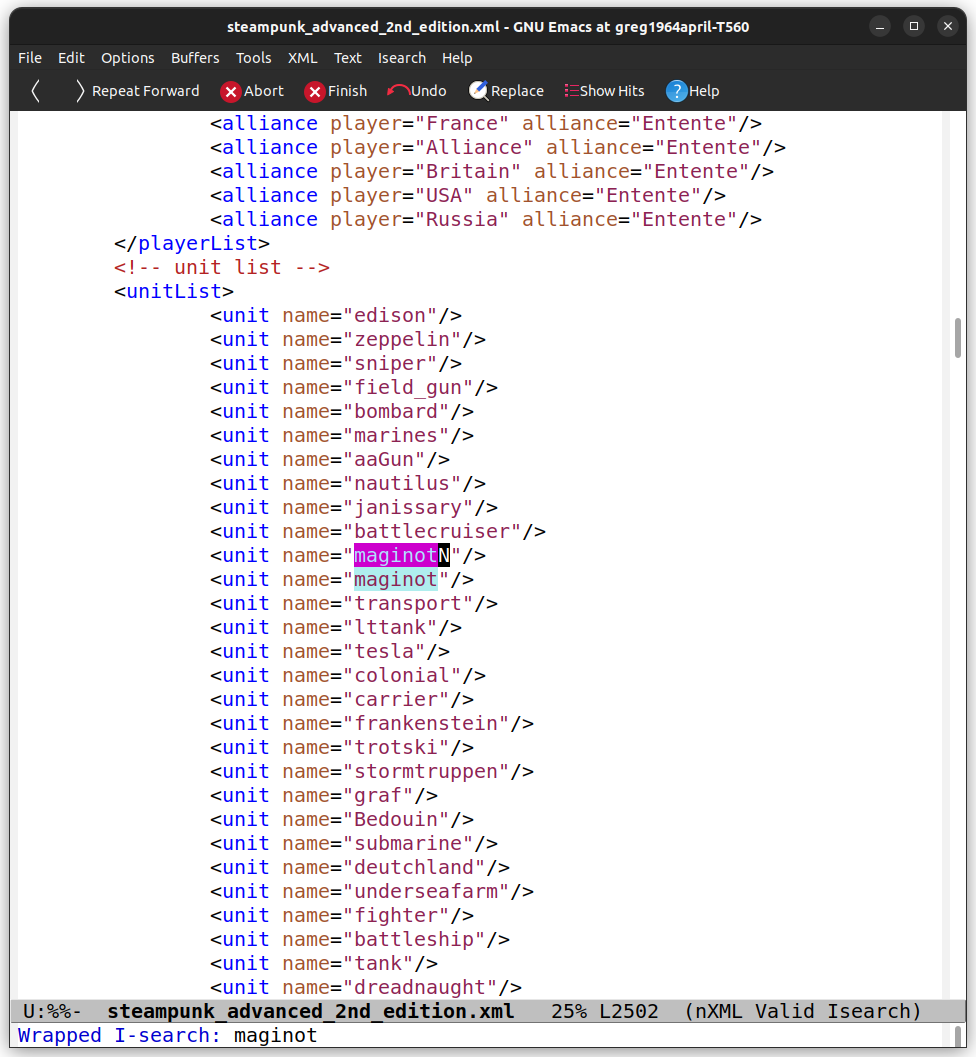
-
@beelee
"The two images are the ones in the Units Folder ?"
Yes
"maginot is spelled with a small "m" in the xml Make sure Image in Unit Folder matches:
No. The image file name is "maginot.png" and "maginotN.png" I just said Maginot for writing -
@beelee https://mega.nz/folder/mRUGxCIB#GsoVfx6fK14oBFsFSVj1og Hewre is the folder with the mod
-
@board-3659 well that wouldn't dl for me so I just threw your xml into steampunk advanced. It said it's missing "dreadnaught" for Germany. Is that what you get ?
-
@beelee well yeah but that's irrelevent since I have no dreadnought unit for germany. But does it have the Missing unit error for the maginot
-
@board-3659 all I got was the Dreadnaught for Germany but they go first so if theres others they won't show till Germany fixed. You don't get the Dreadnaught error ?


 : Maginot
 : MaginotN
Hello! It looks like you're interested in this conversation, but you don't have an account yet.
Getting fed up of having to scroll through the same posts each visit? When you register for an account, you'll always come back to exactly where you were before, and choose to be notified of new replies (either via email, or push notification). You'll also be able to save bookmarks and upvote posts to show your appreciation to other community members.
With your input, this post could be even better 💗
Register Login