How to modify borders on an existing map
-
Alright ill unzip it, didn't know i had to.
That's enough for today, ill use this thread to spam questions as i go on. Thanks for the amount of help, appreciate it
-
@davor-pavlić
I think I have resolved the issue.
In TripleA map tools you cannot use the variable %username% as your username, you must change this to your real username.I will amend my posts when you confirm this for later readers.
-
I think you are right. Whenever i copied your entire destination with variable %username% the png was empty. I decided to just abandon experimenting with that for now and just used your png file that you provided.
I have also played a bit with the png and came up with these borders for 1939 so far.
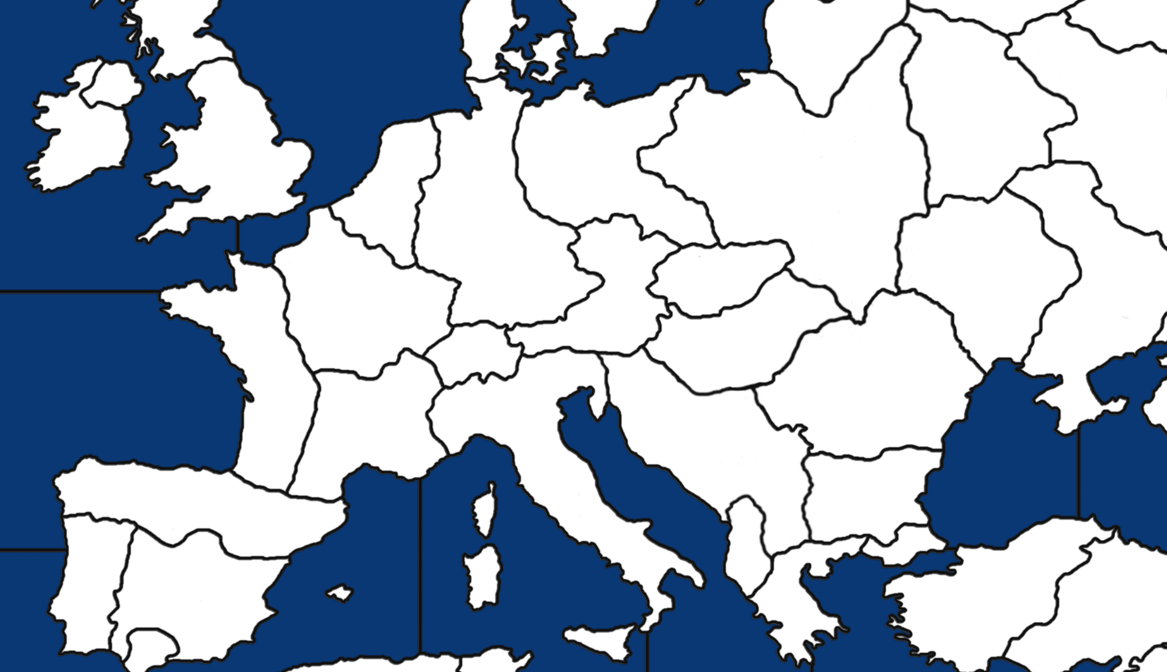
No zone is deleted or added, the TT number is the same, only the borders were changed to include full Poland, Albania and Yugoslavia. I guess 'Croatia' zone would have to be renamed to Yugoslavia in future, but that's not what ill focus on right now.
-
@davor-pavlić
As you will realise the relief TT now do not match the changed baseTiles.You could try and reconstruct the reliefTiles with your new information.
If you have Illustrator or Inkscape
https://inkscape.org/release/inkscape-1.2.1/
That is software with layers and vectors you can quickly see the difference and work out what to change in GIMP/Photoshop.When the graphics are done, then you have to sort out the code like in Cernels post.
https://forums.triplea-game.org/topic/3337/how-to-modify-borders-on-an-existing-map/9?page=1
That is Centers, Polygons, Place(ment). -
I've downloaded Inkscape and opened my modified map.png. How do i reconstruct relief tiles from here?
-
@davor-pavlić
Same method as for the baseTilesthe file manager path to iron wars reliefTiles is
C:\Users%username%\triplea\downloadedMaps\iron_war\map\reliefTilesTripleA path is as above but your actual username
Then load into Inkscape or maybe GIMP if it supports layers.
If you are using Inkscape, this might be use, if you have not seen it
https://forums.triplea-game.org/topic/3318/easier-map-making-with-inkscape-reusable-art-assets -
Alright, so let me make sure i understand.
So what i need to do is open the blank map in Inkscape and trace the reliefTiles over the blank map?
I'm not very sure how that is done exactly, im kind of overwhelmed by the whole reliefTile thing lol
I understand what you mean by layers but im confused how to do that, im not familiar with inkscape.
-
@davor-pavlić
For your purposes Inkscape is just a viewer, it is much more, but its a quick method for seeing the changes you have made.baseTiles are required for TripleA to play the game.
reliefTiles are not needed by TripleA, but they look good on the human eye and they sit visually on top of the baseTiles.Lets assume you have done the baseTiles correctly, you then need to change the reliefTiles.
To see the changes in game you would have to- make the changes on the reliefTiles
- break the big png into smaller tiles,
- load TripleA
- load the game
- check the changes
repeat until correct
.
Using Inkscape as a viewer- make the changes on the reliefTiles
- Load the big relief png on top of the big baseTiles png
- check the changes
repeat until correct
So the Inkscape cycle is a lot shorter and quicker.
Then you just once;- break the big png into smaller tiles,
- load TripleA
- load the game
- check the changes
Does this make sense?
-
@Davor-Pavlić
Maybe I should not of posted that link about Inkscape as it just confused you.That post was really about a new way to make baseTiles by tracing of say a fantasy map, because its vector based and a lot easier to make changes.
Then for non-graphic artists, like me to make the reliefTiles.
As an aside you can also download complete vector images/svg done by other people off the internet.
-
Okay well i want to get the baseTile map working properly first, ill mingle with relief once i have the base working properly. I modified the centre picker and that works fine, but when i open polygon grabber i need to click into individual TTs and fill them, but whenever i click into any of the TTs, the whole screen gets filled like borders don't exist. Like this :
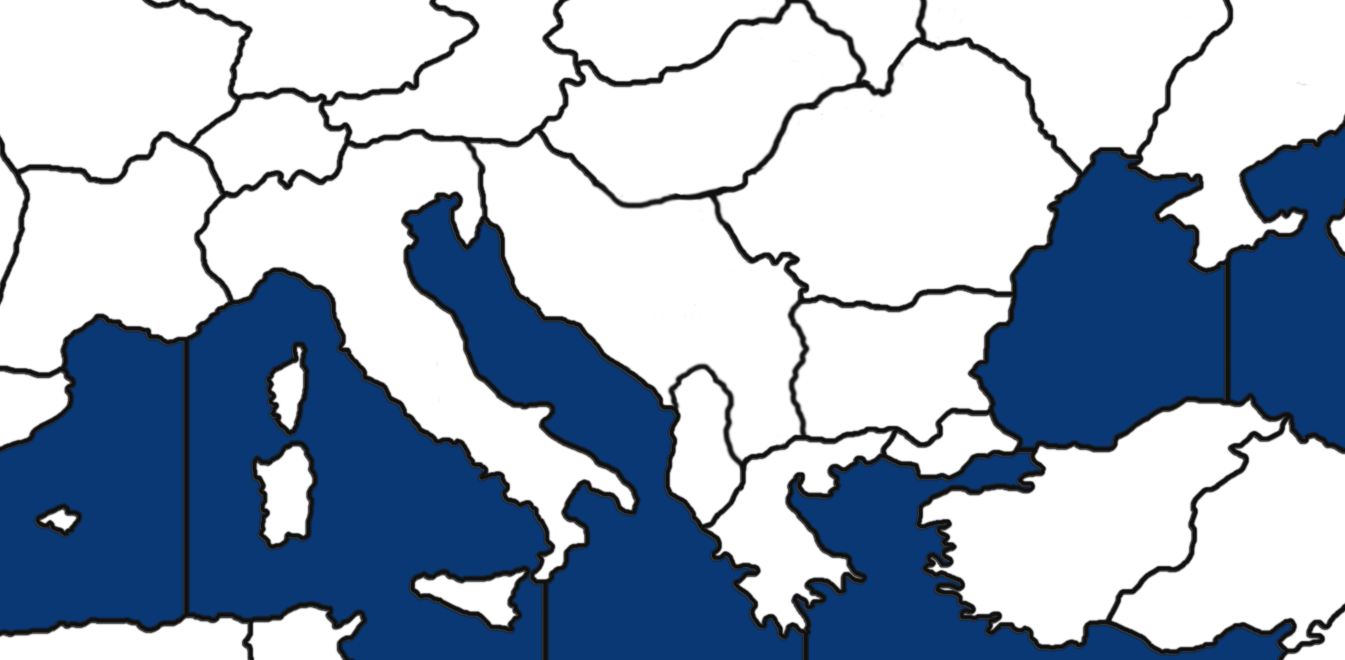

What is the solution to this?
-
@davor-pavlić said in How to modify borders on an existing map:
But are you saying i need to open the tile reconstructor and do the same for relieftiles to get another large map for relief?
Yes, I am assuming that you do want to change it, so it matches the baseTiles.
Im away from my keyboard, I will post later today.
-
Alright i think i finally understand how to do relief, i also edited my comment for polygons issues i have.
Sure, whenever you are available works for me.
-
@davor-pavlić said in How to modify borders on an existing map:
Okay well i want to get the baseTile map working properly first, ill mingle with relief once i have the base working properly. I modified the centre picker and that works fine, but when i open polygon grabber i need to click into individual TTs and fill them, but whenever i click into any of the TTs, the whole screen gets filled like borders don't exist. Like this :
What is the solution to this?
Indeed relevant borders don't exist. The solution is to add black borders to the edges of the image, too.
Don't always trust TripleA when it comes to rules questions. Know the rules before you start … and better check what TripleA has done.
-
@panther
Thanks!
I'm no expert, I know a little and that's dangerous. I was getting the same error as @Davor-Pavlić and I did not know why.
-
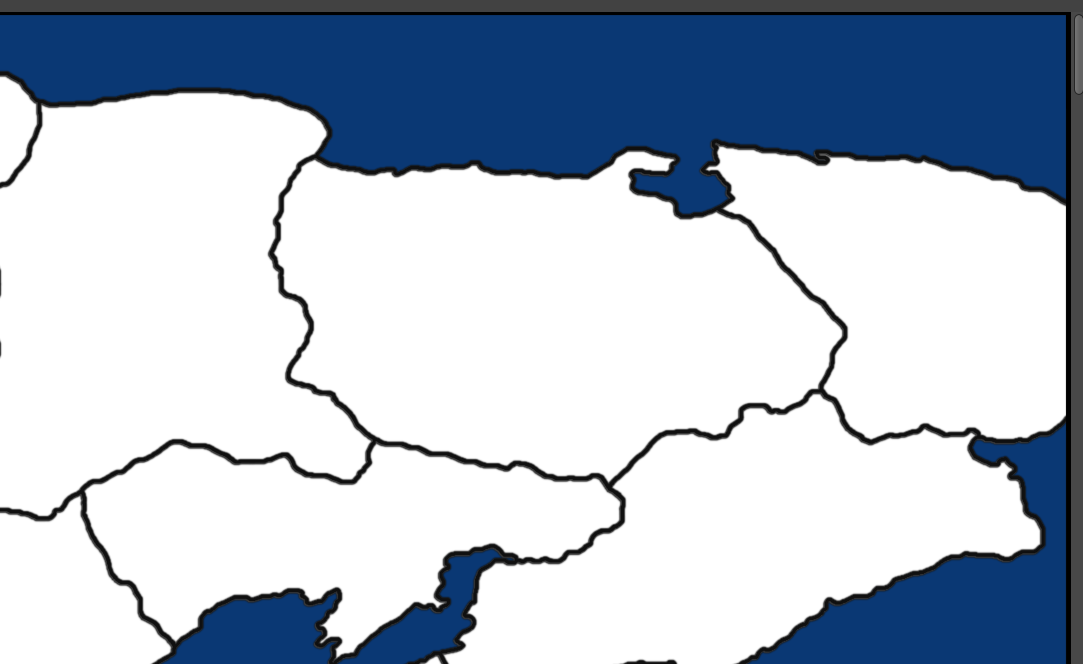
I added a black outline on all edges of the map, it didnt fix the problem. Technically the original map already has some outline as well but i added a thicker outline and still the whole screen turns red.
There are no gaps between TTs, and i only changed the inland TT borders, sea zones should not be affected, but i got no idea why it doesnt recognize any borders at all on the map.
outline at the edges of the map :
-
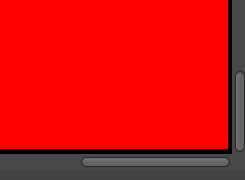
The edge borders are the only borders the map recognizes.
-
@davor-pavlić
Please upload the entire map-file, so we can take a look at it. -
https://drive.google.com/drive/folders/1d4lOQ2CbHLe_YhN-n6Gy3XuAaWHuE6lX?usp=sharing
Contains a map without any changes to edges of the map, and a map with added edges.
-
You didn't turn antialiasing off, so your lines are not pure black, what is necessary.
Example:

-
Also I recommend to keep every territory in plain white.
Restricted territories are not to be marked or defined in the basetile-map.



Hello! It looks like you're interested in this conversation, but you don't have an account yet.
Getting fed up of having to scroll through the same posts each visit? When you register for an account, you'll always come back to exactly where you were before, and choose to be notified of new replies (either via email, or push notification). You'll also be able to save bookmarks and upvote posts to show your appreciation to other community members.
With your input, this post could be even better 💗
Register Login