Question about trenches domination 1914 no mans land
-
Hi!
I have a question about editing the relieftiles of a map.
Im using gimp and try to erase some lines to redraw borders with the eraser tool.
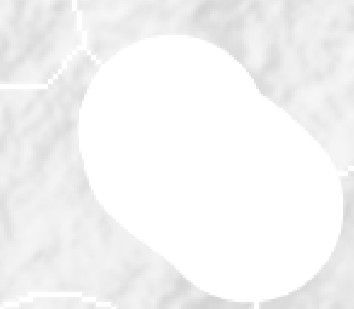
The problem is that once i erase the original transparent pixels i get weird white pixels on my map? Do any of you have experience with this? Can i edit the relief tiles?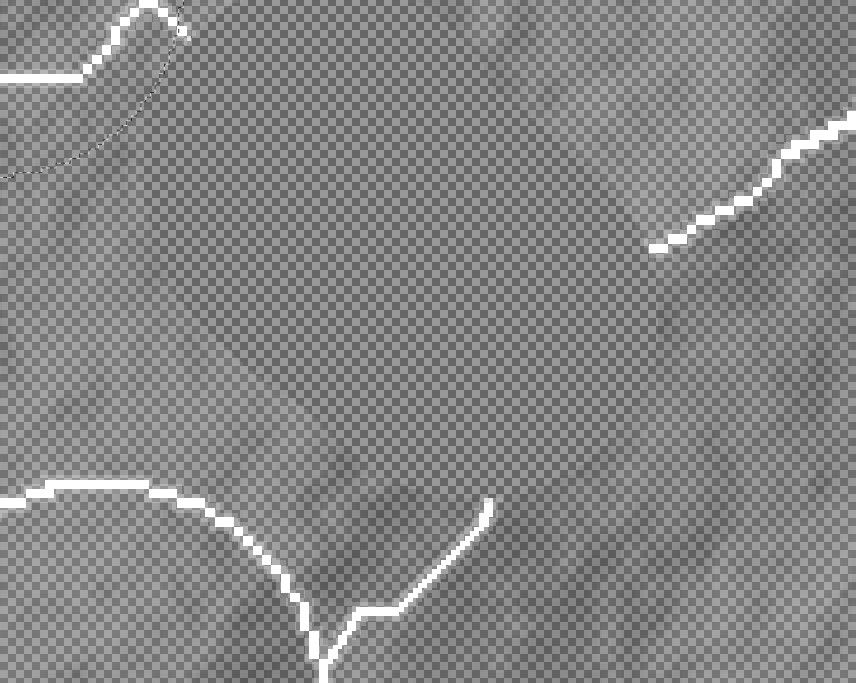
-
@Ramon I don't the answer to the question but you normally would not edit the relief tiles individually. Instead you edit the overall image and the have the "Tile Image Breaker" create the individual tiles.
-
Thanks for your reply! I'm editing the overall image and use the tile Image Breaker to create the individual tiles.
I'm a bit confused why my transparent eraser isn't working?
Do you know if i can use my base tile map to create an relief tile map?
-
Hi
In case you haven't seen it this is pretty helpful https://forums.triplea-game.org/topic/3423/a-brief-guide-for-making-a-map-relief
I had the same problem trying to erase a line. If I remember right, I think Elk said to paint over the existing line but I don't really know. I tried it with limited success.
@cernel and @victoryfirst would probably know.
-
Thank you for your response!
Unfortunately i dont have original map.png for the reliefmap.
Do you have any idea if i can make a reliefmap based on originalmap?
-
@Ramon Check out Map Creator Tools/Optional Things/Run the Tile Image Reconstructor
-
@Ramon
Yes you can, its messy.
Map Creator Tools> Other optional things: > Run the tile image reconstructorThe rest is up to you and the way you install TripleA, but as a guide something like this
C:\Users\%USERNAME%\triplea\downloadedMaps\1941_global_command_decision\map\reliefTiles
If your on Windows, copy and paste the above into your windows file manage to get an idea.
-
@Ramon Can't help you with the transparent eraser. I use plain old Paint
-
Hi TheDog Thank you for your response!
I think you may have misunderstood my question. Im editing the map domination 1914 NML,but i dont have the original map that the relieftile were based on. Im trying to edit some borders, and the basetile is easily editable.
But im having trouble editing the relief tiles. They seem to contain some kind of transparency, and using the eraser tool doesnt work. Did the original relief tiles usa a different method to create the transparent pixels?
Do you have any experience with this? Or any idea how to edit the borders in these relieftiles? I used gimp eraser and the paint eraser.
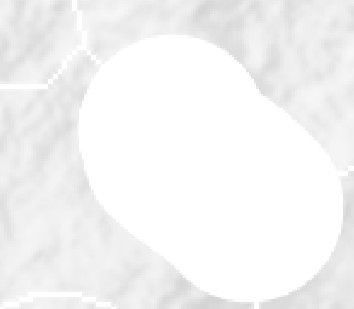
As example this is how gimp sees my edited border with the eraser tool:
-
@Ramon
I am no graphic artist, so I might be waffling below.
As you know how to assemble the reliefTiles, then find the largest area and make that a texture(with the level of transparency) and use that to fill the oval shown. -
@ramon Changing the reliefTiles is difficult when you do not have the overlay that the game used. You can actually modify individual tiles, but it is not recommended if the change is across multiple tiles. Assuming that this is the case, you'd need to use the baseline image, change the borders there, and then break it using the tile image breaker. Then, you'd need to open the reliefmap by combining it using the tile image reconstructor. Also open the modified baseline map so that you can see what borders you removed and where the new borders are. To remove borders from the reliefmap, you can do the following. In the images you sent, you can see that the color of the territories isn't empty, it has a black-ish (or white/gray-ish in the other) color with a very low opacity. Try selecting this as color and remove the borders using this color. If you use GIMP, you can select the color using CTRL+click when having the pencil tool selected. Do not make it transparent as you did, that will make the territory shade go away completely. You should not be using the eraser at all, only the pencil tool. To draw new borders, you can select the white border color and use it to draw the new borders. If you lower the opacity of the baseline map and put it above the reliefmap, you can see the new borders and you can trace them. Then you can use the heal tool to make the borders and territory colors look more like the rest of the reliefmap, with different shades of colors. This doesn't necessarily make it look nice though. Even if you do your best, you will still probably have spots with a different shade than the rest of the map, but it's better than nothing.
One small tip is to past the reliefmap not once several times in GIMP, so that you have like 10 identical layers. This will increase the opacity of the reliefmap. If you then combine all these layers, you essentially have increased the opacity. This allows you to actually see everything properly. You'd still need the heal tool to make the colors blend into each other better. Then you can lower the opacity of the layer so that it is around the same as the original reliefmap.
Last option is to create your own relief tiles using your own overlay. This might be a lot of work but it would ensure that the map looks nice.



Hello! It looks like you're interested in this conversation, but you don't have an account yet.
Getting fed up of having to scroll through the same posts each visit? When you register for an account, you'll always come back to exactly where you were before, and choose to be notified of new replies (either via email, or push notification). You'll also be able to save bookmarks and upvote posts to show your appreciation to other community members.
With your input, this post could be even better 💗
Register Login