Game of Thrones & A Song of Ice and Fire - Official Thread
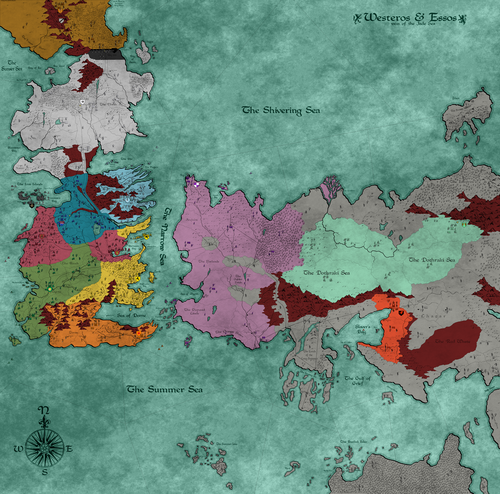
-
Currently, I'm working on the unit art for the Lannisters, Free Cities, Dothraki, and Martells.
I plan on having 7 cavalry/infantry units per power. Each power will have around 1 leader-type unit with leadership support. There will also be 2 cheap fodder units, 2 mid-ranged units, and 2 elite units per power.
I took the Morder power from Battle for Arda into consideration when planning the number of infantry/cavalry units per power.
The Mordor power had the Snaga skirmishers and orc marauders as cheap fodder units. Then, the mid-ranged units were the Uruk warrior and Uruk pikeman, which both had some support and targeting abilities.
There were also the spider and Olog hai, which were both elite units that were very useful but also expensive. Then, there was the winged Nazgul, which was the leader unit.
As always, I am open to all suggestions and feedback.
-
The unit art is almost finished. I'm just finishing the recoloring and rescaling the units.
I'll post them all once they are finished.
-
-
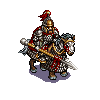
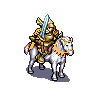
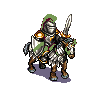
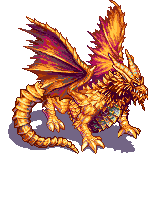
Here are the units for each power. I am listing based on the pictures I just showed.
Greyjoy
Bowman-Reaver-Crossbowman-Raider-Horseman-IronLord-SwordsmanLannister
Bowman-LionLord-GoldCloak-Horseman-GrandKnight-Pikeman-KingsguardTully
Horseman-Swordsman-Pikeman-Sellsword-RiverLord-Halberdier-RiverArcherArryn
ValeGuard-Bowman-Swordsman-EliteWarrior-General-Knight-MountainClansmanDothraki
Arakhman-Slave-Scout-Bloodrider-HorseArcher-Khal-HorsemanFree Folk
Pikeman-BearRider-Giant-Swordsman-Axeman-Bowman-WildlingChiefBaratheon
Kingsguard-HammerWarrior-Swordsman-StagRider-Spearman-Crossbowman-PrinceStark
Watchman-Axeman-Bowman-Horseman-Direwolf-Swordsman-WardenTyrell
MasterWarrior-Bowman-Pikeman-General-Horseman-CityGuard-ShockTrooperMartell
General-DuneRanger-Spearmaster-Spearman-HorseArcher-SpearThrower-BowmanTargaryen
Dragon-Bowman-Unsullied-Pitfighter-Knight-Arakhman-QueensguardFree Cities
Horseman-FacelessMan-Sellsword-Slave-WaterDancer-SeaLord-UnsulliedOthers
WhiteWalker-StrongWight-WeakWightNeutrals
Swordsman-Sellsword-Spearman-Horseman-Pikeman-Giant-BowmanNOTE: Each power (except neutral) has three unique units.
-
@Greg-Anderson Looking good. FYI, the Martell Bowman is missing a shadow. You'll also want to consider how you want to indicate player ownership. You can just recommend players set the unit flags on in the game. Some games also actually dye the units a color or use some form of built in roundel/flag (Total World War) for example.
-
@redrum I will find a replacement for the Martell Bowman. Thanks for pointing out the mistake.
I don't want to fully color the units, as I believe it would remove some of the detail. I already recolored the clothing of each unit to match their power's color.
As for indicating ownership, I was planning on just keeping the small flag that appears in the bottom right corner of each unit. I believe that is enough to tell ownership.
Please let me know if I am wrong.
-
@Greg-Anderson That's fine. You'll just want to mention in the notes that its recommended to make sure unit flags are turned on.
-
@redrum Alright. Thanks for pointing that out.
The next step will be to rework the stats. I'll post more updates soon.
-
@Greg-Anderson The unit art is very nice, some considerations:
Why are the Greyjoy so smaller than the rest? If that is because those were the one made first, then you switched to a bigger dimension, I agree with the choice you made, there, but, then, I think you should redo the Greyjoy, about as big as the rest.
While it would be great if you could have that big dragon image take the space it needs, and the rest distributing in the available area, none of this exists in TripleA. In TripleA all images are drawn from top left coordinates (generated by a very bad autofinder or via an extremely time consuming manual picking). So, while it is just unthinkable to have huge dimensional differences, like in the case of the dragon (in theory, you could use all images as they are, comprising the dragon, but this would imply that, to avoid eccessive overlapping or even making units invisible or unclickable, you would need to space the unit as much as needed, which would be a very inefficient use of space). Beside the extreme case of the dragon, I still suggest against having dimensional differences at all, because, all images being drawn from top left, the bigger ones would likely overlap all to the right and bottom, then. Having some measure of dimensional differentiation in TripleA is possible, but my suggestion is doing it by having the images files all of the same dimensions, no matter how small or big the picture itself is (in your case, I suggest having them all 80x80 pixels), leaving as much blank space as needed for the ones not filling the space, centring the actual picture. 80x80 pixels images will be cut here and there (the battle window and so on), and will give huge scroll bars in the territory tab, but the map should be still fairly playable, and save most of your concept (it's a compromise, of course).
Also, then, you can have the images overlapping a tad, to use the space more efficiently, especially when having a lot of blank space in them. In case you go with all 80x80 pixels images, as I suggested, you can do so by actually generating placements at 64x64 pixels, then putting all your place coordinates into an excel sheet and decrease them all by 8 (so, a
0,0coordinate will become-8,-8and a12,57coordinate will become4,49, for example), that way having a set of sequences of placements optimized for 80x80 pixels images, that would overlap each other of up to 16 pixels on either axis.Since the units are unique, thus you don't strictly need flags, it makes sense just to go with the switchable flags the TripleA program itself provides. Maybe a developer will eventually make it as a map setting, so that each map can decide whether to have them default on or off... If wanted to have flags always showing, which would be reasonable, as well, I advice against drawing any flags in the images themselves, but rather using "unitIcons", for that (you would define those as always displaying, in the "unit_icons" property file).
-
@Cernel Thanks for the advice.
I just wanted to mention that all the units apart from the units of House Greyjoy have not been scaled yet. Each unit will be scaled to a dimension of 50x50, as that is the size of the original units.
I simply wanted to show what the units will look like before scaling. The original unit images apart from the dragon are 72x72, which is too large for the map and causes overlapping. I already tested to find the appropriate size.
-
@Greg-Anderson I suggest you go with 72x72 then: don't scale them down. 72x72 will be fine, just a bit cut. The "place" coordinates can be redone to have a fair amount of overlapping, if any.
-
@Greg-Anderson said in Game of Thrones & A Song of Ice and Fire - Official Thread:
@Cernel Thanks for the advice.
I just wanted to mention that all the units apart from the units of House Greyjoy
The units other than Greyjoy look much better.
-
@Greg-Anderson If you give me your definitive base image (png) and "center" file (txt) I can provide you (here) with a good "place" (txt) for 72x72 pixels images, that you can just download and add to your map folder. It would be a bit of work, so only in case you would be positive about having and going with all images at 72x72 pixels dimension. I would do it so that all images overlap with each other within the same zone of up to 16 pixels on each axis (it's fine).
-
@Greg-Anderson This map renovation looks very promising
 I like the art. But I have a little issue with the type of shadows used. It seems like it is plain untransparent mono-color grey color. Is that right? If so, it should be no problem removing all the shadows (before image shrinking) and adding new more realistic or better looking shadows. I am sure we are a few who could give tips on how to do this. Unless you are totally fine with the current shadows
Map maker of: Star Wars: Galactic War + Star Wars: Tatooine War + Caribbean Trade War + Dragon War + Age of Tribes + Star Trek: Dilithium War + Iron War + Iron War: Europe + Warcraft: War Heroes
-
@Cernel Thanks for your offer to help. I was testing unit sizes and I found that 60x60 is a great size to see the units clearly and not have them crowd the map.
You were right that 50x50 was too small.
-
@Frostion I currently think the shadows fit their purpose, but they could certainly be improved eventually.
However, I currently want to work more on the unit stats and get support and unit targetting added. I am eager to get this map playable, so I am leaving some nonessential details for the end.
But again, thanks for the suggestion.
-
I'll repost all the art in 60x60 form later. I also plan on getting the new stats done.
So stay tuned.:beaming_face_with_smiling_eyes:
-
@Greg-Anderson You don't need units being 100% their dimensions on the map, either. So, instead of having 60x60 px units, you can have up to 120x120 px units, and setting a 50% unit zoom in map properties. However, TripleA is devised for 48x48 px units. Therefore, while bigger sizes are supported, they are not so hoptimized. Even if you can zoom an image better than TripleA, if you have images that are 72x72 pixels and you want to have them as 60x60 pixels on the board, I would still suggest leaving the images at 72x72 pixels and using the
units.scalesetting in map properties, to shrink them on the board. -
@Cernel Ah okay, I will try that. Thanks for explaining, as I am still new to map modifying.
-
Alright, I have the unit stats finished. Any feedback would be appreciated.
I have not done the targeting or support yet.TripleA.pdf
















Hello! It looks like you're interested in this conversation, but you don't have an account yet.
Getting fed up of having to scroll through the same posts each visit? When you register for an account, you'll always come back to exactly where you were before, and choose to be notified of new replies (either via email, or push notification). You'll also be able to save bookmarks and upvote posts to show your appreciation to other community members.
With your input, this post could be even better 💗
Register Login