Setting up Prerelease
-
Tried this again and still failing. I took all the maps out of my downloadedMaps folder and tried to DL one and got the same error.

Went to the triplea-maps but that just takes me to the repo. Idk how to dl the map from there. Anyway, I added a single map back to the dlmaps folder and got the same error
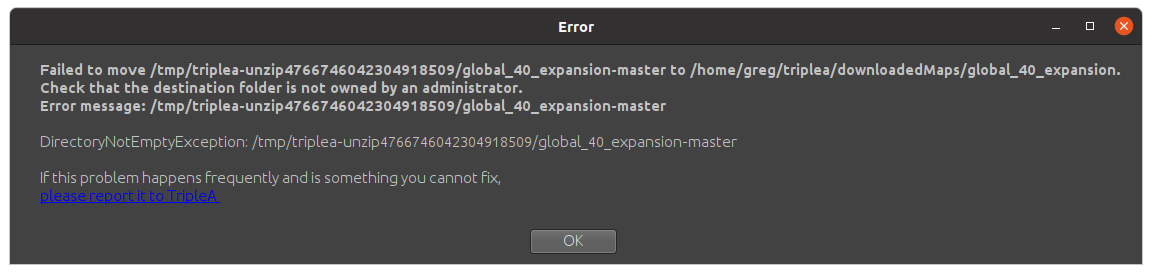
I assume administrator means someone with sudo privileges ? So i made a new user without sudo and got the same errors as above.
@TheDog how did you get it to work ?
Thanks
-
@beelee said in Setting up Prerelease:
Went to the triplea-maps but that just takes me to the repo. Idk how to dl the map from there.
That I can tell you:
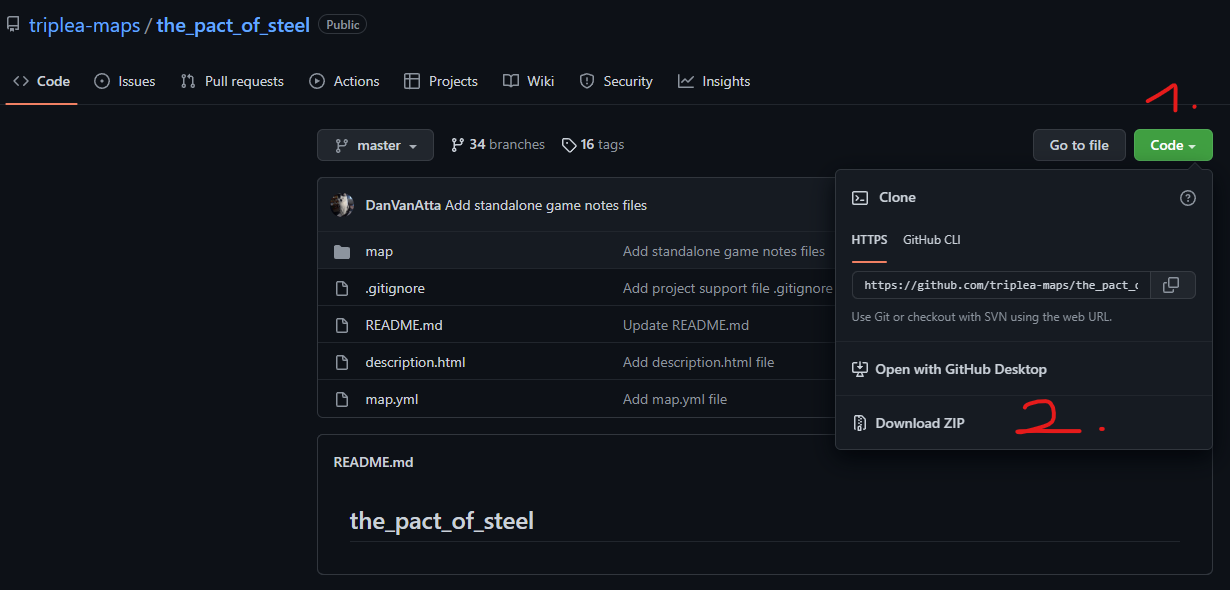
- Click the "Code"-Button
- Start to download clicking "Download ZIP"
Don't always trust TripleA when it comes to rules questions. Know the rules before you start … and better check what TripleA has done.
-
-
What is wrong? Download from the repo works like a breeze here, you don't even need to be logged in at Github for downloading directly from the repo ...
I have placed the downloaded zip-file inside the downloadedMaps folder and it unzips/unpacks and runs flawlessly with the current pre-release (2.6.758).
I'm on Windows 11, though.
-
@beelee
I think the pre-release sever is broke, see here
https://forums.triplea-game.org/topic/3121/triplea-development/912.6 downloads occasionally work, but now I download with 2.5 and then run with 2.6, I have downloaded over 100 maps.
Sometimes I have to manually write the map.yml file.
-
@beelee
I just followed Panthers instructions, without being logged in Firefox, which i dont use very often, it worked first time.So maybe its your browser, what is your default browser?
-
@panther said in Setting up Prerelease:
What is wrong? Download from the repo works like a breeze here, you don't even need to be logged in at Github for downloading directly from the repo ...
I have placed the downloaded zip-file inside the downloadedMaps folder and it unzips/unpacks and runs flawlessly with the current pre-release (2.6.758).
I'm on Windows 11, though.
sorry yea the dl worked fine but when i added it to the downloaded maps folder the way the error suggested, i got the same results as before
-
@thedog said in Setting up Prerelease:
@beelee
I think the pre-release sever is broke, see here
https://forums.triplea-game.org/topic/3121/triplea-development/912.6 downloads occasionally work, but now I download with 2.5 and then run with 2.6, I have downloaded over 100 maps.
Sometimes I have to manually write the map.yml file.
yea so if i add maps from 2.5 or dl'd from git to 2.6, I still get this error
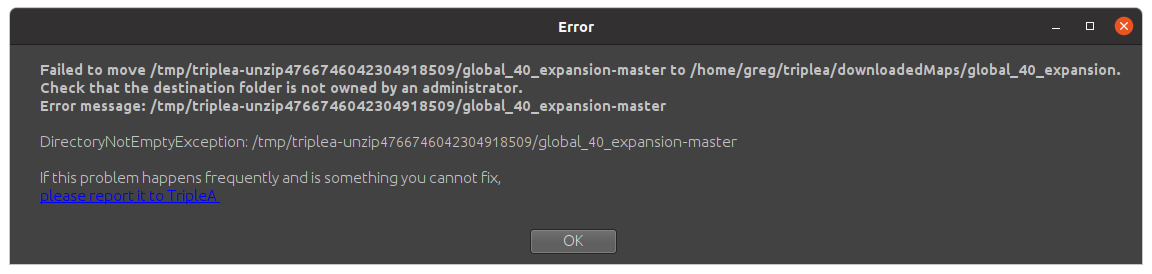
so i can't get 2.6 to work at all. Basically i just want to play a test forum game against myself and I thought 2.6 had a fix. I'd be happy to use 2.5 as I can send the emails back and forth, but I can't set up with either versions here or at A&A. org and i know people are playing forum games there and here
-
@beelee
Im a Windows user so I cant help you, with the error messages.A suggestion try a copy not a move of the files.
-
Wow ! Now I got something really weird going on ! I start a game in 2.5 and after it starts, it switches to 2.67. If I then try and open another window in 2.5, it says no games selected. If I do it in 2.6, it nuts up and starts spouting the error again, except I have all my maps in the DL folder now and you can't x out of it, you have to manually kill it before it whacks all your memory.
Anyway, might just have to bag it and wait for it to come out as a stable lol
-
@beelee
If you were on Windows I would guess you have a PATH corruption.Googling Unix Path, it has the same PATH environment variable, so I would check it out.


Hello! It looks like you're interested in this conversation, but you don't have an account yet.
Getting fed up of having to scroll through the same posts each visit? When you register for an account, you'll always come back to exactly where you were before, and choose to be notified of new replies (either via email, or push notification). You'll also be able to save bookmarks and upvote posts to show your appreciation to other community members.
With your input, this post could be even better 💗
Register Login