TripleA Logo TripleA Forum
    • TripleA Website
    • Categories
    • Recent
    • Popular
    • Users
    • Groups
    • Tags
    • Register
    • Login

    How do I find a map that would play today's World War 3?

    Scheduled Pinned Locked Moved Player Help
    32 Posts 6 Posters 6.5k Views 5 Watching
    Loading More Posts
    • Oldest to Newest
    • Newest to Oldest
    • Most Votes
    Reply
    • Reply as topic
    Log in to reply
    This topic has been deleted. Only users with topic management privileges can see it.
    • RogerCooperR Offline
      RogerCooper @Nick1907
      last edited by

      @nick1907 When you open up TripleA, you will see a button on the left saying download maps. Click that it and it open a window for downloading. There will be an alphabetical list of maps. Select the list of maps and then click install. The new maps will then be available when you click Select Game. You don't to worry about folders unless you want to create your own mods.

      If you find a mod on the wiki, https://axisandallies.fandom.com/wiki/Axis_%26_Allies_Wikipedia, that is not in the download list, let me know.

      1 Reply Last reply Reply Quote 3
      • B Offline
        beelee @Nick1907
        last edited by

        Welcome to the site @nick1907

        Actually WW III is being fought right now. It just hasn't gone nuclear yet lol Just kidding kinda 🙂

        Here's a link to the map page on git. You might find it easier to scroll through them https://github.com/triplea-maps

        RogerCooperR 1 Reply Last reply Reply Quote 2
        • N Offline
          Nick1907
          last edited by

          @RogerCooper @beelee Thank you very much for your feedback.

          1. but in the game, when i click on download maps, do i find all the maps that are available for the game? Is there no other web page where I can also download other maps?
          2. if I download the maps manually and not via the game itself, where exactly do I have to save them so that I can start them?
          3. when I download maps via the game, I have often noticed that certain maps do not start and I get an error message. Do you have the same problem and if so, how can I fix it?
          B 2 Replies Last reply Reply Quote 1
          • B Offline
            beelee @Nick1907
            last edited by beelee

            @nick1907

            yea so if you dl manually from git you wanna go to triplea folder
            downloadedmaps

            and put it in there

            here's a detailed link https://www.axisandallies.org/forums/topic/36998/global-1940-and-1943-expansion-for-use-with-triplea?page=1

            Edit
            The above git link I provided will take you to all of them. The maps 🙂

            1 Reply Last reply Reply Quote 1
            • B Offline
              beelee @Nick1907
              last edited by

              @nick1907

              Post a saved game or screensot of the error next time it happens.

              What engine version are you using ?

              2.6.14752 is pretty much the latest, although a few new ones out

              N 1 Reply Last reply Reply Quote 1
              • N Offline
                Nick1907 @beelee
                last edited by

                @beelee Thank you. Unfortunately, I don't have the latest version of TripleA. How exactly can I update the software?

                B 1 Reply Last reply Reply Quote 1
                • B Offline
                  beelee @Nick1907
                  last edited by beelee

                  @nick1907

                  The home page has it. https://triplea-game.org/

                  What OS are you using ? Mac has been somewhat problematic for as long as I can remember but it does work 🙂

                  Edit
                  this all of the versions https://github.com/triplea-game/triplea/releases/

                  N 1 Reply Last reply Reply Quote 0
                  • N Offline
                    Nick1907 @beelee
                    last edited by

                    @beelee said in How do I find a map that would play today's World War 3?:

                    @nick1907
                    The home page has it. https://triplea-game.org/
                    What OS are you using ? Mac has been somewhat problematic for as long as I can remember but it does work

                    Thank you, I use Windows.
                    So I can only update the version if I completely reinstall the game?

                    B 1 Reply Last reply Reply Quote 0
                    • B Offline
                      beelee @Nick1907
                      last edited by beelee

                      @nick1907

                      the install should be just follow the prompts. Most are on windows, so i think its pretty user friendly for it.

                      It will ask if you want to put it in your current folder. You can say no and rename the folder. I just use the number.

                      So you can have multiple versions at same time

                      Edit
                      The Dog has a detailed post about it. Idk where it is but shouldn't be too hard to find 🙂

                      N 1 Reply Last reply Reply Quote 0
                      • N Offline
                        Nick1907 @beelee
                        last edited by

                        @beelee said in How do I find a map that would play today's World War 3?:

                        the install should be just follow the prompts. Most are on windows, so i think its pretty user friendly for it.
                        It will ask if you want to put it in your current folder. You can say no and rename the folder. I just use the number.
                        So you can have multiple versions at same time

                        When I download and install the tripleA from the site: https://triplea-game.org/download/ I unfortunately still only have the engine version: 2.5.2294

                        What am I doing wrong?

                        B 1 Reply Last reply Reply Quote 0
                        • B Offline
                          beelee @Nick1907
                          last edited by beelee

                          @nick1907

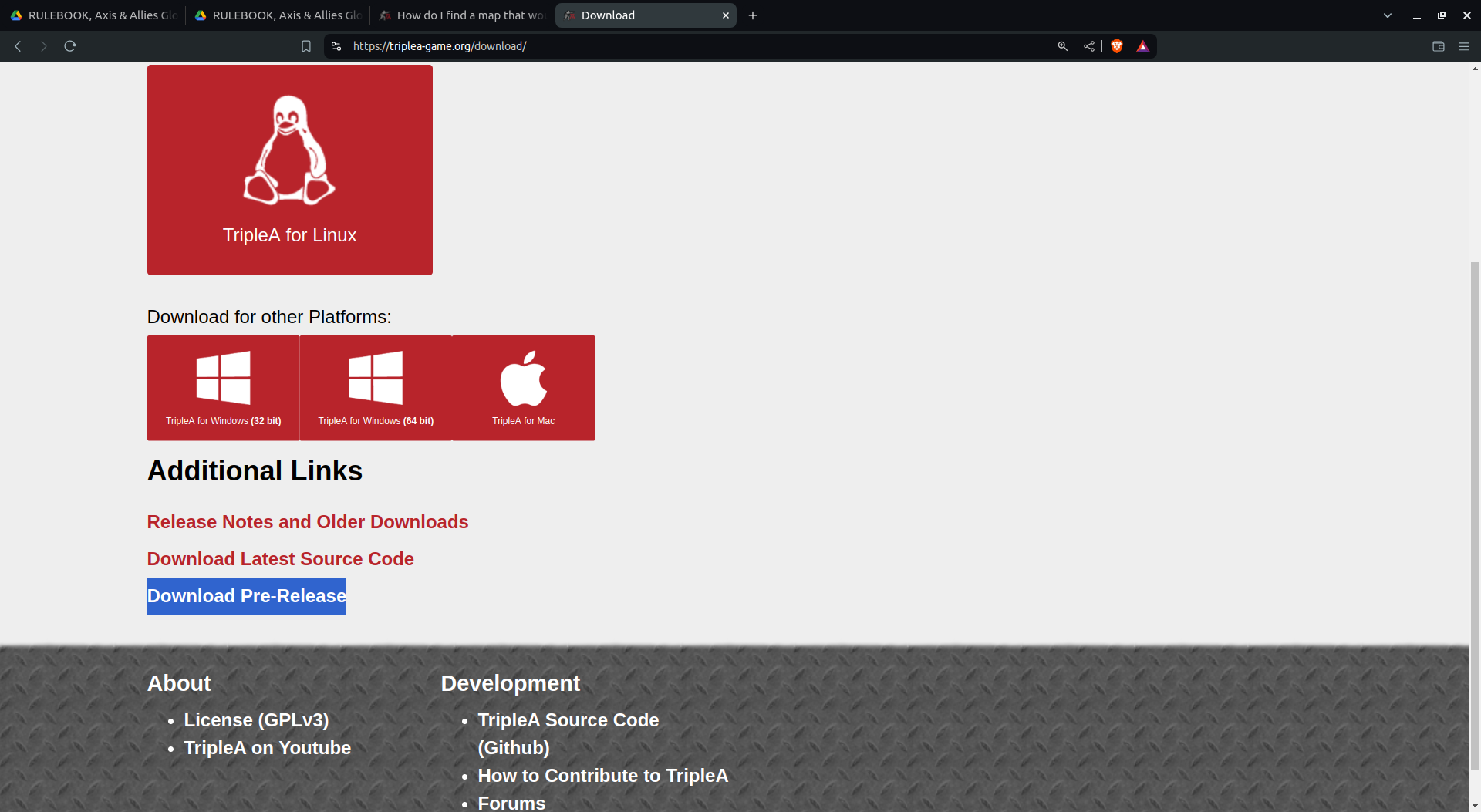
                          oh yea so you wanna go to prerelease or use that above link I sent.

                          I think theres still a 32 and 64 for windows so make sure you get right one

                          Edit
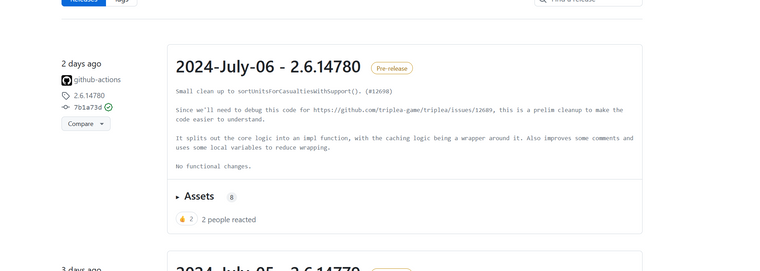
                          Screenshot from 2024-07-08 01-55-48.png

                          N 1 Reply Last reply Reply Quote 0
                          • N Offline
                            Nick1907 @beelee
                            last edited by Nick1907

                            @beelee Thank you.
                            dd5e76cb-8cbe-4ab0-97d8-61f186256136-grafik.png

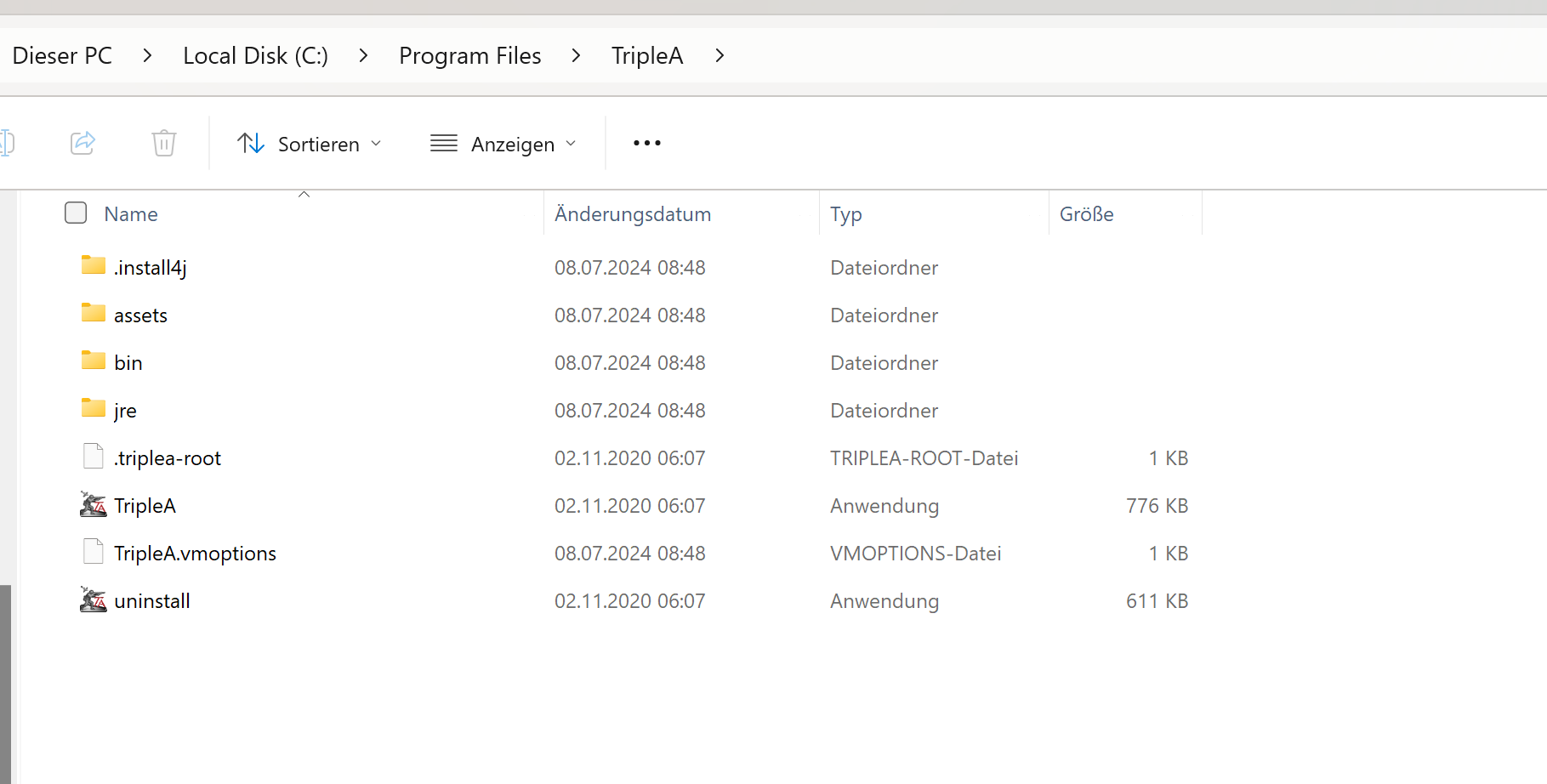
                            1. And where exactly do I have to click here to download this version?

                            2. in which folder exactly do I have to copy this version?
                            f142ff71-a48d-4570-8cd4-dc0fcbfbb834-grafik.png

                            B 1 Reply Last reply Reply Quote 1
                            • B Offline
                              beelee @Nick1907
                              last edited by

                              @nick1907

                              heh heh sorry brother I know das is gut and that's about it 🙂

                              I will screen it out for you. I'm on linux though but should similar process 🙂

                              N 1 Reply Last reply Reply Quote 0
                              • N Offline
                                Nick1907 @beelee
                                last edited by

                                @beelee that would be great, if you would do that, I would be very grateful

                                B 1 Reply Last reply Reply Quote 0
                                • B Offline
                                  beelee @Nick1907
                                  last edited by

                                  @nick1907

                                  On it right now 🙂

                                  B 1 Reply Last reply Reply Quote 0
                                  • B Offline
                                    beelee @beelee
                                    last edited by

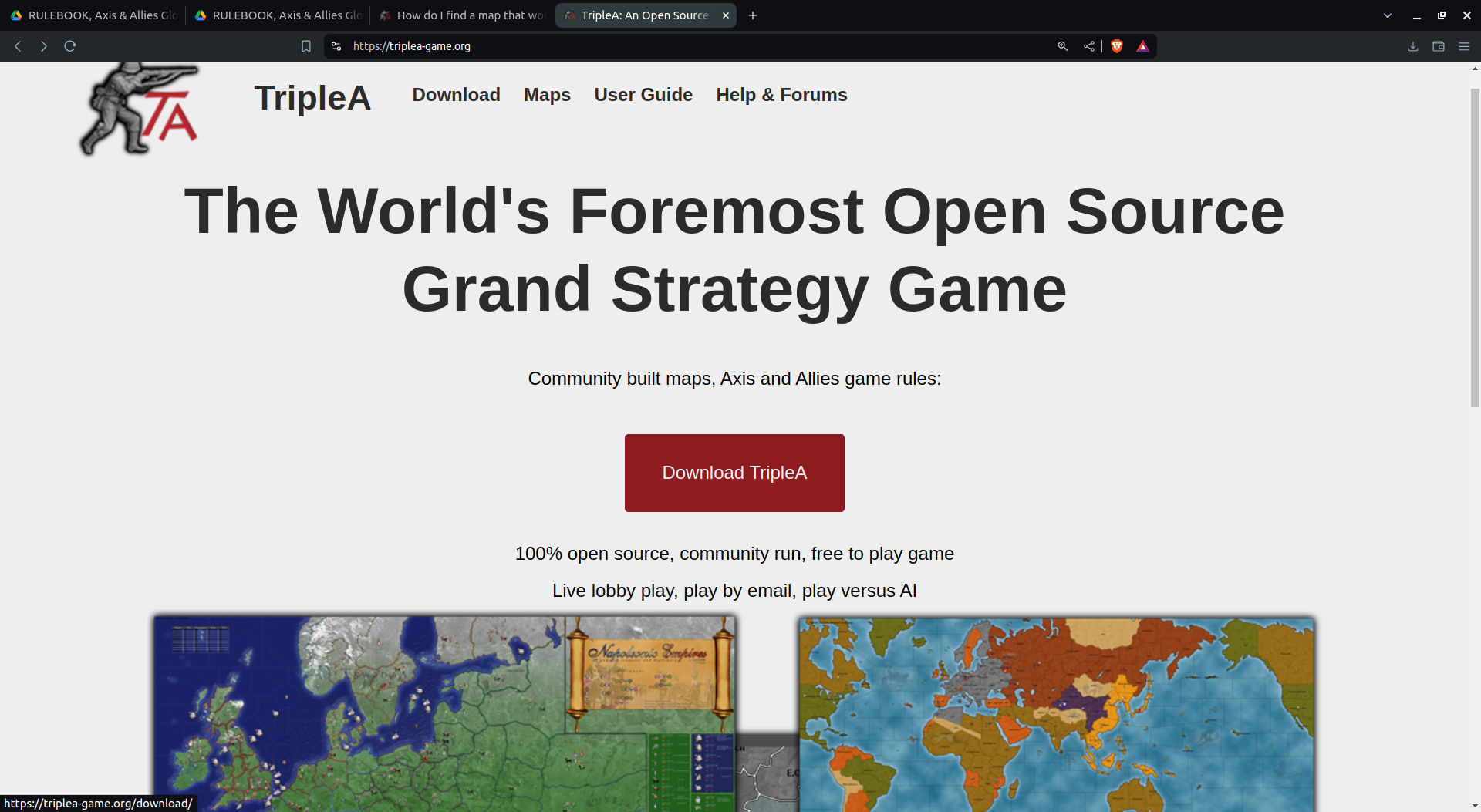
                                    @beelee I will do in steps as i get the shots mixed up lol
                                    Screenshot from 2024-07-08 02-17-07.png

                                    Download prerelease
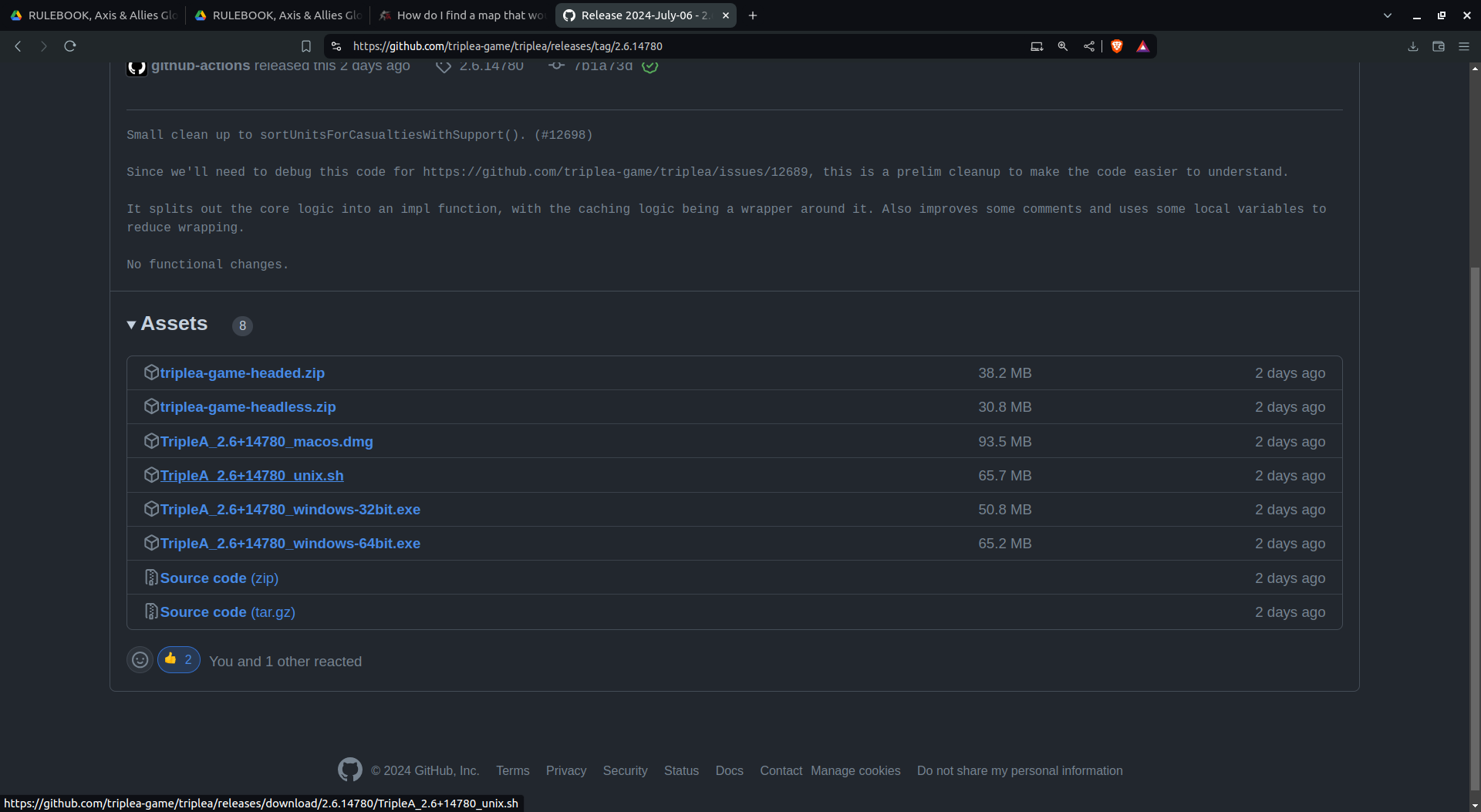
                                    Screenshot from 2024-07-08 02-18-05.png

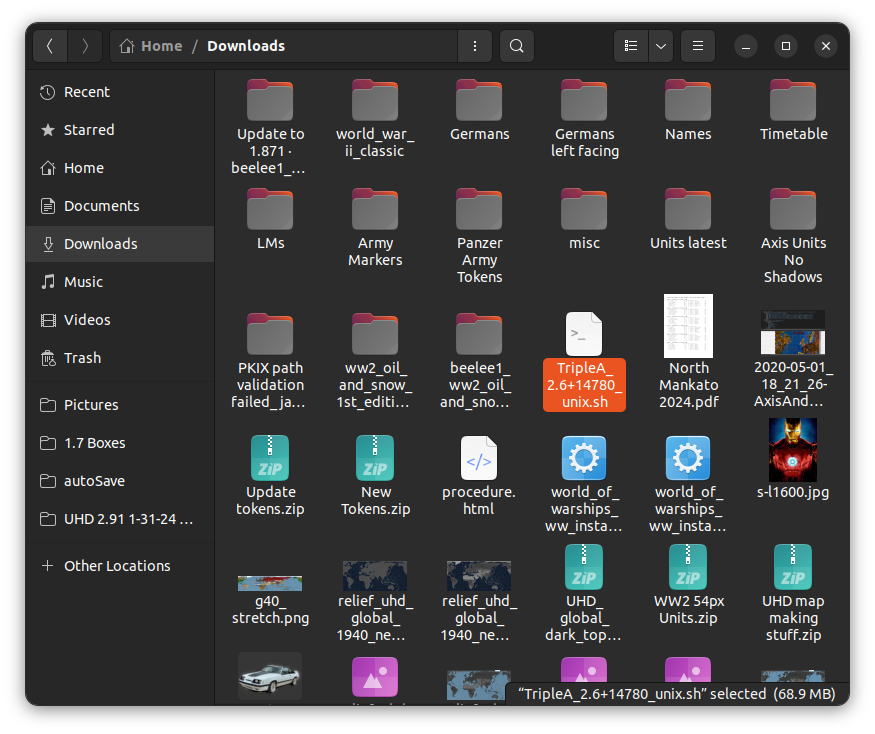
                                    It's now in your downloads. Yes I know you know this but we are gonna be deliberate lol

                                    1 Reply Last reply Reply Quote 0
                                    • B Offline
                                      beelee
                                      last edited by

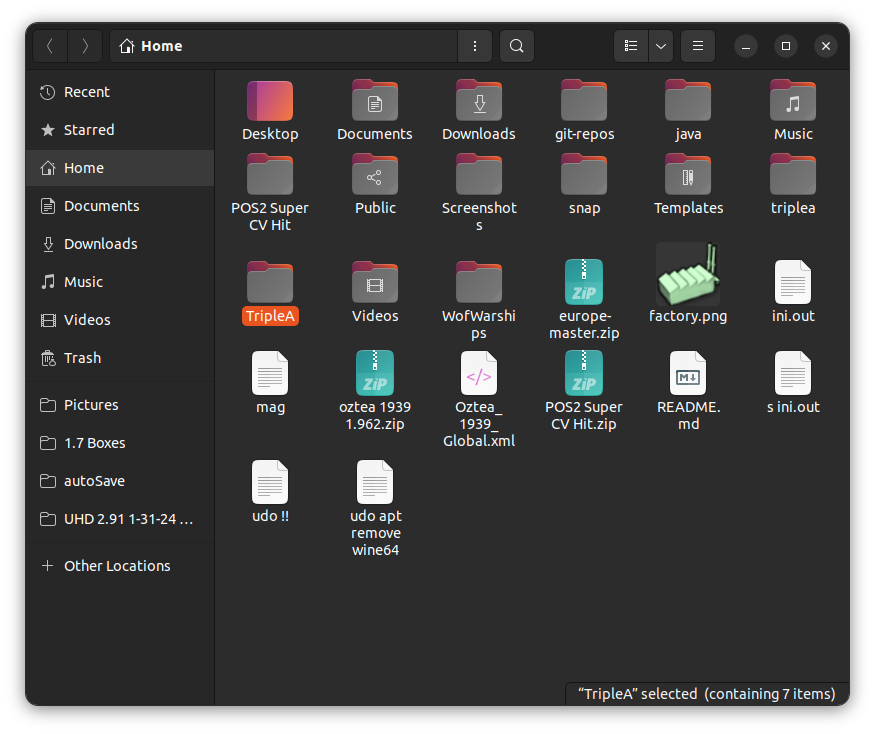
                                      Screenshot from 2024-07-08 02-22-54.png

                                      Screenshot from 2024-07-08 02-23-14.png

                                      notice there are two triplea folders. At least for me 🙂

                                      The big T is where the release will go. The little one is where your saved games and maps are

                                      1 Reply Last reply Reply Quote 1
                                      • B Offline
                                        beelee
                                        last edited by

                                        then I open it and hit propertiess

                                        Screenshot from 2024-07-08 02-25-58.png

                                        then PermissionsScreenshot from 2024-07-08 02-26-16.png

                                        This shouldn't be necessary for you on windows. Just follow the prompts but this is how I do it 🙂

                                        Then Execute
                                        Screenshot from 2024-07-08 02-30-00.png

                                        1 Reply Last reply Reply Quote 1
                                        • B Offline
                                          beelee
                                          last edited by

                                          Then I put it in a terminal
                                          Screenshot from 2024-07-08 02-31-27.png

                                          and I get this
                                          Screenshot from 2024-07-08 02-32-39.png

                                          now windows should be the same here I would think. We want to install into a different directory so we need to change the default to no

                                          Screenshot from 2024-07-08 02-35-27.png

                                          1 Reply Last reply Reply Quote 0
                                          • B Offline
                                            beelee
                                            last edited by

                                            Screenshot from 2024-07-08 02-37-53.png

                                            i put 14780. Careful not to nuke the name or you gatta type it all in again 🙂

                                            1 Reply Last reply Reply Quote 0

                                            Hello! It looks like you're interested in this conversation, but you don't have an account yet.

                                            Getting fed up of having to scroll through the same posts each visit? When you register for an account, you'll always come back to exactly where you were before, and choose to be notified of new replies (either via email, or push notification). You'll also be able to save bookmarks and upvote posts to show your appreciation to other community members.

                                            With your input, this post could be even better 💗

                                            Register Login
                                            • 1
                                            • 2
                                            • 1 / 2
                                            • First post
                                              Last post
                                            Powered by NodeBB Forums