TripleA Logo TripleA Forum
    • TripleA Website
    • Categories
    • Recent
    • Popular
    • Users
    • Groups
    • Tags
    • Register
    • Login

    How do I find a map that would play today's World War 3?

    Scheduled Pinned Locked Moved Player Help
    32 Posts 6 Posters 6.2k Views 5 Watching
    Loading More Posts
    • Oldest to Newest
    • Newest to Oldest
    • Most Votes
    Reply
    • Reply as topic
    Log in to reply
    This topic has been deleted. Only users with topic management privileges can see it.
    • B Offline
      beelee @Nick1907
      last edited by beelee

      @nick1907

      yea so if you dl manually from git you wanna go to triplea folder
      downloadedmaps

      and put it in there

      here's a detailed link https://www.axisandallies.org/forums/topic/36998/global-1940-and-1943-expansion-for-use-with-triplea?page=1

      Edit
      The above git link I provided will take you to all of them. The maps 🙂

      1 Reply Last reply Reply Quote 1
      • B Offline
        beelee @Nick1907
        last edited by

        @nick1907

        Post a saved game or screensot of the error next time it happens.

        What engine version are you using ?

        2.6.14752 is pretty much the latest, although a few new ones out

        N 1 Reply Last reply Reply Quote 1
        • N Offline
          Nick1907 @beelee
          last edited by

          @beelee Thank you. Unfortunately, I don't have the latest version of TripleA. How exactly can I update the software?

          B 1 Reply Last reply Reply Quote 1
          • B Offline
            beelee @Nick1907
            last edited by beelee

            @nick1907

            The home page has it. https://triplea-game.org/

            What OS are you using ? Mac has been somewhat problematic for as long as I can remember but it does work 🙂

            Edit
            this all of the versions https://github.com/triplea-game/triplea/releases/

            N 1 Reply Last reply Reply Quote 0
            • N Offline
              Nick1907 @beelee
              last edited by

              @beelee said in How do I find a map that would play today's World War 3?:

              @nick1907
              The home page has it. https://triplea-game.org/
              What OS are you using ? Mac has been somewhat problematic for as long as I can remember but it does work

              Thank you, I use Windows.
              So I can only update the version if I completely reinstall the game?

              B 1 Reply Last reply Reply Quote 0
              • B Offline
                beelee @Nick1907
                last edited by beelee

                @nick1907

                the install should be just follow the prompts. Most are on windows, so i think its pretty user friendly for it.

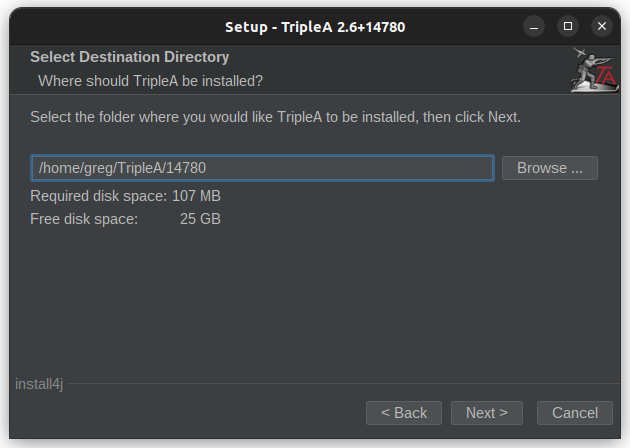
                It will ask if you want to put it in your current folder. You can say no and rename the folder. I just use the number.

                So you can have multiple versions at same time

                Edit
                The Dog has a detailed post about it. Idk where it is but shouldn't be too hard to find 🙂

                N 1 Reply Last reply Reply Quote 0
                • N Offline
                  Nick1907 @beelee
                  last edited by

                  @beelee said in How do I find a map that would play today's World War 3?:

                  the install should be just follow the prompts. Most are on windows, so i think its pretty user friendly for it.
                  It will ask if you want to put it in your current folder. You can say no and rename the folder. I just use the number.
                  So you can have multiple versions at same time

                  When I download and install the tripleA from the site: https://triplea-game.org/download/ I unfortunately still only have the engine version: 2.5.2294

                  What am I doing wrong?

                  B 1 Reply Last reply Reply Quote 0
                  • B Offline
                    beelee @Nick1907
                    last edited by beelee

                    @nick1907

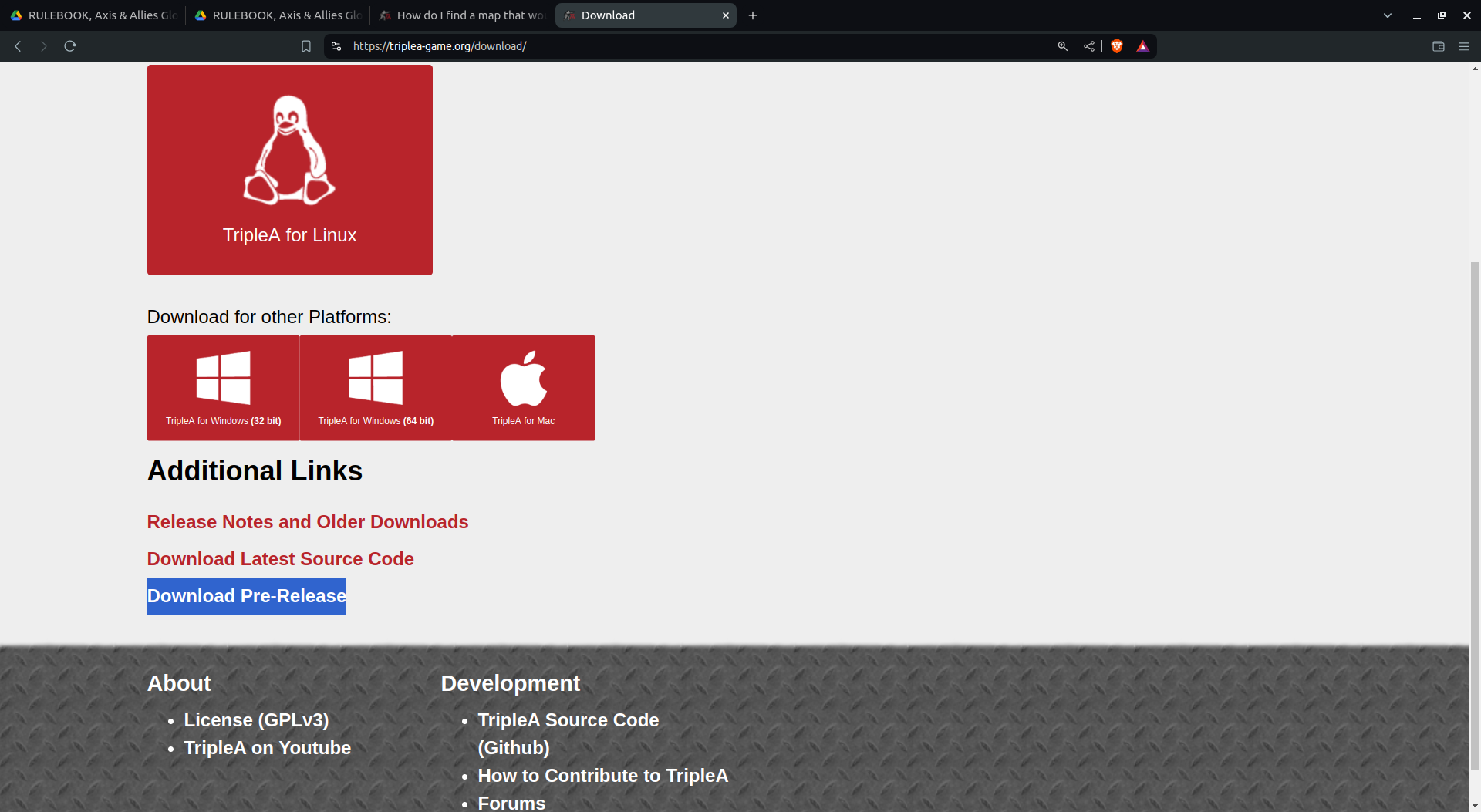
                    oh yea so you wanna go to prerelease or use that above link I sent.

                    I think theres still a 32 and 64 for windows so make sure you get right one

                    Edit
                    Screenshot from 2024-07-08 01-55-48.png

                    N 1 Reply Last reply Reply Quote 0
                    • N Offline
                      Nick1907 @beelee
                      last edited by Nick1907

                      @beelee Thank you.
                      dd5e76cb-8cbe-4ab0-97d8-61f186256136-grafik.png

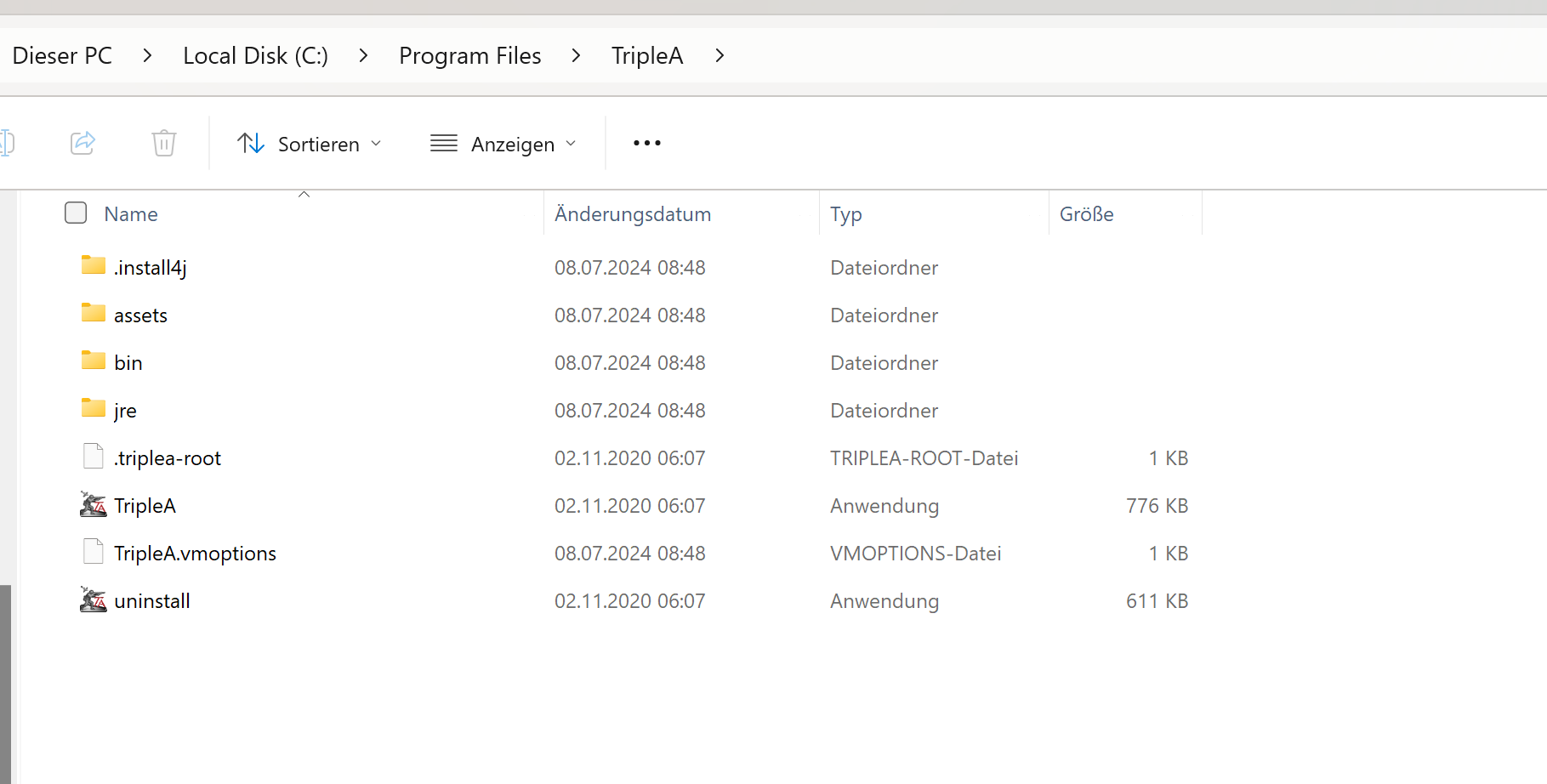
                      1. And where exactly do I have to click here to download this version?

                      2. in which folder exactly do I have to copy this version?
                      f142ff71-a48d-4570-8cd4-dc0fcbfbb834-grafik.png

                      B 1 Reply Last reply Reply Quote 1
                      • B Offline
                        beelee @Nick1907
                        last edited by

                        @nick1907

                        heh heh sorry brother I know das is gut and that's about it 🙂

                        I will screen it out for you. I'm on linux though but should similar process 🙂

                        N 1 Reply Last reply Reply Quote 0
                        • N Offline
                          Nick1907 @beelee
                          last edited by

                          @beelee that would be great, if you would do that, I would be very grateful

                          B 1 Reply Last reply Reply Quote 0
                          • B Offline
                            beelee @Nick1907
                            last edited by

                            @nick1907

                            On it right now 🙂

                            B 1 Reply Last reply Reply Quote 0
                            • B Offline
                              beelee @beelee
                              last edited by

                              @beelee I will do in steps as i get the shots mixed up lol
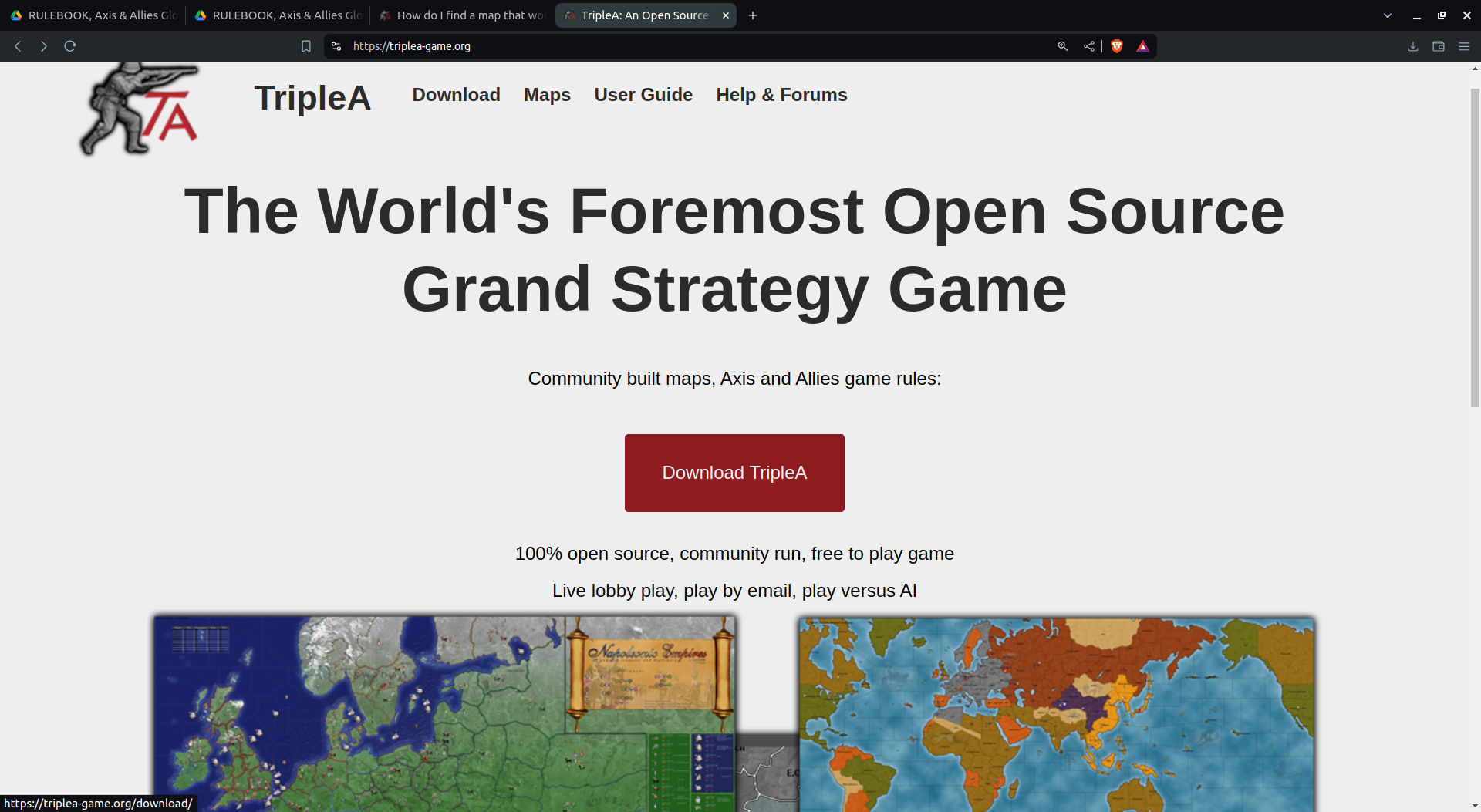
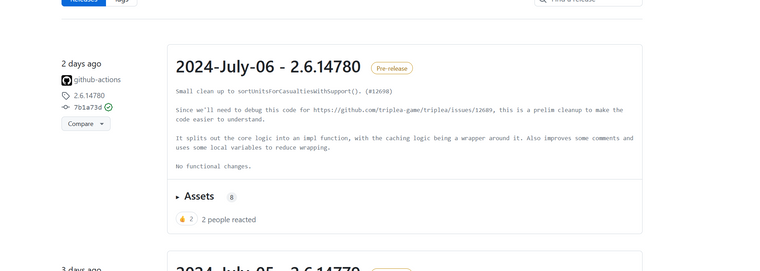
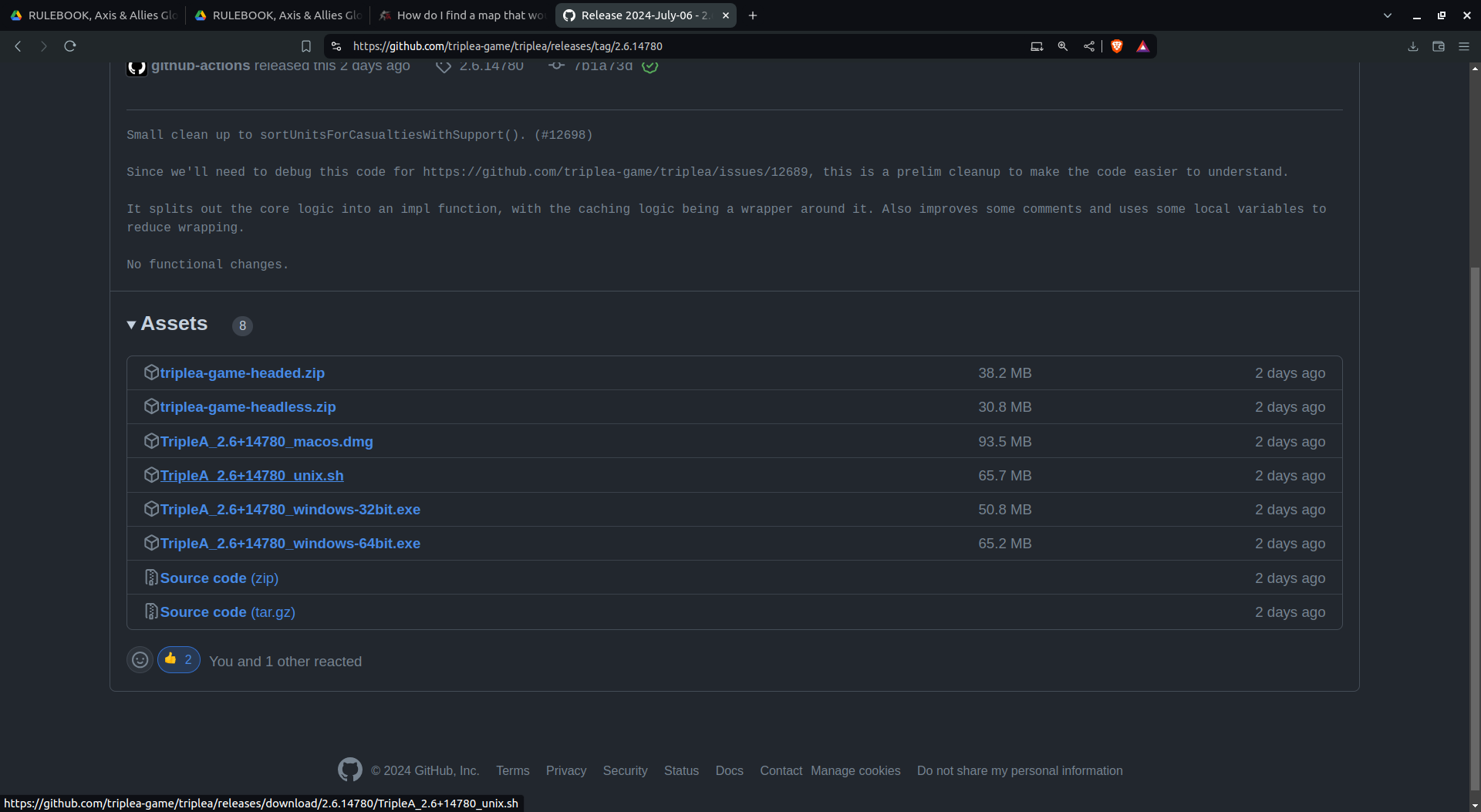
                              Screenshot from 2024-07-08 02-17-07.png

                              Download prerelease
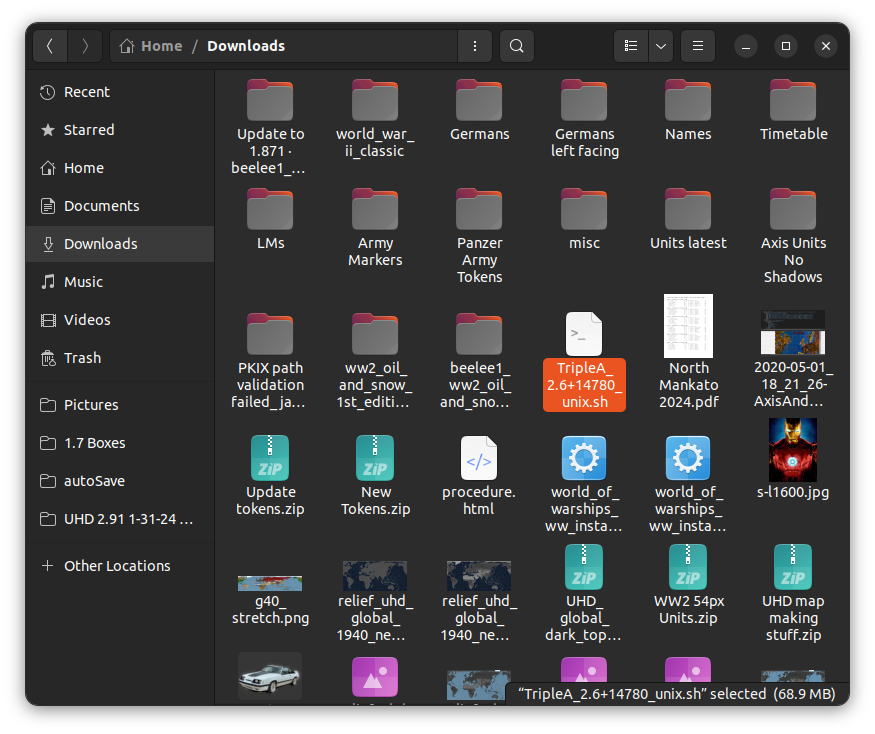
                              Screenshot from 2024-07-08 02-18-05.png

                              It's now in your downloads. Yes I know you know this but we are gonna be deliberate lol

                              1 Reply Last reply Reply Quote 0
                              • B Offline
                                beelee
                                last edited by

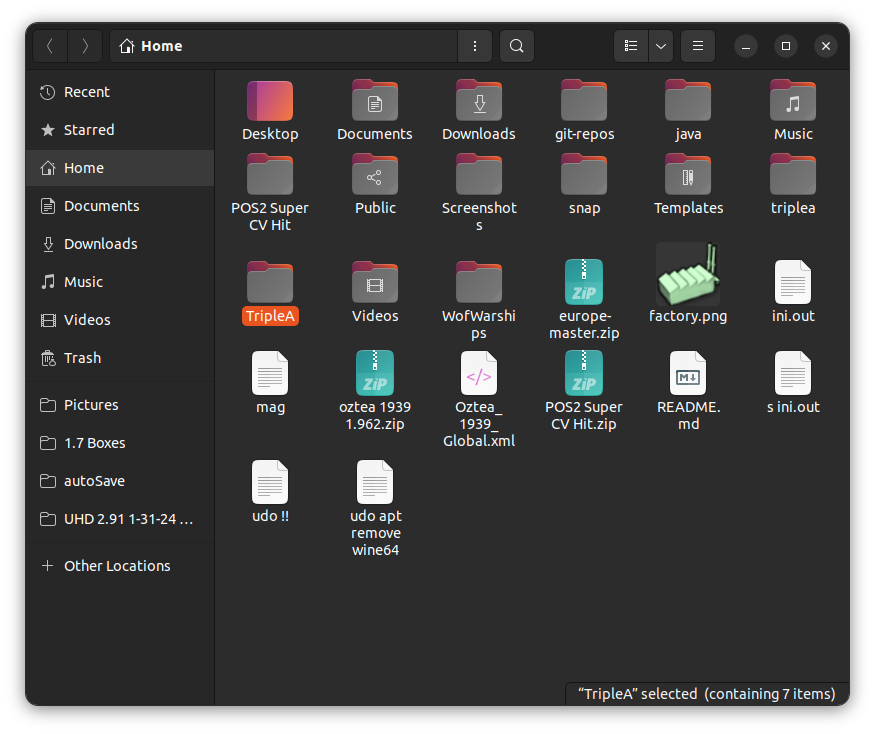
                                Screenshot from 2024-07-08 02-22-54.png

                                Screenshot from 2024-07-08 02-23-14.png

                                notice there are two triplea folders. At least for me 🙂

                                The big T is where the release will go. The little one is where your saved games and maps are

                                1 Reply Last reply Reply Quote 1
                                • B Offline
                                  beelee
                                  last edited by

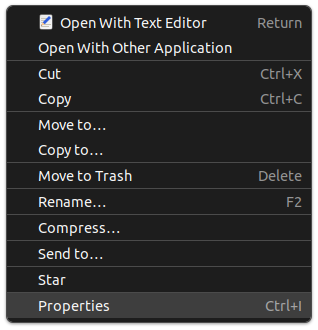
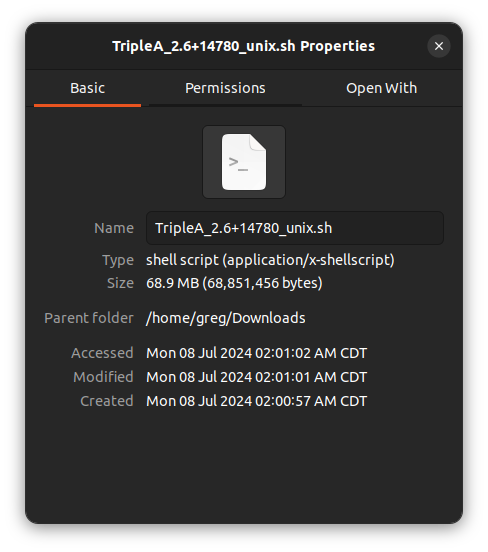
                                  then I open it and hit propertiess

                                  Screenshot from 2024-07-08 02-25-58.png

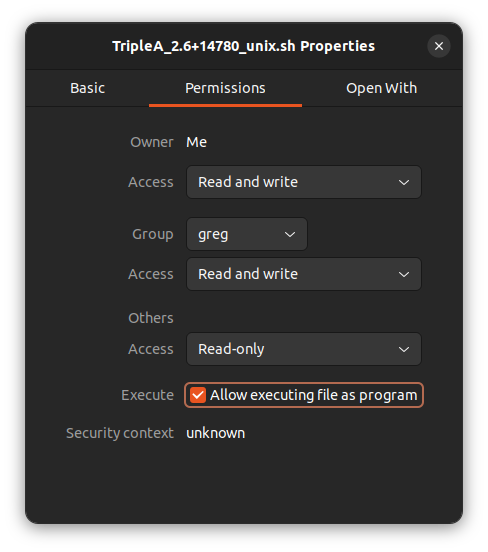
                                  then PermissionsScreenshot from 2024-07-08 02-26-16.png

                                  This shouldn't be necessary for you on windows. Just follow the prompts but this is how I do it 🙂

                                  Then Execute
                                  Screenshot from 2024-07-08 02-30-00.png

                                  1 Reply Last reply Reply Quote 1
                                  • B Offline
                                    beelee
                                    last edited by

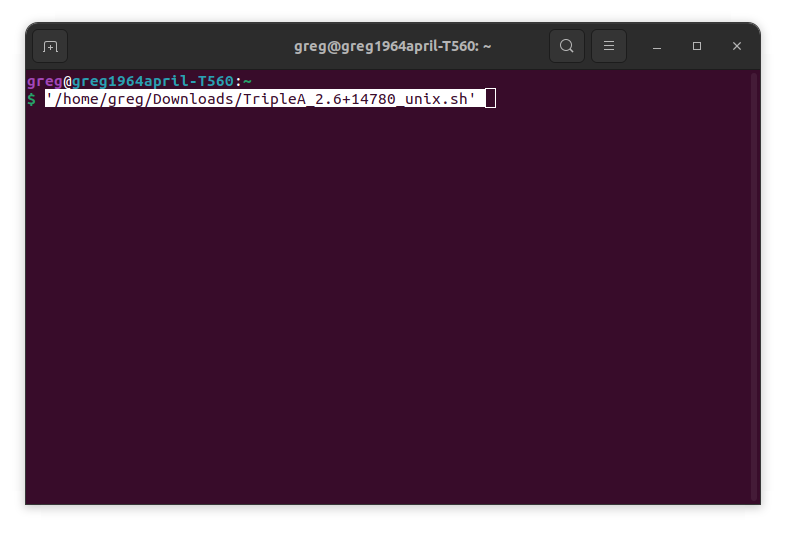
                                    Then I put it in a terminal
                                    Screenshot from 2024-07-08 02-31-27.png

                                    and I get this
                                    Screenshot from 2024-07-08 02-32-39.png

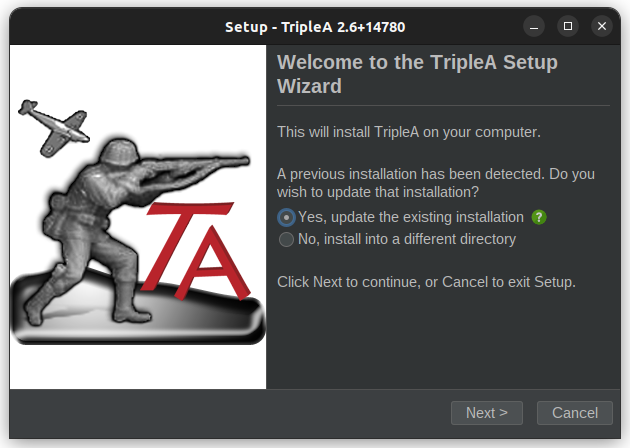
                                    now windows should be the same here I would think. We want to install into a different directory so we need to change the default to no
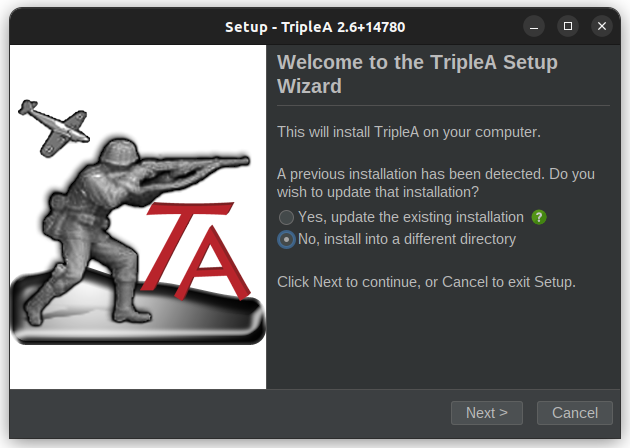
                                    Screenshot from 2024-07-08 02-35-27.png

                                    1 Reply Last reply Reply Quote 0
                                    • B Offline
                                      beelee
                                      last edited by

                                      Screenshot from 2024-07-08 02-37-53.png

                                      i put 14780. Careful not to nuke the name or you gatta type it all in again 🙂

                                      1 Reply Last reply Reply Quote 0
                                      • B Offline
                                        beelee
                                        last edited by

                                        then just power through the prompts and you get here
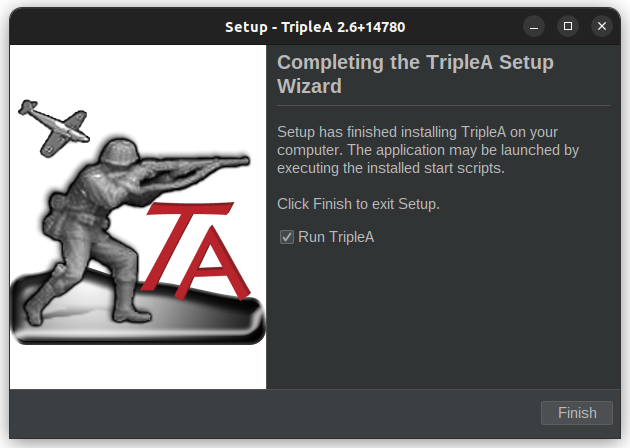
                                        Screenshot from 2024-07-08 02-40-02.png

                                        and you're ready to roll.

                                        Now we both got the latest prerelease 🙂

                                        1 Reply Last reply Reply Quote 0
                                        • B Offline
                                          beelee
                                          last edited by

                                          If you still have trouble you can ask Panther for help. He's on windows and super triplea smart 🙂 but I think it should be similar process.

                                          I don't think you need todo the terminal stuff. Just follow the prompts but when you get the Wehrmacht Infantry dude, it should be the same 🙂

                                          N C 2 Replies Last reply Reply Quote 1
                                          • N Offline
                                            Nick1907 @beelee
                                            last edited by

                                            @beelee @Panther Unfortunately it doesn't work for me under windows. but thanks anyway. 🙂
                                            @pather can you please help me how I can update TriplA to the latest version in Windows 11 and how I can add new cards manually?

                                            PantherP 1 Reply Last reply Reply Quote 0

                                            Hello! It looks like you're interested in this conversation, but you don't have an account yet.

                                            Getting fed up of having to scroll through the same posts each visit? When you register for an account, you'll always come back to exactly where you were before, and choose to be notified of new replies (either via email, or push notification). You'll also be able to save bookmarks and upvote posts to show your appreciation to other community members.

                                            With your input, this post could be even better 💗

                                            Register Login
                                            • 1
                                            • 2
                                            • 1 / 2
                                            • First post
                                              Last post
                                            Powered by NodeBB Forums