TripleA Logo TripleA Forum
    • TripleA Website
    • Recent
    • Popular
    • Register
    • Login

    My map editor for TripleA
    Scheduled Pinned Locked Moved Map Making
    31 Posts 6 Posters 41 Views 5 Watching
    Loading More Posts
    • Oldest to Newest
    • Newest to Oldest
    • Most Votes
    Reply
    • Reply as topic
    Log in to reply
    This topic has been deleted. Only users with topic management privileges can see it.
    • xxXEddieXxxX
      xxXEddieXxx @TheDog
      last edited by xxXEddieXxx

      @TheDog

      Time for version numbers now you have gone pulic ? (foolish boy 🙂 )

      !!! I agree how could i even forget that. 😄

      --Home/left hand pane is too wide, save its space for the map/the rest

      Right at the end of the side is a little button that collapses it.

      The rest are good points they will go into my list 🙂

      Draw Borders-
      --I cannot modify 1941 Global Command Decision, GCD, its too big, any chance to enable this ?
      image.jpeg

      That map's picture is 16,816 × 8,085 pixels, about 136 million. The editor refuses to hold pictures over 50 million pixels in memory, because one copy of GCD is about 540 MB and every drawn line keeps another copy for undo maybe i need to disable it on big maps.

      C 1 Reply Last reply
      Reply Quote 1
      • B
        beelee
        last edited by

        @xxxeddiexxx

        Oh so this is an overhaul of the "Map Creator Tools" not just an xml editor. Although I guess you still have to have the baseline image or whatever it's called drawn or copied by yourself

        xxXEddieXxxX TheDogT 2 Replies Last reply
        Reply Quote 2
        • xxXEddieXxxX
          xxXEddieXxx @beelee
          last edited by

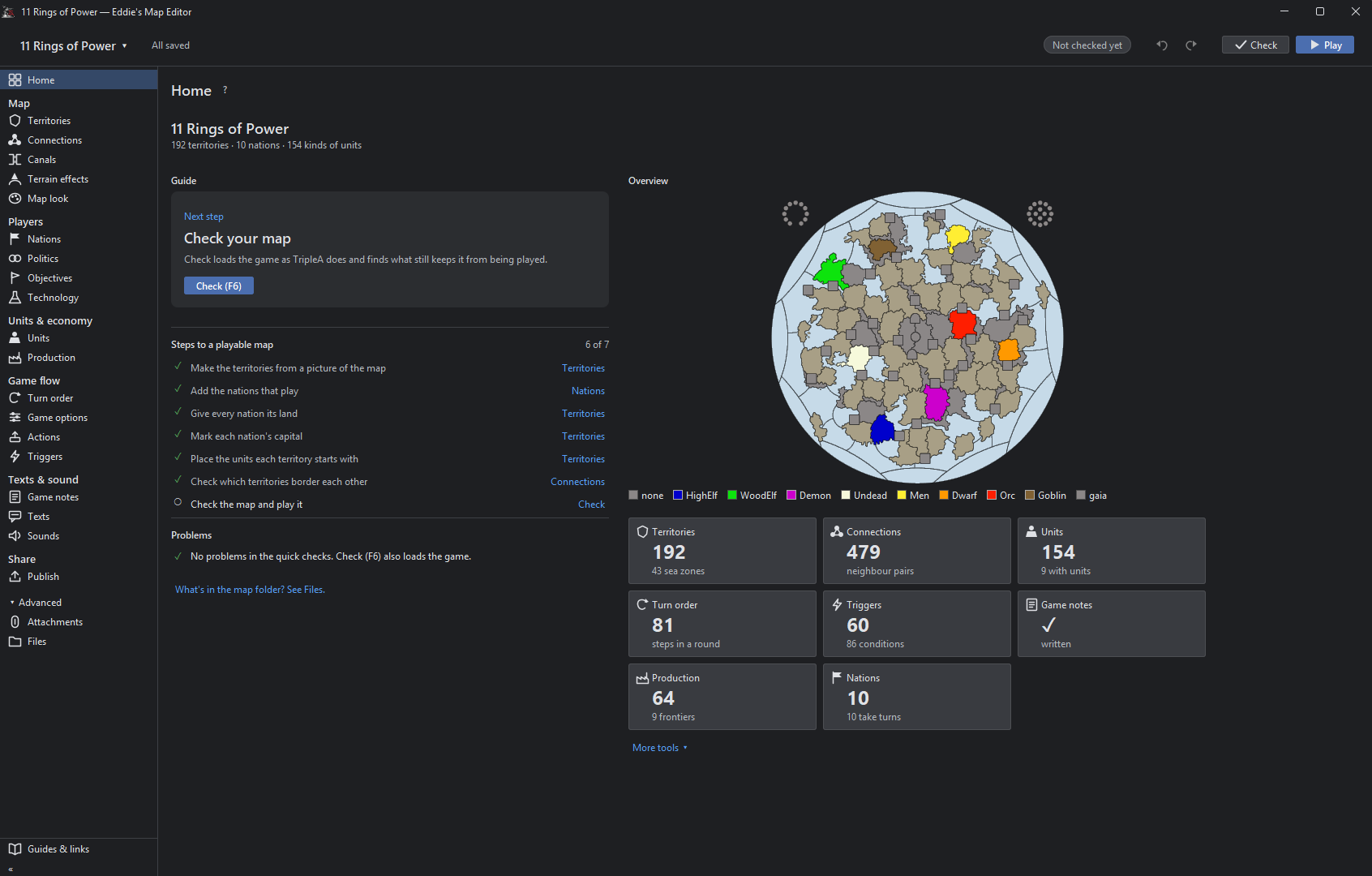
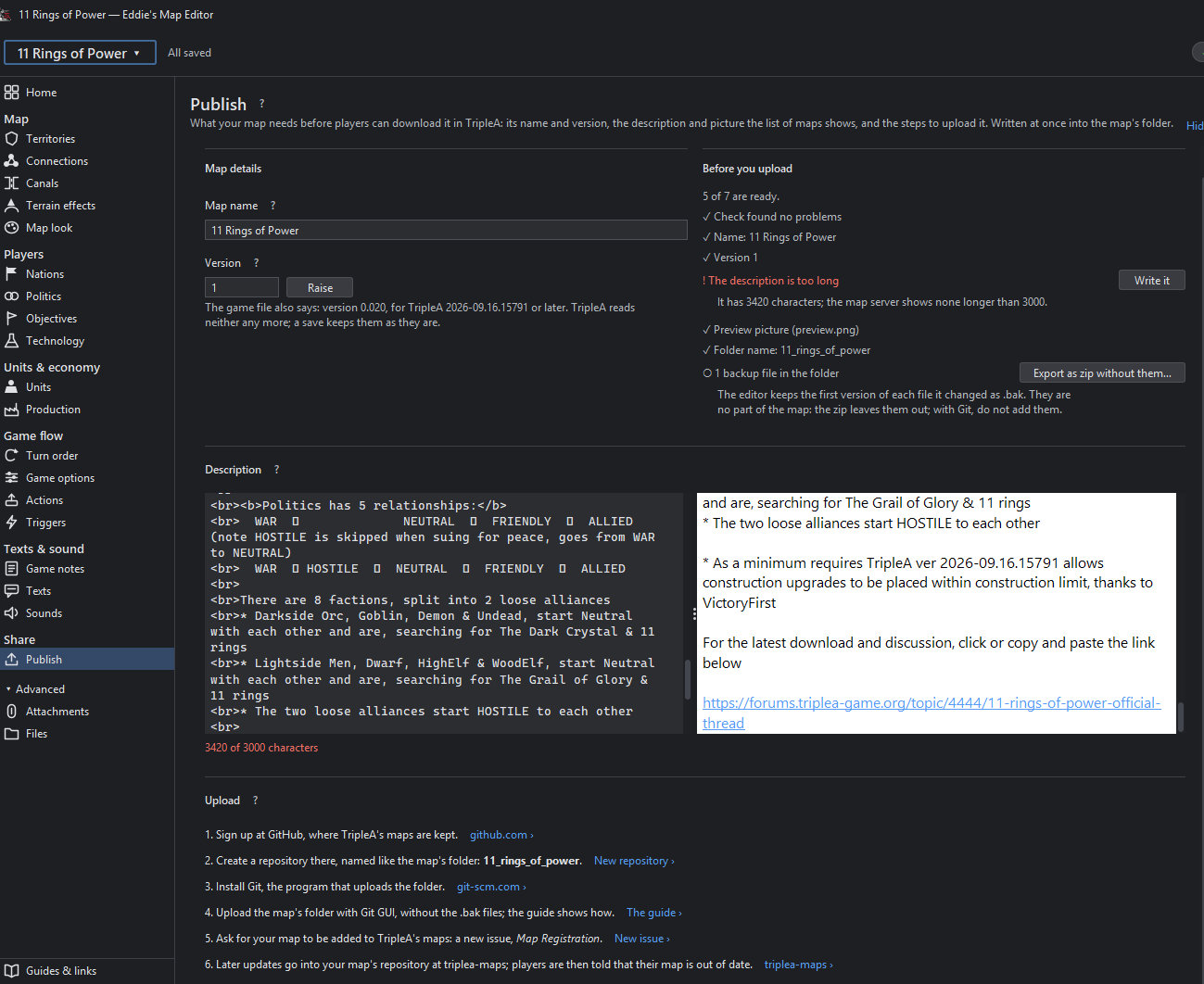
          @beelee exactly ! it was supposed to be a suprise this is why i used these screenshots 😄

          B 1 Reply Last reply
          Reply Quote 2
          • B
            beelee @xxXEddieXxx
            last edited by

            @xxXEddieXxx

            heh heh sorry Didn't mean to spoil the surprise 😊

            It surprised me 🙂

            1 Reply Last reply
            Reply Quote 1
            • TheDogT
              TheDog @beelee
              last edited by

              @beelee
              Yes , its Map Creator Tools but ++ good 🙂

              https://forums.triplea-game.org/tags/thedog
              https://forums.triplea-game.org/topic/3741/curated-best-top-maps-triplea-guides

              1 Reply Last reply
              Reply Quote 2
              • C
                Cernel Moderators Lobby Moderators @xxXEddieXxx
                last edited by

                @xxXEddieXxx said:

                That map's picture is 16,816 × 8,085 pixels, about 136 million. The editor refuses to hold pictures over 50 million pixels in memory, because one copy of GCD is about 540 MB and every drawn line keeps another copy for undo maybe i need to disable it on big maps.

                I think there should not be an upper limit here. If someone would want to make a map which is 50,000 per 40,000 pixels, for a total of 2 thousands million pixels, why not allowing it?

                If wanting to set a hard upper limit, I suggest 100,000 per 100,000 for a total 10 thousands million pixels being the limit. That should most likely cover every possible map-making needs.

                xxXEddieXxxX 1 Reply Last reply
                Reply Quote 0
                • xxXEddieXxxX
                  xxXEddieXxx @Cernel
                  last edited by xxXEddieXxx

                  @Cernel
                  its not about limiting the size of the map, there is an undo button that keeps the map in cache.
                  So everytime you change something there is half a gig placed in there so we are having a technical limitation in terms of the implementation of this undo functionality. if we disable the undo on big maps they can get as big as they want.

                  V C 2 Replies Last reply
                  Reply Quote 0
                  • V
                    Vendetta @xxXEddieXxx
                    last edited by

                    @xxXEddieXxx Could have a launch option where players can select a Compatibility Mode with no undo feature for when the map they're working with a map beyond the normal size limit.

                    xxXEddieXxxX 1 Reply Last reply
                    Reply Quote 0
                    • xxXEddieXxxX
                      xxXEddieXxx @Vendetta
                      last edited by

                      @Vendetta it will disable itself automatically with a message to the user(you are on a big map there is no undo bla bla)

                      C 1 Reply Last reply
                      Reply Quote 2
                      • C
                        Cernel Moderators Lobby Moderators @xxXEddieXxx
                        last edited by

                        @xxXEddieXxx said:

                        @Cernel
                        its not about limiting the size of the map, there is an undo button that keeps the map in cache.
                        So everytime you change something there is half a gig placed in there so we are having a technical limitation in terms of the implementation of this undo functionality. if we disable the undo on big maps they can get as big as they want.

                        Cool. Yes, please make optional to have the undo. Thanks.

                        Or maybe having 4 options? Undo cache, undo RAM, undo hard drive and no undo? No idea if feasible.

                        xxXEddieXxxX 1 Reply Last reply
                        Reply Quote 0
                        • xxXEddieXxxX
                          xxXEddieXxx @Cernel
                          last edited by

                          @Cernel
                          i'd rather change the whole way the current undo works.
                          User should never bother with these decisions. Maybe on large maps a file gets saved instead of it getting cached in ram. But this is low prio in my eyes right now.

                          C 1 Reply Last reply
                          Reply Quote 0
                          • C
                            Cernel Moderators Lobby Moderators @xxXEddieXxx
                            last edited by

                            @xxXEddieXxx Ok then just a setting for having/not having the undo feature (default having). I think it's quite important not forcing a maximum limit.

                            1 Reply Last reply
                            Reply Quote 0
                            • xxXEddieXxxX
                              xxXEddieXxx
                              last edited by

                              new update:

                              • log will follow tomorrow
                              • mac version will also follow tomorrow

                              https://github.com/xXEddieXxx/eddies-map-editor

                              1 Reply Last reply
                              Reply Quote 1
                              • C
                                Cernel Moderators Lobby Moderators @xxXEddieXxx
                                last edited by

                                @xxXEddieXxx said:

                                @Vendetta it will disable itself automatically with a message to the user(you are on a big map there is no undo bla bla)

                                Ah allright. I missed this post. I see there is not actually a limit: just the undo gets automatically disabled. That is good.

                                1 Reply Last reply
                                Reply Quote 0

                                Hello! It looks like you're interested in this conversation, but you don't have an account yet.

                                Getting fed up of having to scroll through the same posts each visit? When you register for an account, you'll always come back to exactly where you were before, and choose to be notified of new replies (either via email, or push notification). You'll also be able to save bookmarks and upvote posts to show your appreciation to other community members.

                                With your input, this post could be even better 💗

                                Register Login
                                • 1
                                • 2
                                • 2 / 2
                                • First post
                                  Last post
                                Powered by NodeBB Forums