-
and I could post again about the Combat Window height size, I guess I'll wait for my next AI update test

I tried 3 resolutions and all sucked but my current computer resolution and for some of the countries you really haveto hold and then rehold your mouse button to scroll up or down to find the "undo move" button and it wasted too much time but whatev still fun

redrum posted my UI request in the right thread already but I wanted to remind you its annoying
-
@ubernaut Hmm. Not sure why you don't see the saves loading as it loads fine for me:
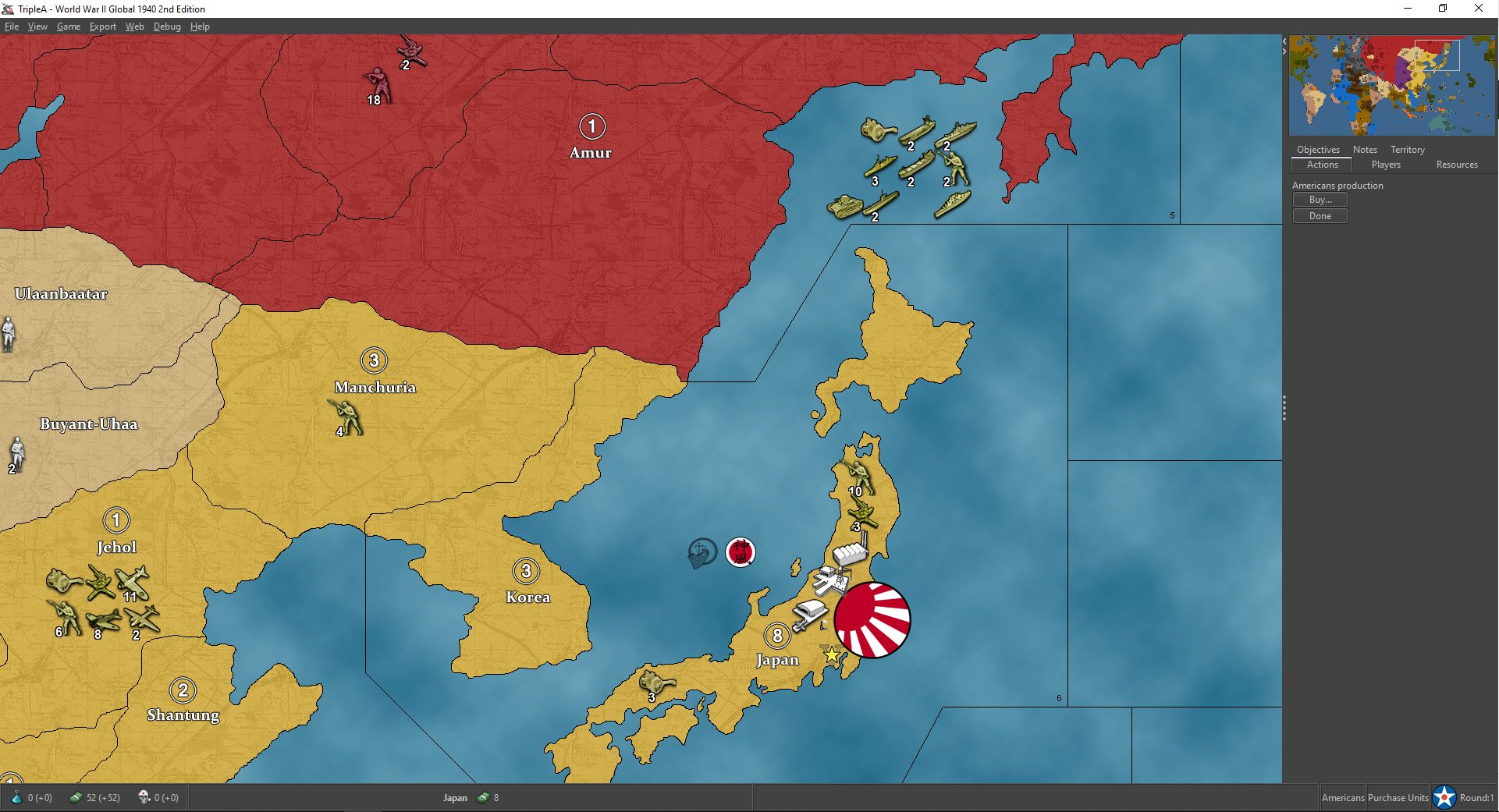
I think the move is related to the AI anticipating that it will end up at war with Russia but it is a bit strange.
TripleA Developer with a Passion for AI: https://forums.triplea-game.org/topic/105/ai-development-discussion-and-feedback
-
@redrum yeak idk i can try again tomorrow but none of the saves from that game load properly for me.
-
My 2 cents, playing revised, Japan AI can be counted on to eventually suicide its fleet
@Captain-Crunch FWIW, if you hover over the moved unit you want to undo, you can press 'u' and it'll undo the move of that unit.
-
@LaFayette rofl i just tried that and it works thanks!
well the nerd in me doesn't know which way will be faster to undo moves but the Combat Window height still needs to be increased but thanks the U undo move game function solves it so good post hehe
-
@Captain-Crunch would you be able to post a screen-shot of what you are seeing to this forum thread: https://forums.triplea-game.org/topic/1740/movable-unit-highlight-remove-button-change-to-be-a-toggle/5
The side-bar should have scrollbars, as it always had, in a way the problem of buttons getting cutting off would have always existed as soon as you made enough moves. The 'unit scroller' area was supposed to essentially allow that problem to happen after only 4 moves instead of for example about 5 moves. I'm concerned we may have a deeper issue with the 'undo' button placement and/or the last move always being cut-off even with scrollbars in use.
-
@redrum yeah something is still wrong with opening save files it always resets the game it seems to lock it up also i could make a video and send it to you if you like.
"You should never have told me horses sleep standing up, it gave me a mental block." - Mister Ed
-
@ubernaut Yeah, a video or screenshots would probably help as everything seems fine with your save game on my end.
-
@LaFayette ook, I twiddled around with the next resolution up and made the Units bigger ... but I also had to make the font bigger so I can read the numbers and then the scroll height of the Combat Window is bigger now but the Combat Window height should be a little higher for people that use the 2 lowest resolution settings is what I'm saying.
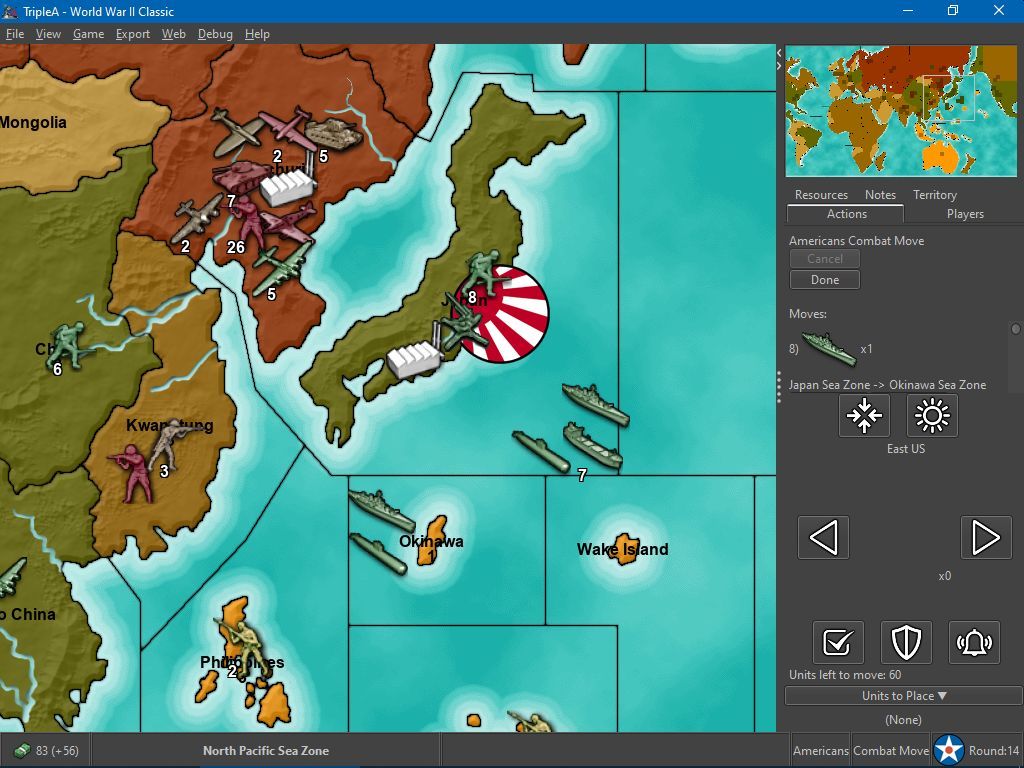
I would hold the little dot of the scroll bar and move it up and down and sometimes with some countries each move I made I would barely be able to get the "undo move" button on my screen to click it ... I would scroll up and down and sometimes it was almost impossible to get the item to be right in the middle of the window so I could find the undo move button so I mentioned it ... but right now I increased size of the Units and fonts and went 1 resolution up and its ok so you decide if you want to increase the Combat Window height or not!
All good!!
-
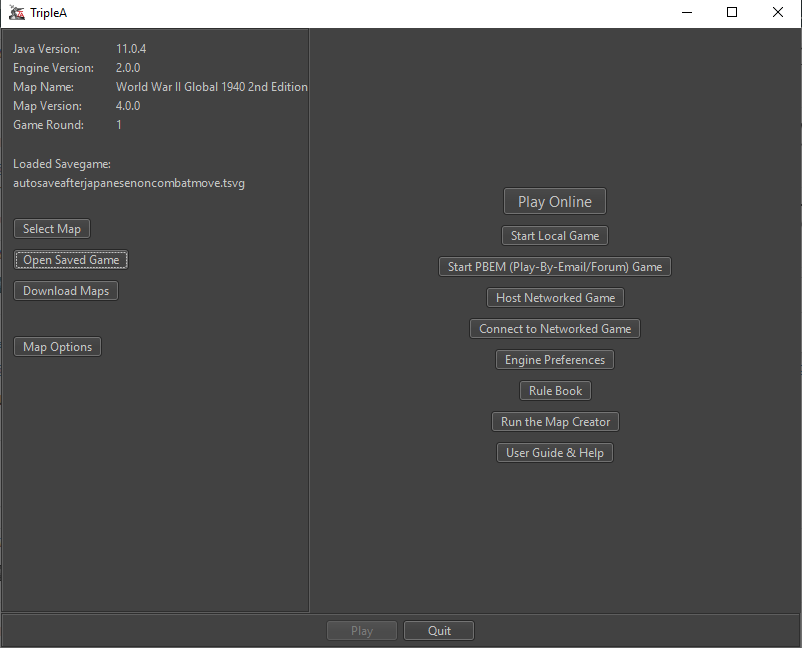
@ubernaut Yeah, in your video it never shows the save game file name like it does here for me:
TripleA Developer with a Passion for AI: https://forums.triplea-game.org/topic/105/ai-development-discussion-and-feedback
-
@redrum when i try to doa manual save it locks up in the same manner (before it can save actaully) also cannot load games for revised so there's definitely an issue with open/save logic in the prerelease at least on mac.
"You should never have told me horses sleep standing up, it gave me a mental block." - Mister Ed
-
@ubernaut Ok, I opened an issue so we can get someone else with a Mac to try save/loading games with the pre-release: https://github.com/triplea-game/triplea/issues/5945
-
@redrum So I ran into an issue with my Warcraft map and the AI. The map is heavily dependant on the AI to set up the randomized map / seed the map with units, hero items, buildings, resource generating stuff and more (by territory picking, then place units held from start, then again units given after this and finally placing a flag unit in every 400 territories). So when the player starts up a game, the first thing that happens before the human players get to do anything is the before mentioned. It technically works well.
But unless the AI pause duration is set to 0 it is a painfully long process. It takes minutes for the map to place the approximately 1000 units. I have used the AI for a similar technical purpose before, in the Star Trek map. I don't know if any other map uses AI in a similar technical way placing or managing stuff ... and not just use AI to play against.
I really think that the playing experience is much better with the AI pause pause duration set to 400 ms+ (default setting or longer). If playing a map with 0 ms, unit moves and actions are done so fast that one can't follow them and also sounds are often played at once in an irritating manner.
I would really like to have the AI set up the map as fast as possible (0ms) and then afterwards play against the AI with a standard pause duration. Can there be an automated solution?
Could the different step types be made to have AI pause duration attachments? (Like the round count attachment?)
Is there a possibility that something like "console commands" could set AI pause duration? Maybe via XML triggers? Maybe via something like a consolecommands.properties txt file?
Could every AI type have its own settings file, like an HardAI.properties. Where different aspects of AI behaviour is defined, including AI pause duration for different steps.
Some other solution other than players manually setting the AI pause duration back and forth?

-
@Frostion Good question. Can you give me a little more detail on how you are doing the initial set up? Is it all done by a single AI player so that if we just allow setting AI pause duration by player would work? Or is it different phases for each player?
TripleA Developer with a Passion for AI: https://forums.triplea-game.org/topic/105/ai-development-discussion-and-feedback
-
OK then @redrum
 Understand that in this map the "minor" AI and "nature" AI players are all passive after the initial territory picking and placements. There are no combat moves, purchases, placements etc. during the game. These players only have pre-game steps. Only the 8 main players are active after the game begins.
It starts out like this...
Teritory Picking/Placement: At the moment, there are like 20 AI players (minor primitive passive races) who all can pick 3 territories each (as they hold 3 units) and a huge player called Nature picks the rest, like 340 territories. Nature player places all the map's non-combat stuff units, all capturable without a fight. A player can never do combat vs. Nature player but all the minor player units have defensive stats.Pre-game Placement Round A: The 20 minor AI players get like 2-5 fighting units by trigger to place and fill up their 3 territories with more units.
Pre-game Placement Round B: Finally the 20 minor players and Nature player get 1 Flag for each owned territory to place.
Now the game is on, round 1, and the ordinary player 1 to 8 can do their first things; combat move. It would be nice if AI pause duration could return to normal now.
(Unit specifications prevent more than 1 Flag per territory, so AI is forced to place in all/each territories) (Reason why there are multiple placement rounds are because I only want a minor player to have 3 territories each from start, then fill these with extra units) (I have thought about changing the procedure a bit ... But the concept will pretty much be the same I think)
So as you can see, in this game, in my case, the minors could actually be a dumb version of AI only placing with a 0 ms speed, then waiting to be attacked by a real player. But as some of the main 8 players can also be played as Hard AI, it would be good to have normal functioning AI for this. What do you think?
-
@Frostion so what if we allowed setting pause duration per player and set nature to 0. Would that be enough?
TripleA Developer with a Passion for AI: https://forums.triplea-game.org/topic/105/ai-development-discussion-and-feedback
-
@redrum This reminds me of that other thing of the Risk stile random placement, that you probably don't want to see if you have an enormous number of territories, but it is nice to see in a map like risk (still much faster than drawing cards).
-
@ubernaut Can you test the latest pre-release here and see if that fixes the save game loading issue: https://github.com/triplea-game/triplea/releases/download/2.0.18171/TripleA_2.0.18171_macos.dmg
TripleA Developer with a Passion for AI: https://forums.triplea-game.org/topic/105/ai-development-discussion-and-feedback
-
@redrum yeah seems to work now.
i'll check the ai strategies when i have some time. -
@redrum Sorry for the long wait for a reply. An option to set map specific individual player AI pause duration would certainly help, even better if it was changeable during play, but a permanent would also work.
In my case it would perhaps speed up the automated map setup by 50% if player Nature had a permanent 0 ms AI pause duration.
How do you think this can be achieved? XML setting? an first version of a new file called AI.properties?
 Yay ... That would be nice and have many potential future applications





Hello! It looks like you're interested in this conversation, but you don't have an account yet.
Getting fed up of having to scroll through the same posts each visit? When you register for an account, you'll always come back to exactly where you were before, and choose to be notified of new replies (either via email, or push notification). You'll also be able to save bookmarks and upvote posts to show your appreciation to other community members.
With your input, this post could be even better 💗
Register Login