Ancient Empires: 222 BC
-
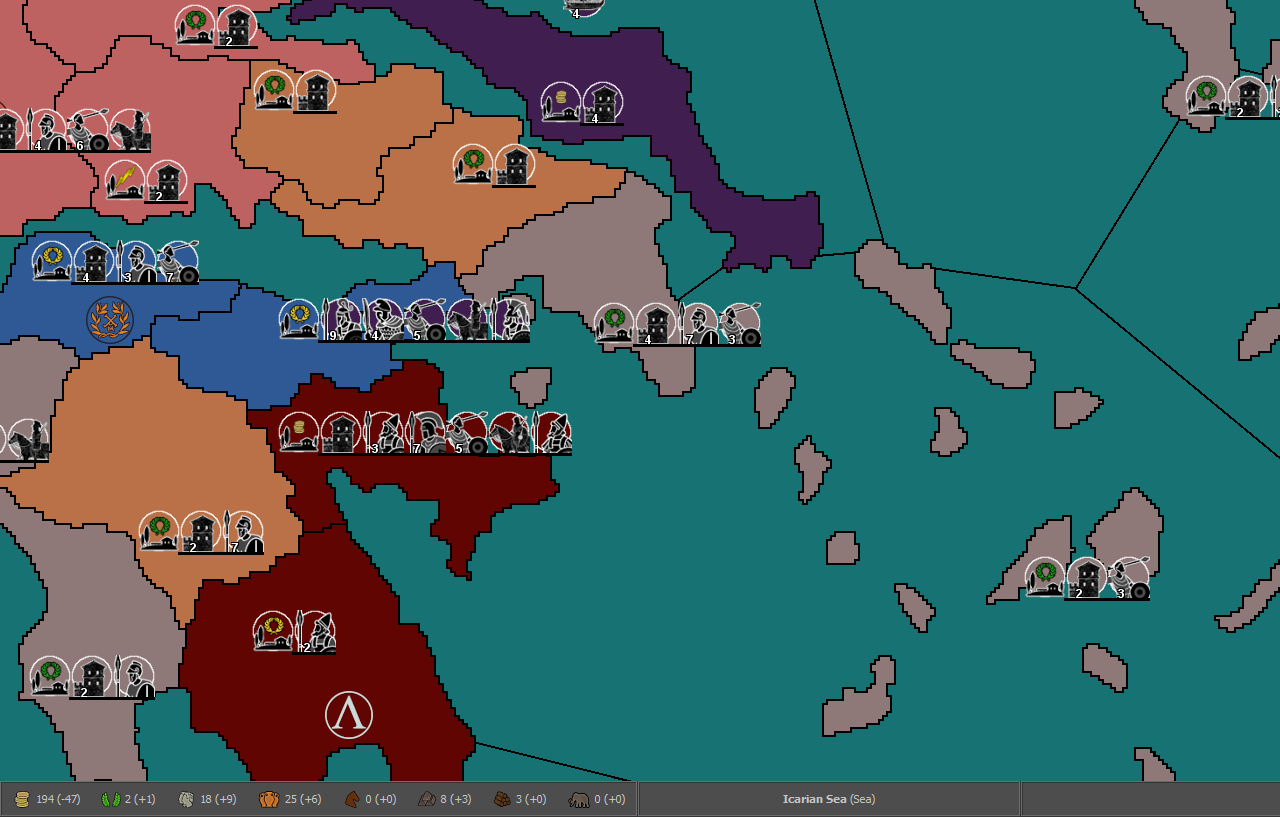
@redrum I guess you'd need the enlarged image to do that (though the current one is also laggy in things like the placement picker). In my limited experience something like 10k pixels wide is fine, 15k bareable, 20k really problematic (depending on height as well, but assuming a 4/2-ish ratio).
@Hepps I'd say it's going to be like 3-7 slots for structures and on top of that 7-9 land unit types per player (plus any extra allied or enemy armies). So in really odd cases it could reach a scary 30 or even 50+ present unit types in a territory (experienced players could do a better guess than me I think).
If I end up redoing the map, it would have to be over 22000-ish pixels wide for a meaningful change. I'm not at the right computer now, but I think my current map is about 19 x 9k.
Another consideration is the faster way to get good looking borders. So far my efforts have been with editing paintable territory maps for strategy games or their mods, as it provided a good starting point and often almost ready borders. Then copy-pasting bits of the lines to move them around as desired, or deleting smaller, in-between territories. The stroke tool in Gimp is also a bit laggy with such map sizes, and without great results, so I'm eager for related advice as well.
-
@Name Have 100% units zoom and go for double dimensions then what you have now by doubling all coordinates in the various txt files with excel. And any time you have to do anything, just use the 50% map, then double what you obtain with excel. That way you will go around the limits. Just keep in your map both the doubled files and the original, in case you have to retake the originals for modifications (then doubling again).
-
@Cernel In this case, use units at 50% zoom when you are making the placements, of course (that way, once you double, the coordinates will be fit for 100%).
-
@Cernel That's interesting but such levels of extra work would be a serious drain on my motivation. I'd rather reduce something in the scope (number of territories, structures or covered region), reduce the icon size or just enlarge the map and deal with lag (until completion or until redrum updates the utilities). Btw I wonder if it would be a good idea as solution to allow the game even more ram than 6 GB (out of 12 in total).
-
@Name Assuming you are on windows 10 with 12GB and not much else open, you should be fine to push it up to at least 8 GB maybe even 10 GB. Whether that helps, I'm not sure as depends if the slowness is due to memory swapping or if there are certain computations that run that need further optimized and its more of a CPU bottleneck.
-
@redrum windows 7 and I'll test that.
-
Starting clear from a wiki image. Enlarging islands to a size where the even smallest region should fit 10 units at 100% scale, when the image gets to full, x5 size (22400x11200p). Should i got even larger?
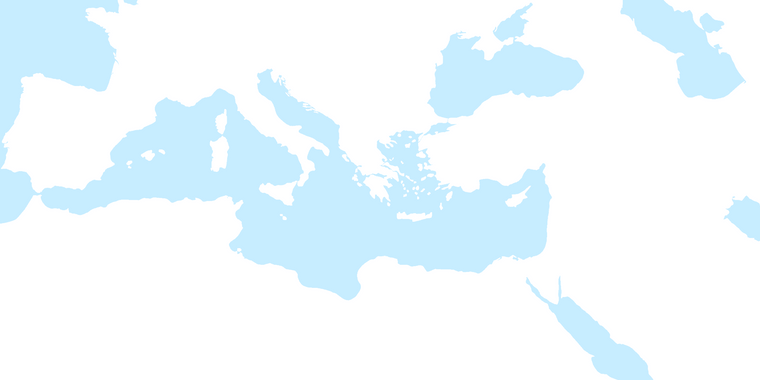
Edit: @redrum with 9GB ram allowed, my old map (19000 x 9000) runs significantly smoother in the placement picker, and that's with firefox, gimp and a couple of minor programs open.
-
@Name Here is an example of your Spartan Capital at the sizing you had initially posted.
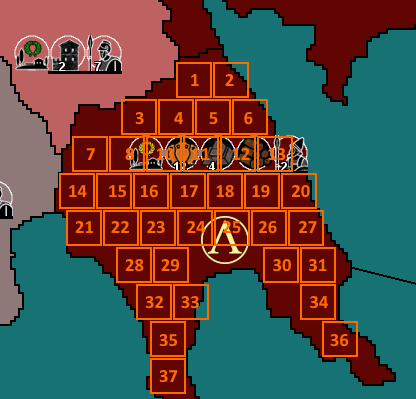
When I did this it appeared your unit size was 36 pixel by 36 pixel.
-
@Hepps Units are 48x48, but I was using a smaller scale for that pic, not sure which one, but 75 makes sense with your dimensions. Mid sized territories like Sparta should be fine anyway, issue was with small and really small ones.
-
@Name Good to know. So that would indicate the limiting factor is ram and probably needing enough so that your map can all be held in memory and avoid swapping which is probably what can cause the slowness. Luckily these days most PCs have 12-16 GB so can handle editing that size of map then. The other obvious question is when you actually run a fully implemented map at that size, how it would run and how much memory it would potentially need. The engine does break the map into tiles when running an actual game so it should be a little more forgiving with memory than the map utilities.
I'd say that probably a good size and as @Hepps shows if you are creative with placements and pack them in then you should be able to get a pretty good number even in smaller territories. Best thing to do would be take a few of the smaller territories and show how placements would look like @Hepps example (though using 48x48 instead). Usually islands need less as they usually don't have as many units so wouldn't worry as much about those (plus they are easier to just make larger if necessary).
@Hepps Out of curiousity, what size is GD?
TripleA Developer with a Passion for AI: https://forums.triplea-game.org/topic/105/ai-development-discussion-and-feedback
-
-
@redrum Never had performance issues in game with the 19x9k map, before increasing ram allowance. No clue what will happen with multiple times more territories and units though.
Only thing worth mentioning is that if I reopened the map several times, without having exited the game (5+ I'd say), I experienced from small to total freezes. That should be already known I guess?
I tried something similar to @Hepps' image and any island ter is able to hold 10+ at 100%.
GD is? The larger map made so far?
-
@Name Alright, that's good. I do think we have a few memory leaks when relaunching games without restarting TripleA and a few may be fixed in the latest pre-release.
GD is Global Dominance which is probably the largest map "being made" but it still has a long way to go to become a working map: https://forums.triplea-game.org/topic/95/global-dominance
-
@Name Even with your unit counts I think your original size was pretty good.
If you factor in that most territories will never have 1 of every single; building, resource or unit... then you look like you are in pretty good shape. I have to imagine that you are not planning on loading the entire map and that lots of the map will be rather sparsely filled from the beginning. You may have to reconsider some smaller territories and SZ but if you use a template like Sparta while designing for the areas of the map that are likely to be loaded... you should be good.
-
@Hepps I'm troubled because say 10% of the territories that might get loaded are smaller (often half or less size than sparta).
Also a new map will allow me to better define borders, if I ever get to find a way to draw them more smoothly. How did you do the ones in GD? What tool/settings and about how many pixels wide?
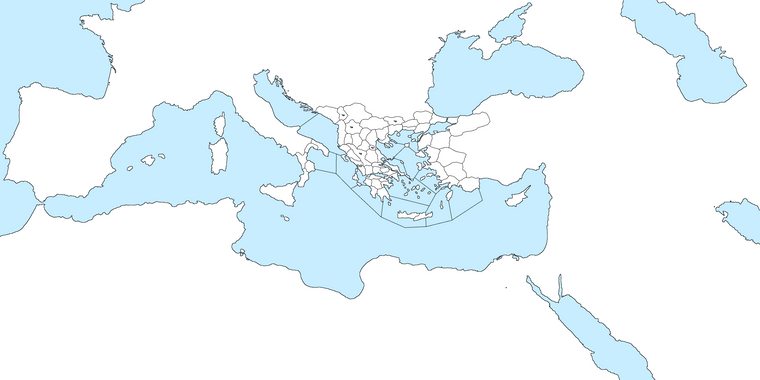
Edit: Here's progress so far (my old playable territories are ready). Drawing my own borders seems faster, I wonder how good they're going to look. Any feedback before I try remaking the XML?
-
@Name I like using either a 1 pixel by 1 pixel or 2 pixels by 2 pixels to draw my base map.
Now as far as lines... I spend an enormous ammount of time removing hard angles and adding a lot of shaping. That is really tedious... but I think it adds to the map in the end.
As far as finishing I would have to run you through a step by step process. But often it involves creating many layers of images.
-
good stuff Lafayette
-
@Name said in Ancient Empires: 222 BC:
@Hepps I'm troubled because say 10% of the territories that might get loaded are smaller (often half or less size than sparta).
Also a new map will allow me to better define borders, if I ever get to find a way to draw them more smoothly. How did you do the ones in GD? What tool/settings and about how many pixels wide?
Edit: Here's progress so far (my old playable territories are ready). Drawing my own borders seems faster, I wonder how good they're going to look. Any feedback before I try remaking the XML?
That is why I think you should double up (meaning 4 times the area and space) on the dimensions you have shown. That going up from 75% to 100% (36 to 48) will mean that you have just about enough placement spots everywhere, as you will have about 2 times as much. So, my suggestion, go for that, directly, if you can, doubling with excel all you obtain, if you cannot.
-
@Hepps I did this with 2x2. Seems to create smoother shapes than 1x1. I was thinking if there's some trick to skip most of the tedious part but I guess that's how it has to be. I'll ask for more advice when I'm about to create relief tiles.
@Cernel I'll try further multiplying the size to x6 instead of x5. I don't want to risk too much lag or mess with the excel method, and size should be mostly fine, since the new map will be roughly 27x13k instead of 19x9k.
-
@Name So the other option to you is also to distort the size and scale of certain regions of a map where you need more space for territories.
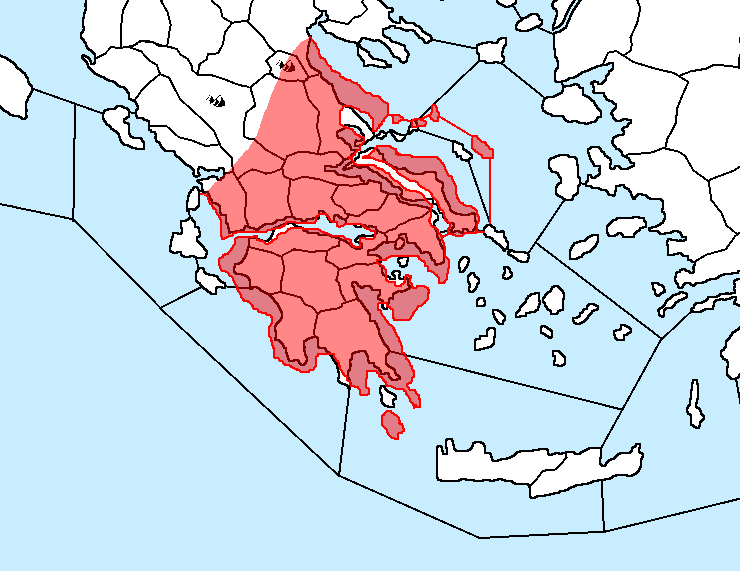
I have done this when drawing many maps... where I expand certain areas relative to the surrounding geography but keep it accurate to its original shape and detail as best as possible. Remember much of this is about gaining just enough space for your plans... so a 10-15% increase in a regions size will often be more than enough to achieve your goals. From there you can often maximize placements by massaging the borders you had initially drawn between the bigger and smaller territories.
Just a suggestion as a way to keep the map size manageable while still getting the desired effect.
BTW this was just a quick rendering as an example. So the detail is not what it could be.



Hello! It looks like you're interested in this conversation, but you don't have an account yet.
Getting fed up of having to scroll through the same posts each visit? When you register for an account, you'll always come back to exactly where you were before, and choose to be notified of new replies (either via email, or push notification). You'll also be able to save bookmarks and upvote posts to show your appreciation to other community members.
With your input, this post could be even better 💗
Register Login