GLOBAL WWII OIL & SNOW -Project
-
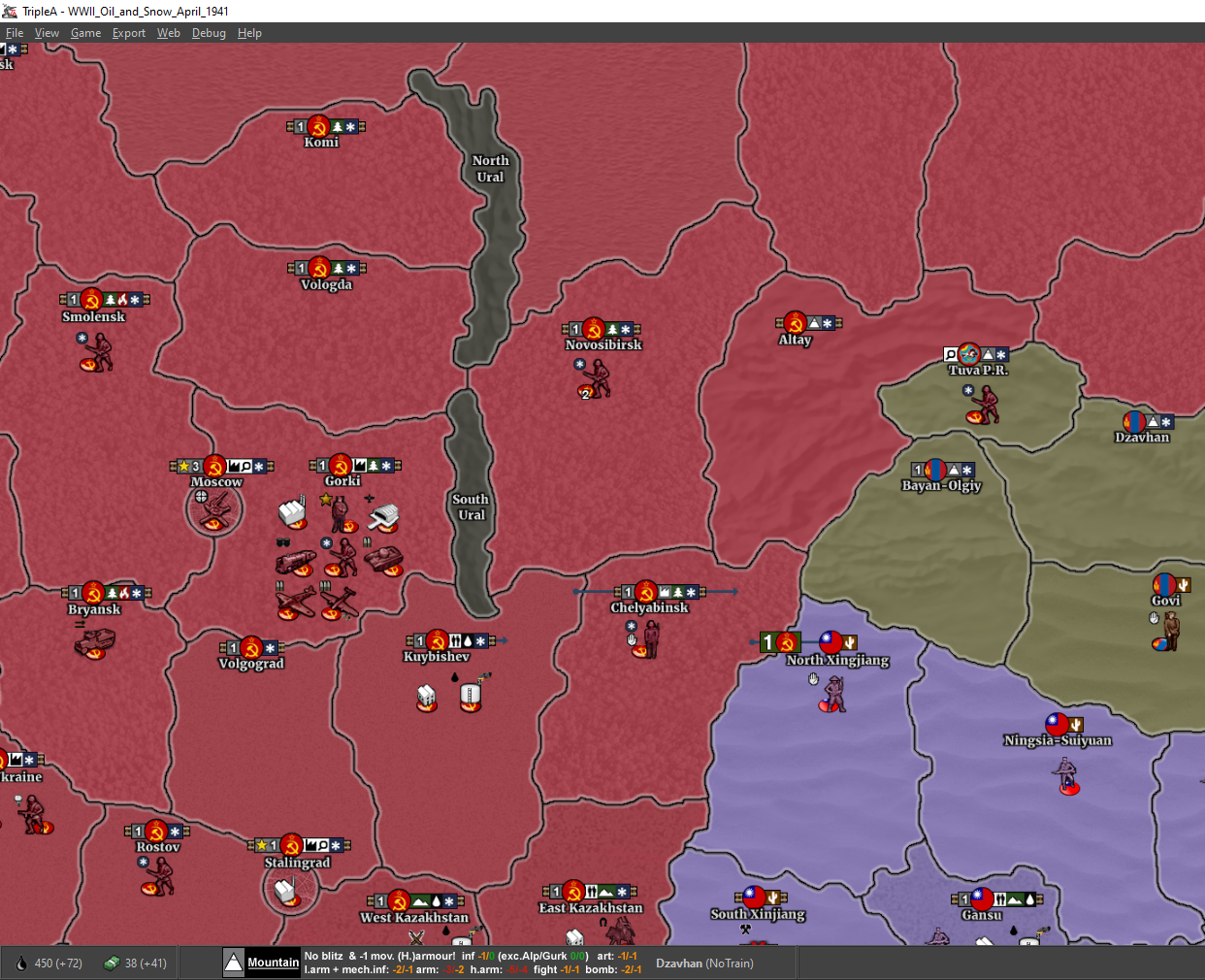
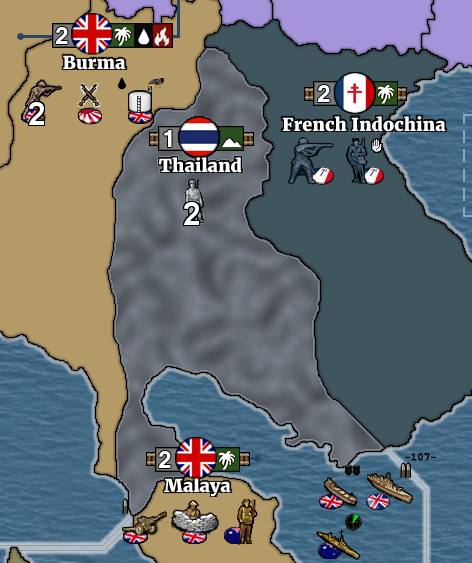
@ Hepps Terrain Relief ready..... I leave it for a moment like this to see how it works out all colours / player backgrounds and during the game... I tried to keep it as subtle as minimal as possible..... for the mountain terrotories I used the real mountain ranges, the other terrain types are more a symbolical impressions... does it look clear & good this way? feedback as allways welcome...
-
@ebbe and true desert sphere...

CLICK the image to get the original intended quality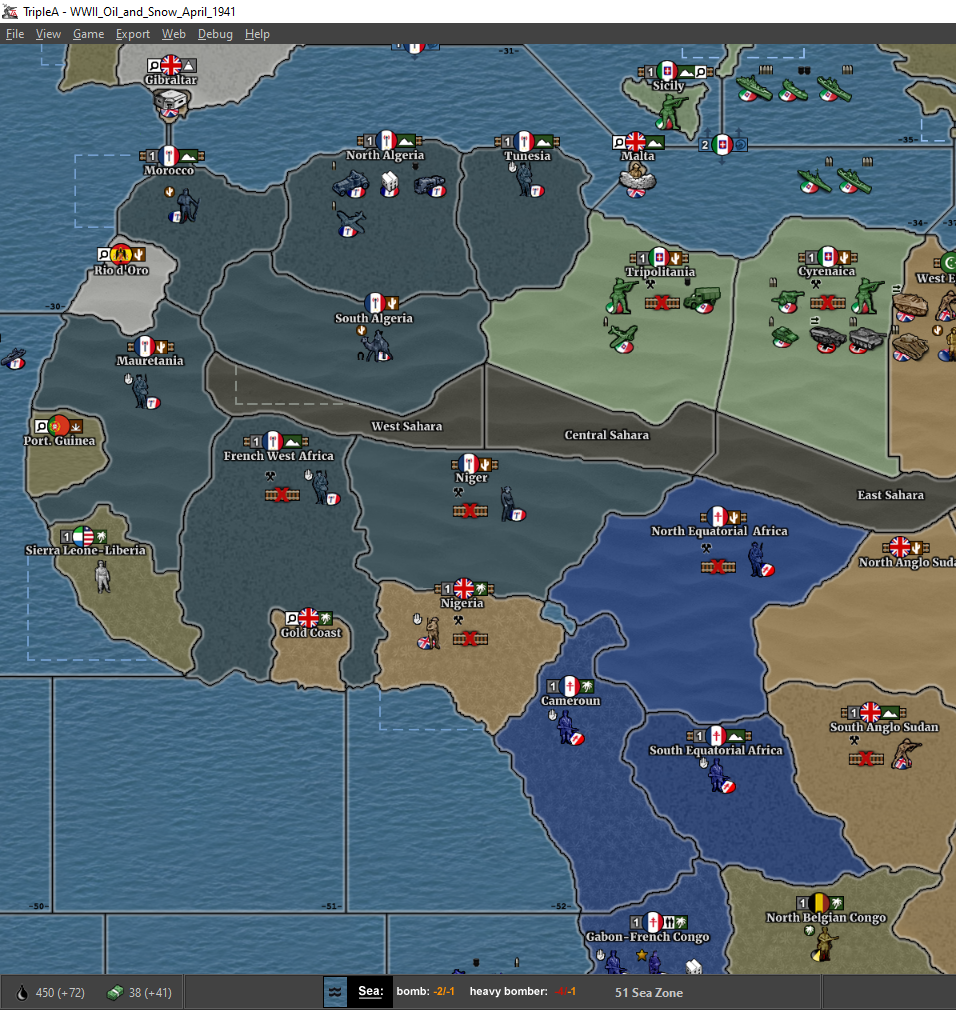
-
@ebbe Looks great! Only one that looks kind of ambiguous is the hills. Other than that, looks awesome!!
-
@Hepps Okej tried another solution for hills, not sure if I keep it..
but better for the time being......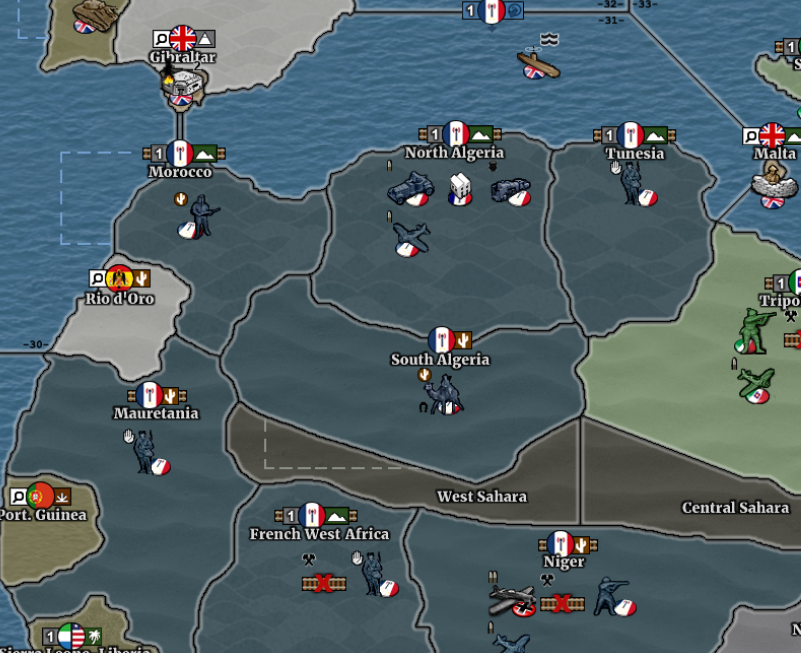
ANYONE KNOWS WHERE TO FIND A TUV-LIST/OVERVIEW?
it is mentioned sometimes but I cannotfind it around here thanks -
finishing touch for layout; made true city grid/pattern for the victory cities and capitals.... forgive me that they aren't the 1941 city plans but todays....
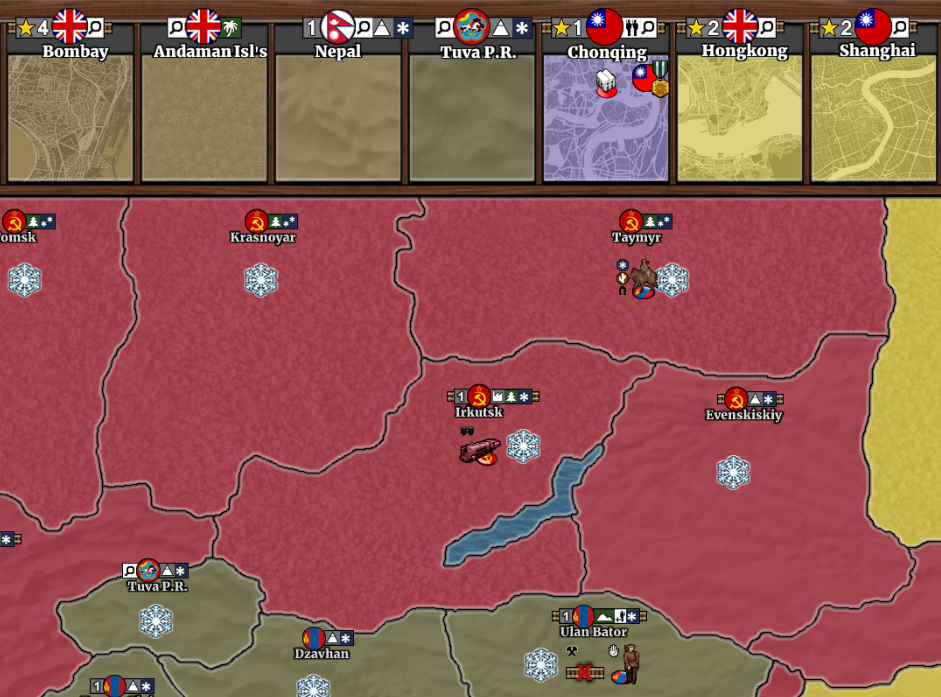
okej,let;s read how to get all this on Github this sunday...
-
@beelee @wc_sumpton HAVING A VERY HARD TIME HERE WITH GITHUB AND GIT GUI.... aaaaah 3,5 hours of trying to get my Map ready for evaluation and shared with you all... but this is even with all help files far beyond my skills..... After getting several NO SUCCES and FAILED messages hope it worked now??? what a mess...

cannot find the maps' files back on Github repository tough, only a Read me file... but in GUIT GUI they are all there... posted an evaluation request, not sure if it will work out, felt really lost! HELP!
I like creating maps and like to contribute but this is simply a cold shower for me -
@ebbe yea it takes a bit to get used to. I still struggle with it. You followed Frostion's guide ?
https://docs.google.com/document/d/1FfF7N0srp9QG0_if5D-c1d1Aa1QTttdhxgm1GBh3pI4/edit
edit
I don't think you need to ask to join the maps team anymore. I think you can just go direct. I haven't done one since that change though -
@ebbe The Git GUI is showing you the files you have on your computer, it is not showing you the files in github. Look for a 'add files' and a 'commit' option. Once you have the files committed, look for a 'push' or an 'upload' option to then sync the files from your computer to github.
Alternatively, there is a web page UI where you can upload file via drag and drop. Head to your repository: https://github.com/merleyn/ww2_oil_and_snow_1st_edition, and click the 'upload files button'. You can only upload something around 100 files at a time, so you may have break it up and do only a couple folders at a time.
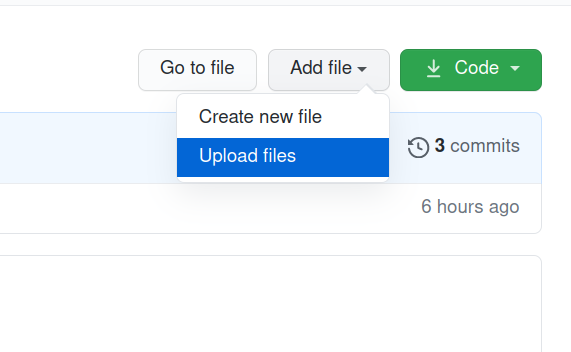
-
Actually, looks like you're good. Somewhere the default branch became "main" (was this an option when creating the repository, or did Git GUI recommend this?).
The files are there in the master branch, where they should be: https://github.com/merleyn/ww2_oil_and_snow_1st_edition/tree/master/map
-
Next step, create a 'description.html' and 'preview.png' file in this folder: https://github.com/merleyn/ww2_oil_and_snow_1st_edition/tree/master
Please let me know if you have any questions about that.
-
@beelee @LaFayette thanks for response, keeps me out of a psychiatric institution
okej: so yes the max 100 files broke me... so I break them up in pieces... I have another attempt: so I have to load my relief & baseTiles in 9!!!! different steps? that is madness.... aaaahhhhh@lafayette: thanks for dragging me through this! I see: so the files are in the right place now it seems.... hope the Preview is visible too.... let's see what happens....
As far as I can see it should be all in correct place now, pfff...wow... that was a rough ride for me... hahaha
-
@ebbe Repo is now forked into triplea-maps: https://github.com/triplea-maps/ww2_oil_and_snow_1st_edition/settings/access
you can delete the repo hosted under your namespace: https://github.com/merleyn/ww2_oil_and_snow_1st_edition/tree/master
Last step is to add an entry in: https://github.com/triplea-game/triplea/blob/master/triplea_maps.yaml, to make your map available for download.
-
-
@hepps hej maestro , thnxs for the suggestion: as stated in my chat I think it is still to close too mountains: I am trying to base it more on this example hills, irregular spread, and more open.... but then a shady version I think,
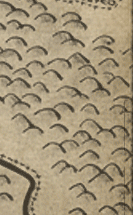
-
Unfortunately after 5 days still **not possible play the WW2 Snow & Oil game via Triple A maps, cause of issues with naming.... what a nightmare!!! Mostly because my skills are lightyears away from this professional complex environment, and even with help around from Dan and Beelee unfortunately no solution in error when unzipping master file due to naming issues....
frustrating as it costs them precious time too and I feel kinda helpless at the site... I only wanted to share a year of work...
-
@ebbe The problems are endemic to TripleA in how it finds maps by folder names and how that has to correlate to 'triplea_maps.yaml', has to match the name of the repository, has to match the name of the map in the game.xml file. The map not loading really has nothing to do with github. Hopefully the drag and drop upload UI, except for allowing only 100 files at a time, was not that bad. The rest is stuff that is due to the TripleA software being sub-optimal. 2.6 removes the need for all of those names to line up, with luck we won't have to repeat such an exercise of "why won't my map load".
-
@lafayette okej thanks for sharing the info....
Thanks Lafayette , Dan and @Beelee for helping out, it seems to work now !
I appreciate a lot ! -
@ebbe Success ! Now your battle with git can continue
 It won't be too bad now. There's a couple things I noticed. There was a missing start image for China.
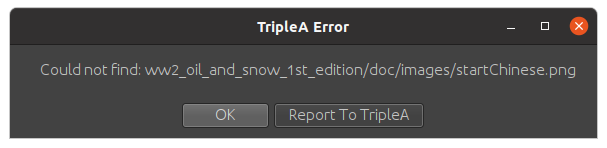
also in case you're unaware there's this issue at git https://github.com/triplea-game/triplea/issues/8979
I haven't looked at it but seems a fairly straight forward fix I'd think.
As I mentioned before I think you should make the font larger in Game Notes. At start of Game Notes is where you set it.
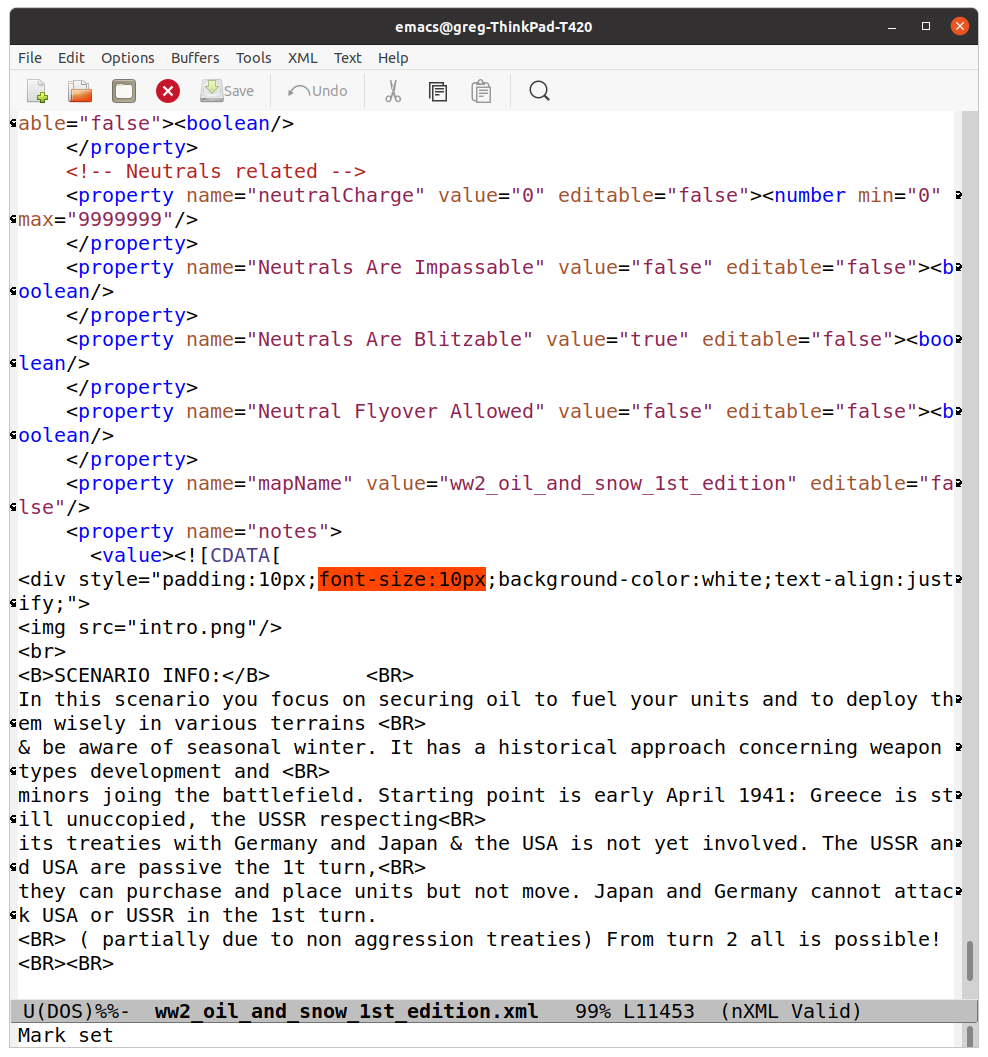
I tried it at 16 and seemed pretty good. Obviously you can set to w/e you want, I just found it too small.
Also some typos in Game Notes. So nothing too major. Good Job !
I'll post next with the git hub instructions on how to update
-
@ebbe so at git delete your repo
"merleyn /ww2_oil_and_snow_1st_edition "
you do that by clicking " settings" located upper right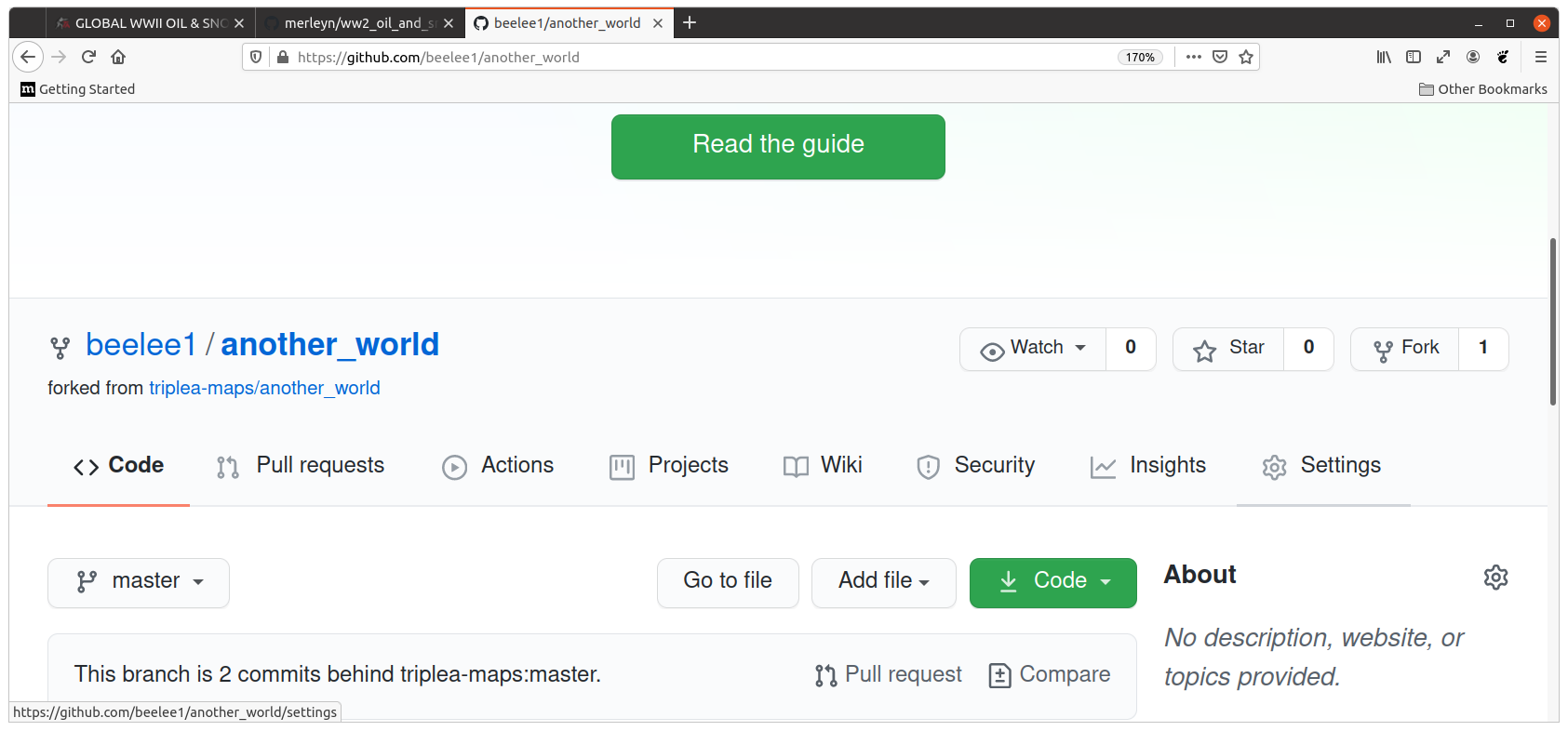
then scroll to bottom of screen
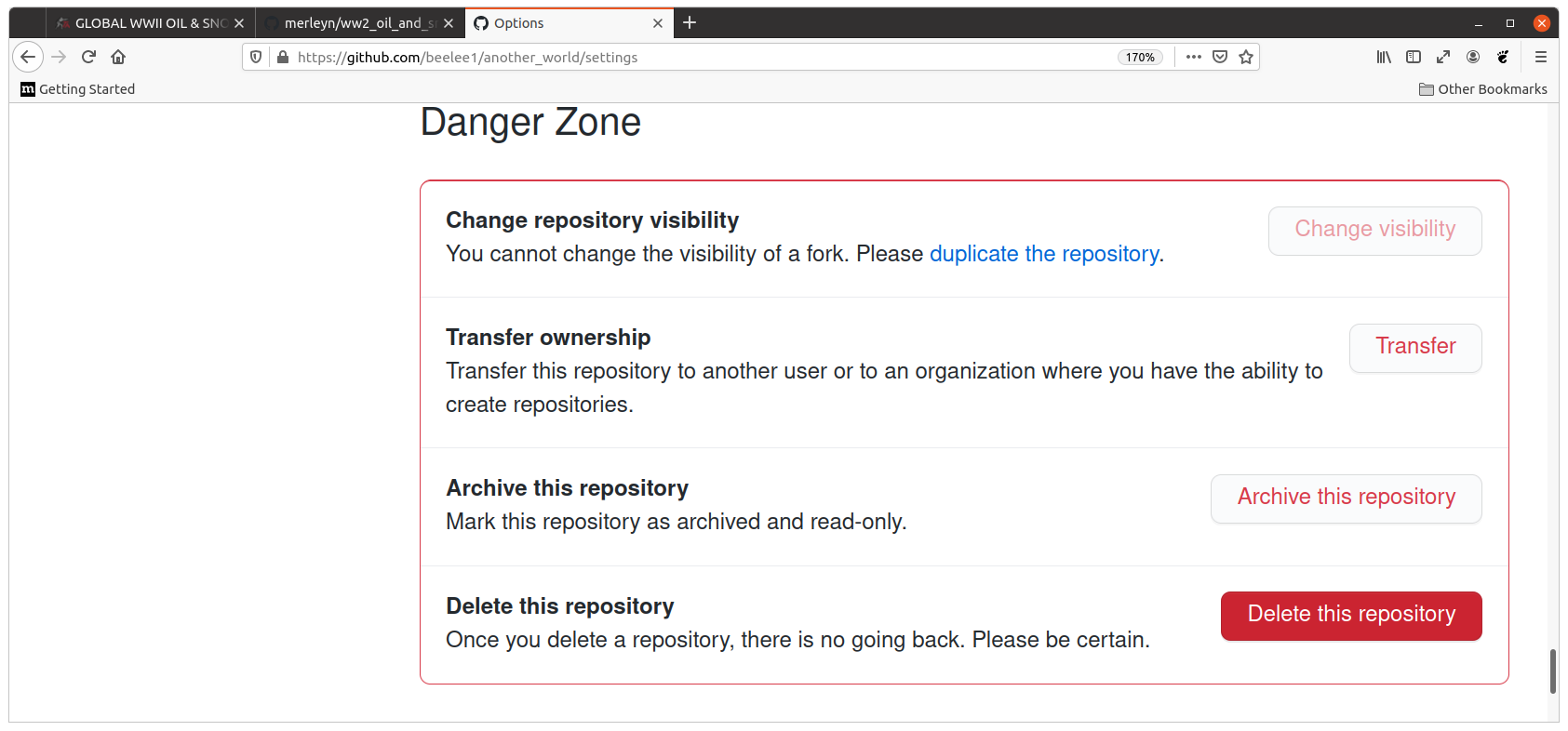
and follow the prompts.
Next go to "triplea-maps" and click on "ww2_oil_and_snow_1st_edition " Then click "Fork" upper right
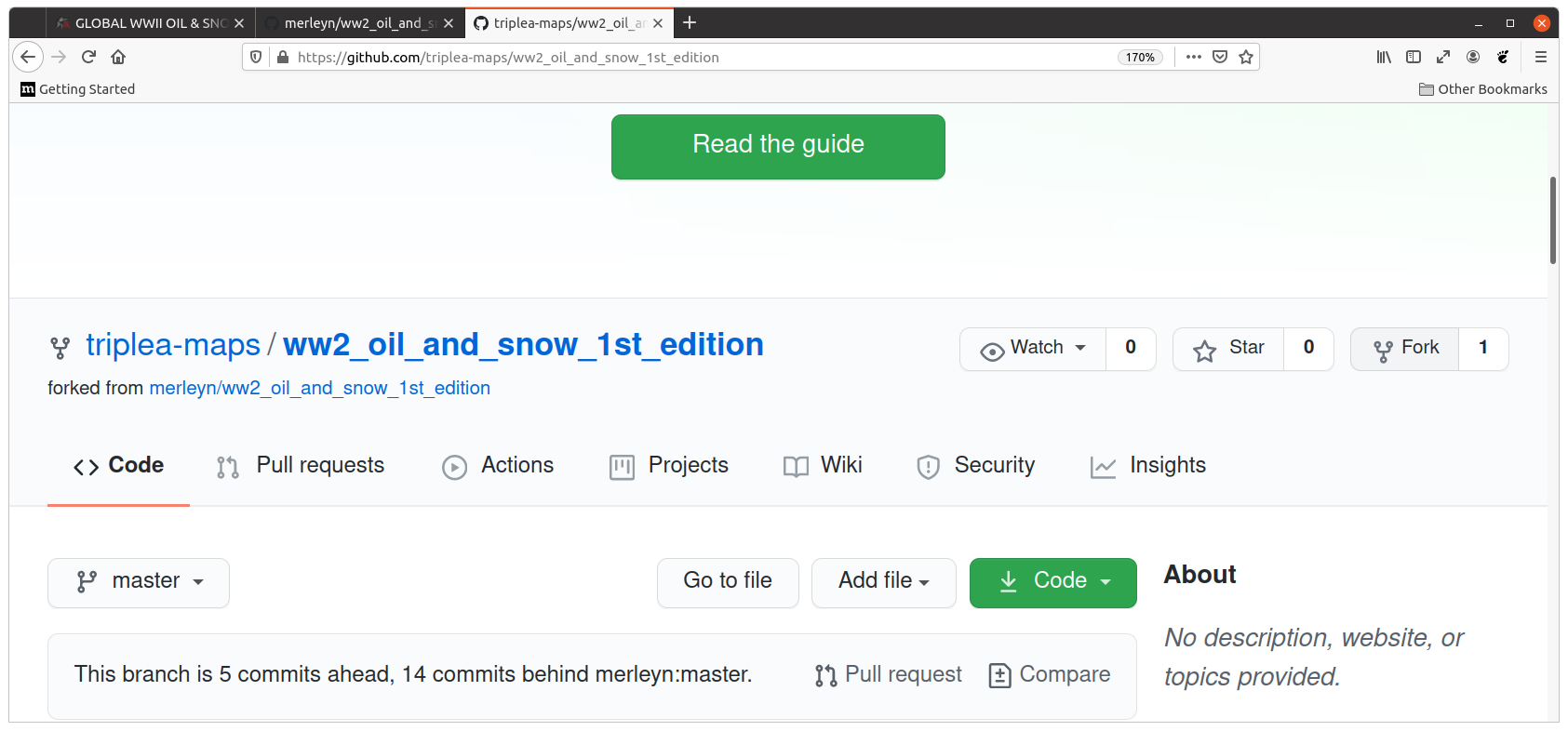
and follow the prompt. Now you have a copy of the repo that you can push changes too. Well...duty calls I'll be back in a bout an hour to finish this up.
Edit
Well If I haven't confused you already, I have confused myself lol. -
@ebbe Well at least you know how to delete a repo and get a new one now
So by making the new repo "merleyn/ww2_oil_and_snow_1st_edition" you know you have the latest triplea one and it'll allow others to Fork it and add changes to it for you. That way you can check them out before you push them to the main triplea-maps one. At least I think lolSo lets say someone forks your merleyn repo, the one you Forked from triplea-maps, you can check out their fork by hitting "Code" and "Download Zip" of their Fork. Then you can put that zip in your triplea downloaded maps folder and try it out.
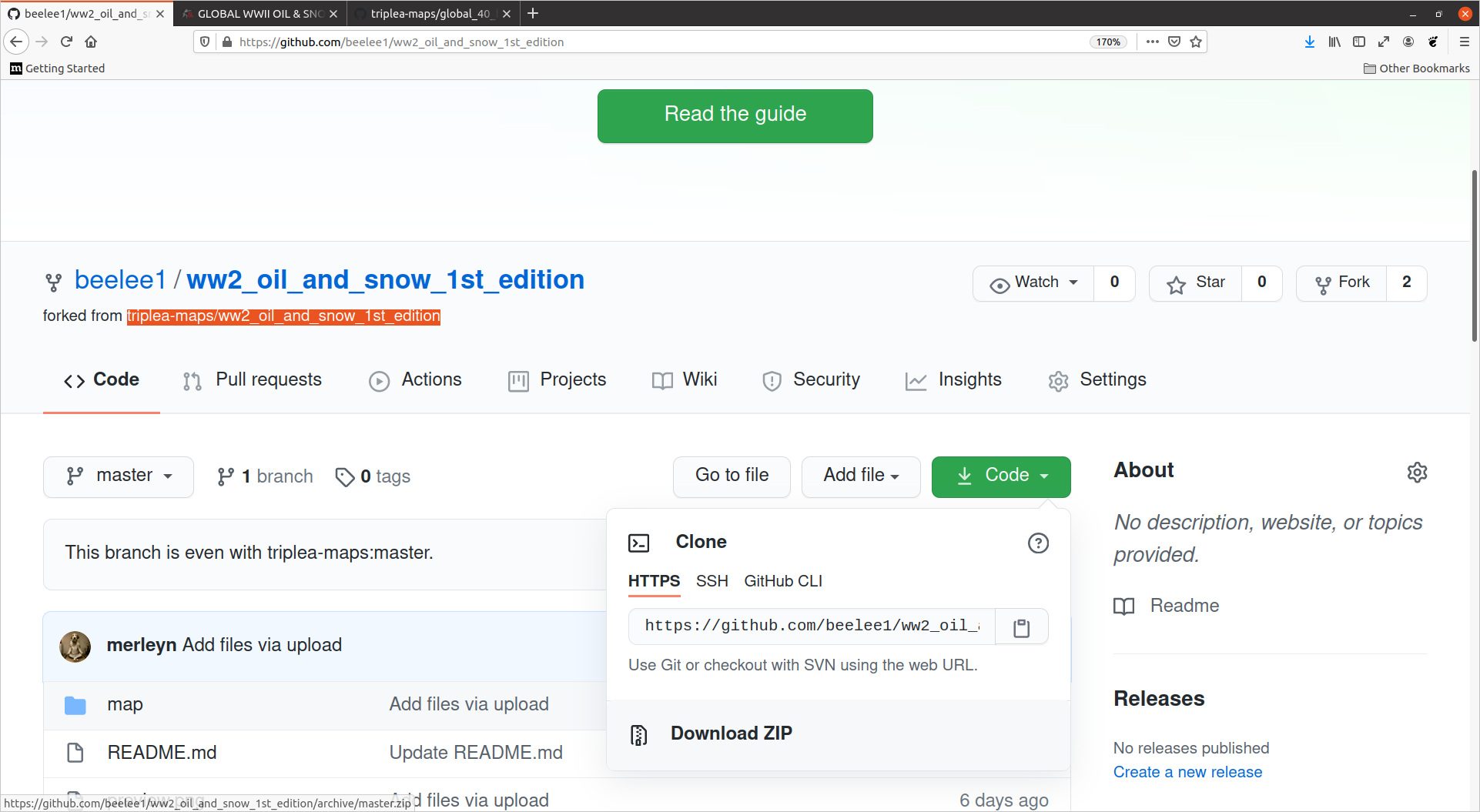
When you want to add something to "tripleamaps/ww2_oil_and_snow_1st_edition " you need to clone it. The green Code button again. This is where I better stop for now. I don't know how to do it with the pull and drag method. Only by terminal.
If you Fork the repo and then I can do the same you'll be able to DL the zip and checkout the changes. If you like them I can do a PR for you. But I don't really know how else to do it. I guess i could send files to you via sendspace or something, but seems as if we shouldn't have to do that.
Hmm...this might work. I'll make the changes to my Fork of oil and snow and you can DL the zip from there and if you like them I'll do the PR. You should do a map.yaml update as well but not necessary right away. Basically I try to test add enough stuff that they don't spam out. This is a new map so you'll have a few things to tune up but we'll talk about the yaml later.
Eventually you'll do it is the goal. I'm obviously not the best teacher lol



Hello! It looks like you're interested in this conversation, but you don't have an account yet.
Getting fed up of having to scroll through the same posts each visit? When you register for an account, you'll always come back to exactly where you were before, and choose to be notified of new replies (either via email, or push notification). You'll also be able to save bookmarks and upvote posts to show your appreciation to other community members.
With your input, this post could be even better 💗
Register Login