TripleA Logo TripleA Forum
    • TripleA Website
    • Categories
    • Recent
    • Popular
    • Users
    • Groups
    • Tags
    • Register
    • Login

    Error message "could not parse..."

    Scheduled Pinned Locked Moved Player Help
    19 Posts 6 Posters 3.7k Views 5 Watching
    Loading More Posts
    • Oldest to Newest
    • Newest to Oldest
    • Most Votes
    Reply
    • Reply as topic
    Log in to reply
    This topic has been deleted. Only users with topic management privileges can see it.
    • B Offline
      beelee @pafnus
      last edited by

      @pafnus try removing big world, manually if you have to and re dl it. Which triplea are you using ?

      1 Reply Last reply Reply Quote 0
      • wc_sumptonW Offline
        wc_sumpton
        last edited by

        @pafnus

        The problem could be a miss spelling of the 'Players' in the map.properties file, check to see if 'Impassable' is spelled correctly and not 'Impassible'.

        Cheers...

        TheDogT 1 Reply Last reply Reply Quote 0
        • TheDogT Online
          TheDog @wc_sumpton
          last edited by

          @wc_sumpton
          The path has an exclamation mark in it, could that be the problem?
          big_world-master.zip!

          https://forums.triplea-game.org/tags/thedog
          https://forums.triplea-game.org/topic/3741/curated-best-top-maps-triplea-guides

          1 Reply Last reply Reply Quote 1
          • wc_sumptonW Offline
            wc_sumpton
            last edited by

            @TheDog

            Could be. Seems to be trying to load from the zip file. Might need to change the name of the file and remove it.

            Cheers...

            P 1 Reply Last reply Reply Quote 0
            • P Offline
              pact_of_plastic @wc_sumpton
              last edited by

              @wc_sumpton
              This happens to me occasionally. I just close triple A and relaunch, but I don't multiplayer... I'v had some mild tech issues lately, nothing a relaunch or two won't fix. I've also been getting an issue where I can't continue a battle sometimes. The spacebar won't close the battle window/move to the next battle. Alt-f4 or the close box don't work either. A relaunch fixes it but it's a bummer on a good roll and would suck in multiplayer. I get no error message window popup on the spacebar bug.

              B 1 Reply Last reply Reply Quote 0
              • B Offline
                beelee @pact_of_plastic
                last edited by

                @pact_of_plastic what triplea version are you using ?

                P 1 Reply Last reply Reply Quote 0
                • P Offline
                  pafnus
                  last edited by

                  @beelee said in Error message "could not parse...":

                  at triplea version are you usi

                  i use normal lastest version ( not beta).. i have win 10 but could not solve problem

                  1 Reply Last reply Reply Quote 0
                  • P Offline
                    pact_of_plastic @beelee
                    last edited by

                    @beelee 2.5.22294

                    1 Reply Last reply Reply Quote 1
                    • P Offline
                      pafnus
                      last edited by

                      pls help i can't play 😕 .. i unistalled and reinstalled but it is same

                      P LaFayetteL 2 Replies Last reply Reply Quote 0
                      • P Offline
                        pact_of_plastic @pafnus
                        last edited by pact_of_plastic

                        err I should say I don't get the same message. It's "could not parse blahblahblah"... I just relaunch it. @pafnus, make sure you've rebooted twice since you installed java. If it doesn't work, uninstall and reinstall java BEFORE YOU INSTALL THE GAME. Maybe try a different dl link. Java can be disabled on windows. Just search on how to enable it. good luck buddy 🙂

                        1 Reply Last reply Reply Quote 1
                        • LaFayetteL Offline
                          LaFayette Admin @pafnus
                          last edited by

                          @pafnus Are you getting an option to submit an error report? If so, have you done so and what is the issue number that was created? That will have more details to help us debug this.

                          Meanwhile, try running TripleA as administrator, that could help in case there are issues with file permissions.

                          P 1 Reply Last reply Reply Quote 0
                          • P Offline
                            pact_of_plastic @LaFayette
                            last edited by

                            @lafayette I'm not sure if there's an option to submit an error report. I'll keep an eye out and let you know

                            B 2 Replies Last reply Reply Quote 0
                            • B Offline
                              beelee @pact_of_plastic
                              last edited by

                              @pact_of_plastic you should get a popup asking if you wanna make a bug report after the error throws

                              1 Reply Last reply Reply Quote 1
                              • B Offline
                                beelee @pact_of_plastic
                                last edited by beelee

                                @pact_of_plastic open your downloadedMaps folder. Does it say "big_world-master.zip" ? No ! as in the error message ? "big_world-master.zip!"

                                If for some reason it does, rename without the "!"

                                P 1 Reply Last reply Reply Quote 1
                                • P Offline
                                  pact_of_plastic @beelee
                                  last edited by

                                  @beelee I'm not seeing a "!" in any of the map names I have downloaded.

                                  P 1 Reply Last reply Reply Quote 1
                                  • P Offline
                                    pact_of_plastic @pact_of_plastic
                                    last edited by

                                    Ok so I finally got the error where I can't continue a battle after a dozen or so games I've played lately... it's in round 12 on nato America's turn. I was able to save and reload though and the error didn't happen again (the battle in Japan went as normal). Sometimes it persists after a reload though that's uncommon. I also reloaded the standard "autosaveAfterNato-americaCombatMove" and the error didn't persist. I'm not sure you'll get anything out of it but here are the saves:

                                    autosaveAfterNato-americaCombatMove.tsvg

                                    nato america rd 12 attack move on Japan game freeze.tsvg

                                    Thanks

                                    P 1 Reply Last reply Reply Quote 1
                                    • P Offline
                                      pact_of_plastic @pact_of_plastic
                                      last edited by

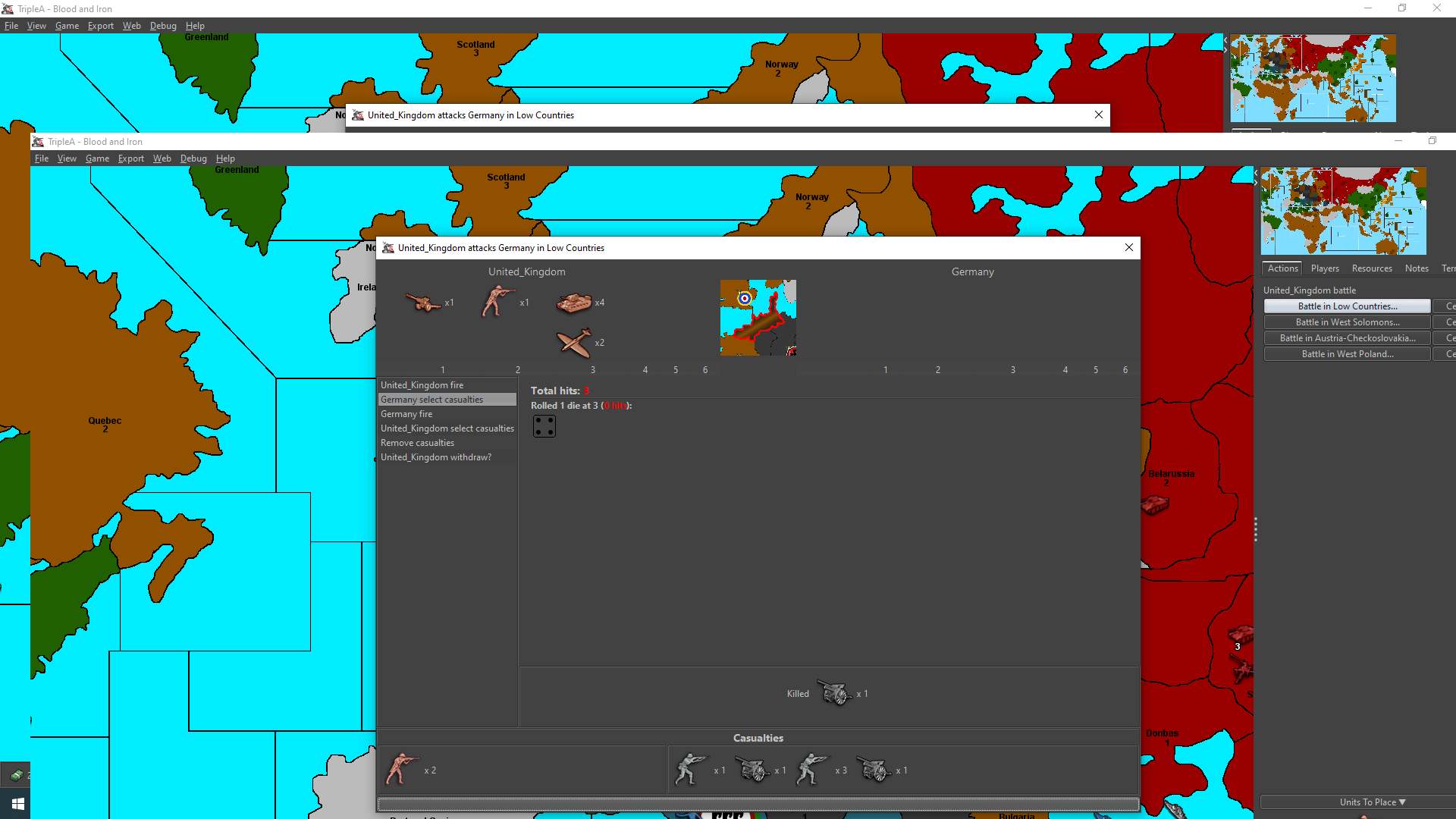
                                      I got a screenshot this time. Notice there is no text in the field where it normally says "press spacebar to continue battle" One of the screens is of the field with my mouse highlighting/hovering over the field, the other is with the mouse off of it. I find I can save the game in this issue but cannot continue the battle no matter what I try. Anyone else having this issue? It's not a huge deal since you can save and just might have to reroll. Personally my concern is the bug causing bigger problems. Thanks.
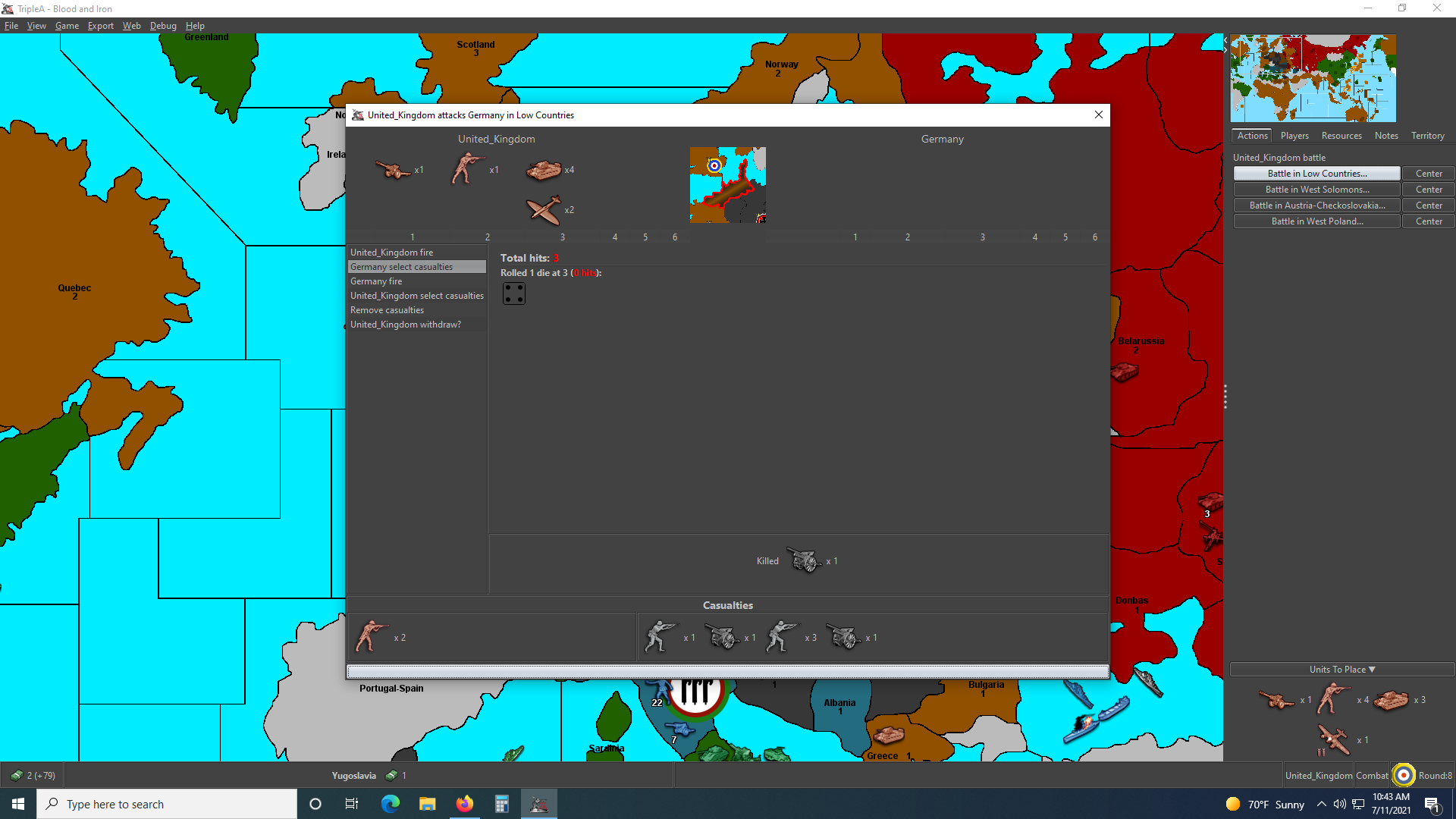
                                      can't continue battle error pact_of_plastic.png

                                      can't continue battle error spacebar depressed pact_of_plastic.png

                                      B 1 Reply Last reply Reply Quote 1
                                      • B Offline
                                        beelee @pact_of_plastic
                                        last edited by

                                        @pact_of_plastic hmm...so it doesn't show a popup report to triplea ? Just stops working ? Can you open the debug console and get any info ?


                                        1 Reply Last reply Reply Quote 0

                                        Hello! It looks like you're interested in this conversation, but you don't have an account yet.

                                        Getting fed up of having to scroll through the same posts each visit? When you register for an account, you'll always come back to exactly where you were before, and choose to be notified of new replies (either via email, or push notification). You'll also be able to save bookmarks and upvote posts to show your appreciation to other community members.

                                        With your input, this post could be even better 💗

                                        Register Login
                                        • 1 / 1
                                        • First post
                                          Last post
                                        Copyright © 2016-2018 TripleA-Devs | Powered by NodeBB Forums
