My map editor for TripleA
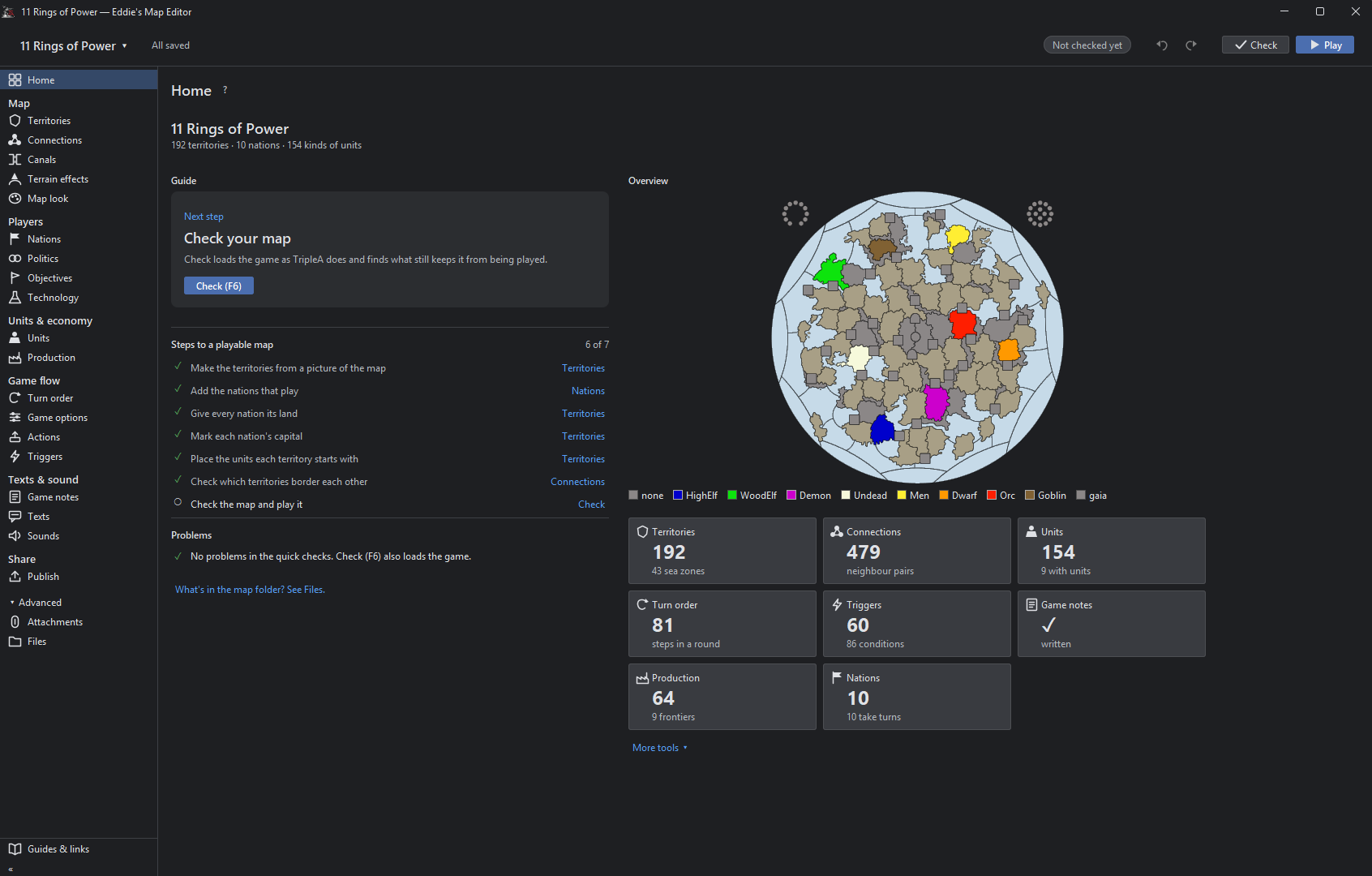
-
-
@beelee
Yes , its Map Creator Tools but ++ good
-
That map's picture is 16,816 × 8,085 pixels, about 136 million. The editor refuses to hold pictures over 50 million pixels in memory, because one copy of GCD is about 540 MB and every drawn line keeps another copy for undo maybe i need to disable it on big maps.
I think there should not be an upper limit here. If someone would want to make a map which is 50,000 per 40,000 pixels, for a total of 2 thousands million pixels, why not allowing it?
If wanting to set a hard upper limit, I suggest 100,000 per 100,000 for a total 10 thousands million pixels being the limit. That should most likely cover every possible map-making needs.
-
@Cernel
its not about limiting the size of the map, there is an undo button that keeps the map in cache.
So everytime you change something there is half a gig placed in there so we are having a technical limitation in terms of the implementation of this undo functionality. if we disable the undo on big maps they can get as big as they want. -
@xxXEddieXxx Could have a launch option where players can select a Compatibility Mode with no undo feature for when the map they're working with a map beyond the normal size limit.
-
@Vendetta it will disable itself automatically with a message to the user(you are on a big map there is no undo bla bla)
-
@Cernel
its not about limiting the size of the map, there is an undo button that keeps the map in cache.
So everytime you change something there is half a gig placed in there so we are having a technical limitation in terms of the implementation of this undo functionality. if we disable the undo on big maps they can get as big as they want.Cool. Yes, please make optional to have the undo. Thanks.
Or maybe having 4 options? Undo cache, undo RAM, undo hard drive and no undo? No idea if feasible.
-
@Cernel
i'd rather change the whole way the current undo works.
User should never bother with these decisions. Maybe on large maps a file gets saved instead of it getting cached in ram. But this is low prio in my eyes right now. -
@xxXEddieXxx Ok then just a setting for having/not having the undo feature (default having). I think it's quite important not forcing a maximum limit.
-
new update:
A lot has changed since the first test version. Most of it comes straight from your feedback, so thank you for that.
Territories and the map
- Places menu: show capitals, centers, convoys, names, PUs and the other markers on the map, several at once, drag them and save.
- Unit places: lay them out automatically (Squeeze as a spiral, or Grid), create the missing ones, or reload them from the files.
- Too many territories? Merge one into another, or remove many at once, smallest first.
- Split with a line and an Eraser for borders; a click erases a whole border between two territories.
- Islands can be clicked; before, the click chose the sea zone around them.
- Capital brush: a click moves a nation's capital.
- Units at the start: each row has a ×, and Remove all clears a territory.
- Resize map: make the whole map bigger or smaller, with everything on it.
- Export territory pictures: a PNG per territory, to draw over.
- Very large maps (eg 1941 GCD): borders can be drawn into them now. There is no undo for these lines, and the editor says so first.
How the map looks
- Canals are clearly marked in their tool.
- Textures for the relief: premade ones, your own pictures, and Find textures in the map. Thht symbols now.
- Political view: land in its alliance's colour.
- Connections across the map's edge show as dashed lines.
- The Neighbours view no longer starts with a territory chosen.
- Place numbers hide when zoomed out.
Nations, units and rules
- Rename a nation; its flags and unit pictures move with the next save.
- Has no capital for nations that are meant to have none.
- Flags from one picture, in all the sizes the game needs.
- Compare nations: territories, income, units and TUV side by side.
- New nations can buy the same as an existing one.
- Objectives: a tool of its own for national objectives.
- A nation's placing and moving rules in plain words.
- Stacking limits for unit types and for nations.
- Units panel rearranged; support to allies shows green, to enemies red.
- Terrain effects: values written with a count are read correctly now.
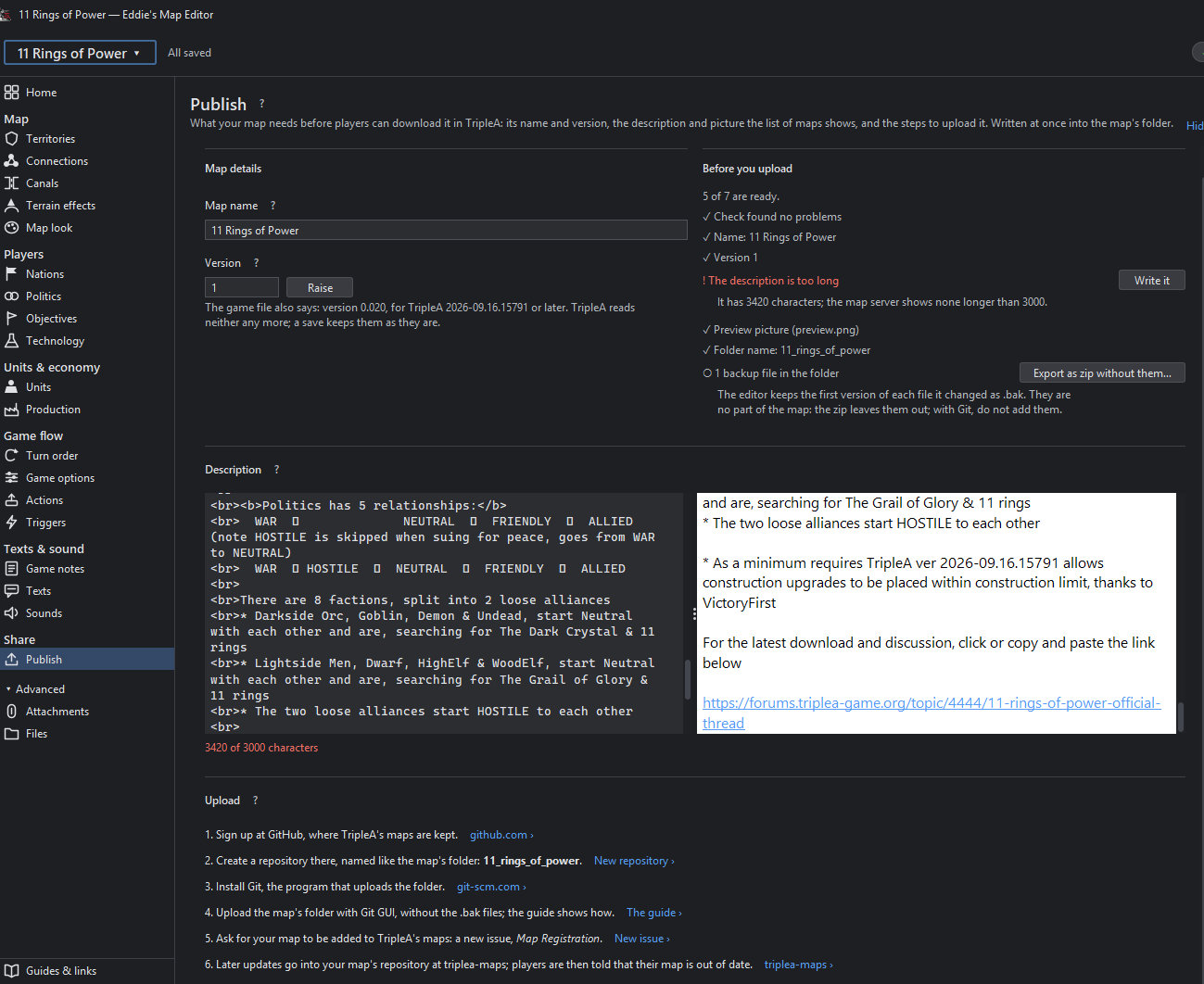
- Technology effects, buy window tabs and a Publish tool with a checklist.
Easier to use
- Show all options in the File menu, for those who want everything open.
- Fine as it is: mark a problem or note that is meant so, and it is no longer counted.
- Check's tick stays after a save.
- The editor's version shows in the File menu and on the start page.
- A TripleA that is too old for the editor is told at the start, and the editor looks right under imbus.
Maps that start in TripleA
- Every land territory gets its territory attachment, so a new map starts.
- Check and Play now start the game in memory and play its first round. Play opens TripleA only when that works, and says why when it does not.
- Nations without a capital no longer stop the game.
- Several edits that could break a game are fixed: splitting a territory, renaming one that a variable list names, adding an Activate Technology step.
- New problems are shown before you play, eg land units left in a sea zone.
- The "gamePlayer is null" crash came from TripleA loading two games at once; the editor now avoids that when it starts TripleA.
Colours
- Nations, land without an owner and impassable land show in the colours TripleA uses.
Other
- A Mac download
-
@Vendetta it will disable itself automatically with a message to the user(you are on a big map there is no undo bla bla)
Ah allright. I missed this post. I see there is not actually a limit: just the undo gets automatically disabled. That is good.
-
Lay out unit places
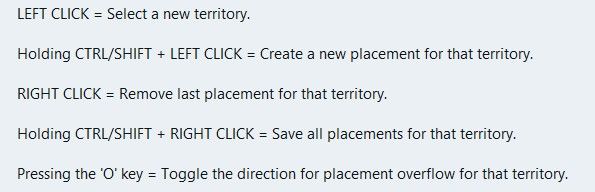
Could do with showing the px size of the unit & its zoom size from the map.properties file, before placmentNeed to show the direction of unit overflow of the last unit in a TT/SZ. The default is to the Right, but depending on where the last unit appears in the TT/SZ the mapmaker might want to the left.
Using a toggle say ctrl+O to switch between Right and Left overflow.
On screen an arrow should indicate the current overflow direction.
In place.txt overflow is seen as
| overflowToLeft=true (overflows to the left)
| overflowToLeft=false (default, no need to show as overflows to the right)The ability to add one more placment in the selected TT/SZ
The ability to remove, highlighted placment.Current mapmakers are used to these, but maybe a right click menu is the way to go? (even for the toggle)
.
Wish list questions
As the placement is based off center location it would be great if the app suggested moving the center coordinates to fit in more placments?
What value upto would work, 27px as this is half the maximum height of the unit?
Would the reiterations take to long? If so reduce the maximum pixels to move.
If it made a suggestion then an option to do it. (right click menu option do it).
Save
Before each save in Expert mode, a mapmaker needs to know what is going to be saved.
This is critical if you accidentally change something unintended or forget you have changed something.
A section that you can tick as read only/Dont save for each of the files to be saved.
Especially the. xml as it messes with the order and formatting.
The app should remember these setting from last save.
Places (should be sorted & grouped, here is a suggested order)Units --- Capitals – I prefer a yellow star, not C Centers Comments Decorations Names PUs – should show the PU value as well as P, eg 6P Terrain Effects Victory Cities/Centers --- Blockade Convoy KamikaziPlaces Options
Right Click on TT/SZ for a menu to add/remove the items shown
Left drag to move the selected itemWhen there is no file or nothing to display, against the selection it should say None)
.
Earthquake
The map gets shoved down and I lose my train of thought.
There is a space reserved for shoving the map down to display things, like

Can this space be reserved by moving up/compressing the ‘white’ space above the map, so the map does not move, please, pretty please.
Yes this space will be ‘white’ space, but its better than moving the map.


Hello! It looks like you're interested in this conversation, but you don't have an account yet.
Getting fed up of having to scroll through the same posts each visit? When you register for an account, you'll always come back to exactly where you were before, and choose to be notified of new replies (either via email, or push notification). You'll also be able to save bookmarks and upvote posts to show your appreciation to other community members.
With your input, this post could be even better 💗
Register Login