Updating Initial Screens and game hosting screen
-
I'm in progress to simplify a good chunk of the launch screen code, the code that powers the first several screens up until you join a game. As part of this, it makes sense to make a few improvements along the way. Below are some screenshots of what I have, feedback is really welcome! Thank you in advance for any comments/thoughts/suggestions.
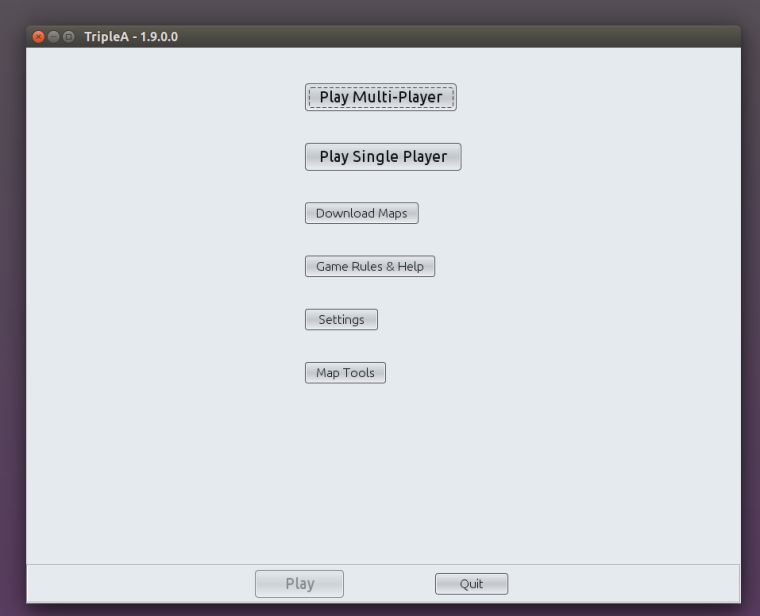
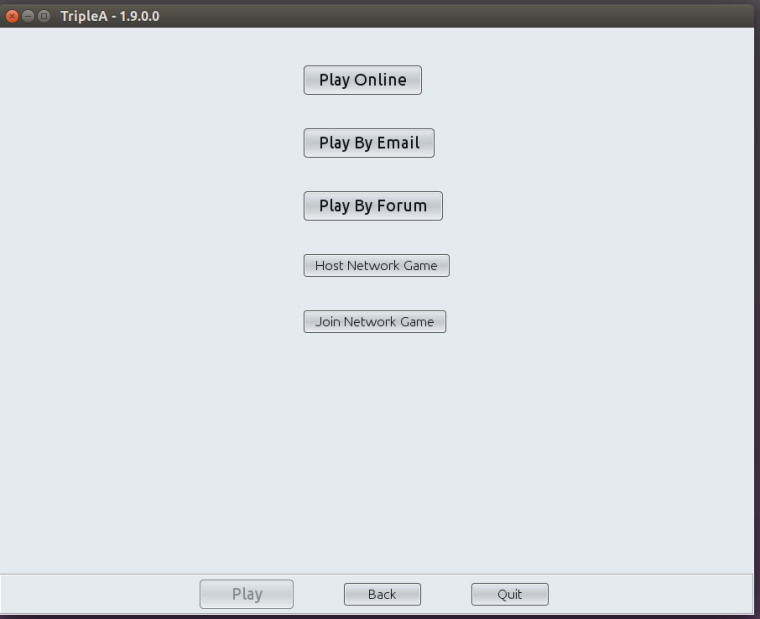
Then if you click multiplayer, you'll see the multiplayer options on one screen:
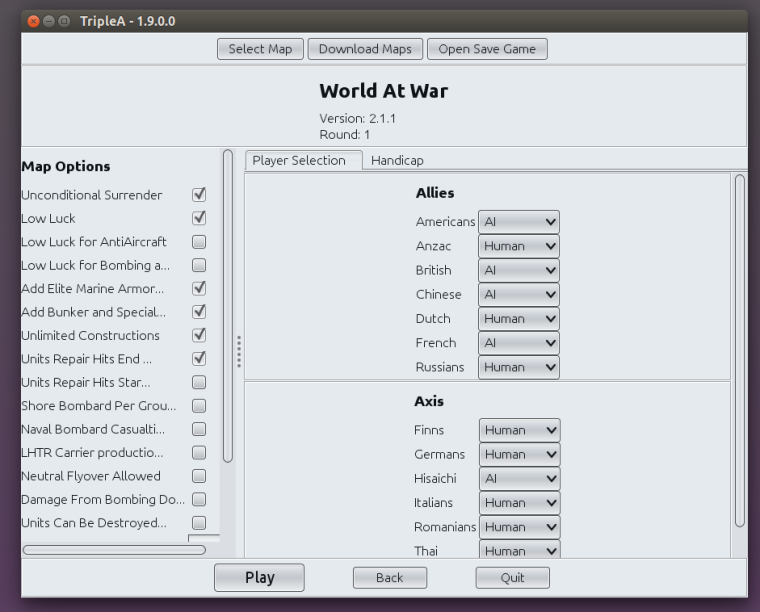
Going back, if you click on single player this is what you see:
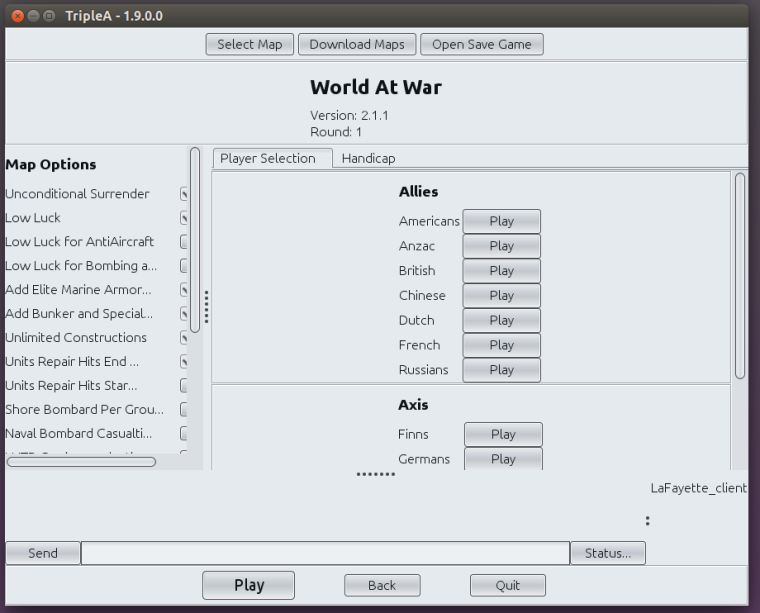
For network games, a chat dialog is included and the screen would look like:
-
@lafayette Do we have competing projects here? Or are these 2 different branches of the same project?
-
2 different but related branches. The update here is mostly code related. This is coordinated with @RoiEX https://github.com/triplea-game/triplea/issues/2753, for https://forums.triplea-game.org/topic/464/taking-your-suggestions-for-a-new-ui
So here I'm rewriting existing UI code with an updated and simplified UI library, but it is still fundamentally same technology. While doing this there is a lot more happening to the code and we are getting a better split of UI configuration from the game logic. This should help us then upgrade to the next gen of java UI technology (https://forums.triplea-game.org/topic/464/taking-your-suggestions-for-a-new-ui)
But, while re-writing the UI code, there are a few problems that should really be taken care of
 It was also an opportunity to resurrect the code behind the updated hosting screen.
 -
@hepps you should be able to even demo some of these features from the latest pre-release (maybe even in the latest release).
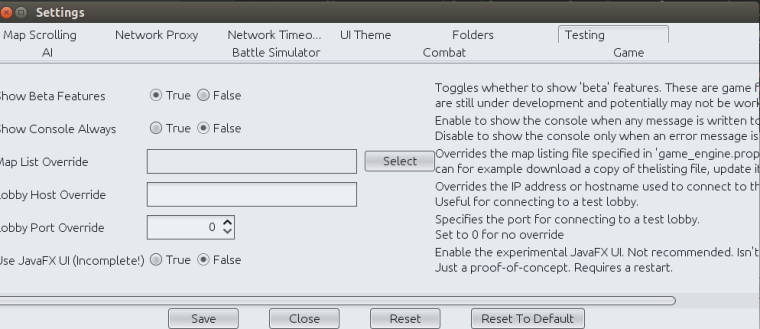
Turn on 'beta features' in the settings screen 'testing' tab:
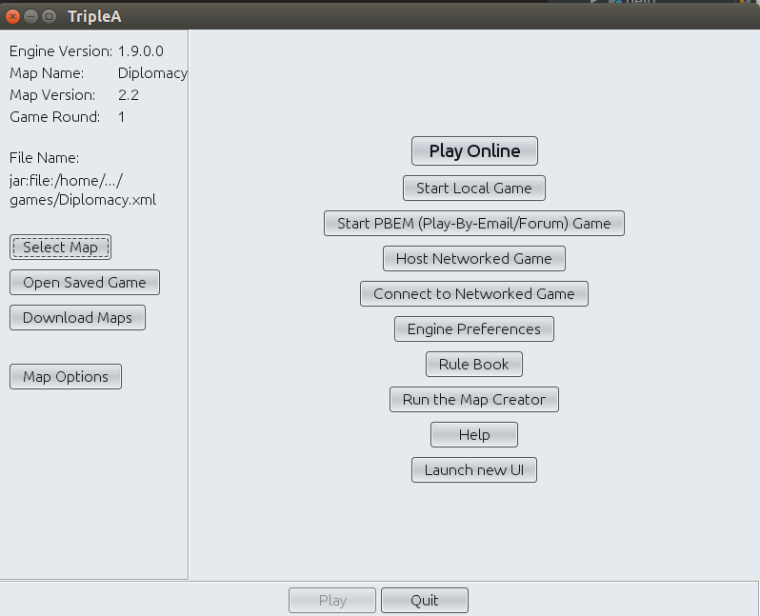
Then on the next game launch the main window will have a 'launch new UI' button:
-
@lafayette Yup. Just trying to keep track of the two different things and wondering if I should hold off on UI re-designs until we have a specific direction for the feature and choices on each screen.
-
@hepps I would say no on holding off on future re-designs. What I'm proposing is a next step that is almost required before we can do a larger redesign. Most of the changes are in the code. Meanwhile, it's pretty trivial and very easy now to alter the screen and which buttons are where, so I can incorporate feedback on that quite readily : )


Hello! It looks like you're interested in this conversation, but you don't have an account yet.
Getting fed up of having to scroll through the same posts each visit? When you register for an account, you'll always come back to exactly where you were before, and choose to be notified of new replies (either via email, or push notification). You'll also be able to save bookmarks and upvote posts to show your appreciation to other community members.
With your input, this post could be even better 💗
Register Login