Unit Browser Instructions
-
Started a new thread for the instructions, as they seemed to be getting ignored amongst the clutter of the main thread.
-
UBr only works in Chrome,Brave and Firefox.
-
You must save the file on your computer to have it work properly:
- Click the link below, once loaded, press [Ctrl][s] to open the save file dialog.
- Save the file in the "triplea/downloadedMaps" directory.
- The downloadedMaps directory is usually at C:\Users\USERNAME\triplea\downloadedMaps.
- Run the file copy on your system:
- While in Firefox or Chrome press [Ctrl][o] (that is the letter "o")
- Navigate to the downloadedMaps directory.
- Click the UBr.html file.
- Bookmark the location once it opens.
- UBr will only work from this bookmark. It will NOT work using only the link below
- Maps must be unzipped:
- Maps must be unzipped and in sub-directories of "downloadedMaps".
- The "-master" part of the directory name must be removed.
- Be sure there is no double game directory:
** Correct: "...\triplea\downloadedMaps\age_of_tribes\map\games"
** Wrong: "...\triplea\downloadedMaps\age_of_tribes\age_of_tribes\map\games"
- The XML files that you will load into UBr are found in the "games" subdirectory of each map (see above)
Newest Version : 1.002.003
UBr Link -
-
Ok image works now. Nice job.
-
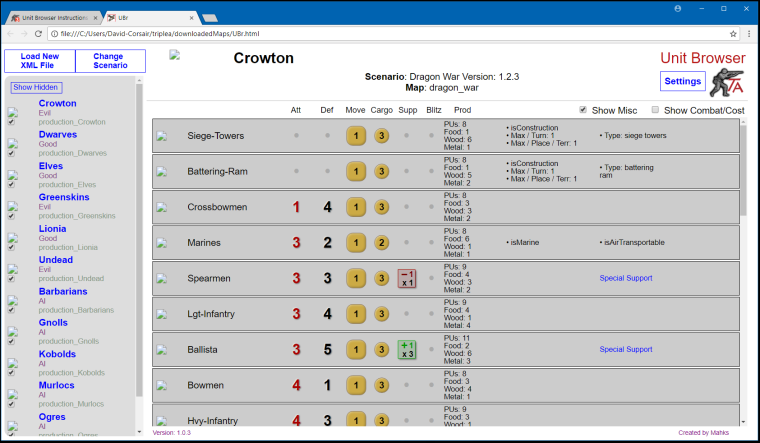
I still dont see pictures. I dont know why? I placed the 40 KB UBr.html file in the right directory and opened it

-
Did you try reloading the XML file?
It does not "automatically reload" an XML it remembers the last load, so if the previous load did not have the images it would still not see them.Does it not show images with all maps?
The games directory is 3 levels below "downloadedMaps"?
ie; ".../downloadedMaps/dragon_war/map/games"The map is unzipped?
You using windows?
-
Whoops the games dir is a subdirectory of map, I fixed that in above post.
Another issue may be the directory name does not match the mapName in the XML properties.
-
@mahks
Hi, regarding your instructions for using UBr, I'm pretty sure I'm following the instructions as written above but I get the following message (I've enclosed 3 screenshots to show where I have installed UBr).
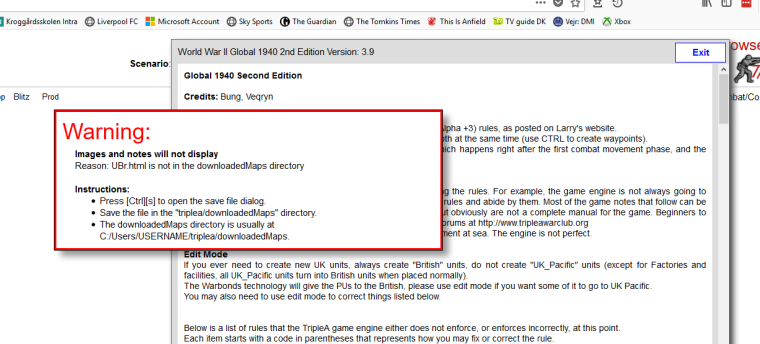
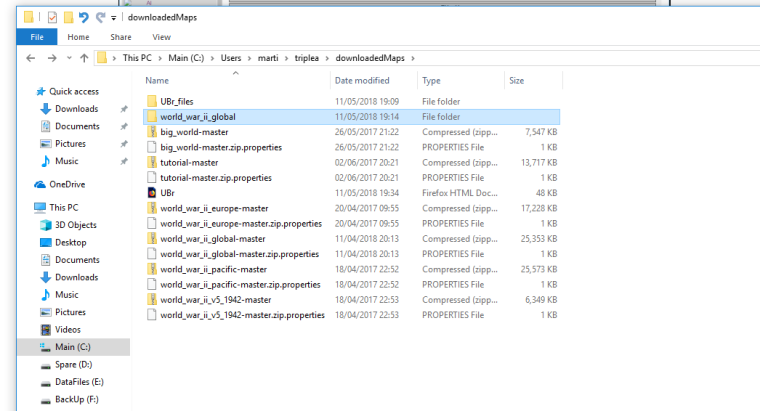
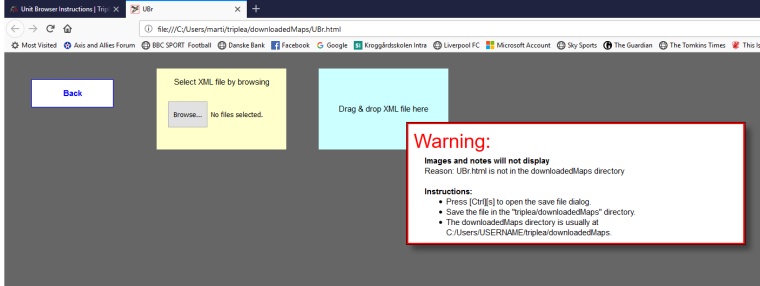
I have used the Browse button on the 3rd screenshot to get the 1st screenshot in this post.
Hope you can help and please ask if you need to see more screenshots of where everything is installed.
Thanks
-
Looks like the file is in the correct location.
How are you loading the UBr.html file? From a bookmark, clicking it in file explorer or some other way?
What is that UBr_files directory I see there?
Please save the current version of UBr (I added some info to the warnings that may help)
-
@mahks Hi, think I might have solved part of the problem. See the screenshots below:
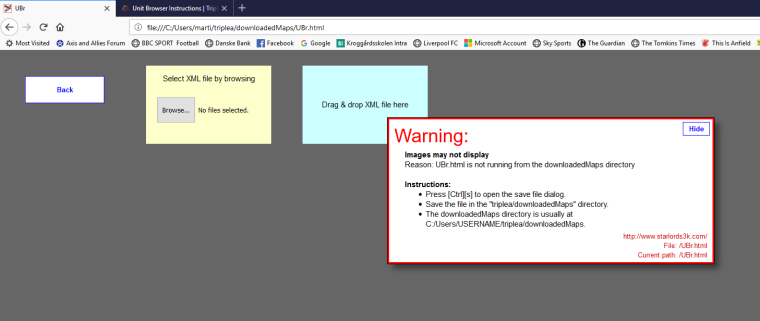
Loaded UBr from a Bookmark on Bookmarks toolbar. Tried to dismiss/hide warning but button doesn't work.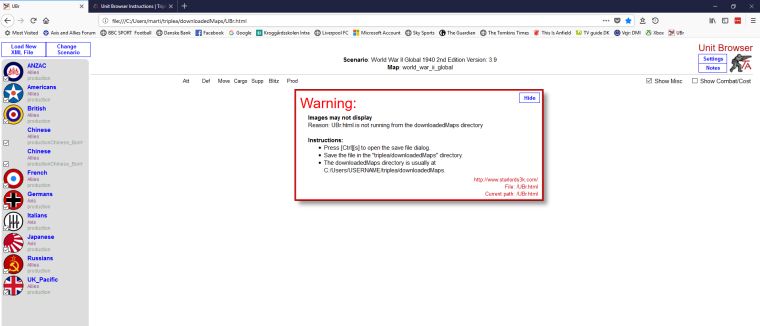
Browsed to XML file using the "Browse" Button. Tried again to dismiss/hide warning but button doesn't work.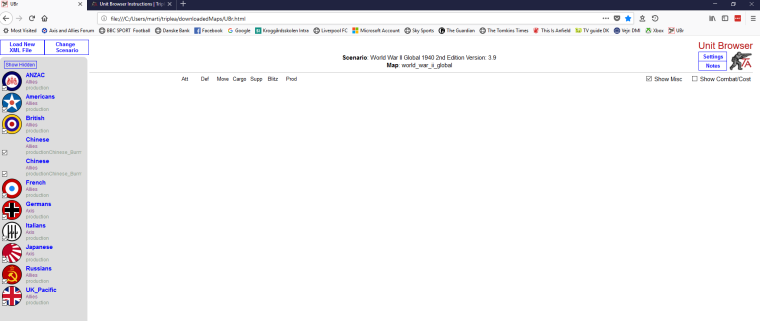
Pressed "Load New XML File" button, reselected file and voila, warning disappears.Not sure where the problem is as I'm not a Progammer/Coder. I am using Firefox 60.0 (64bit).
Hope what I shared helps, otherwise I like UBr. :smiling_face:
-
@mahks said in Unit Browser Instructions:
Looks like the file is in the correct location.
How are you loading the UBr.html file? From a bookmark, clicking it in file explorer or some other way?
What is that UBr_files directory I see there?
Please save the current version of UBr (I added some info to the warnings that may help)
Regarding your Questions:
Loading UBr. from both Bookmark and File Explorer
UBr Directory has following files:
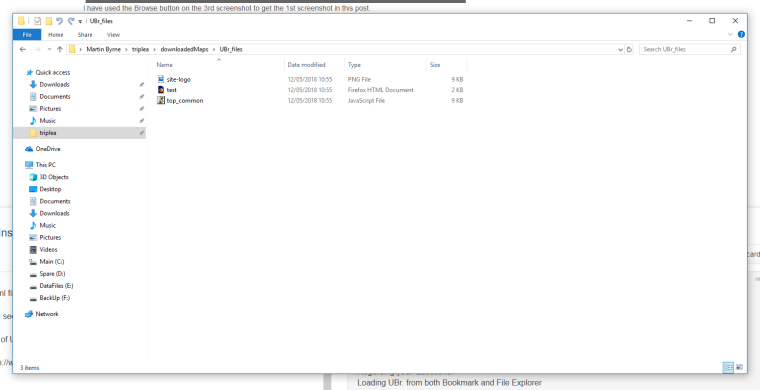
Using UBr version 1.0.5
Hope this helps too. :smiling_face: -
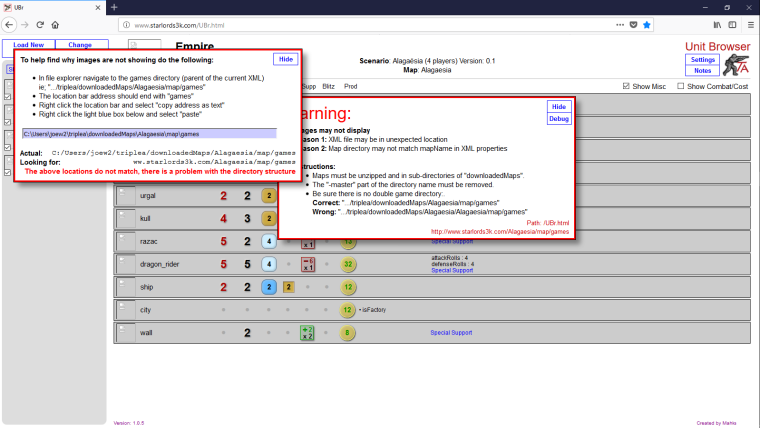
I am no longer able to see images. Here is a screenshot. Per debug, it is looking for the files in "ww.starlords3k.com/Alagaesia/map/games".
-
@general_zod
To quote @Mahks in post 1 of this Thread:You must save the file on your computer to have it work properly
This is the reason this isn't working for you.
-
Sorry, UBr seems difficult to get working. :crying_face:
Browsers are not really the best way to access local files/data.Main problem is there is no way (that I know of) to determine the location of the XML file you load (from within the html page). It can see the contents of the file, but not where it came from, so I can't use it as a reference to locate the image files.
There is no way for the page to know where the images are, except by assuming they are in a specific location relative to UBr.html and using the mapName property in the XML. So if either of these are not as expected, it blows up.
-
Ok I have it working again. For me, the part that was not intuitive and even seemed repetitive or even unnecessary (however critical) was as follows.
My problem was that, at the very end, regarding the reopening of the UBr.html file (the local copy of unit browser itself) once it's saved to the "tripleA/downloadedMaps". Even though I read it in the instructions, it still is a bit counter intuitive because it appears to the user, to already be opening locally especially if it's on screen already.
Anyways maybe mention that the initial link (that you provided) you are viewing is not fully functional until you save it to the correct location and reopen it or it's link (the new bookmark).
Also might be helpful to tell them it's only fully functional when the address reads something like following.
file:///C:/Users/username/triplea/downloadedMaps/UBr.htmlI guess for me the bookmark part of it, was not saving correctly also. The saved bookmark for what ever reason was still opening from your link instead of from downloadedMaps. So not sure if that is happening to others as well.
-
@general_zod Ok, thanks!
In latest version, if UBr has been loaded from other than the downloads directory there should be an error panel showing.
-
Seems the amount of local storage for a browser is limited.
UBr would not save scenarios after I had about 40 loaded.So I added the amount of space each scenario requires to the scenario list and an estimate of how much space there is left.
The scenarios take wildly ranging amounts of space to store, from 8KB to 1,195KB. -
@mahks said in Unit Browser Instructions:
Seems the amount of local storage for a browser is limited.
UBr would not save scenarios after I had about 40 loaded.So I added the amount of space each scenario requires to the scenario list and an estimate of how much space there is left.
The scenarios take wildly ranging amounts of space to store, from 8KB to 1,195KB.@mahks Thought you might like to know that I updated UBr and it works perfectly.
Good job. :grinning_face_with_smiling_eyes: -
UBr Update:
- WARNING using this update will require scenarios to be reloaded.
- Added sorting options.
- Added a list of game properties used in the scenario.
- Better handling of complex support attachments.
- Fixed off-line issues.
- Production frontiers are now dealt with as groups in the unit list, rather than having them as separate items in the empire list. This allows one to view and filter the frontiers so one can compare. Initial placement units are placed in a group as well as sometimes they are not in a production frontier.
Newest version : UBr Link 1.002.003




Hello! It looks like you're interested in this conversation, but you don't have an account yet.
Getting fed up of having to scroll through the same posts each visit? When you register for an account, you'll always come back to exactly where you were before, and choose to be notified of new replies (either via email, or push notification). You'll also be able to save bookmarks and upvote posts to show your appreciation to other community members.
With your input, this post could be even better 💗
Register Login