2.3 is Released!
-
@Schulz The error looks like it is occurring because the last map you played isn't liked by 2.3 or 2.4. That's why I'm asking you to load a saved game, play it, and then close triplea completely and reopen it. Each time you load a saved game, it changes the last map you played. And when you exit triplea and then reopen triplea, it should try and load the map from the saved game you just played.
You said that you have several saved games from different maps. Did you try each one of them (load the game, play it, exit triplea, open triplea)? Did they all cause the error? What are the maps of the saved games that cause the error when you open triplea?
And once you've found a map that "fixes" the error, then you should be able to load maps without any problem.
-
All load games work.
-
@Schulz said in 2.3 is Released!:
All load games work.
I'm not asking if the load games work. I'm asking you to load the game, then quit triplea and then restart triplea. Does that fix the problem?
-
It didn't fix the problem.
-
Spent the last 4 hours investigating issues loading save games and am turning up not a lot.
I'm seeing two issues:
- Stack Overflow on bot loading save
- Save game hangs
(1) looks to be 'fixable' by setting XSS on the bots to match the value we have for the headed game running
For (2), I've narrowed the hang down to the client side on these lines in
GameDataManager.java:public static GameData loadGame(final InputStream is) throws IOException { checkNotNull(is); final ObjectInputStream input = new ObjectInputStream(new GZIPInputStream(is)); try { final Object version = input.readObject();I launched a bot in 2.2 with a headed client on 2.2 and the hang happened. Sometimes the hang did not happen and I was not able to deterministically determine what that was.
I'm attaching a save-game I was sent that gets a hang when you launch the game via save-game on bots.
-
@Schulz said in 2.3 is Released!:
It didn't fix the problem.
Does it fix the exception showing in the UI? I've manually replicated the error by changing the code to throw an exception at the same point but I can still see select a new map to play. So this error appears to not be related to the map selection issue. Do you get a different error when you click on the "Select Map" button? What maps do you have downloaded? Can you try deleting all of them (or moving them to a different directory) and then downloading one again and see if that map can be selected?
-
@Schulz , @Trevan , this update should help: https://github.com/triplea-game/triplea/pull/8031
It looks like a map is dying in an unexpected way during parse and that is killing the whole game. Deleting all maps should be a very blunt force way of fixing that. If you download the very latest @Schulz , you should get an error message telling which XML is generating a problem and then you should be able to continue to select a different map. As-is, the validation during parse is going uncaught and I would imagine is killing the whole client.
-
Even temporarily removing maps from "downloadedMaps" folder didn't help. Its all the same error message. I've downloaded most of maps from repository. I have never experiences similar thing before.
-
@Schulz , would you mind installing the very latest and see if you get any different behavior: https://github.com/triplea-game/triplea/releases/tag/2.5.22237
-
The same issue is still present unfortunately.
-
@Schulz , kindly click the 'report to triplea' when you hit the error. That will give us more error information and hopefully something further to work on.
-
-
Thanks @Schulz , it's a slightly different error there.
Please give: https://github.com/triplea-game/triplea/releases/tag/2.5.22257 a try.
-
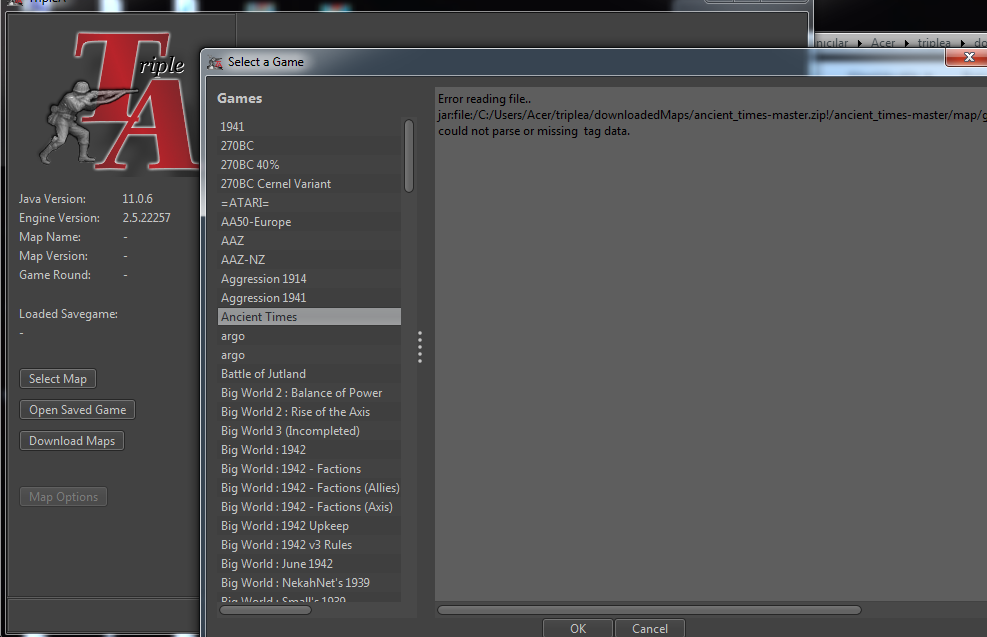
Now, "select map" works fine but all maps are shown with this same error message. Not possible to open them.
Load games are still work.
-
Does the reported file path exist?
If you open the console @Schulz , is there more information? The console is available from 'settings > game', toggle the option of 'show console' to yes and then restart. Specifically i'm curious if the console has further information on game launch.
-
-
@Schulz would you mind also checking the console? I'm really wondering if there is a preceding error we're not seeing.
-
How do I do that?
-
Ah, I'm not sure where my original comment went about the console.
In engine settings > game > show console = yes
Then restart the game. I'm most curious if there are any interesting error messages there on startup.
-
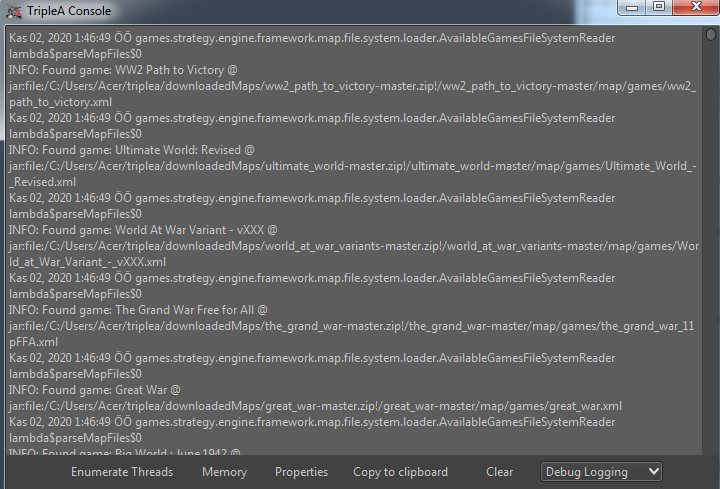


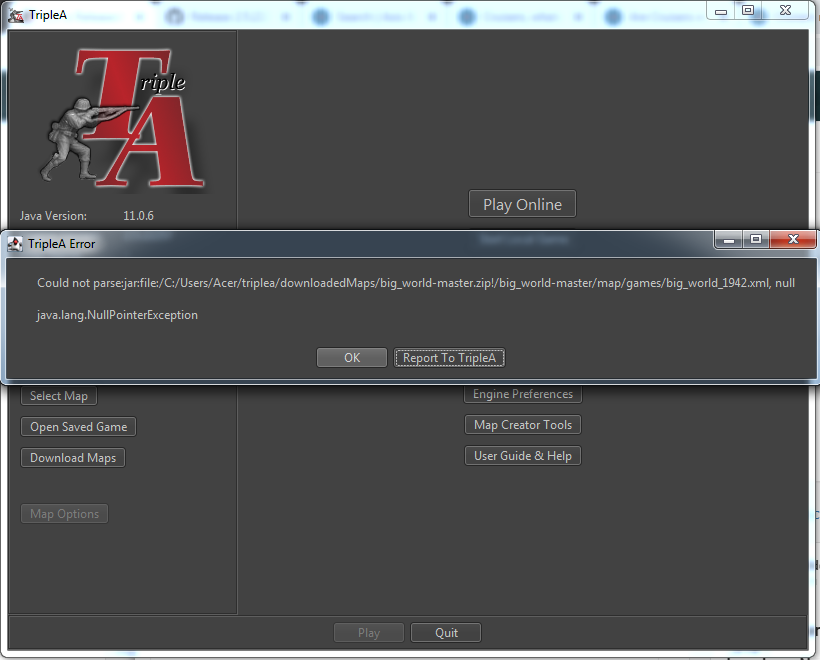
Hello! It looks like you're interested in this conversation, but you don't have an account yet.
Getting fed up of having to scroll through the same posts each visit? When you register for an account, you'll always come back to exactly where you were before, and choose to be notified of new replies (either via email, or push notification). You'll also be able to save bookmarks and upvote posts to show your appreciation to other community members.
With your input, this post could be even better 💗
Register Login