TripleA Design
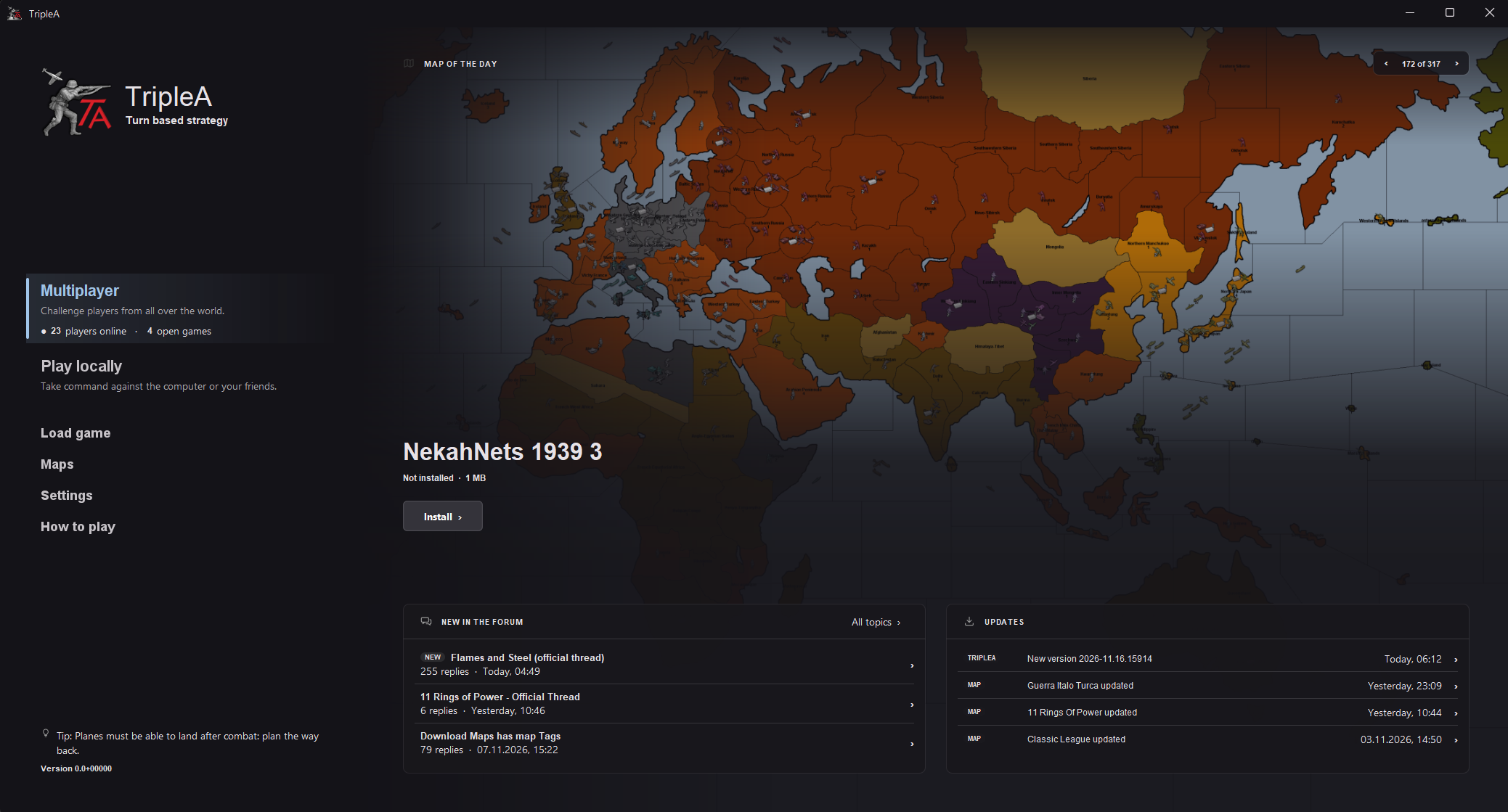
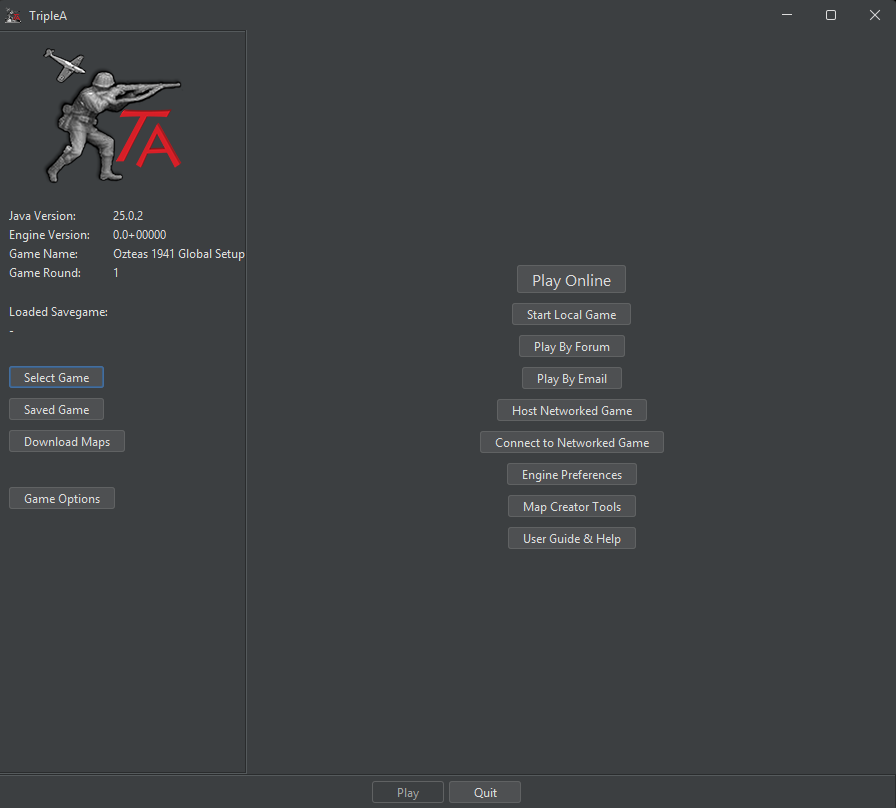
-
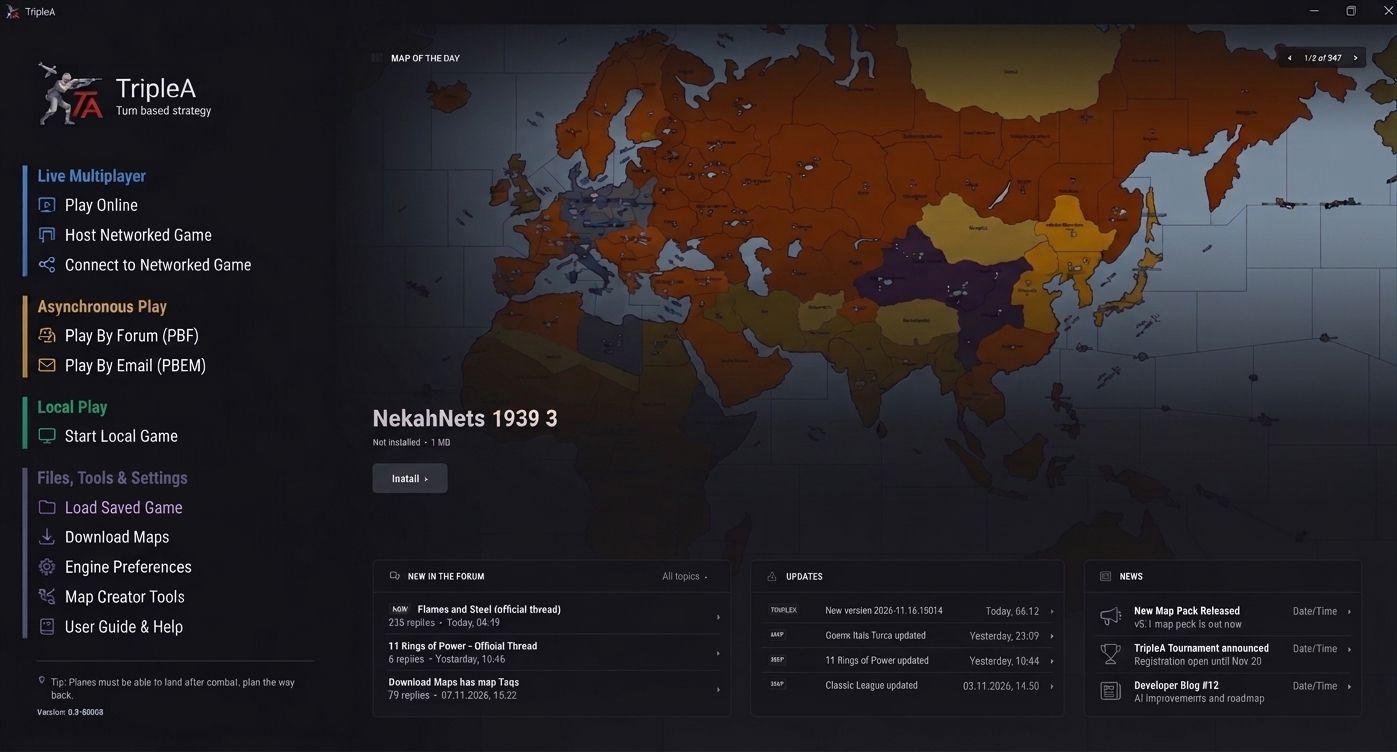
@xxxeddiexxx @cernel @thedog v2 i added a news box to the bottom also
-
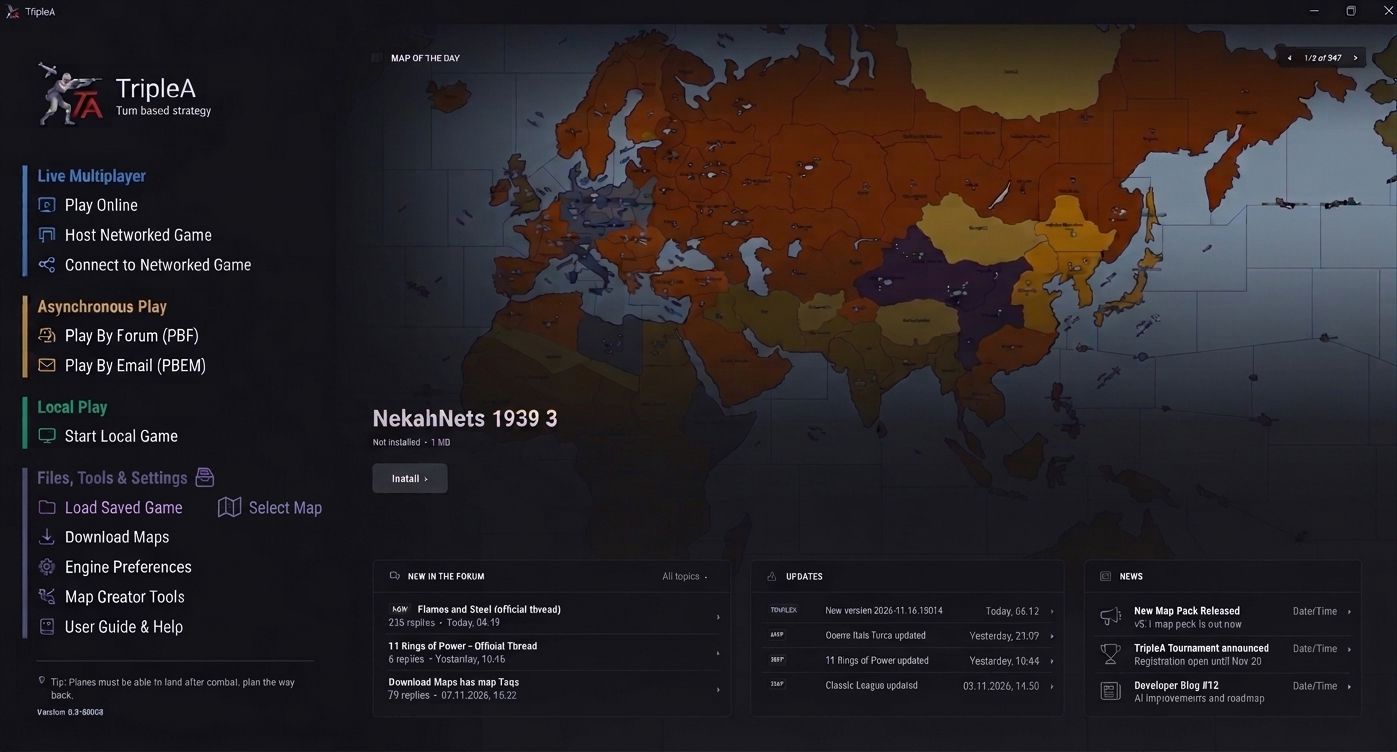
realized we were still missing a button i could not get gemini to put this on its own row but you all get the idea
-
Hi EddieX
This is what's needed on the opening page. Imo

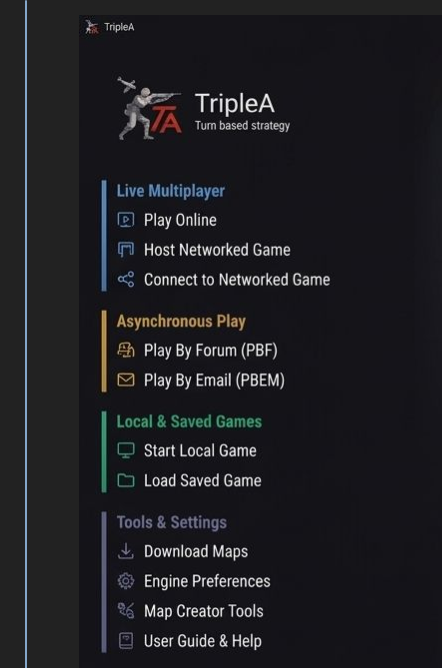
Think that adding one more Category at the top of that list should be "New to Triplea" or "First Time Triplea" something to that affect.
New people should be able to figure out to click on that. Then the old or veteran, who are mostly probably old
don't need to jump through any extra hoops.The new player clicks on new and all the stuff needed to clue them in pops up.
Edit
The color is what makes it. The Lobby can use a color update tooAnyway, ubernaut pretty much got it
-
-
-
@beelee 🫡

-
@xxxeddiexxx
My 2cLocal Play = Local Play (solo vs AI) This should be at the top of the list for new players
Play Online = Play Online via Lobby (Lobby should be mentioned)
Can Live Multiplayer section have a collapse button, this is to reduce clutter I and others will never use this section ?
Can Asynchronous section have a collapse button, this is to reduce clutter I and others will never use this section ?
-
realized we were still missing a button i could not get gemini to put this on its own row but you all get the idea
Look, I generally like your proposal, but I just bloody knew that the word "asynchronous" would have come out for PbF and PbE...
https://dictionary.cambridge.org/dictionary/english/asynchronous
not happening or done at the same time or speed
Literally, "asynchronous" is just a fancy word that means "not happening at the same time".
Well, TripleA is a turn-based game: nothing is happening at the same time.
Any turn-based game is asynchronous.
TripleA is ALWAYS asynchronous, also when you play it live or against the AI.
Thereby, asynchronous is meaningless as of now as a distinction in TripleA.
The antonym of asynchronous is (of course) synchronous, and a synonym of synchronous is simultaneous.
Asynchronous may become meaningful as a distinctive term in the future if something like games with simultaneous turns are added to TripleA.
Now, you could argue that it is "asynchronous" because (in PbF and PbE) you are not (necessarily) simultaneously online, but that is really stretching the meaning, and anyway "Asynchronous Play" would still make no sense because you are just never playing simultaneously in a turn-based game.
I definitely and strongly recommend changing "Asynchronous Play" to either "Play by Message" or "Play by Correspondence" or "Correspondence Multiplayer" because the term is meaningless as of now and may become confusing in the future if any simultaneus games are then added to TripleA.
I think that all elements of "Files, Tools & Settings" can be stand-alone.
It would also make sense that the "Map Creator Tools" is not offered by default but only if you enable "Map-Maker Mode" (or something like that) in Engine Preferences. That would cut the bottom selection to only "Download Maps", "Engine Preferences" and "User Guide & Help". (I'm not sure about where the "Load Saved Game" button should be.)
-
This is an example of how a partially simultaneous TripleA-like game would work:
https://axisandallies.fandom.com/wiki/Simultaneous_Movement(I think it would be really cool if this gets supported in TripleA. I rememeber an old topic about it in this forum, but I'm not finding it.)
-
Thanks for the input! I can understand why people who already know which mode they want to play would prefer to select it straight from the main menu.
I think the categories can be useful, but in my experience new players usually start with “Can I play this on my own?” or “How can I play with my friends?” I’m still thinking about how the main menu could answer those questions while giving regular players quick access to their usual mode.
@ubernaut I could also see the news section showing posts specific to each multiplayer mode. Where would we get those posts from, and how would we pull them in automatically?
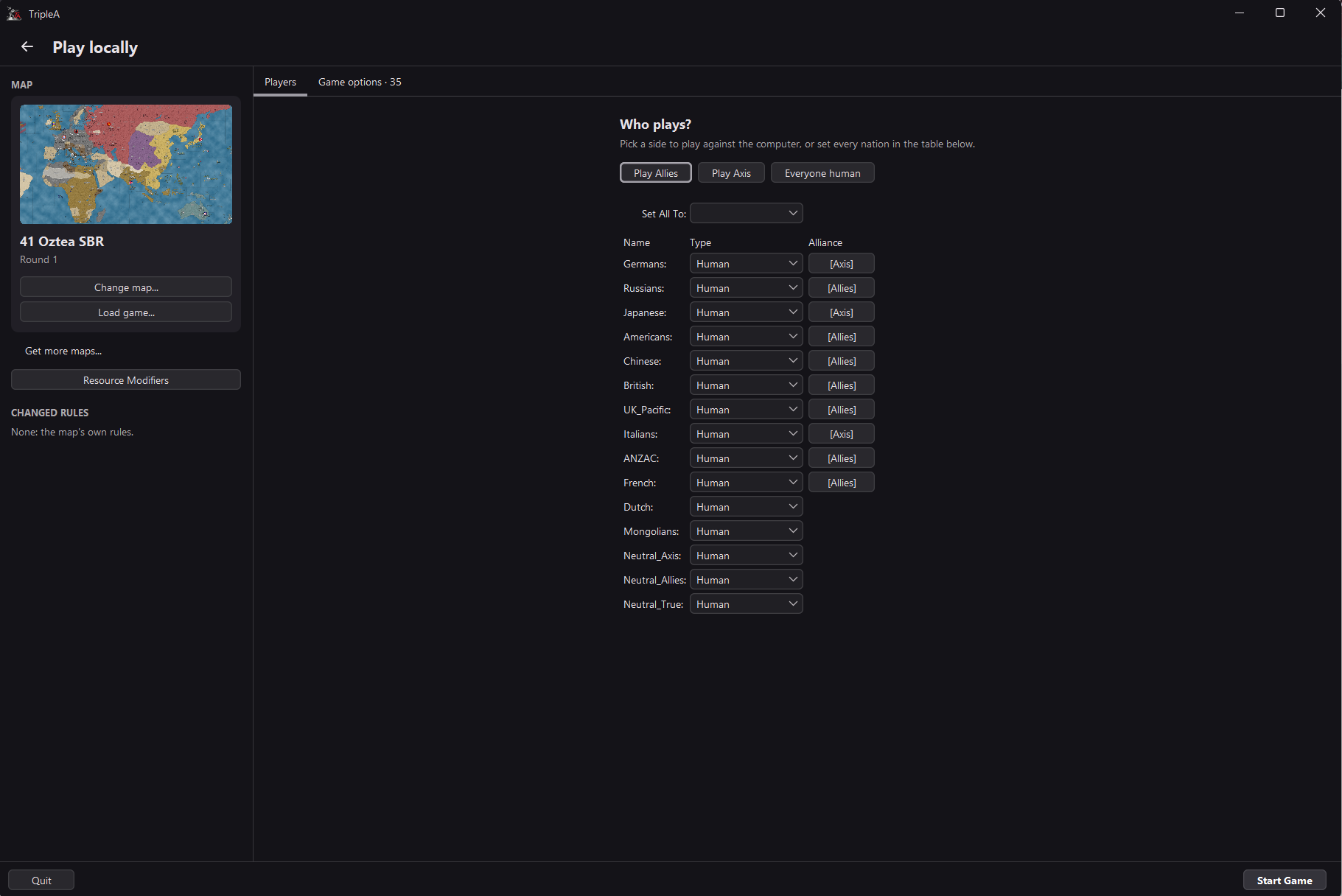
Maybe we can take the next step and look at what happens after you click Play locally. Here’s how I think the map and nation selection screen could look.
Proposal
Main screen
Rule screen
Rule sets
Sidepanel with changed rules
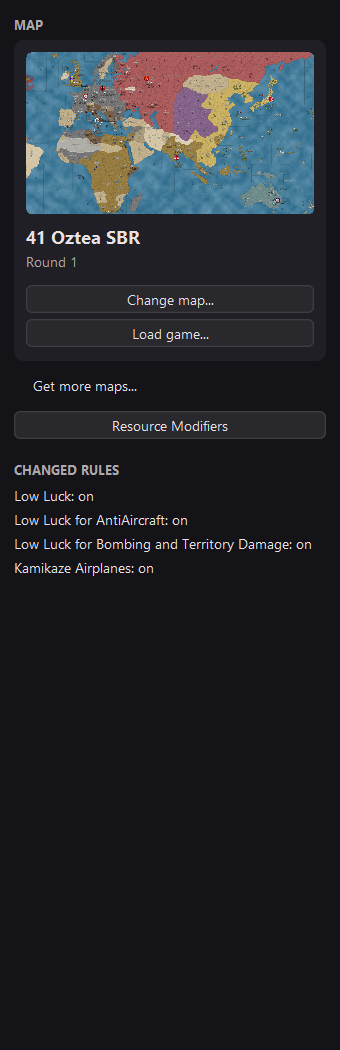
Current design
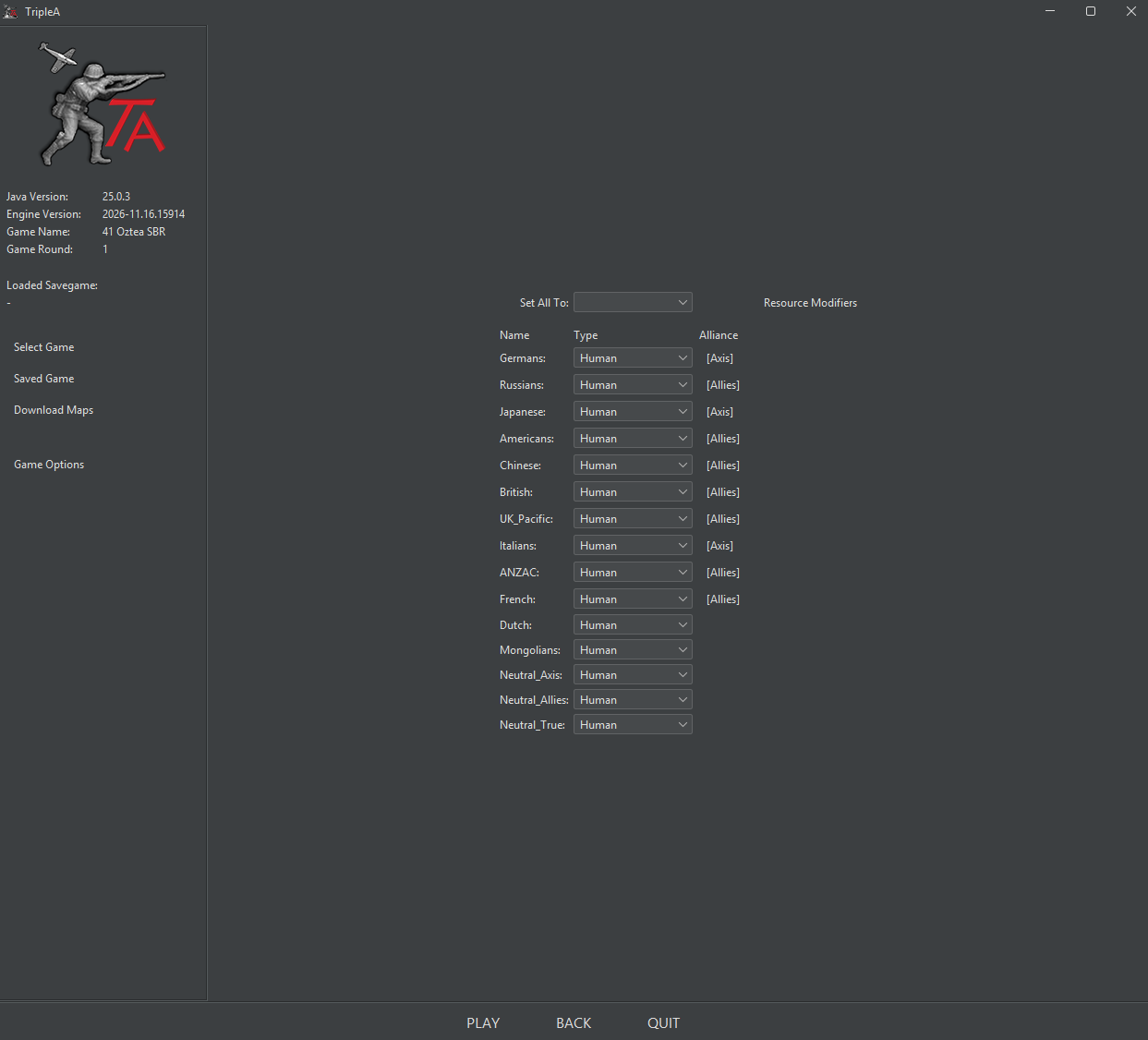
The game remembers the last map you played and the rules you used. If you play the same setup regularly, you can see what’s selected and start your next game. For someone opening this screen for the first time, though, even “Which map am I about to play?” should be easy to answer. The current screen gives you a name like “41 Oztea SBR,” which might mean very little to a new player. In the proposal, you see the map itself, with Change map right underneath it. Load game is a separate button if you want to continue a save.
Now let’s say it’s my first game and I want to play Germany and its allies against the computer. On the current screen, I get a list of nations, every one says “Human,” and I have to work out which entries to change before I click Play. In the proposal, the first thing I see is Who plays? It tells me I can pick a side to play against the computer. I can click Play Axis and then Start Game. Once I know the game better, the same table is there if I want to set up each nation myself.
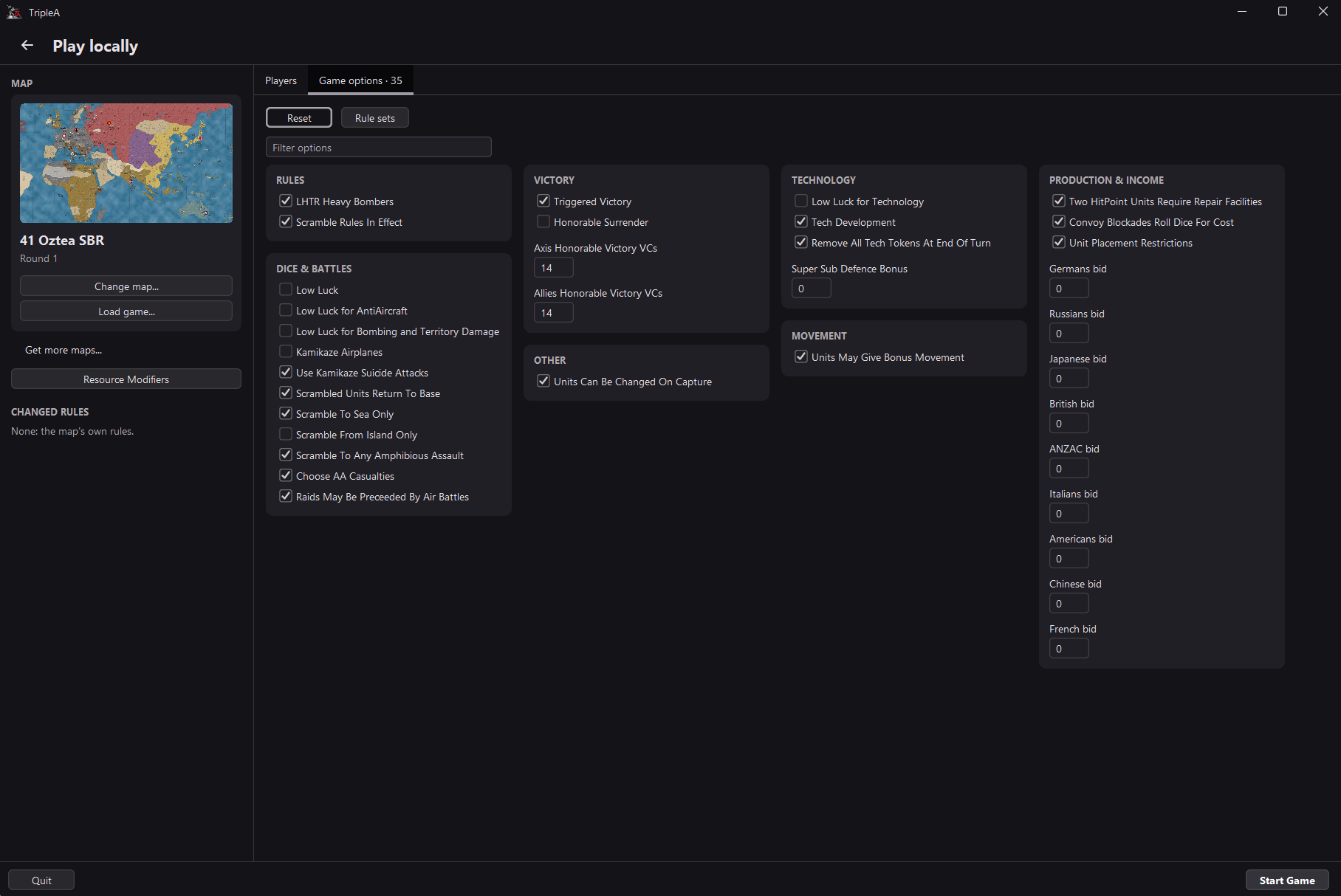
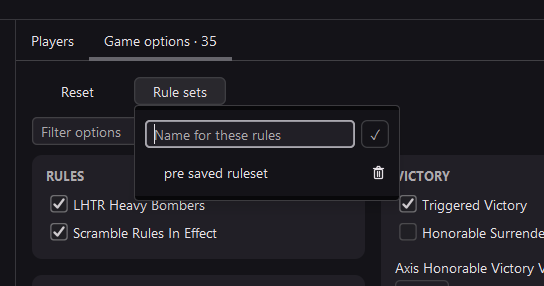
The rules are another place where I think we can make the first game easier. This map has 35 options. As a new player, how do I know if I need to go through them all before I start? The sidebar tells me I’m using the map’s own rules, so I can pick my side and play. Later, if someone suggests trying Low Luck, I can filter the options to find it. Once I turn it on, it shows up under Changed rules, even after I go back to the Players tab. And if I regularly switch between two sets of rules, I can give each one a name and use it again.
Thank you!






Hello! It looks like you're interested in this conversation, but you don't have an account yet.
Getting fed up of having to scroll through the same posts each visit? When you register for an account, you'll always come back to exactly where you were before, and choose to be notified of new replies (either via email, or push notification). You'll also be able to save bookmarks and upvote posts to show your appreciation to other community members.
With your input, this post could be even better 💗
Register Login