2.7 Lobby + Bots Available & Early Testing Phase
-
@Cernel I created https://github.com/triplea-game/triplea/issues/14391 to track the bot game save error.
-
Where is that thing which you were able to open to see all the log of the errors and else you got while playing the game (I mean both for local gaming and while hosting)? Has it been removed? I think it was a good thing to have.
It was removed some time ago. There is a log file that lands on disk though with that same info. I do miss the console a bit as well myself.
-
Day started off with about 300 issues, we're down to 213 now. A number were cleaned up, but a large number fixed.
Notable Updates
- Big memory performance boost fix#14377. In order to render the mini-map, we were rendering the whole entire map at game start, each territory at full resolution, and then shrinking that down to fit the minimap. We now render that directly. For World of Warcraft map, that translated to a 500MB spike in main memory at start, now completely removed, no spike in startup memory.
- HTML will display different. @cernel deftly pointed out that the width/sizing was off by about 33%. cc: @roiex , turns out swing by default treats 'px' as 'pt' sizing. There is a flag avaialble to tell swing to use W3C compliant rules, that keeps "px" as "px". Thus, formatting map descriptions should render more faithfully compared to how they render in a web browser, and should generally be easier to "get right"
- using edit mode to move units that are in combat to a new territory with a new combat, should generally work now.
- some very subtle and rare AI crashes that could happen essentially at any time.
- #14360 will help with "auto-focus", pop up windows generally won't have focus when rendered, space will no longer activate the 'main button' of the pop up (the enter key will still activate the primary button though, something for us to still fix)
Todays Fix List (25)
- [Fix#14390] fix(missing flags images): add placeholder image if flags are missing
- [Fix#14389] fix(race condition): resolve crash if a latent move validation is executed during battle phase
- [Fix#14388] fix(retreat): patch V2 games to take into account movement restrictions when retreating
- [Fix#14387] fix(move): reset unit state when only a combat move step exists (#10590)
- [Fix#14385] fix(placement): resolve undo bug for fighters moved to carriers
- [Fix#14384] fix(updating-maps-NPE): resolve potential NPE when updating maps
- [Fix#14383] fix(modal deadlocks): always allow background task runner to be cancelled
- [Fix#14382] fix(toolbox UI): expand banned username width to 25
- [Fix#14381] fix(css & csv): 2 fixes, fix CSS 30% width increase and invalid CSVs
- [Fix#14380] fix(bot games): the window opened by 'roll dice' menu did nothing
- [Fix#14378] fix(battle UX): change button name from 'remain' to "don't submerge"
- [Fix#14377] fix(minimap): render minimap directly without downscaling
- [Fix#14375] Fix(capitals): return empty instead of throwing when no capital
- [Fix#14374] Fix(edit combat): resolve incorrect attackers/defenders
- [Fix#14373] Fix(battle): resolve crash when subs submerge and fighters cannot land
- [Fix#14370] fix(client prefs): downgrade error message to warn & reduce writes to ClientSettings
- [Fix#14369] fix(forums): add handling for when forums is down or returns empty
- [Fix#14368] fix(error message): log a warning instead of an error on bad save game loads
- [Fix#14367] fix(battle calc): avoid crash when 'createWorkers' throws (also could impact AIs at any time, usually when system resources are low)
- [Fix#14366] Fix(AI crash): fix OOL cache collision (caused AI to randomly crash, somewhat rare but could happen anytime)
- [Fix#14365] Fix(crash): do not crash when blitzing through a territory being bombed
- [Fix#14363] fix(NPE): do not crash when hosting network game is cancelled
- [Fix#14360] Fix(UX): remove auto-focus on pop-up windows (avoids accidental confirmations while typing chat messagse)
- [Fix#14355] fix(multiplayer): listener leak (helps resource usage for hosts when players repeatedly join/disconnect)
- [Fix#14354] fix(multiplayer): always release latch when players fail to join (fixes a 3 minutes wait for a timeout when a joiner disconnects midway or fails to join)
Features
- [Feat#14357] feat(map download window): add map counts to tabs
-
@LaFayette
Thanks for the large number of fixes to TripleA engine yesterday, you were very busy! The biggy is the faster mini-map fix.Im busy testing with the latest versions.
Latest pre-releases
https://github.com/triplea-game/triplea/releases -
- Big memory performance boost fix#14377. In order to render the mini-map, we were rendering the whole entire map at game start, each territory at full resolution, and then shrinking that down to fit the minimap. We now render that directly. For World of Warcraft map, that translated to a 500MB spike in main memory at start, now completely removed, no spike in startup memory.
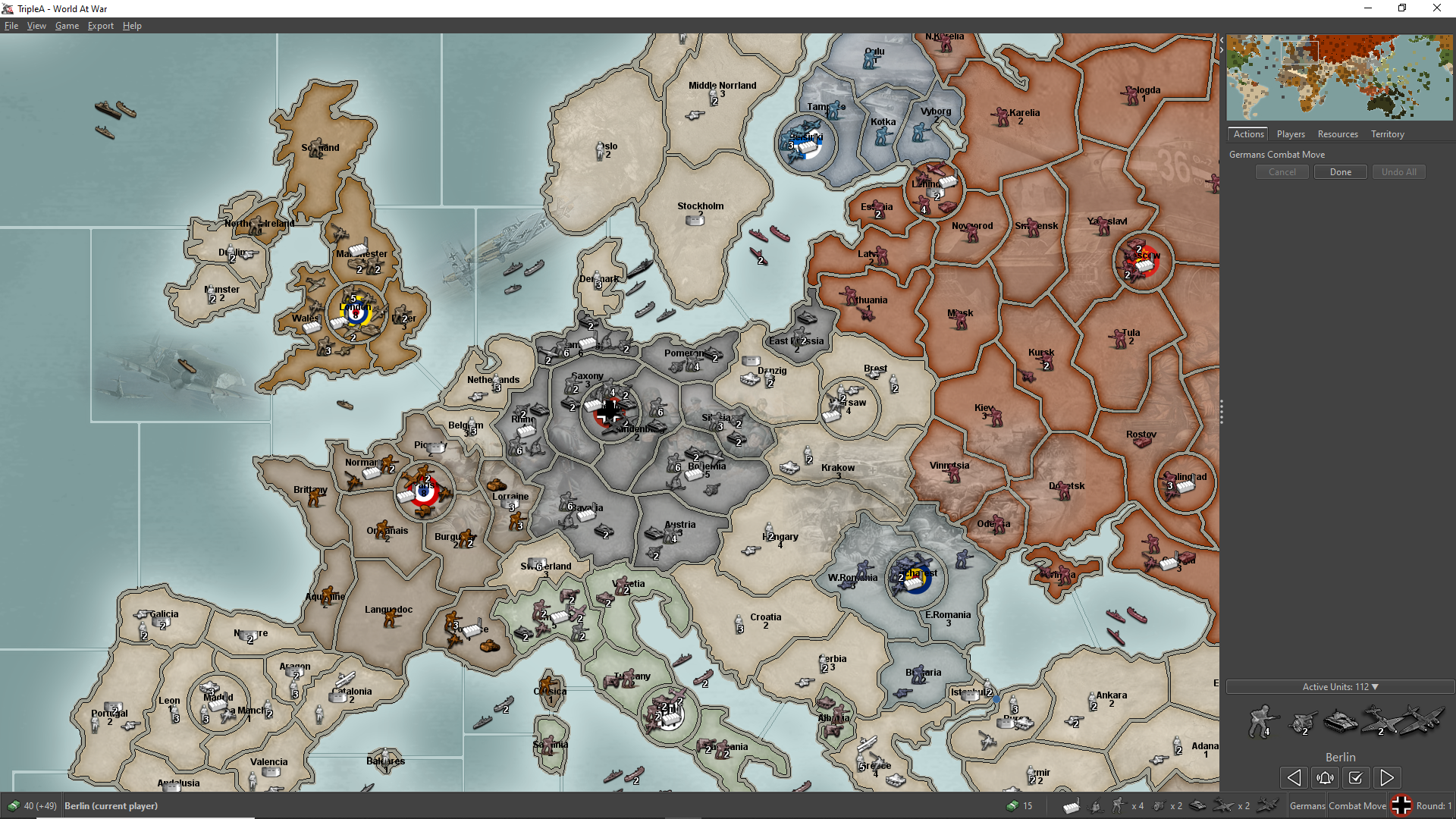
The minimap looks a lot different than before (I tend to think for the better at least in World At War). Now in World At War the land territories have considerably thicker borders, actually about the same thickness as in the actual map, meaning that the minimap appears to be more faithful to the original map without tiles than beforehand. (The central-western European part is almost the same as before because the many units almost completely hide the territories and their borders in the minimap there.) Anyway, this is mostly a curiosity: I don't think it actually matters significantly for any users (and I actually guess that almost nobody will notice the change).
TripleA 2.7.15510:
TripleA 2.7.15533:
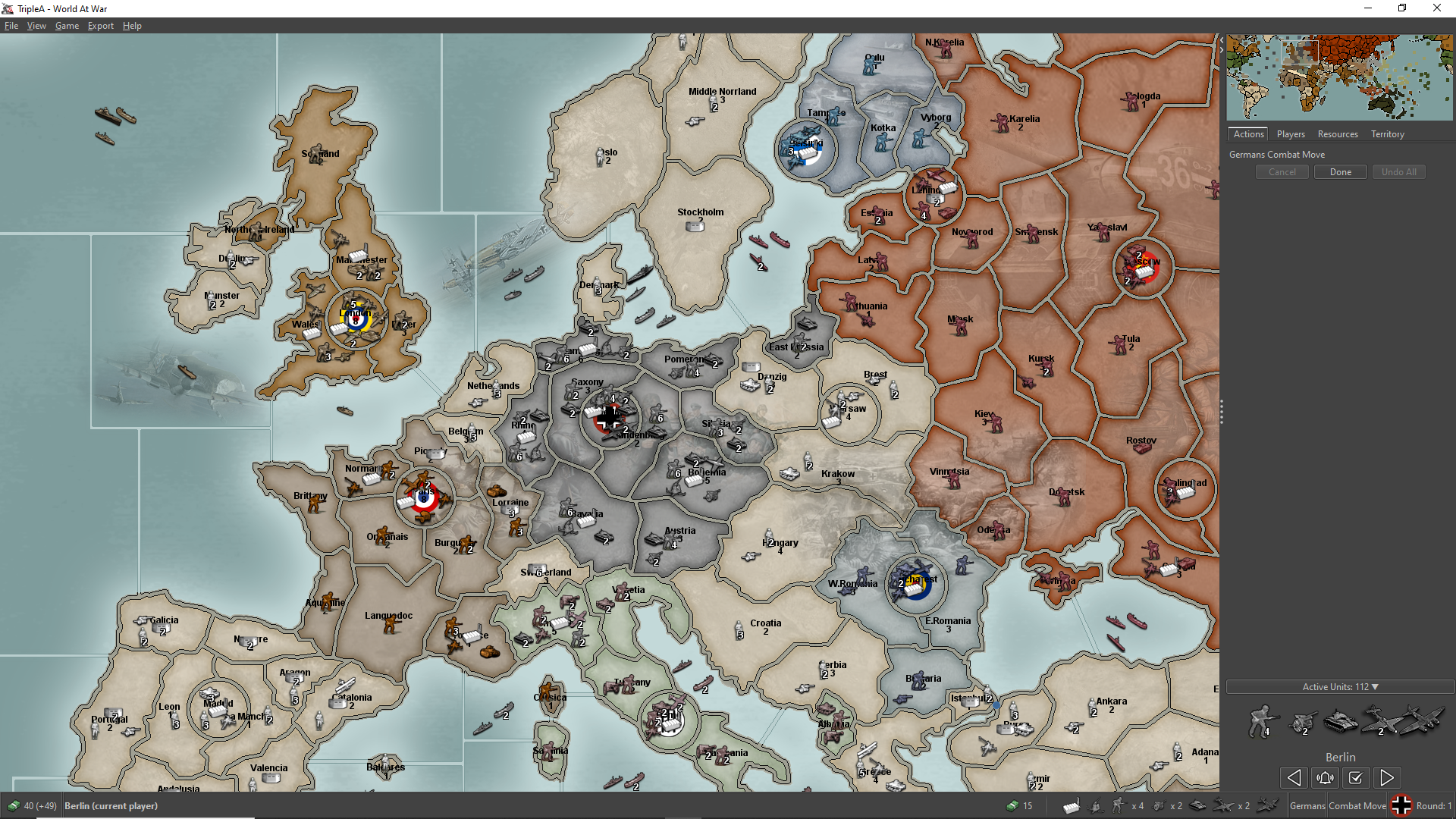
If feasible, I would make those little squares representing units in the minimap smaller (50% than current dimension on both axis, for a quarter of the area) so that you could see the borders in the most clustered parts of the map like central-western Europe (where you can see almost nothing but the mass of squares representing the units). Or maybe just removing the units from being displayed in the minimap at all: I never look at units in the minimap. Does anyone want to see the units in the minimap?
-
@Cernel
In map.properties, so per map, this controls the unit size on the mini map, in this case turn them off and makes them 0 in size.
smallMap.unit.size=0This will make a turn ever so slightly faster, as it is not trying to draw each unit on the mini map.
From 1941 Global Command Decision
#========== SMALL MAP PROPERTIES ========== # 0.0-1.0 (transparent to opaque) smallMap.territory.alpha=0.1 # size of unit in pixels square 0-4 smallMap.unit.size=0 # C0C0C0 smallMap.viewer.borderColor=FFFFFF smallMap.viewer.fillColor=191919 # 0.0-1.0 (transparent to opaque) smallMap.viewer.fillAlpha=0.25 -
@TheDog I totally forgot that you can customize the minimap at all.
This is the minimap in World At War with
smallMap.unit.size=1(unit size of 1 per 1 pixel) in TripleA 2.7.15533:
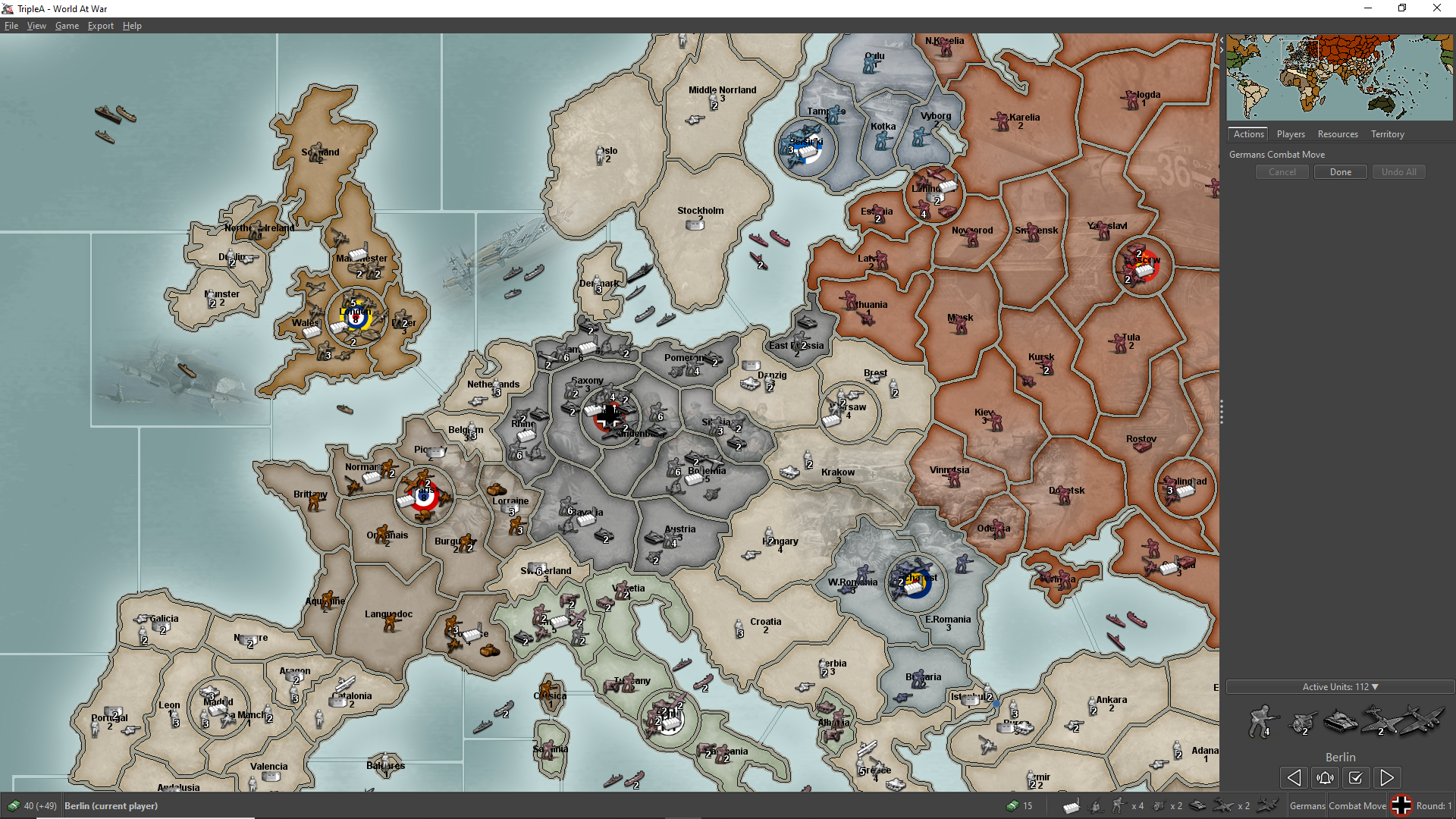
(The standard unit size at the previous screenshot is 4 per 4 pixels.)
-
Claude.AI has been a beast at helping get things fixed.. Tomorrow I plan to focus more on the server side issues. Namely things like bot fixes and enabling HTML pages from the servers so we can get map indexing status without having to query database and logs.
Todays Fix List (22)
All of these were merged today. #14404 was pretty crazy to repro.. #14413 is a pretty nice performance win, reduces memory usage.
- [Fix#14423] fix(battle): wait on lock for battle display instead of busy-polling
- [Fix#14421] fix(move validation): handle missing battle delegate on hover
- [Fix#14420] Fix neutral player order in sidebar Players/Resources tabs
- [Fix#14419] fix(save game): write to temp file and rename to avoid corruption
- [Fix#14418] fix(logging): rotate triplea.log archives into the same directory
- [Fix#14417] fix(ai): avoid NPE in ProAi.selectCasualties for AA fire during movement
- [Fix#14416] fix(pro AI): handle missing place delegate when validating purchases
- [Fix#14415] fix(unit images): avoid CME in getIcon by replacing computeIfAbsent
- [Fix#14414] fix(battle window): size battle dialog to dice sides and icon size
- [Fix#14413] fix(memory): allocate tile images lazily to avoid OOM on large maps
- [Fix#14412] fix(supports): single supporter to contribute one bonus per target
- [Fix#14411] fix(ai): stop AI from buying redundant factories and place pooled factories
- [Fix#14410] fix(edit mode): tolerate duplicate unit UUIDs when removing units
- [Fix#14409] fix(battle): count air units as defenders, not as an abandoned territory
- [Fix#14408] fix(unit chooser): size unit images based on actual sizes
- [Fix#14407] fix(UI): prevent large game note images from expanding game notes / chooser
- [Fix#14404] fix(placement): avoid crash when placement algorithms do not agree
- [Fix#14399] fix(settings UI): folder selections will start at current value
- [Fix#14398] fix(pbem dice roller): avoid ambiguous error if failed to roll dice
- [Fix#14397] fix(resource images): render a placeholder image if resource images are missing
- [Fix#14396] fix(history panel): avoid NPE when root history node is not expanded
- [Fix#14392] fix(politics): create battles when war is declared (#9524)
-
Wow. I don't know where to start. There is a lot of good stuff here. You have been very busy.
fix(unit chooser): size unit images based on actual sizes
@thedog this on is for you.
fix(battle): count air units as defenders, not as an abandoned territory
This one is also very nice!
fix(supports): single supporter to contribute one bonus per target
This one will keep me busy!
Again, thank you for such great work!Cheers...
-
fix(supports): single supporter to contribute one bonus per target
would you explain this a bit more for me ?
Thanks
-
would you explain this a bit more for me ?
Jee, I was just testing this on "Global 40 Expansion UHD Boxes", GermanUBoat support.
<attachment name="supportAttachmentWolfpack" attachTo="GermanUBoat" javaClass="games.strategy.triplea.attachments.UnitSupportAttachment" type="unitType">
      <option name="unitType" value="GermanUBoat"/>
      <option name="faction" value="allied"/>
      <option name="side" value="offence"/>
      <option name="dice" value="strength"/>
      <option name="bonus" value="1"/>
      <option name="number" value="3"/>
      <option name="bonusType" value="Wolfpack_bonus" count="3"/>
      <option name="impArtTech" value="false"/>
      <option name="players" value="Germans"/>
    </attachment>
    <attachment name="supportAttachmentWolfpackDebuff" attachTo="GermanUBoat" javaClass="games.strategy.triplea.attachments.UnitSupportAttachment" type="unitType">
      <option name="unitType" value="GermanUBoat"/>
      <option name="faction" value="allied"/>
      <option name="side" value="offence"/>
      <option name="dice" value="strength"/>
      <option name="bonus" value="-1"/>
      <option name="number" value="2"/>
      <option name="bonusType" value="Wolfpack_debuff" count="2"/>
      <option name="impArtTech" value="false"/>
      <option name="players" value="Germans"/>
    </attachment>
Now this works. There must be 3 GermanUBoats before the bonus is granted. Because 'number' is 3, then this works in groups of 3, 3-6-9 etc. If there are 4 or 5 GermanUBoats, 3 will receive the bonus the others will not.
That's not all! @lafayette added another bonus! Now 'number' can be -1, infinite. So, changing 'number' from 3 to -1 would allow all unit to receive the bonus as long as there are 3 GermanUBoats. Thus, there is no groups. If there are 5 GermanUBoats then all five will receive the bonus.
What's missing? The check for the battle round. That was something I couldn't figure out. But if you ask @lafayette nicely...Hope this explains what this does. (I not going to say how long I've wanted this change, or how many times I've submitted this type of change. But it's here and I'm very happy
 )
)Cheers...
-
Wow, just wow, Todays Fix List (22)
So many of my issues and a even a feature request or two, even old 2.6 ones, fixed.
Thanks!
🤯🤯🤯 -
Idk if this is known already but I fired up lobby using 15557 and UHD G 40 Boxes showed up for the first time

It did however throw this error but not crash it. Bottom Bar
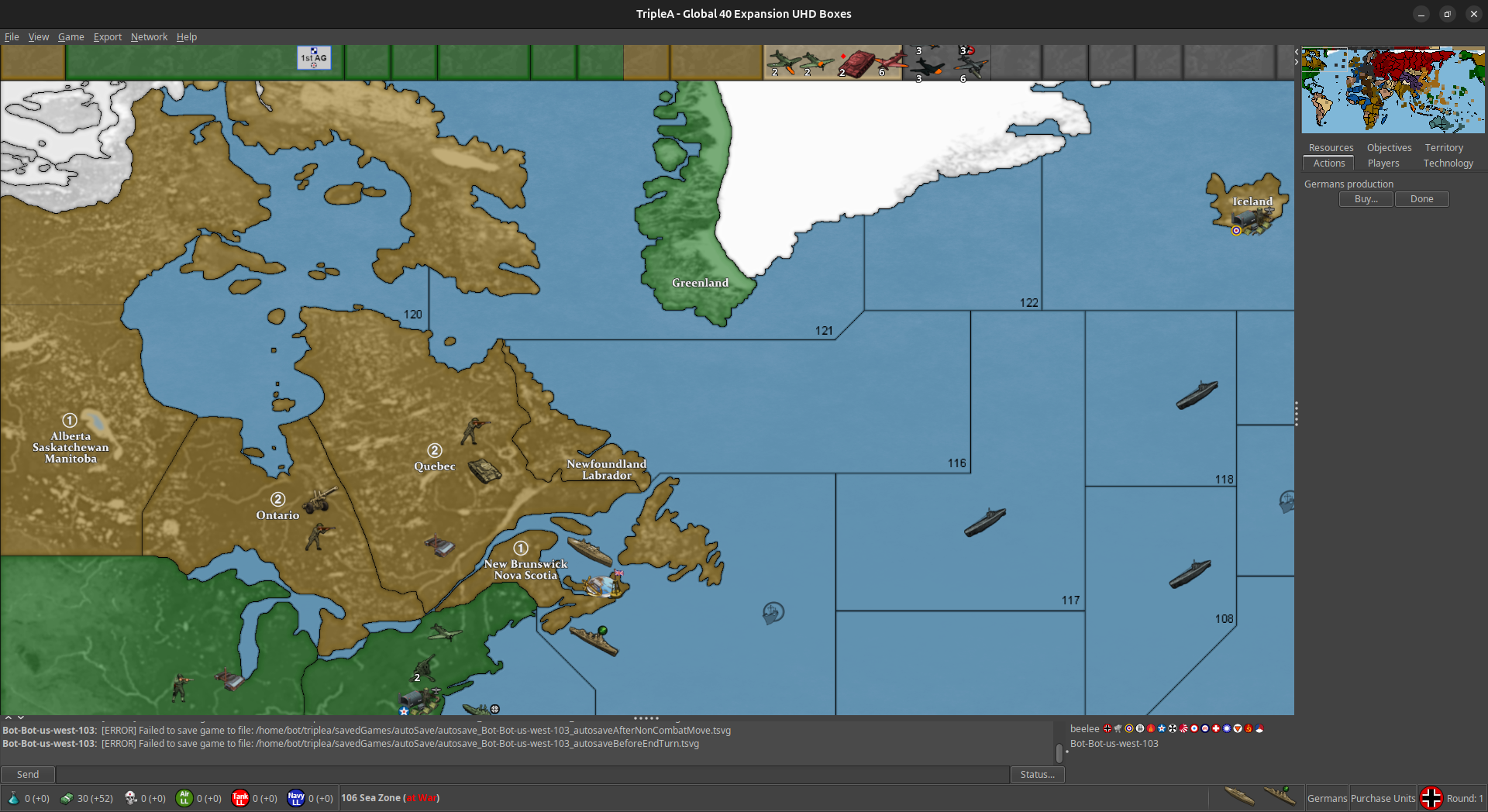
I will see if it plays.
Edit
Yes it seems to play fine so far and a manual save worked. I think I saw somewhere the auto save thingy was mentioned already but not certain ... anywayWell Done
Edit 2
Yea game seems to work fine in lobby. I heard a sound like someone posting a few times but it didn't show any new dialogue.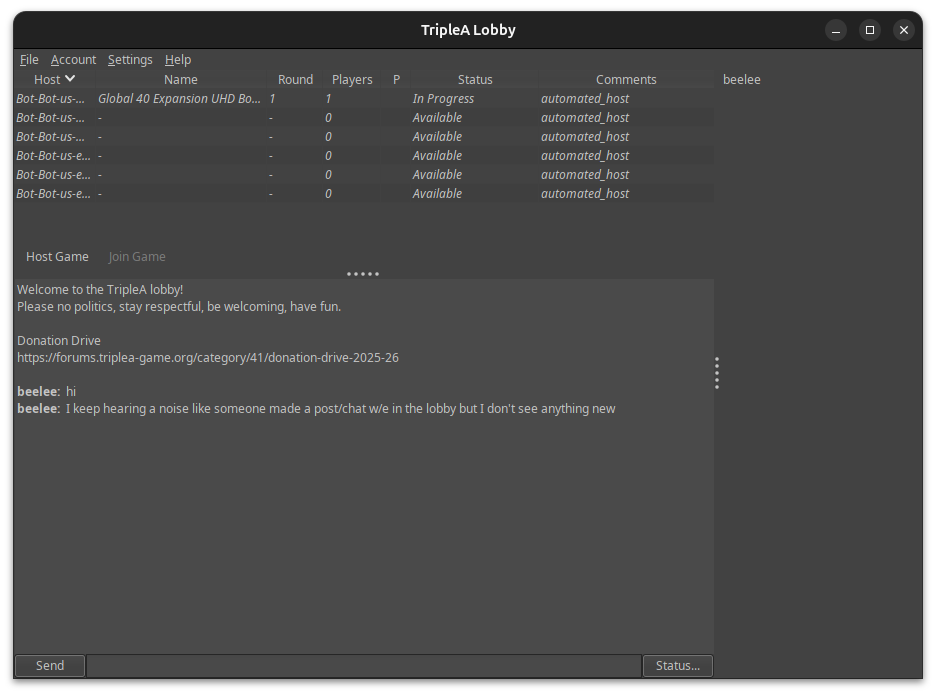
Edit 3
I tried to load the save but said it didn't have the game. Tried a couple different bots. Same result.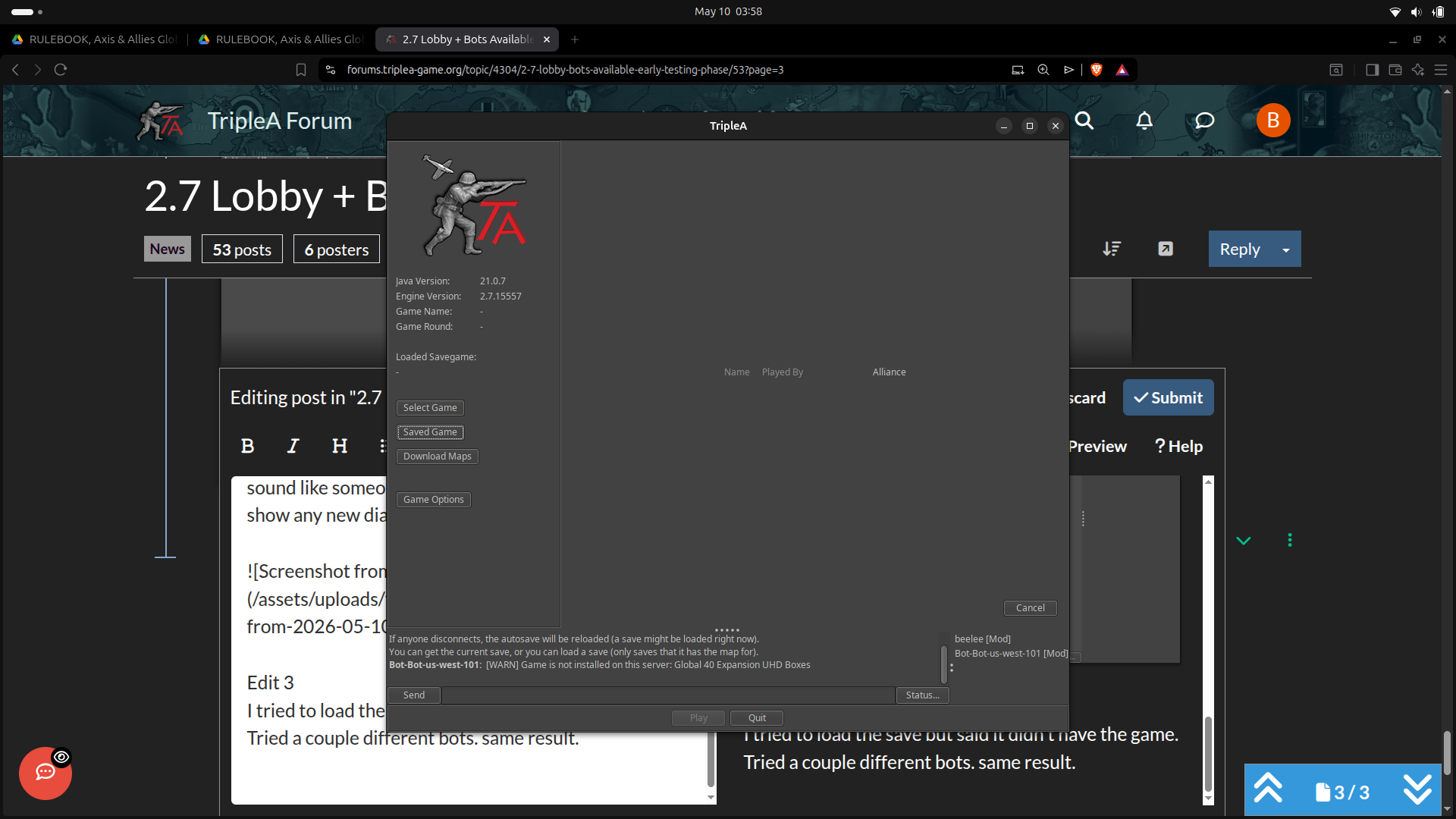
Well it sounds as if you might already be aware of this, so I'll hold off with anymore feedback for now.
-
@lafayette and other Devs
Been doing some testing with 2.7.15557
https://github.com/triplea-game/triplea/releases/tag/2.7.15557Although not the latest, it has been very stable.
Anecdotally it appears to be faster than 2.7.15256 my other test version for some time.
TripleA memory footprint has shrunk from 4.5GB when playing
1941 Global Command Decisionto under 2.3GB, a seriously a massive change, that probably accounts for the perceived speed increase.
Also I don't have to modify TripleA.vmoptions to give me extra memory to make play faster, every time I download a newer version of TripleA.
Too many smiley faces for one post, so here's a

THANKS for all the work !!! -
2.7.15557 AI is not placing factories even though they have been given them by the xml
2.7.15256 AI places them -



Hello! It looks like you're interested in this conversation, but you don't have an account yet.
Getting fed up of having to scroll through the same posts each visit? When you register for an account, you'll always come back to exactly where you were before, and choose to be notified of new replies (either via email, or push notification). You'll also be able to save bookmarks and upvote posts to show your appreciation to other community members.
With your input, this post could be even better 💗
Register Login