TripleA 2026 with Java 25 & TripleA.vmoptions settings
-
With the newly versioned TripleA 2026, it was 2.7 it now comes with Java 25.
I have been messing with the TripleA.vmoptions file located by Windows default here
C:\Program Files\TripleAOnly do the following if you have 8GB+ RAM
I have changed its setting to the following;
-Xmx4g
-Xms4g
-Xss2m
-XX:+AlwaysPreTouch
-XX:+UnlockExperimentalVMOptions
-XX:+UseCompactObjectHeadersThe top 4 lines are, how memory is used.
If you run out of memory change both 4g to 3g.
TripleA 2026 runs faster than 2.7, but does it run even faster with the above settings?
-
@TheDog You might get more bang for your buck by deleting the 'Xmx' and 'Xms' memory settings.
The lobby window will occupy 4GB and then any game you launch will occupy another 4GB. Each game is its own instance, the memory settings AFAIK carry over.
Generally Java uses very good defaults, so overriding those defaults can hurt. Specifically 'Xms', which is a minimum, so you're forcing the lobby window and any game to initially take more memory than it would need.
I would personally set 'Xms' at 500m or remove entirely to let the JVM handle it.
If we find some really good tunings, we can adopt those settings to be more built in.
FWIW, Moon-Man was doing some experimentation with JVM settings here: https://github.com/triplea-game/triplea/discussions/14467
-
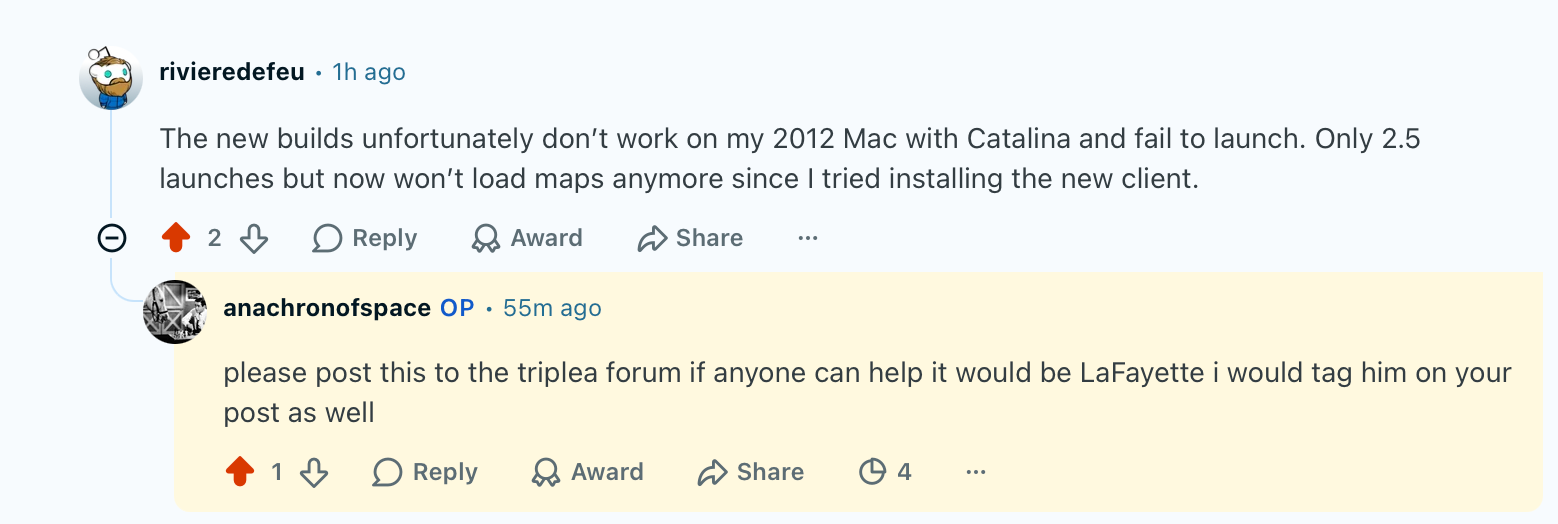
@LaFayette someone posted this reply to my reddit post today i’m guessing they cant run the current java or something but figured i’d direct them here.
-
There's a link somewhere that deals with mac issues specifically I think. I can't find it. @thedog might know where it's at.
Edit
You can also point him here if he needs maps to keep playing on 2.5 until he gets it sorted.https://forums.triplea-game.org/topic/4361/how-to-manually-download-world_war_ii_v5_1942-or-any-map
-
@beelee cool thanks will send the link
-
@beelee
Were you thinking of this link?
https://forums.triplea-game.org/topic/3724/how-to-have-triplea-2-5-2-6-installed-at-the-same-time/7 -
@TheDog no i think the problem is is mac os is so out of date it cant run the current version of java so it cannot run the current version of triplea (just my hunch) since we have stopped support for 2.5 he can no longer play the game.
catalina is now 7 years old so u know idk it should matter to us if a system that old cannot run it given we are sort of married to java. but i think it’s important for us to know what the actual problem is. it may be not working for other situations as well.
-
yea that was it. I went there I thought but must have missed it.
@ubernaut
Yea I'm not familiar with catalina, or at least in the computer sense
That is an old web browser then ? Like internet explorer ? Well hopefully he sees your message. Hate to lose Players
-
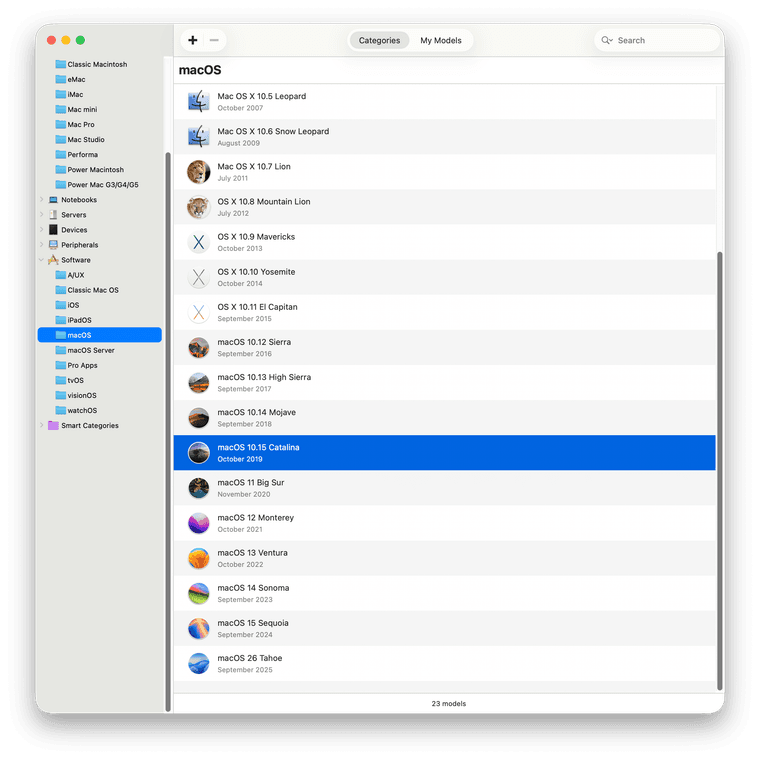
@beelee the operating system. only very ancient macs (2013 is the newest) are limited to this version of the os. but i am just guessing as to the problem and it could be affecting much newer macs for all we know at this point.
-
wow mac all about west coast cali
Not surprising I guess -
@beelee i liked the cat theme myself lol
-
@ubernaut
This link, will install to a new directory, hopefully that will return them to TripleA 2.5
https://forums.triplea-game.org/topic/3724/how-to-have-triplea-2-5-2-6-installed-at-the-same-time/7As looks like 2026 has corrupted his environment and cant play with 2.5 in that directory.
-
@TheDog i think they wer saying they can play 2.5 but they cant use it for anything other than local play
-
@TheDog ima send them directly here just in case 🫡
-
yea would have to just post the local saves to the game thread or send via email.
As long as none of them are cheaters they should be OK
-
@beelee i dont think there’s any way to roll dice in 2.5 other than locally or via a network hosted game
-
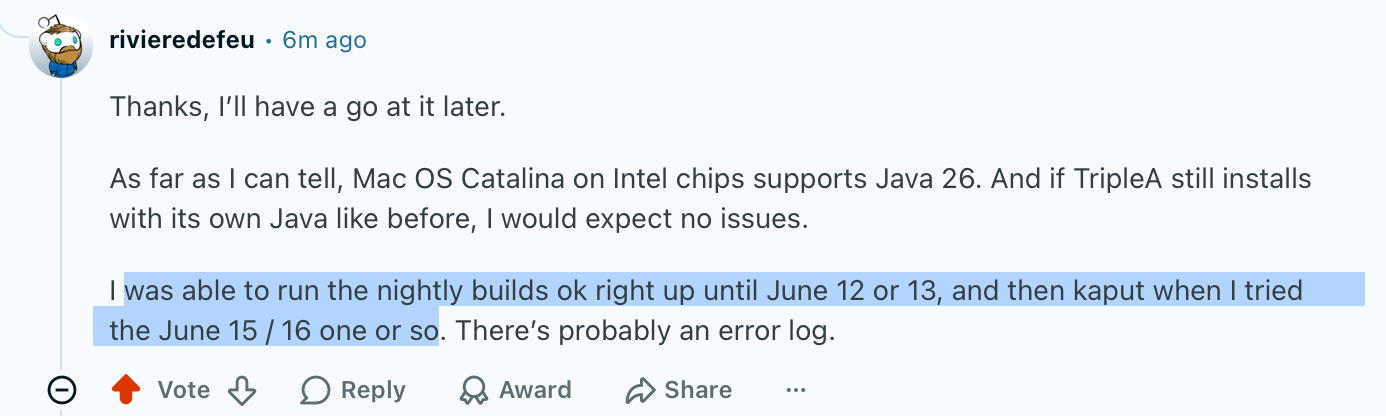
@lafayette @beelee @thedog the plot thickens…
-
hmm ... Idk of any mac users that can check the new release. I guess we could ask at the other site.
Well, will wait a bit before doing that.
Or I guess it doesn't matter lol They got slaughtered by bots today. Think they're back up. Hope that doesn't happen here. Had a 503 yesterday
Edit
I'd suggest he make a git issue. Has to join I know but if he's running mac he should be able to handle it -
@beelee i haven’t yet upgraded myself will try it later today probably im still on a 2.7 release from like 2 years ago or something
-



Hello! It looks like you're interested in this conversation, but you don't have an account yet.
Getting fed up of having to scroll through the same posts each visit? When you register for an account, you'll always come back to exactly where you were before, and choose to be notified of new replies (either via email, or push notification). You'll also be able to save bookmarks and upvote posts to show your appreciation to other community members.
With your input, this post could be even better 💗
Register Login