Flip Units, Colorize Units In-Game?
-
This is something I've wanted for a while, but I'm curious to know if we're any closer to figuring it out...?
Right now TT ownership color is determined by the HEXs assigned in the map properties, and to create unit graphics to match that color you have to modify them in another program. But what would be rad is if players could choose a color in-game and then see the units or TT ownership colors adjusted inside the game.
Another view feature that would be cool is a flip units button, to display a mirror image of the units on the fly.
This would allow the player to face the current enemy, which I think would have some definite entertainment value.
It could also be used in the battle calc, so that opponents are always facing each other. Or perhaps if the player retreats then the units flip, to look like they're retreating.
A final request, would be for something similar to mapskins, but for units.
Perhaps this would allow for things like flag displays, or special labels, or bonus icons to display similar to the way "show flags" works currently for stuff like painted units vs national tints. So we could do stuff like this, but where the player can choose their colors for each nation. That would be rad!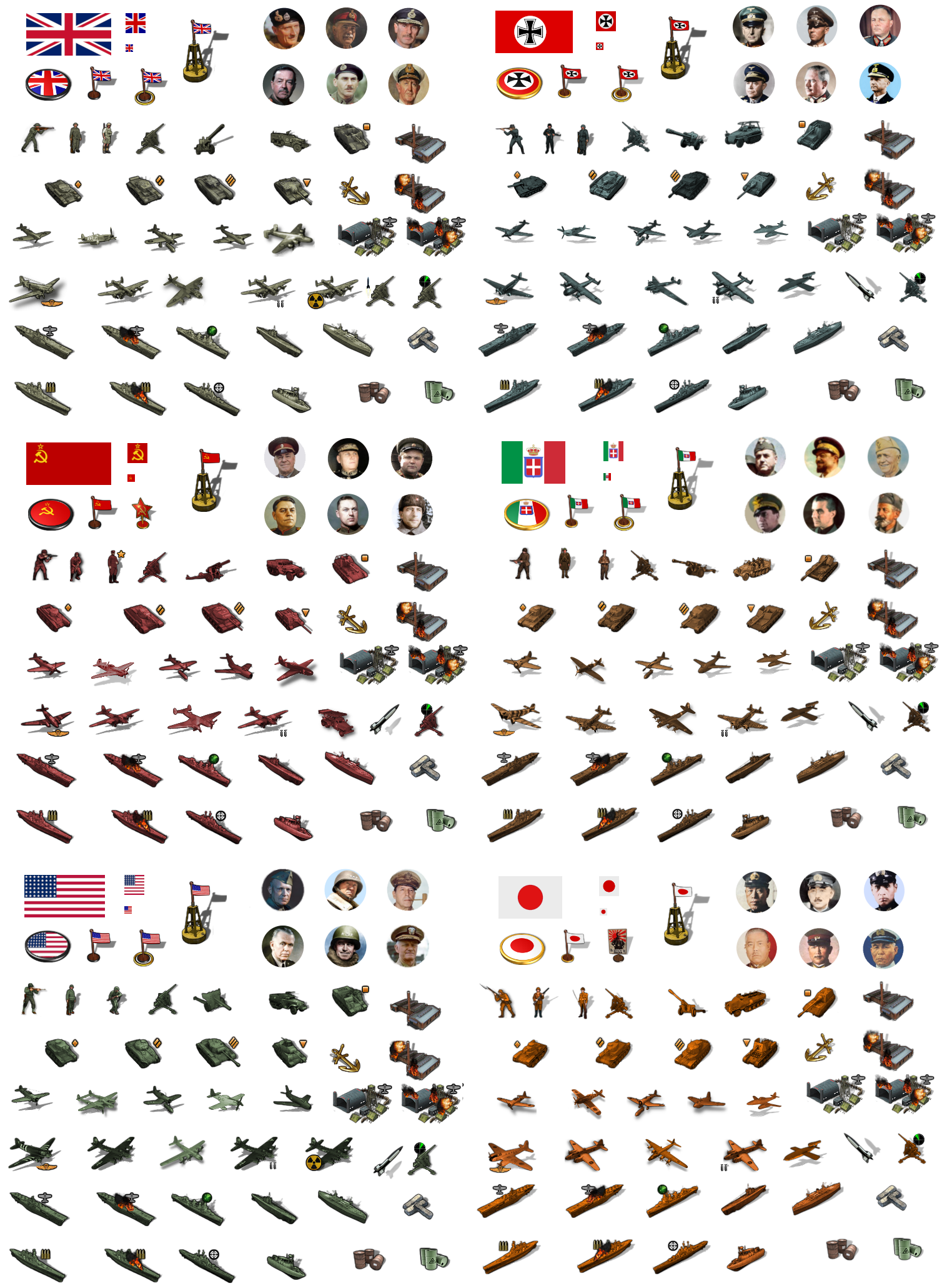
-
@black_elk i swear we talked abt this before not sure what the resolution of it was tho
-
FWIW this is a completed feature. I'll update this thread if I run across the properties specifically to do this. Colorize and flip can be done in map properties.
-
@lafayette
Is this the code?
Its from PoS map.properties file# Unit transform settings (apply effects similar to colorize and flip functions of image editing tools) #units.transform.color.<player> applies the given color's hue and saturation to the player's units #units.transform.color.Russians=00BBBB #units.transform.brightness.<player> (optional) allows the brightness (-100 to 100) to be adjusted when units.transform.color is set #units.transform.brightness.Russians=25 #units.transform.flip.<player> flips the player's units horizontally #units.transform.flip.Russians=true #units.transform.ignore provides a comma delimited list of units that aren't impacted by the above units.transform properties #takes the unit's name and applies to all images shown for that unit including damaged or tech improved images #units.transform.ignore=factory,fighter -
I think he means so you can change while the game is going on.
A hotkey type thingy.
-
That's pretty rad that it's completed - definitely encouraging!
Yeah that was my thought, that if it was a hotkey or something the player could access more easily from the View tab, that it would probably be a pretty engaging and gameful feature.
I just think of how people at the physical gameboard often spend that extra 30 seconds, to make sure their units are pointing at the enemy. It's a little thing, but highly satisfying for some reason. I can picture tripleA players having fun doing the same. Like say at the beginning of the G1 turn the player has their sculpts facing left to attack France, then clicks a button to face right when attacking Russia or whatever. Or when they do hit the hotkey to "Flip Units," that it's like "Oh shit, now they're coming!!!" heheh
For the colors, I pictured it in the View tab, like where we might have "Unit Colors" right under Unit Size, with a pop-up/dropdown web palette, that could change the display colors on the fly. A web palette would need a new UI element I guess, but I think that would be popular. Not just for the colorblind, but more generally for people who like to change colors for aesthetic reasons. Especially if was easy to do and more interactive like that, from the casual player's POV I mean. Editing the map properties is pretty simple, but I think there are still some barriers to entry there, and also because changing the map properties doesn't give any visual feedback until the game is launched. I feel like if it was in the View tab, players would immediately play around with it and say "Oh that's new! How cool!"
-
@black_elk
What might work is this; (it might show the changes?)
Load your game to the point of the first move
Help> Unit help
Take a screen shot
Close Unit help
change the map.properties and save itHelp> Unit help
Take a screen shot
Close Unit help
change the map.properties and save it
Repeat



Hello! It looks like you're interested in this conversation, but you don't have an account yet.
Getting fed up of having to scroll through the same posts each visit? When you register for an account, you'll always come back to exactly where you were before, and choose to be notified of new replies (either via email, or push notification). You'll also be able to save bookmarks and upvote posts to show your appreciation to other community members.
With your input, this post could be even better 💗
Register Login