My map editor for TripleA
-
Hello guys,
me again, I know. You asking yourself how can i post again. Well to answer that.
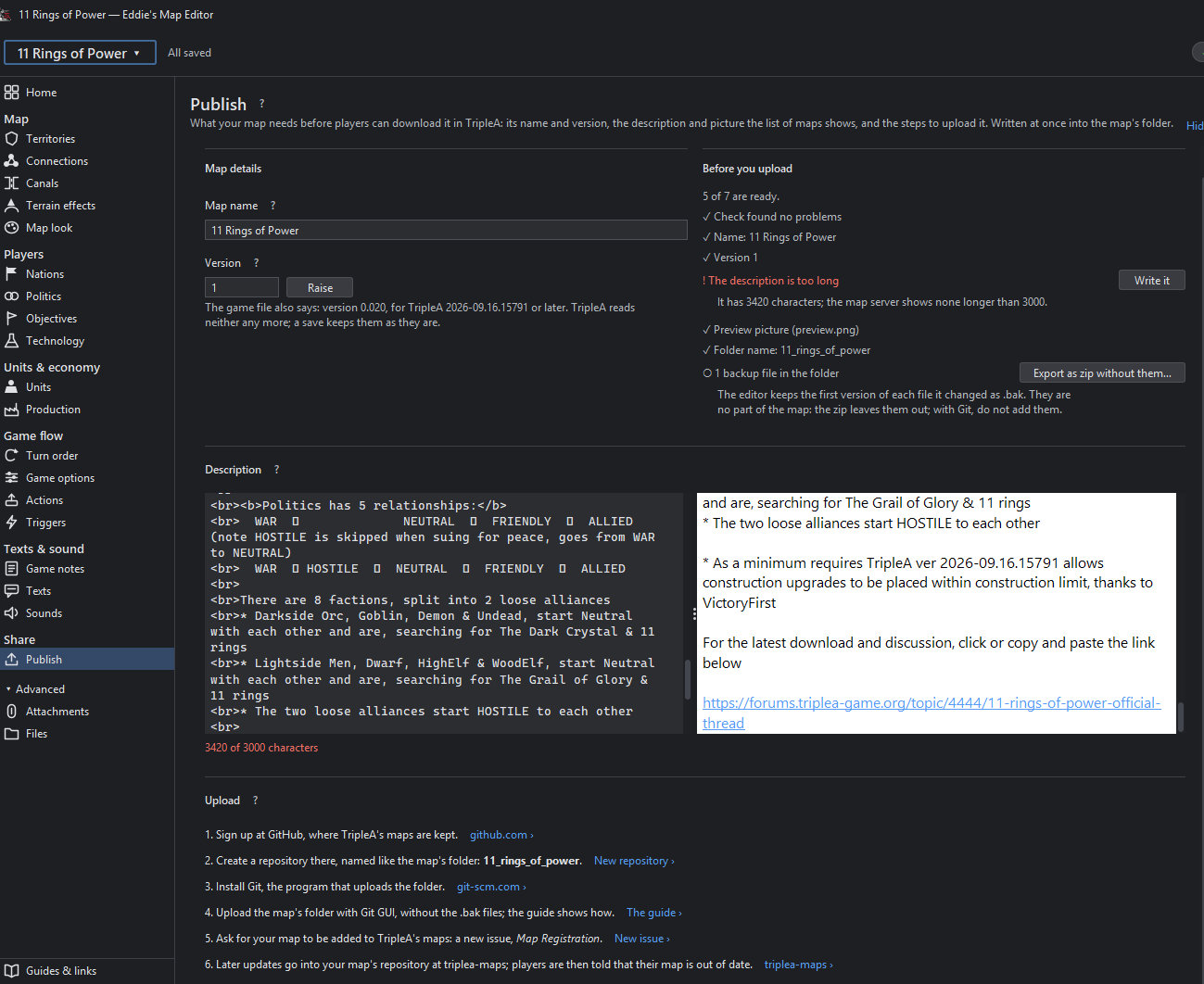
Work gave me Fable 5.2 to test and break it in my supa dupa giant ai workflow, and you know I can't keep my hands off this project and im not trusting it on my main projects yet.So I built something with it, and I'd like to show you: my map editor for TripleA. Its goal is to make map making more accessible. Thanks to @thedog for initial testing and for the feature ideas.
I would love some of the map makers and maybe some people that never build a map to try it. I actually want to throw you in relativley blind so you can explore this thing on your own, at the end of the day you guys know more about map making then i do. This project is not yet finished but @thedog already told me its helping him a lot so i thougt maybe it can help some of you guys aswell.
What you need
- TripleA from June 2026 or newer, installed. The editor runs with your installed TripleA
- Windows: download the zip, unzip, start Eddies Map Editor.exe. Java is included.
- macOS / Linux: the zip from the latest release plus Java 25.
- A backup of your map. It's still a test version.
Good to know
- Saving rewrites the formatting of the game XML. The content stays; your own indentation and line breaks don't.
Try it, break it, and tell me what's missing or confusing. A screenshot helps a lot.

( download is inside the readme)
https://github.com/xXEddieXxx/eddies-map-editor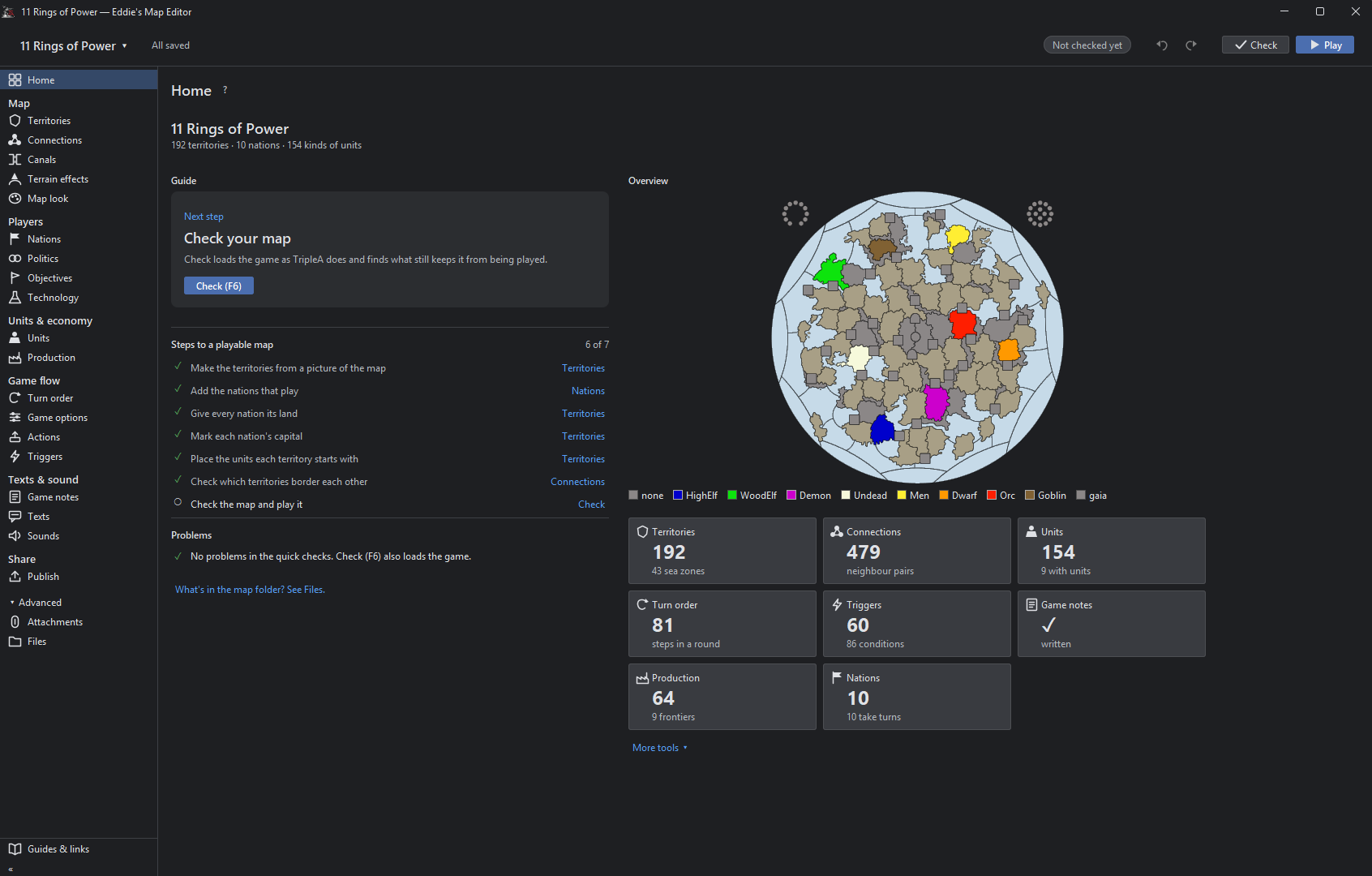
-
Nice! I’ll be checking it out when I have some free time
-
It can do this
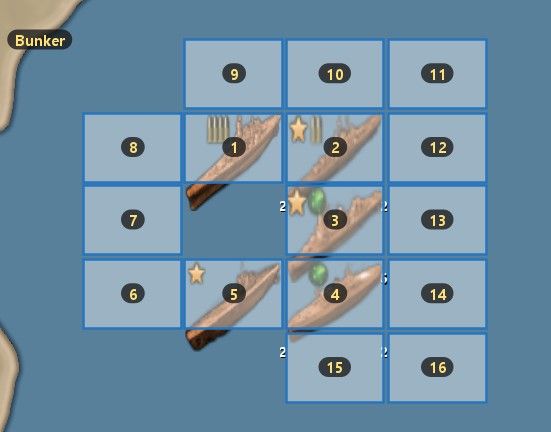
And then you move the placement boxes and save the coordinates. in place,txt
SO many cool things.

-
I've opened the program now. So far, it's extremely intuitive and easy to use. That tab where it lists out all the attachments is a godsend, exactly what I was asking for in another thread.
Few minor glitches I've run into so far.
One, on the Nations tab, the search bar has a drop down list that always stays open and can't collapse. It'd be nice if that would collapse when you haven't typed anything to take up less screen space on the side tab.
One of the few things I haven't been able to find is an option to rename the existing factions (i.e. if I want to make the Russians into the Soviets instead). Otherwise you'd just have to delete and recreate them from scratch, which is more of a hassle than it's worth.
When I tried adding Canada as a nation for an experiment, it defaults to checking every single territory added to the country as a capital territory, which is annoying. Should default to off instead. Also, after unchecking capital and switching to another territory, it rechecks the capital box again. Haven't found a way to make changing that stick yet.
It also throws up that ! error marker by "Mark each nation's capital" in the steps to a playable map section on the home tab if you have factions like the Chinese, Dutch, Mongolians, etc. on the existing maps that don't use a capital. It probably has no effect on whether you can save and export a file successfully, but perhaps there could be a checkbox option for "no capital" on the country tab's that just tells the editor's engine that the absence is intentional and not an oversight, and has it stop pinging that as an error.
-
@Vendetta thank you for the feedback, i got some valuable feedback from others aswell and will pushing out a release later. I will make a little update post when im finished
-
@xxXEddieXxx One more little quality of life suggestion:
On the territories tab, it lists out existing units which each have a box to enter how many there are and a ticker you can use to raise the number up and down.
Right now, you get rid of units by entering a 0 or ticking down until it gets there. It doesn’t actually remove the old unit entry fully from your screen until you refresh by hitting something like Add New Unit or going to another territory or tab.
Having an X button next to each unit that just does a one click clear and refreshes instantly so it’s gone right away would be convenient. And perhaps a clear all button that removes all units from the territory, either above or below the whole list.

Hello! It looks like you're interested in this conversation, but you don't have an account yet.
Getting fed up of having to scroll through the same posts each visit? When you register for an account, you'll always come back to exactly where you were before, and choose to be notified of new replies (either via email, or push notification). You'll also be able to save bookmarks and upvote posts to show your appreciation to other community members.
With your input, this post could be even better 💗
Register Login