@BillCurtis
Yea the old dice server you would put a space between emails but it was still limited character wise. I think it was 56.
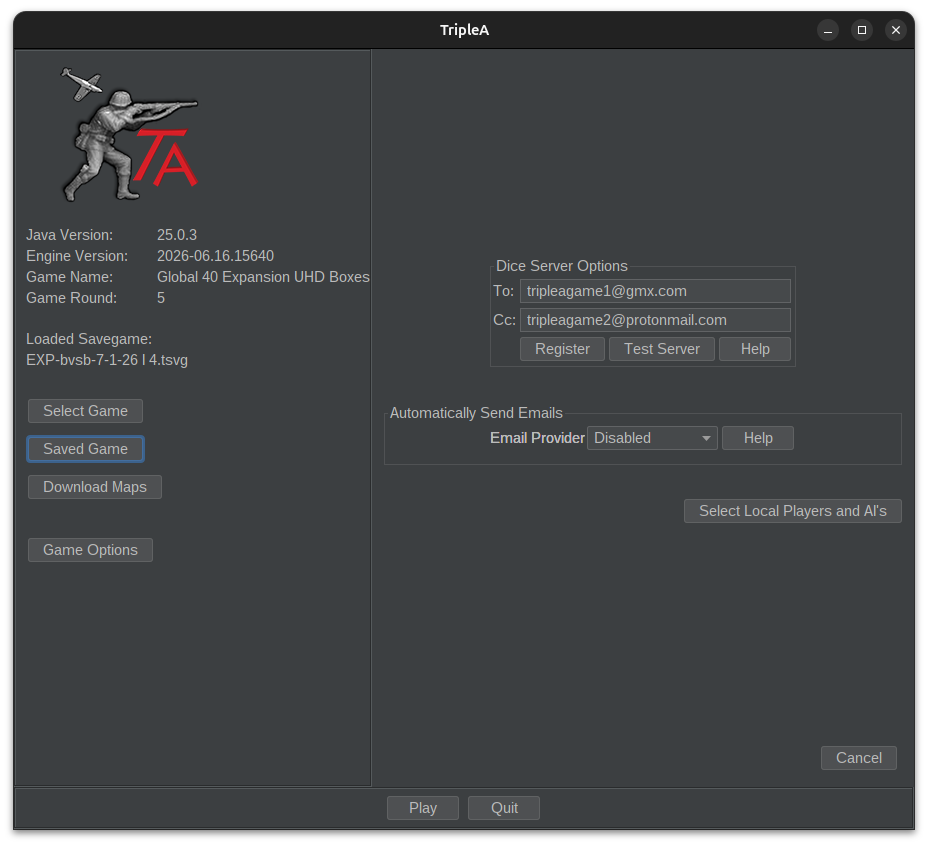
Anyway, the new dice server only allows 2 emails total. So, unless you're in a FreeForAll, select a Captain for each side. They will receive the emails.
Post to Forum isn't working, so you have to manually post the save to your Game Thread.
I do it like this. Actually will start at the very beginning.
Download 15640 from the Home Page.
https://triplea-game.org/
Hmm ... says 15650 now. Not sure what's up with that. Whatever, just DL the latest that it offers.
Then register at the new Dice server
https://dice.triplea-game.org/
Set up game. I use PBEM but it should be interchangeable with PBF. At least it used to.

Note
You can also register for the Dice server by hitting Register. It takes you to the above link.
Practice turn in Local mode, then do your real turn in PBEM mode. You'll see "Dice Server On" bottom right and it'll also show a "View Turn Summary" button. Top right.

Click on the Turn Summary window and do a ctrl a ctrl c
Save the game, ctrl s
Then post turn summary and save to the thread. Your opponent DLs the save, does their test turn in local and then repeats the above process.
The 2 Captain's will be the only ones to receive the dice rolls. You can look in History ctrl h under Combat and it will show the dice rolls.

Let us know if you get stuck somewhere. This from my game with Panzer if you wanna scan how we do it.
https://forums.triplea-game.org/topic/4286/exp-game-10-beelee-axis-vs-panzer-allies-operation-straweberry-fields-forever